Hi there,
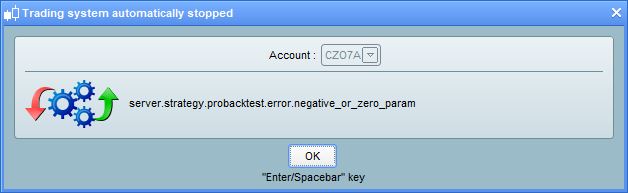
not sure about the following error. What does this mean?
“server.strategy.probacktest.error.negative_or_zero_param”
Please see attached.
Thanks,
Finning
Prorealtime is in the process of deploying new functionalities concerning the details of error messages. Some technical codes have not yet received their translations in “clear” language, this is why it seems incomprehensible.
But I can tell you that it refers to the old message indicating that there is an indicator period of 0 or negative, quite simply 🙂
Hi Nicolas,
“an indicator period of 0 or negative” – what does this mean? How can this error come about?
I know it seems self explanatory as to what the problem is, I just can’t seem to find what is causing the problem.
E.g. – if you have a cancelling function, like x=x to get rid of/nullify an unwanted variable from a call function, can this cause the problem?
If I have DEFPARAM Preloadbars = 10000 as well, is this related to the problem?
I don’t have a problem in backtests, only running live.
Thanks,
Finning.
if you have a cancelling function, like x=x to get rid of/nullify an unwanted variable from a call function
Why don’t you just replace the variable with IGNORED in the CALL instruction?
This problem is quite common if one of your period of calculation for an indicator is not valid.
In any case, you can get rid of this error with this kind of coding:
myindi = average[max(1,period)]
We make sure that the period is superior or equal to 1.
Hi Nicolas and Vonasi,
thanks for your replies. I have replaced unwanted CALL variables with ignored.
It also looks like the problem that I’m getting is from the B.M.I Angle indicator – have attached a code of what I’m running for it below. Also, am running the period and the lookback as the same number for this. Am running a code without this indicator and it doesn’t have a problem.
Is there any reason why I don’t get this error during backtesting – only during live trading? Trades enter for one bar then the system stops. Would be a lot easier to find if I could backtest for the error.
And Nicolas, with the code you wrote above – the
myindi = average[max(1,period)]
What happens if I want Period to = 120 (it should be a fixed value anyway). If for some reason Period doesn’t equal 120, does that mean it would revert back to 1, and would that mean it would then throw out my average from 120 down to 1?
B.M.I code I’m using is below.
// --- settings
//Period = 10  //Moving Average Period
//lookback= 20 // Number of candlesticks back on which the slope is evaluated
// --- end of settings

MM = Exponentialaverage[Period](close)
//pente = (MM-MM[lookback])/lookback
//trigger = Exponentialaverage[Period](pente)
ADJASUROPPO = ((MM-MM[lookback])/pipsize) / lookback
ANGLE = (ATAN(ADJASUROPPO))
if angle>0 then
r=0
g=255
else
r=255
g=0
endif

RETURN angle coloured(r,g,0) style(histogram) as "Angle", 0 as "level 0"
Thanks,
Finning.
Nicolas’ code means that PERIOD cannot be < 1 (which would be reported as an error by PRT), there’s no upper limit.
To set both lower and upper limits to, say, 1-999 you should write:
myindi = average[max(1,min(999,period))] //any value in between is fine
Hi Roberto,
I had another system stop on me today, after I tried to implement the change that you mentioned above.
The system backtested ok no problems, got the system running, then the same error led to system shutdown. Again, the system was in the market for 1 bar, then quit with an error at the end of that bar.
The code that I used is below – are there any problems with it? This is taken from the code version on the autotrading popup of running codes from the system that had the error today.
MM = Exponentialaverage[max(1,min(period,period))](close)
//pente = (MM-MM[lookback])/lookback
//trigger = Exponentialaverage[Period](pente)
ADJASUROPPO = ((MM-MM[max(1,min(lookback,lookback))])/pipsize) / (max(1,min(lookback,lookback)))
ANGLE = (ATAN(ADJASUROPPO))
if angle>0 then
r=0
g=255
else
r=255
g=0
endif


RETURN angle coloured(r,g,0) style(histogram) as "Angle", 0 as "level 0"
The only other thing that I can see that is different between some code i have that is error free and code that is giving me errors is per below.
ha = highest[barindex](account)

if account < ha*0.9 then
sell at market
exitshort at market
quit
endif
I understand the concept stated above that period cannot be <1 – though – that said – I have numerous examples from working live trading code where [0] is used – below is an example:
Upper = HIGHEST[a](CLOSE[0])
[0] with system constants or variables is normal it’s like no brackets CLOSE and CLOSE[0] both return the same price.
[a] does not accept that “a” be < 1.
The indicator works finely.
Use GRAPH in your strategy to debug it.
Hi Roberto,
what am I looking to GRAPH?
As you said, the indicator works well, and I get a full backtest over the data I load without a problem.
First Barindex is equal to 0, so the system can make an highest of 0 period as we said since posts..
ha = highest[max(1,barindex)](account)
I have numerous examples from working live trading code where [0] is used – below is an example:
As Roberto said, Close[0] this is a constant, not an indicator with a period in bracket.. The number is the offset in the past of the Close constant. I suggest you have a look to the course for beginners in programming: https://www.prorealcode.com/courses/training-program-introduction-programming-prorealtime/
If you change your code above in:
ha = highest[barindex](account)

if account < ha*0.9 then
sell at market
exitshort at market
quit
endif
GRAPH ha
GRAPH account
GRAPH barindex
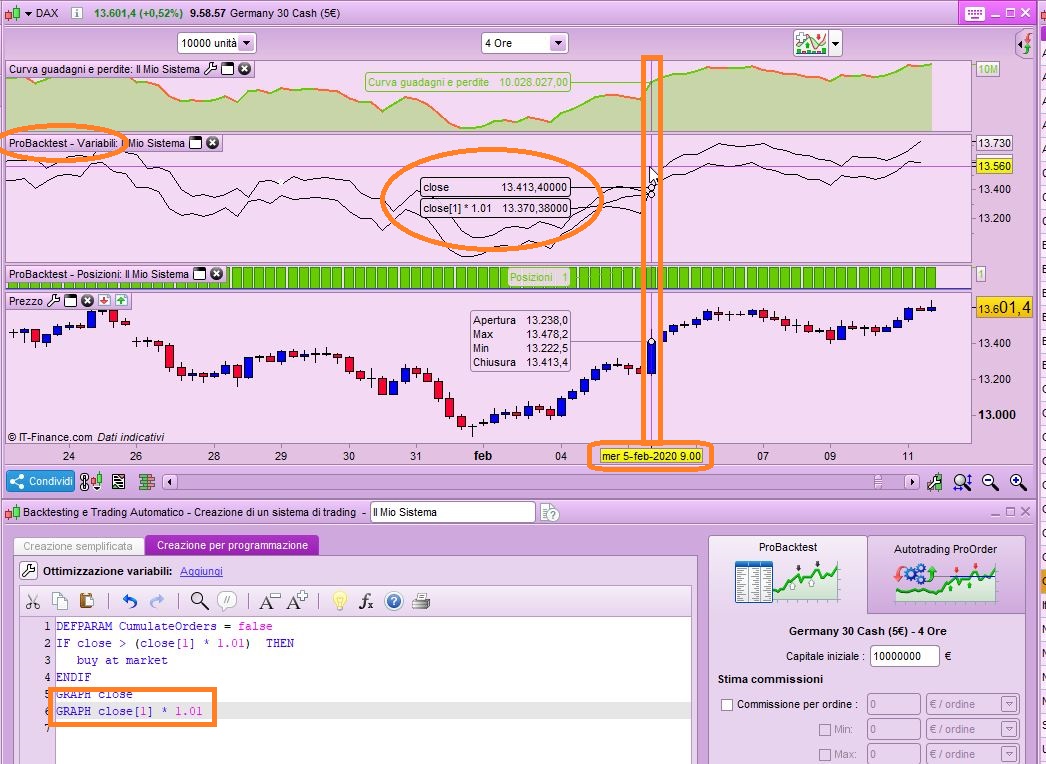
when backtesting you will be able to watch, for each candlestick where the mouse is sitting, in a special “variable” window the values those GRAPHed variables retain.
This will help you detect any incorrect value that you might want to change.
You can add many more GRAPH instructions on demo account (only 5 of them on real IG accounts).
See attached pic.
Hi Nicolas/Roberto,
thanks for your help with this. That solved the problem.
Cheers
Finning