Hi,
I have searched through the forum and quite surprised there have not been any discussion or test codes on Elder Triple screen strategy.
https://tradingstrategyguides.com/alexander-elder-trading-strategy-the-triple-screen/
It involves looking at 3 different time frame. I am currently learning to code on multi time frame, and would like to take a look at Elders Triple Strategy to learn more about coding multi time frame in PRT. Since the Elder Triple Strategy has been around for a long time, and is a pretty famous strategy, I am quite surprised I am not able to find it in this forum. But its possible that I might have missed out something. If you come across this strategy in PRT codes, appreciate if you can share the link here.
Thank you and have a great weekend.
Yes, it’s possible to code that strategy, buit it will take a few days (as I have to do something else at the same time).
I will read the full article. The KST indicator is already in the library (in a couple of different versions).
I’ll be back asap.
Thank you, Roberto! Looking forward to hearing from you soon! Have a smashing weekend ahead!
There you go. I made it for the 4h-1h-15min TF’s (+ default TF, in case you want to use it on a TF lower than 15 minutes). You can easily change all of them.
// Elder Triple Screen TS
//
DEFPARAM CumulateOrders = FALSE
//
Timeframe(default)
ONCE LotSize = 1
//
Timeframe(4h,UpdateOnClose)
Sma200h4     = average[200,0](close)
//
Timeframe(1h,UpdateOnClose)
Sma200h1     = average[200,0](close)
L1           = Sma200h1 > Sma200h1[1]
S1           = Sma200h1 < Sma200h1[1]
// MACD formula 12,26,9
ONCE FastAvg = 12
ONCE SlowAvg = 26
ONCE SigAvg  = 9
MyMACD       = ExponentialAverage[FastAvg](close) - ExponentialAverage[SlowAvg](close)
MySignal     = ExponentialAverage[SigAvg](MyMACD)
//MyHISTO    = MyMACD - MySignal   //Histogram is not used
L2           = MyMACD > MyMacd[1]
L3           = MyMACD > MySignal
S2           = MyMACD < MyMacd[1]
S3           = MyMACD < MySignal
//
Timeframe(15 minute,UpdateOnClose)
// KST indicator
ONCE Roc1    = 10
ONCE Roc2    = 15
ONCE Roc3    = 20
ONCE Roc4    = 30
ONCE Sma1    = 10
ONCE Sma2    = 10
ONCE Sma3    = 10
ONCE Sma4    = 15
//ONCE SigP  = 9                    //Signal not used
ro1          = Roc[Roc1](close)
ro2          = Roc[Roc2](close)
ro3          = Roc[Roc3](close)
ro4          = Roc[Roc4](close)
av1          = Average[Sma1,0](ro1)
av2          = Average[Sma2,0](ro2)
av3          = Average[Sma3,0](ro3)
av4          = Average[Sma4,0](ro4)
Kst          = (av1 * 1) + (av2 * 2) + (av3 * 3) + (av4 * 4)
//Sig        = Average[SigP,0](Kst) //Signal is not used
L4           = Kst CROSSES OVER  0
S4           = Kst CROSSES UNDER 0
//
Timeframe(default)
L0           = close > Sma200h4
S0           = close < Sma200h4
//
CondL        = L0 AND L1 AND L2 AND L3 AND L4 AND Not OnMarket
CondS        = S0 AND S1 AND S2 AND S3 AND S4 AND Not OnMarket
IF CondL THEN
   BUY LotSize CONTRACTS AT Market
ELSIF CondS THEN
   SELLSHORT LotSize CONTRACTS AT Market
ENDIF
SET STOP   pLOSS   50
SET TARGET pPROFIT 200
tested on DAX, 15min TF, 200K units.
Thank you so much, Roberto. Really appreciate it.
Hi Roberto, I have a question. I can follow your codes and understand that you are defining timeframe(4H, UpdateonClose) followed by timeframe(1H, UpdateonClose) and lastly timeframe(15 minutes, UpdateonClose).
Later below your code you also use Timeframe(default). That’s where I am a bit lost. In this Timeframe (default) what shud be the appropriate time frame? When doing backtestimg we shud run this strategy from the 15 mins as the default right? Thanks in advance for your advice.
You can use, as I did, the 15-minute TF, but if you prefer using 5 or 1 minute you can do it.
Even if you run it from a 1-minute TF, the setup is still based on 4h+1h+15 minutes.
 Fr7
Fr7Participant
Master
Would you be so kind to put a picture with the results of the backtest and statistics?
greetings and thanks
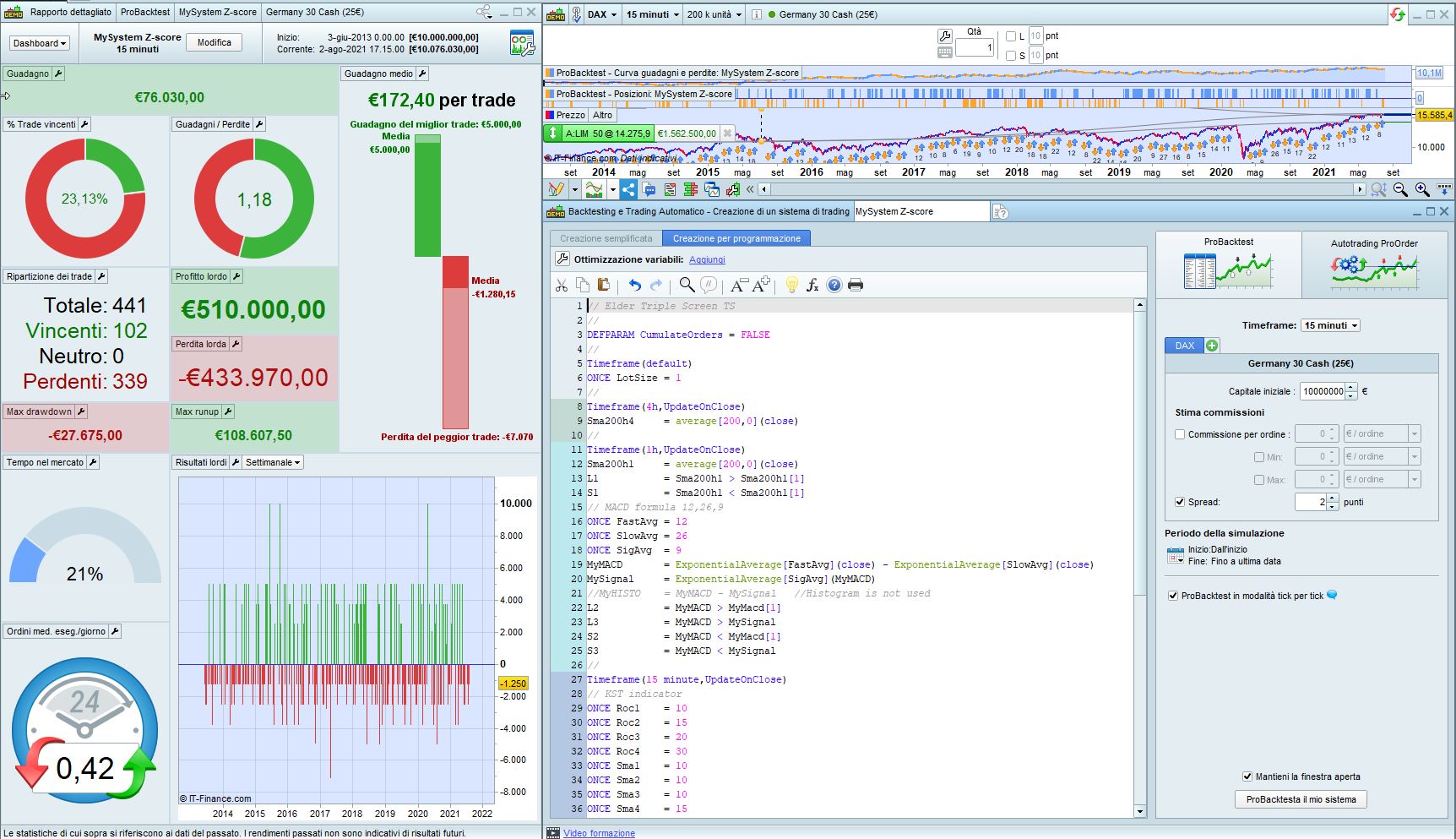
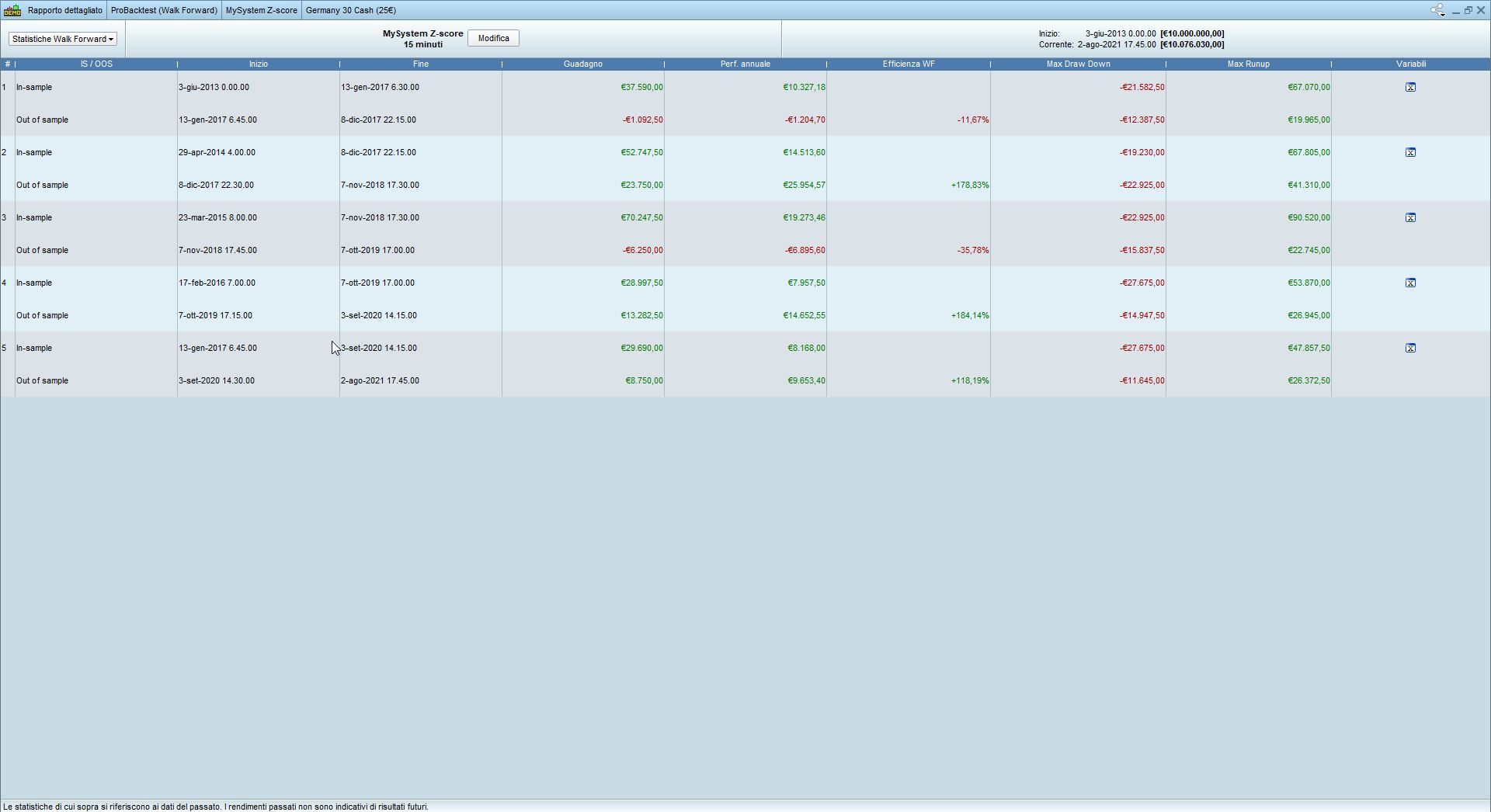
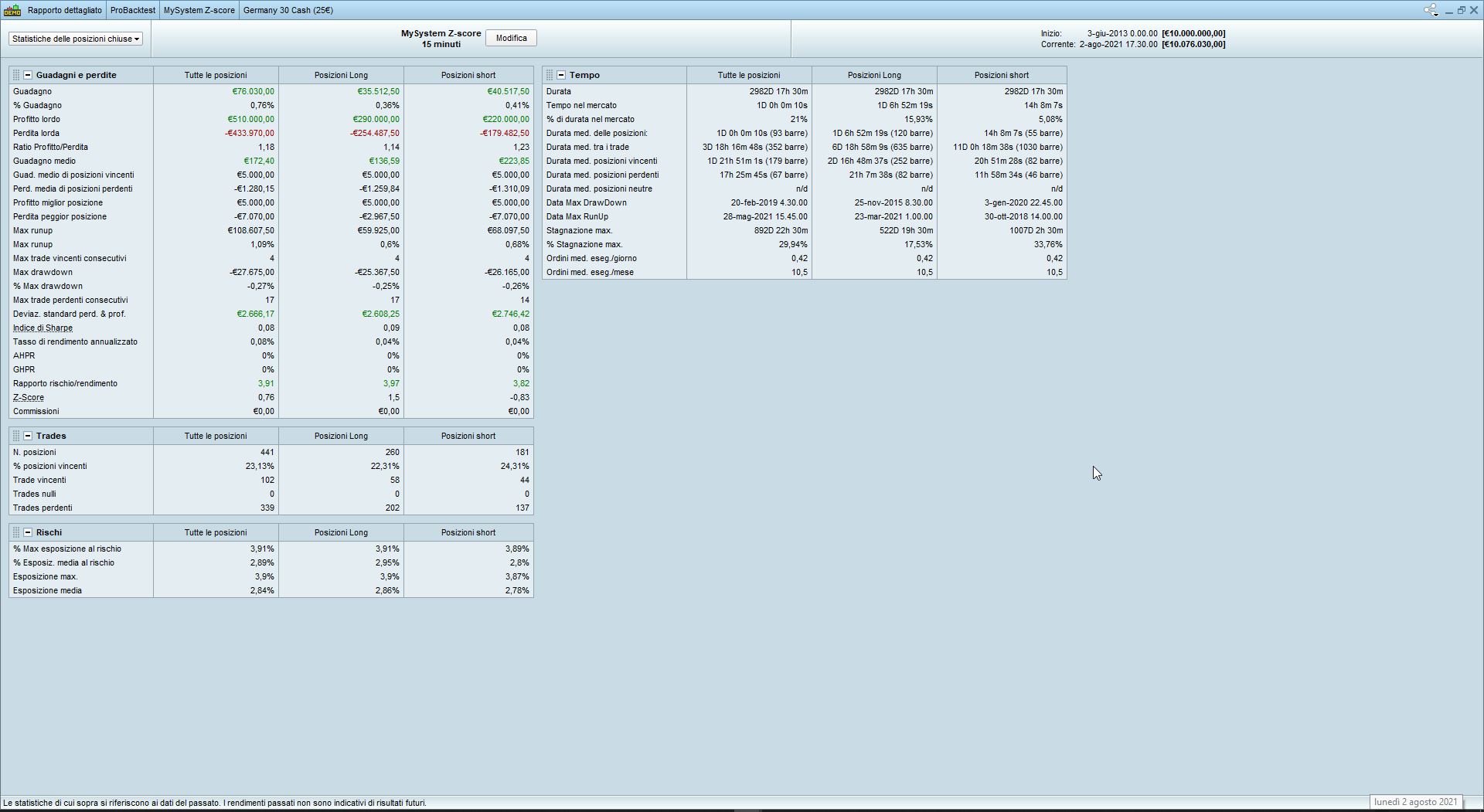
There you go. I am attaching 3 pics (Dax 25€, 200K units, 2-pip spread, 10M € starting capital):
- pic X – performance & settings
- pic Y – walk forward (5 passes)
- pic Z – stats
You can use, as I did, the 15-minute TF, but if you prefer using 5 or 1 minute you can do it.
Even if you run it from a 1-minute TF, the setup is still based on 4h+1h+15 minutes.
Tks for you great help, so this is the rules of Prorealtime, when we use a multi time frame we have to choose the smallest one or more smaller TF from the the smallest one of our trategy for running the back test ?
Yes, always the smallest one. And the bigger ones must all be a multiple of it.
Yes, always the smallest one. And the bigger ones must all be a multiple of it.
Ok tks you, so I have to find an subscription for PRT before trying, I used the free version but I can only go to the lower time frame but when I want to use the probacktest I haven’t any Data
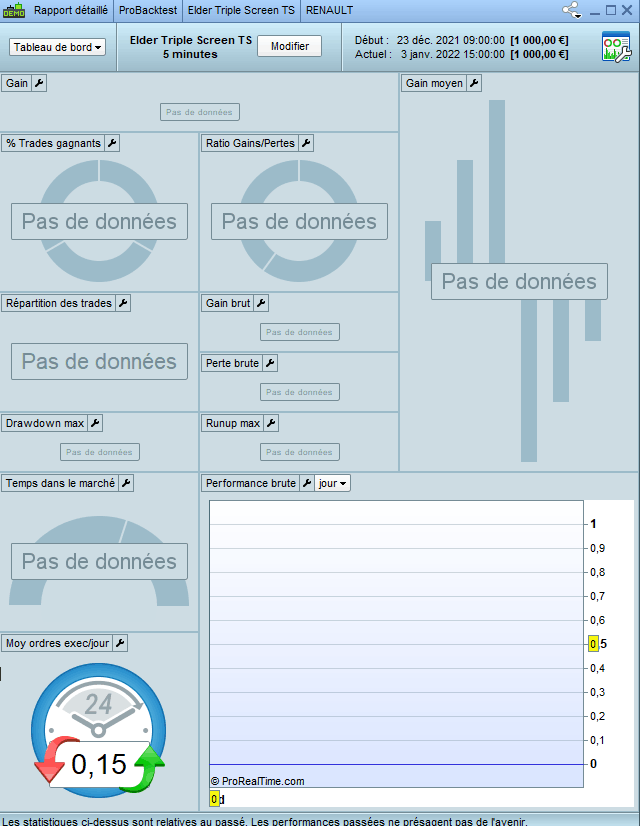
like you can see on this photo, No Data, so I have to pay for 1 or 2 month for trying and learning because I haven’t IG account,
if some know if they have a free solution for using ProBackTest pls ?
and tks again robertogozzi for your code, I will try to make a new one similar according to the new book of trading for living by using rsi or Force Index for the second screen depend of the marcket, and using differente trend indicator in the first one like the impulse systeme or other, I will come back to this thread when I will find a cheap solution for using PRT as a beginner
if some know if they have a free solution
Open IG Account and do a minimum of 4 trades per month. If you pick high probability trades you likely will also make yourself some money! 🙂
Well done, I do it yesterday and I called them, I wait for an answer today, I hope everything will be fine for my new account ;-), as soon I will get my account I will try to make the different triple screen indicator and will try to use it as a screen or why not a backtest strategy
But I think as screener is better, as I saw in the book ( the new trading for living) and according to my understanding this method is an indicator to allow or not to take a position in the same trend of the first screen, but it’s not mean you have to take the trade, but allowed or not
If someone can confirm pls?