


Discussion on Leo's Neural Networks

Viewing 6 posts - 1 through 6 (of 6 total)
  • Author
    Posts
  • #106572 quote
    GraHal
    Participant
    Master

    Leo did a loads of commendable work on Neural Networks and was kind enough to share with us while he traveled the lonely path … I think nobody could help because nobody understoood it all (?) … least of all me! 🙂

    Anyway, Leo found limitations on the PRT pathway and is now forging ahead with new tracks and fighting Pythons along the way! 🙂


    @Leo
    left us with below …

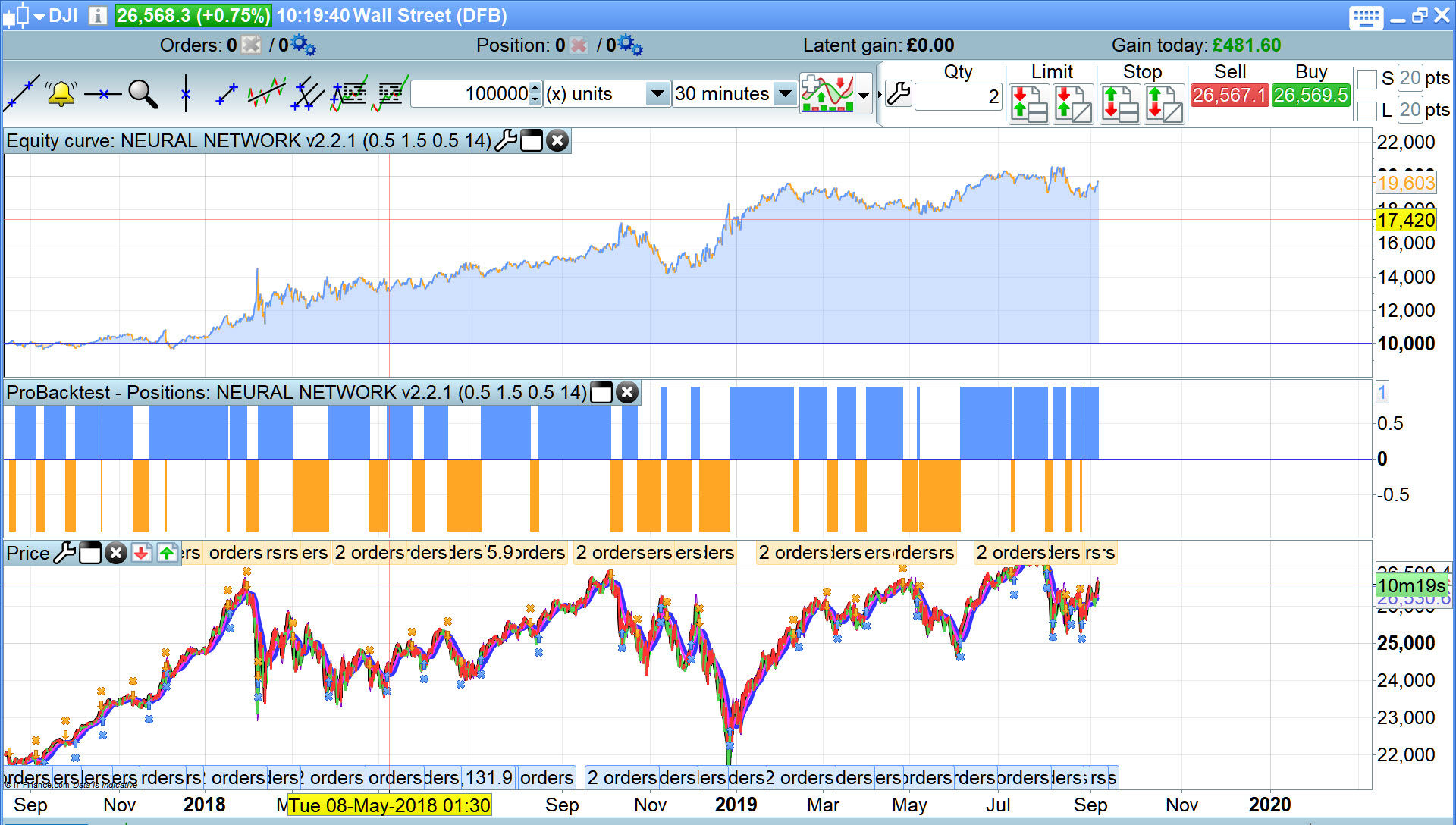
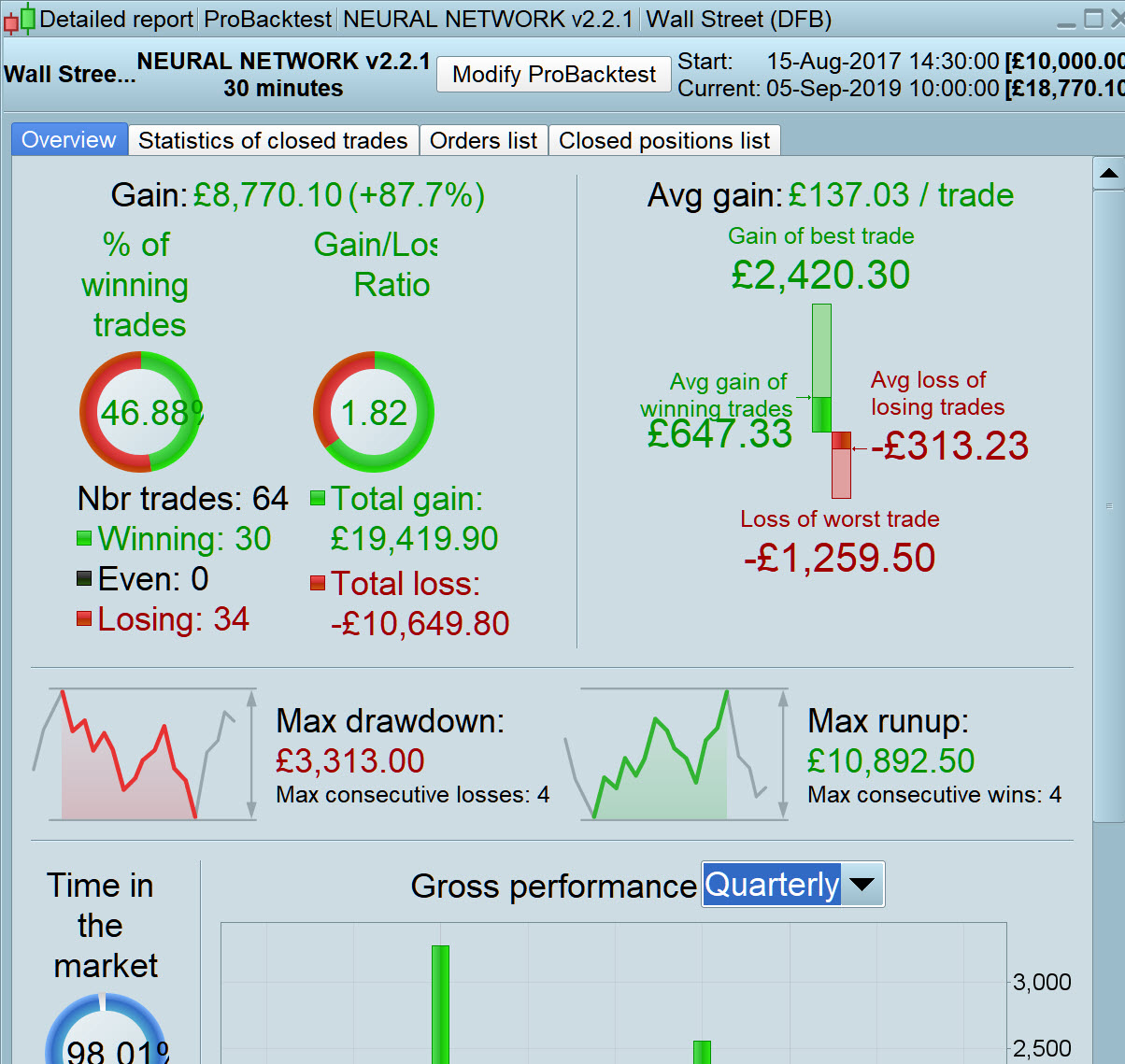
    here is the best approach I got Neural Network v2.2.1

    https://www.prorealcode.com/topic/neural-networks-programming-with-prorealtime/page/8/

    I made v2.2.1 into a workable strategy which I offer for further development and sharing on this Thread.

    We’d love to see you around in the future Leo … hope the Pythons don’t squeeze the life out of you, as I’m sure you must have felt like with PRT at times!? 🙂

    Best Wishes
    GraHal

    PS hope all’s good with your baby, wife and family.

    Leo.jpg Leo.jpg Leo-2.jpg Leo-2.jpg LeoNEURNET-v2.2.1-DJI-30M-v1.itf
    #106597 quote
    GraHal
    Participant
    Master

    Above .itf needs below as Line 3 … trade was rejected at 2000 preload bars. but trade just executed at 10,000 on Real data.

    DEFPARAM PRELOADBARS = 10000
    #106762 quote
    Roger
    Participant
    Veteran

    Hi Grahal, all this work on neural networks is very impressive, thanks to you and Leo. I have tried to backtest LeoNEURNET-v2.2.1-DJI-30M-v1 but when I try to test it on live and to launch the code for live trading (with a small size of contract) PRT says that I need to replace variables by values. Have you met the same problem ? Thanks in advance.

    #106763 quote
    GraHal
    Participant
    Master

    thanks to you and Leo.

    That should be a BIG BIG thanks to Leo and maybe just maybe a very small thanks to me! 🙂

    All I’ve done is manage to turn Leo’s Neural Network Indicator into trading Systems and I hoped others may have done a better job than me, but it appears none have been inspired enough to have a go? I guess because Leo’s code is so bespoke and personal?

    I need to replace variables by values. Have you met the same problem

    I guess you are trying to run my .itf EXACTLY as I provided above??  If Yes, then you need to read up on how to use the Optimiser.

    PS I dont know why that appears as bold font … I did not select bold and I am not shouting! 🙂

    #106768 quote
    GraHal
    Participant
    Master

    If Yes, then you need to read up on how to use the Optimiser.

    I had to get off quick earlier as I could tell that PRT was hogging my RAM and I may have lost all my work if / when PRT crashed!

    You need to enter the values after optimisation into the variable as shown in the code by Line number / variable name and then delete the variable from the Optimiser and then you can run the System to execute Live trades.

    But best you read up a bit on how to use the Optimiser … follow the link below.

    https://www.prorealtime.com/en/pdf/probacktest.pdf

    #106770 quote
    Roger
    Participant
    Veteran

    I guess I have not made my homeworks 🙂 Sorry for that I am a fresh newbie in Pro Real Code (even if I m used to backtest strategies for a while, with other softwares). I m going to learn it and get back here if I can help for any improvement/idea. Thanks.

    GraHal thanked this post
Viewing 6 posts - 1 through 6 (of 6 total)
  • You must be logged in to reply to this topic.

Discussion on Leo's Neural Networks


ProOrder: Automated Strategies & Backtesting

New Reply
Author
Summary

This topic contains 5 replies,
has 2 voices, and was last updated by Roger

6 years, 5 months ago.

Topic Details
Forum: ProOrder: Automated Strategies & Backtesting
Language: English
Started: 09/05/2019
Status: Active
Attachments: 3 files
Logo Logo
Loading...

