


Directional movement with different values for adx and dmi

Viewing 2 posts - 1 through 2 (of 2 total)
  • Author
    Posts
  • #37858 quote
    balance
    Participant
    Junior

    Hey,
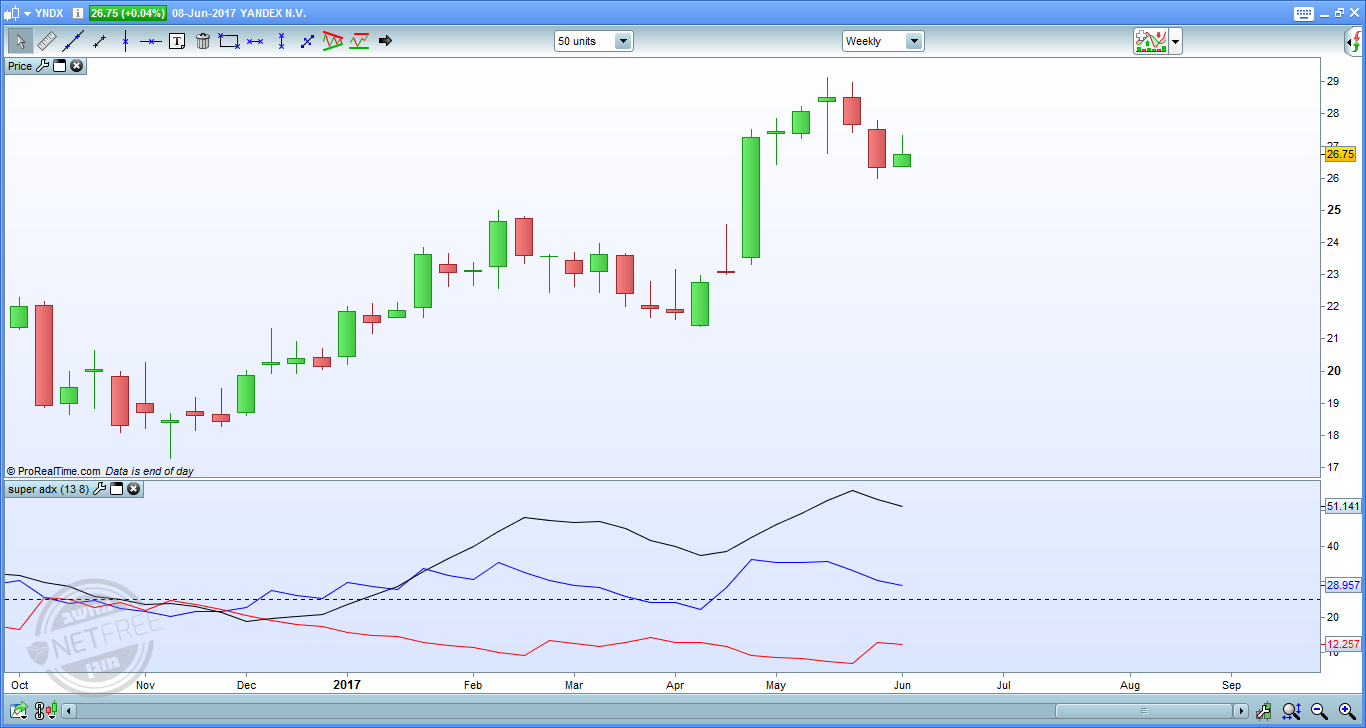
    I am interested in an indicator called – directional movement
    The indicator is of course in the system.
    But when I want to select the number of days (default = 14)
    I have the option to change the number of days but they change to the values of both the DI and the ADX values.
    I would like to be able to give one value to DI
    And another value to ADX.

    There is a technical possibility to do this in the system by adding two – DIRECTIONAL MOVEMENT with different values.
    Then hide the unwanted lines.

    But is it possible to program an indicator that will have the option of changing without making it a complicated process?

    Many thanks in advance for help.

    #37859 quote
    balance
    Participant
    Junior

    So, actually I think I’ve been able to find a solution –
    Attached code:

    mydiplus=DIplus[dmivalue](close)
    mydiminus=diminus[dmivalue](close)
    myadx=ADX[adxvalue]
    
    return mydiplus as "dmi+" ,mydiminus as "dmi-", myadx as "adx"
    

    I needed this because many people like to use different values (including my teacher).
    The reason is that since the ADX is built on the results of the DMI, if it is in the same values – you will get a very delayed result.

    Do you think there is a point in publishing this in the directory of indicators on the site?

Viewing 2 posts - 1 through 2 (of 2 total)
  • You must be logged in to reply to this topic.

Directional movement with different values for adx and dmi


ProBuilder: Indicators & Custom Tools

New Reply
Author
author-avatar
balance @balance Participant
Summary

This topic contains 1 reply,
has 1 voice, and was last updated by balance

8 years, 8 months ago.

Topic Details
Forum: ProBuilder: Indicators & Custom Tools
Language: English
Started: 06/09/2017
Status: Active
Attachments: 1 files
Logo Logo
Loading...
