I want to make a indicator that calculates the change of Directional Movement (DI) in current bar, compared to last bar.
Say the last bar has a value of 20 and the current bar has a value of 10. The change would then be = 100%.
Say the last bar has a value of -10 and the current bar has a value of 30. The change would then be = 400%.
Say the last bar has a value of 15 and the current bar has a value of -15. The change would then be = 200%.
This is some what easy to do. But the problem i face is when a bar has a value that starts with 0. Or when there’s a negative value on either side.
My code
volaDI = di[14](close)
volaDIchange = ((volaDI - volaDI[1]) / volaDI[1]) * 100
It’s not necessary to calculate it so it displays exactly like the example above. What i want is a indicator that shows the strength of the change.
Hey Johan, you are reinventing the wheel. You can use the Rate Of Change (ROC) to compare the change between the current value and one of the past. In your case, you only want to compare the actual one to the previous one, so the ROC period should be set to 1 and your code should now look like this:
volaDI = di[14](close)
//volaDIchange = ((volaDI - volaDI[1]) / volaDI[1]) * 100
volaDIchange = abs(ROC[1](volaDI)-volaDI[1])
return volaDIchange
Please tell me if I’m totally wrong, it’s Friday coding 🙂
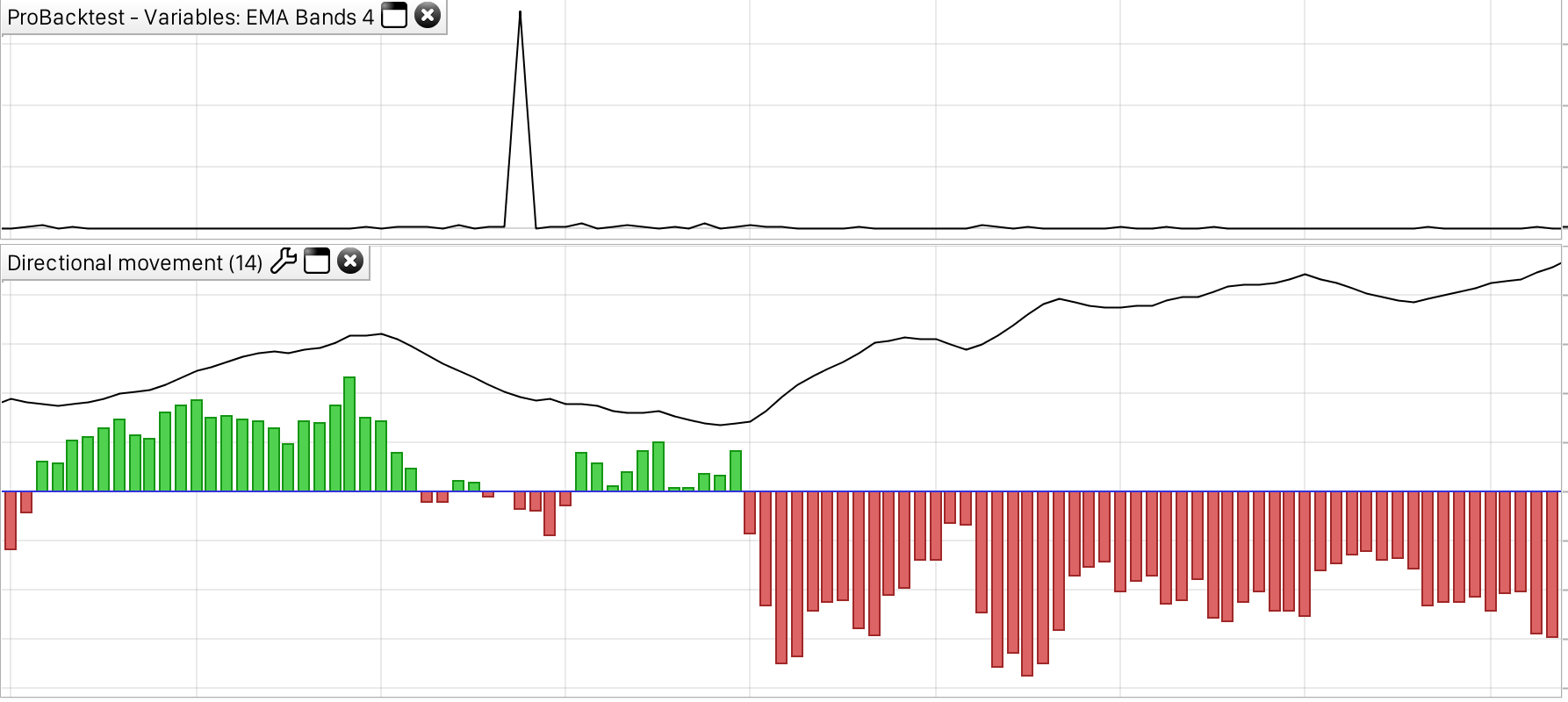
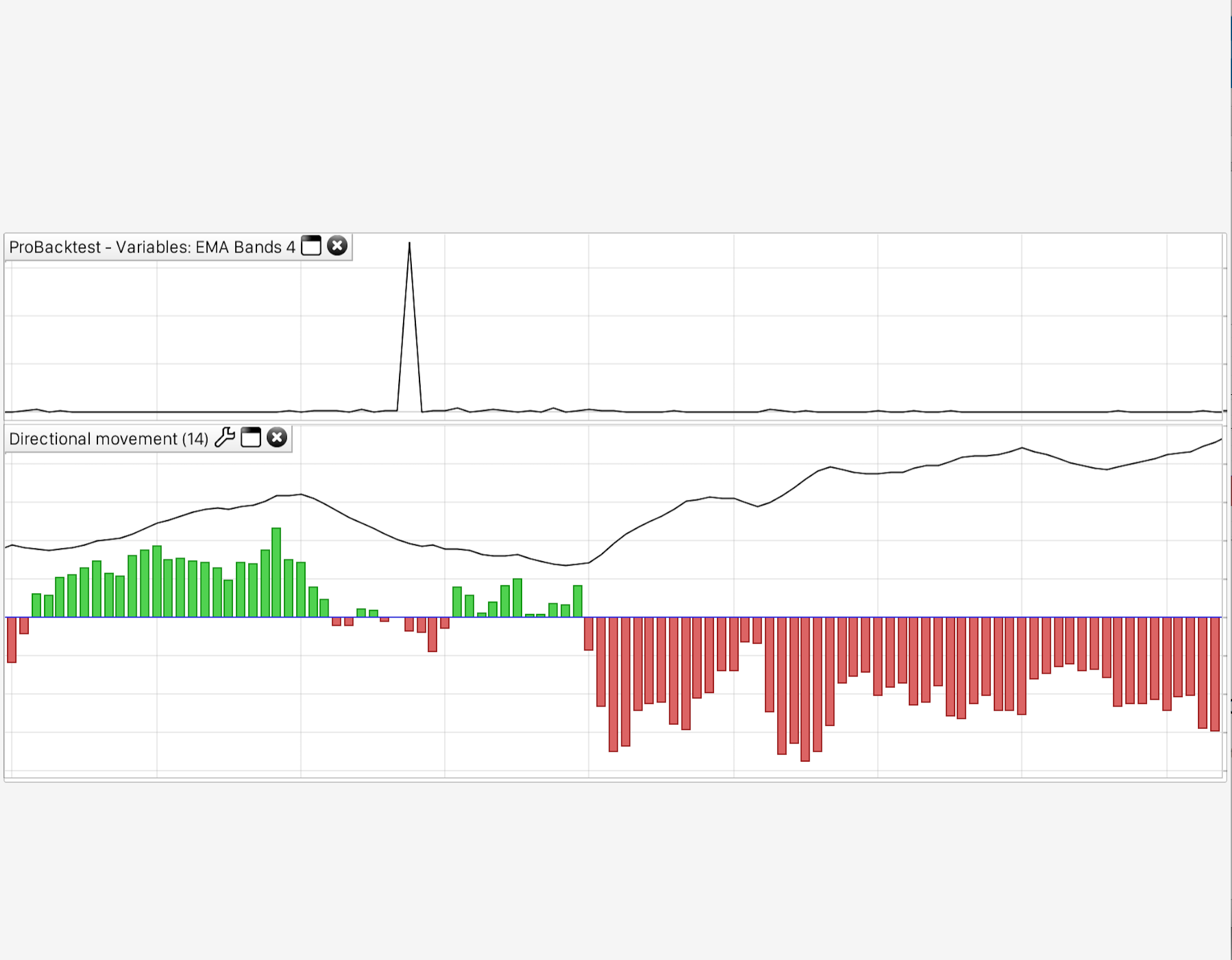
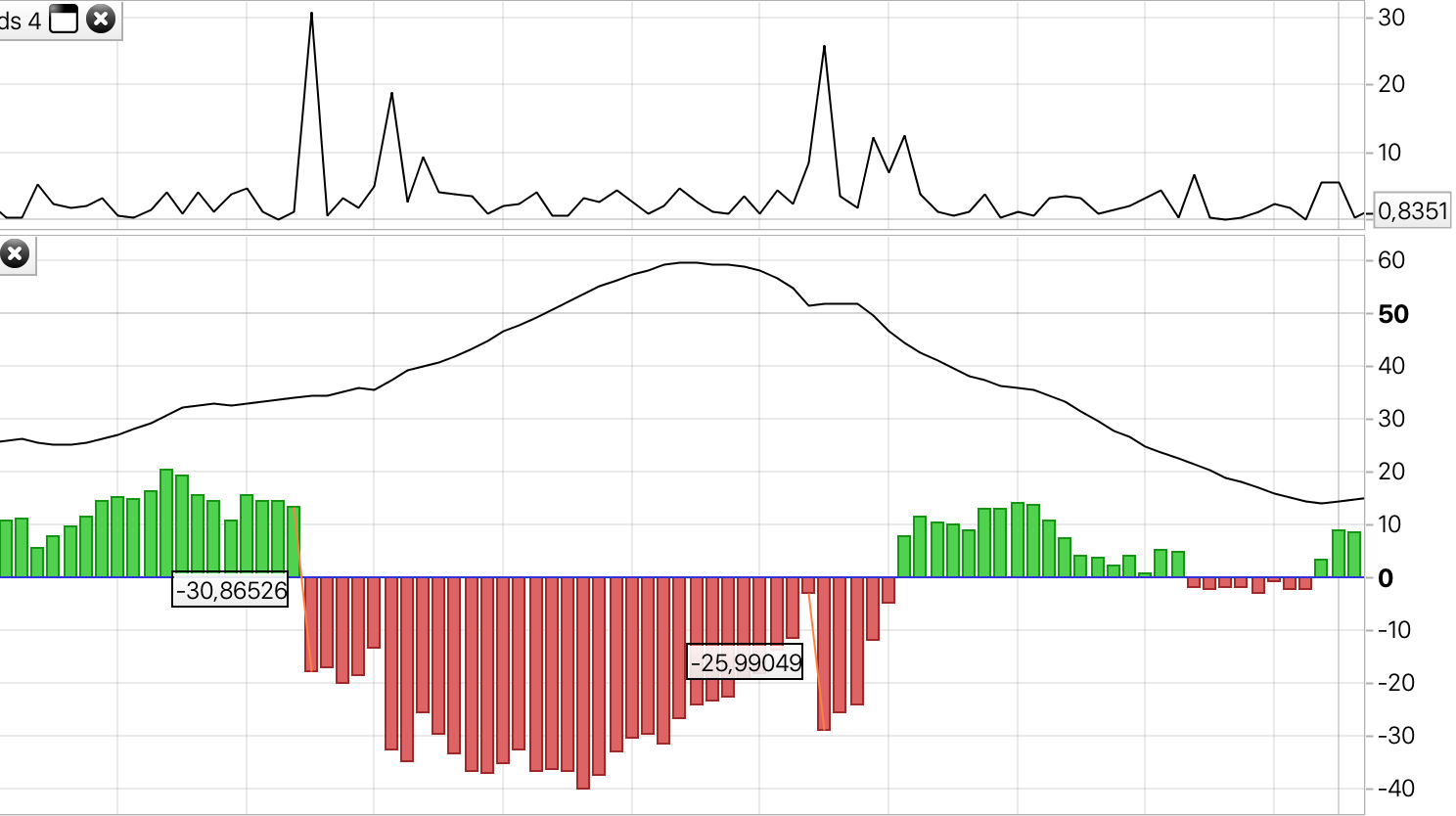
Thanks Nicolas. Looks like this is the way to go. But still, get’s huge spikes when there’s a zero value involved. This becomes nasty noise when there’s a small rate of change in price action but the DI value flips side. See my attached image. If you look to the right, the ROC of the last green and the first red bar should have the spike. Does this make any sense? 🙂
Made some changes to get rid of the zero value.
volaDI = di[14](close)
volaDIround = round(volaDI)
if (volaDIround = 0) then
volaDIround = sgn(volaDIround)
endif
volaDIroc = abs(roc[1](volaDIround))
return volaDIroc
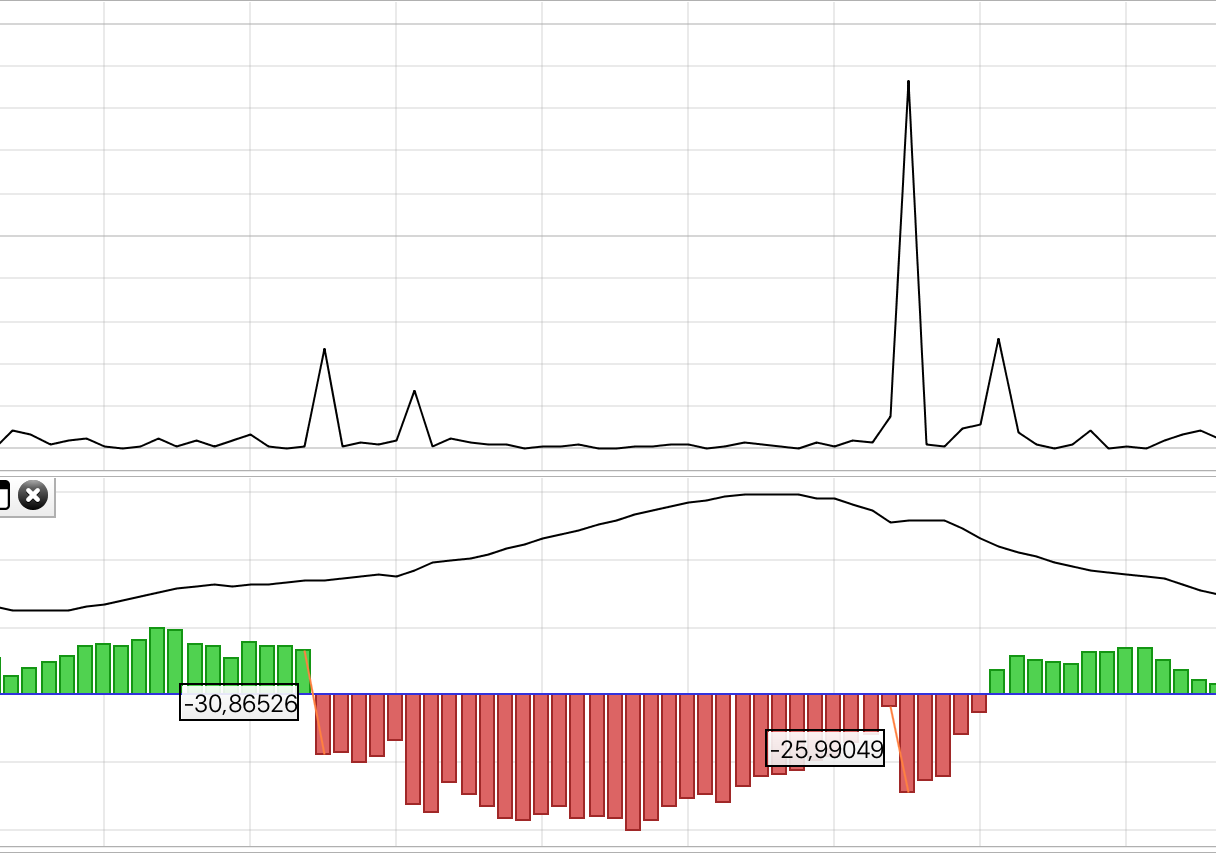
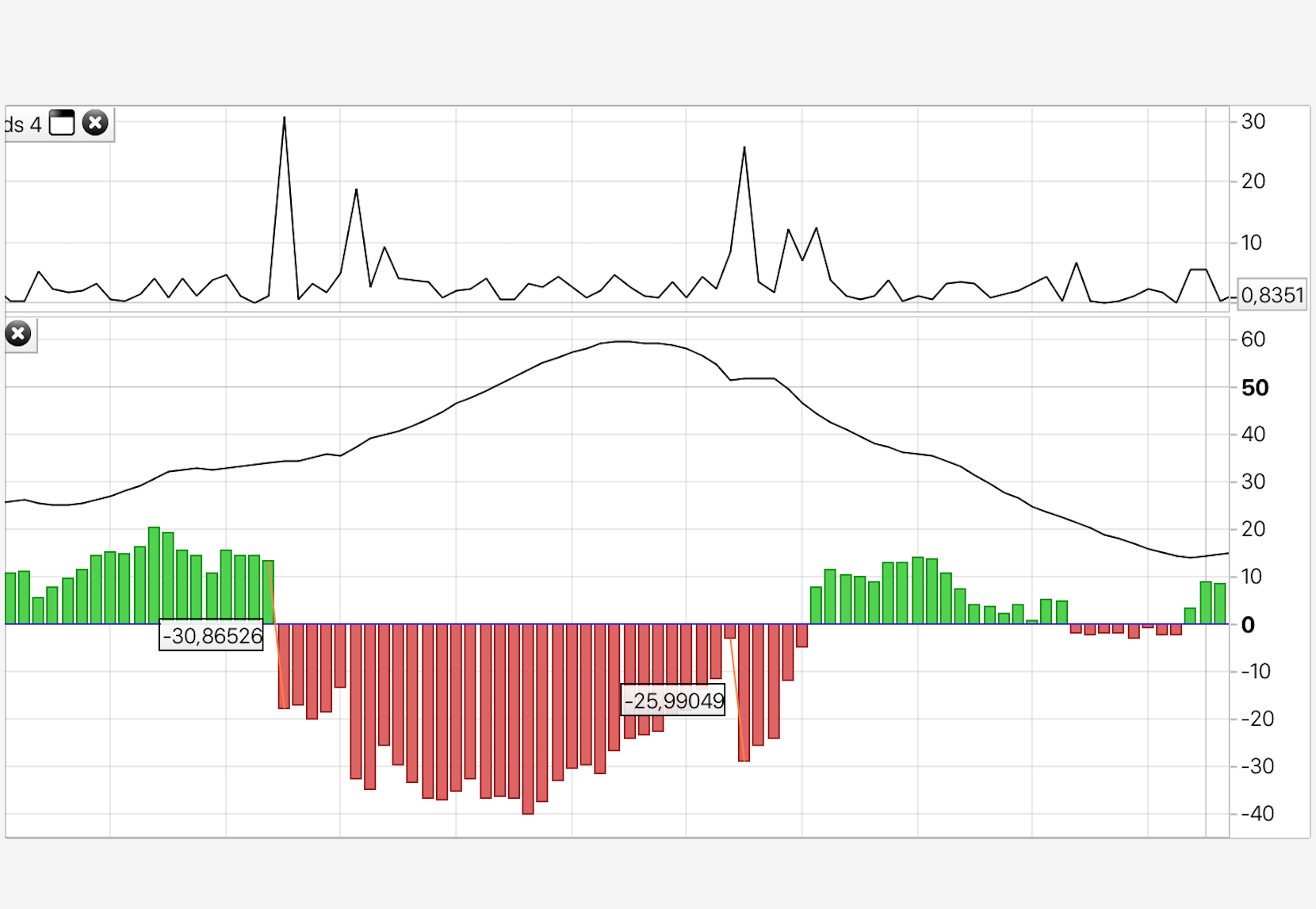
But what i don’t understand is how the ROC work. If i draw two rulers between the values of the one that i can see has the most ROC (distance) and the one where the indicator spikes. You can clearly see the it don’t correspond to the distance of the DI move. See image…
OK. The ruler drawing was a good thing to do 🙂 I think i found the solution.
volaDI = di[14](close)
volaDIroc = abs(volaDI - volaDI[1])
return volaDIroc