Different RSI Charts / any idea to rebuild?

Viewing 4 posts - 1 through 4 (of 4 total)
  • Author
    Posts
  • #228674 quote
    joe8711
    Participant
    New

    Dear PRT-code-community,

    First of all, thanks to all, who offer their know-how inside here. Since a few weeks, I’m reading some very interesting topics here.
    But now, I have a “special” question and hopefully someone has an idea.
    MANY THANKS!

    I use PRT also with different indicators.
    I also have access to an RSI indicator, which coding is blocked and not open to see.
    Now, I tried to rebuild this with several settings in PRT.
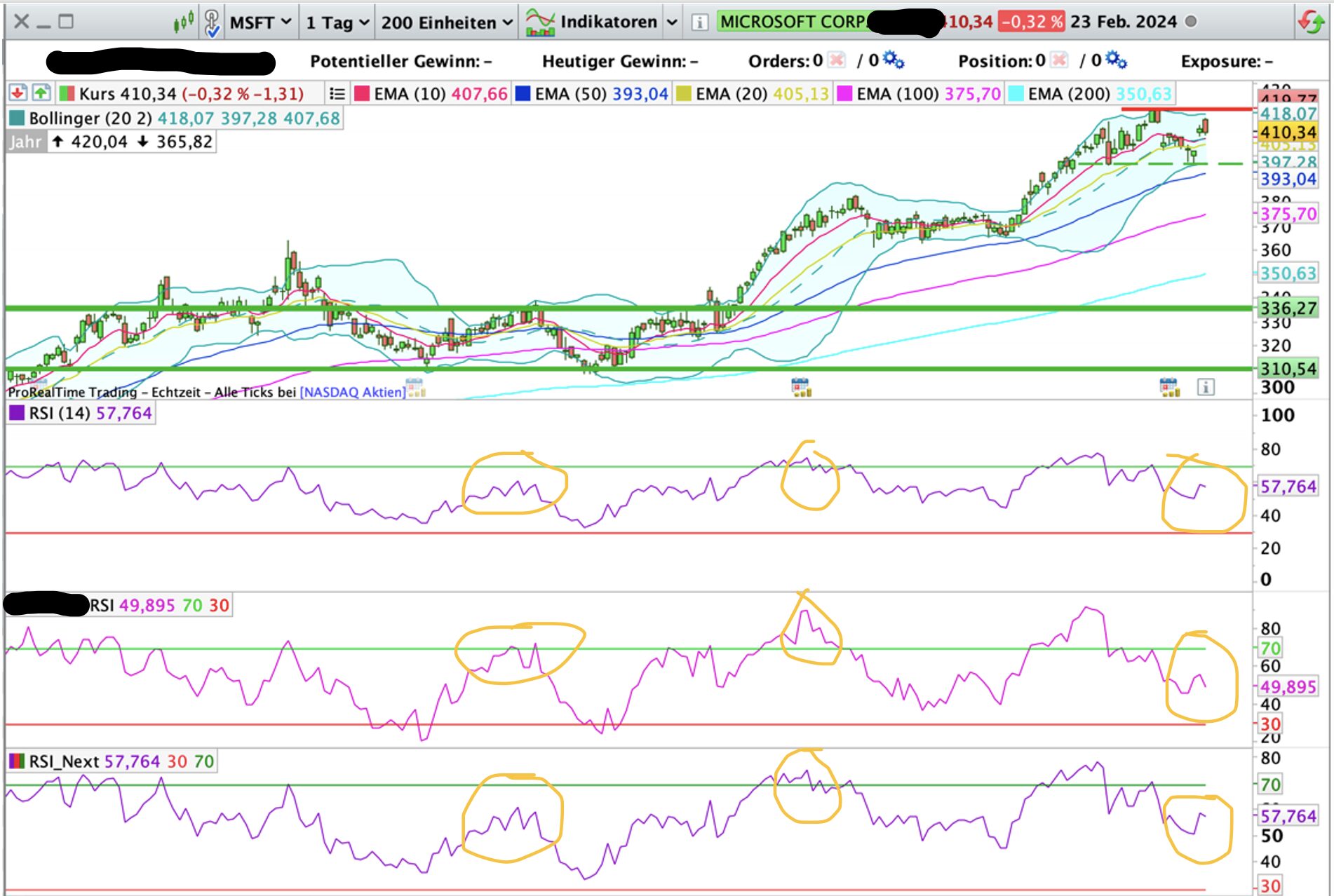
    The result goes in the right direction, but some peaks are not on the same level.
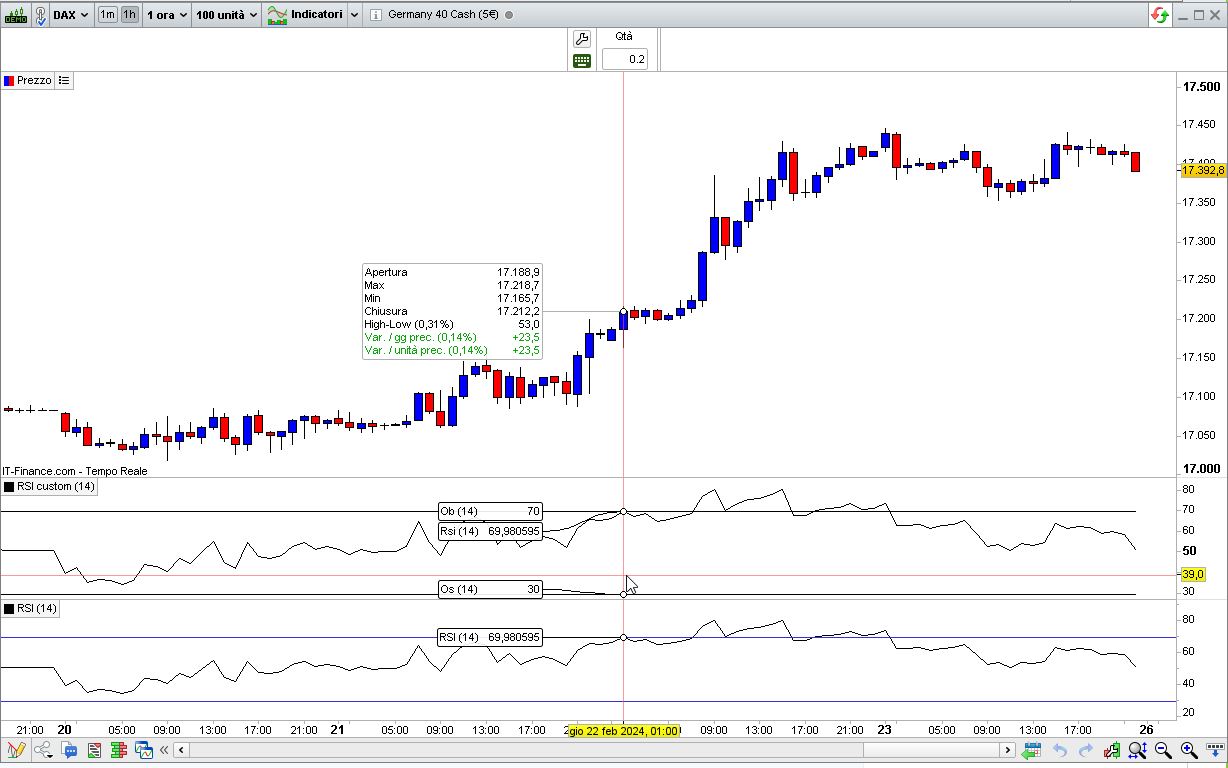
    RSI1) => the basic RSI from PRT with a period of 14 days.
    RSI2) => the “blocked” RSI, where I not know some details
    RSI3) => RSI code from here, which looks very similar to RSI1) (please see code bellow).
    ***I still tried different periods, but the result is not really rebuildable.***

    Thanks in advance for your ideas and help!

    Best,
    Joe8711

    // RSI indicator
    //
    // Formula:
    //
    //    (https://www.prorealcode.com/topic/indicatore-rsi/#post-51250)
    //    (https://www.investopedia.com/terms/r/rsi.asp)
    //
    p         = 14                          //periods
    Ob        = 70                          //OverBought
    Os        = 100 - Ob                    //OverSold
    //
    Bullish   = MAX(0, CLOSE - CLOSE[1])
    Bearish   = MAX(0, CLOSE[1] - CLOSE)
    //
    mmBullish = WILDERAVERAGE[p](Bullish)
    mmBearish = WILDERAVERAGE[p](Bearish)
    //
    RS        = mmBullish / mmBearish
    myRSI     = 100 - (100 / (1 + RS))
    //
    RETURN MyRSI AS "Rsi",Os AS "Os",Ob AS "Ob"
    #228677 quote
    JS
    Participant
    Senior

    Hi Joe,

    In your screenshot, RSI1 and RSI3 are the same…

    The “blocked” RSI is more responsive compared to the other RSI and for this purpose a “normal” average was used instead of the “WilderAverage”…

    REM Computes the daily variations
    
    UP = MAX(0, close - close[1])
    DOWN = MAX(0, close[1] - close)
    
    REM Computes the moving average of gains on positive days
    REM and losses on negative days
    
    upMA = Average[p](UP)
    downMA = Average[p](DOWN)
    
    REM Now we can compute the RS
    
    RS = upMA / downMA
    
    REM And finally the RSI
    
    myRSI = 100 - 100 / (1 + RS)
    
    DrawHLine(70)
    DrawHLine(30)
    
    RETURN myRSI AS "Relative Strength Index"
    
    joe8711 thanked this post
    #228679 quote
    robertogozzi
    Moderator
    Master
    The code you posted is the correct standard formula, as used by PRT. I couldn’t spot any difference between the two indicators.
    #228682 quote
    joe8711
    Participant
    New
    Thanks to both of you! The reply from JS is exactly, what I’m looking for. Only “p = 14” was missing, but thats it. Many thanks, good job!
    JS thanked this post
Viewing 4 posts - 1 through 4 (of 4 total)

  • You must be logged in to reply to this topic.

Different RSI Charts / any idea to rebuild?


ProBuilder: Indicators & Custom Tools

New Reply
Author
author-avatar
joe8711 @joe8711 Participant
Summary

This topic contains 3 replies,
has 3 voices, and was last updated by joe8711

1 year, 11 months ago.

Topic Details
Forum: ProBuilder: Indicators & Custom Tools
Language: English
Started: 02/24/2024
Status: Active
Attachments: 3 files
Logo Logo
Loading...