Hi,
I am fairly new at this, so I just made a simple MA crossover to start with. The results were great so I took in live yesterday.
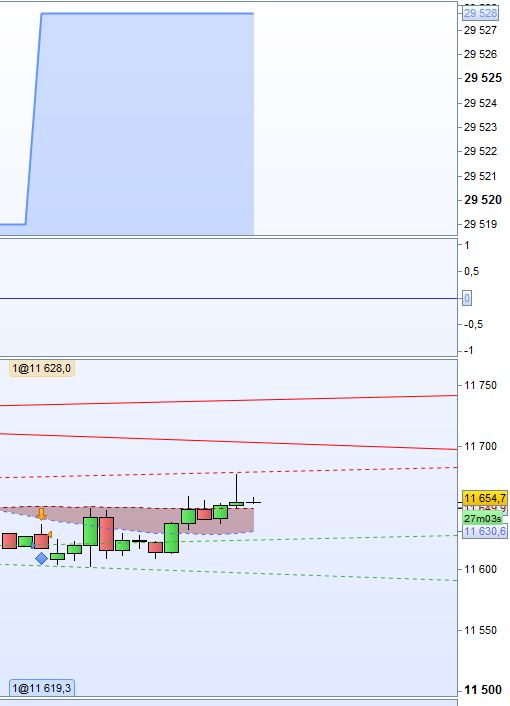
This morning the algorithm took its first position, which was a loss of 11,4 points. But when simulating (or back-testing) the algorithm now, ProOrder indicates that the trade was a profit of 8,7 points. Please see the attached screenshots.
The spread trough IG is 2 points, so that should be the issue.
Can anyone please explain this?
Thanks in advance!
Tobias
Have you added spread in your backtest? Have you tested it with PRT v10.3 (tick by tick)? Have you become a victim of the “0 bars issue”?
Did you made tick backtests with version 10.3? Could you please share the code? Otherwise, it would be difficult to help more 🙂
Hi,
The code is found below.
I use PRT 10.2, so I haven’t checked the tick by tick back-test.
The spread is included in the simulations. What is the “0 bars issue”? Perhaps that could be it since it closed on the same candle.
// Definition of code parameters
DEFPARAM CumulateOrders = False // Cumulating positions deactivated
DEFPARAM FlatBefore = 071500
DEFPARAM FlatAfter = 215500
indicator1 = Average[34](close)
indicator2 = Average[36](close)
NoC = CurrentMonth - 1 //Adjust for February
//indicator3 = Stochastic[14,3](close)
// Conditions to enter long positions
c1 = (indicator1 CROSSES OVER indicator2)
IF c1 THEN
BUY NoC CONTRACT AT MARKET
ENDIF
// Conditions to exit long positions
c2 = (indicator1 CROSSES UNDER indicator2)
IF c2 THEN
SELL AT MARKET
ENDIF
// Conditions to enter short positions
c3 = (indicator1 CROSSES UNDER indicator2)
IF c3 THEN
SELLSHORT NoC CONTRACT AT MARKET
ENDIF
// Conditions to exit short positions
c4 = (indicator1 CROSSES OVER indicator1)
IF c4 THEN
EXITSHORT AT MARKET
ENDIF
// Stops and targets
SET STOP pTRAILING 2
I know it looks weird with the narrow span on the MA’s and tight stop loss, but since the results were great, I couldn’t resist trying it live.
Cheers,
Tobias
You’ll find many topics about the “0 bars” issues around here. Since version 10.3, prorealtime embed a new backtest engine that solve this behaviour of the way trades were considered if the target and stoploss price levels were in the same bar.
I made a video about it: https://www.prorealcode.com/blog/video-tutorials/tick-tick-backtest-engine-probacktest/
it Seems to be the trailing stop set to 2 in code but 10 in live.
Regards
Henrik
If you´re trading DAX I think the smallest possible trailing stop you can use is 5points
Hi,
Thanks for your replies. I thought the trailing stop at 2 points seemed funny, but that was the result I got when optimizing it. I’ll adjust it and try again.
Henrik, do you have any explanation for why the stop is 10p instead of 2p?
So basically, the backtest can’t be trusted in PRT 10.2 without tick by tick backtest?
Tobias
You can´t even trust v10.3 tick by tick backtest but it´s better than 10.2