Team,
is there a possibility to read out in a indicator or strategy program what the timeframe of the chart is to which the indicator is applied?
Thanks for a quick info.
I don’t fully understand what you are asking, sorry.
I always put the applicable TF in the title of my Systems, for example … MA Cross DJI 5M v1
If using MTF then applicable TFs would be stated in the System code, for example … (Timeframe 5mn, updateonclose)
As for strategies, as GraHal pointed out, you select the TF where you want your code to be executed, and in your code you’d better use comment lines to store info about the author, version, update history, instrument and TF.
As for indicators, the only way to know the TF is to use OPENTIME (or TIME) and do some math between the current one and that of the previous bar.
Be warned that PRT do not support date/time math, so they only treat everything as a real number and you will have to take care of minutes made of 60 seconds (not 100) and hours made of 60 minutes…..
I coded this indicator which seems to work quite well at returning values to show what time frame the chart it is applied to is. It can detect every possible time frame for second, minute and hour charts as well as if it is a daily or monthly chart
The indicator returns five values and only one should be positive for each chart:
tfs = time frame in seconds (1 = 1 second chart, 2 = 2 second chart etc)
tfm = time frame in minutes (1 = 1 minute chart, 2 = 2 minute chart etc)
tfh = time frame in hours (1 = 1 hour chart, 2 = 2 hour chart etc)
tfd = daily time frame ( 1 = daily chart)
tfmo = monthly time frame( 1 = monthly chart)
It works by checking the difference in seconds, minutes, hours, months and days between candle times and if it has x candles in a row with the same difference then it returns the difference as a value. You can increase or decrease the x value if you want – the higher the value the longer the indicator takes before it returns what it thinks the chart time frame is and the lower the value the shorter the time it takes but with a potential increase in the possibility of it being wrong – especially on charts like the 1 second chart where candles are missing and the difference between candles is not always exactly 1 second. A value of 6 for x seems to be a good compromise on popular instruments.
You could CALL the indicator from a strategy or another indicator to then know in them what time frame chart they were being applied to and then set different variables based on the time frame.
//Time Frame Detector
//By Vonasi
//20190826

if not tfs and not tfm and not tfh and not tfd and not tfmo then
x = 6

hhmmss = opentime
hhmm00 = max(0,(round((opentime/100)-0.5))*100)
hh0000 = max(0,(round((opentime/10000)-0.5))*10000)
ss = hhmmss - hhmm00
mm = (hhmmss - hh0000 - ss)/100
hh = hh0000/10000

ssdiff = 0
mmdiff = 0
hhdiff = 0
dddiff = 0
modiff = 0

ssdiff = (ss - ss[1])
if ss < ss[1] then
ssdiff = (60 - ss[1]) + ss
endif

if not ssdiff then
mmdiff = (mm - mm[1])
if mm < mm[1] then
mmdiff = (60 - mm[1]) + mm
endif
endif

if not mmdiff then
hhdiff = (hh - hh[1])
if hh < hh[1] then
hhdiff = (24 - hh[1]) + hh
endif
endif

if not hhdiff then
modiff = openmonth <> openmonth[1]
endif

if not modiff then
dddiff = opendayofweek <> opendayofweek[1]
endif

if not tfs and summation[x](ssdiff = ssdiff[1]) = x then
tfs = ssdiff
endif

if not tfm and summation[x](mmdiff = mmdiff[1]) = x then
tfm = mmdiff
endif

if not tfh and summation[x](hhdiff = hhdiff[1]) = x then
tfh = hhdiff
endif

if not tfd and summation[x](dddiff) = x then
tfd = dddiff
endif

if not tfmo and summation[x](modiff) = x then
tfmo = modiff
endif
endif

return tfh as "timeframe hour", tfm as "timeframe minute", tfs as "timeframe second", tfd as "timeframe daily", tfmo as "timeframe monthly"
This is the snippet Nicolas posted somewhere (I can’t remember where):
//You can recognize on which timeframe you are on with this little code snippet:

once NbBar = 1
if BarIndex < NbBar+2 then
   MyDay=openday
   dayminutes = 1440*(MyDay-MyDay[1])
   MyHour=openhour
   hourminutes = 60*(MyHour-MyHour[1])
   MyMin=openminute
   barminutes = MyMin - MyMin[1] + hourminutes + dayminutes
   barminutes=abs(barminutes)
   Mybarminutes = lowest[NbBar](barminutes)[1]
endif
return Mybarminutes as "Timeframe"

//So it would be possible to set a different “intradaybarindex” for each of the found timeframe to close your orders (or event a different Time).
I did find that code snippet from Nicolas but it does not work on second time frame charts and daily for example is shown as a 41760 chart which seemed a little difficult to interpret. Pro Real code does not have a OPENSECOND instruction so my code had to find a way around that and also the fact that there is not always a bar every second and sometimes the gap between bars on a 1 second chart can be several seconds for several bars!
Following on from an off forum chat with RobertoGozzi I decided to modify my time frame detector so that the results could be easily called from a strategy or another indicator and then easily used in them.
It now returns a single number in the range 10001 to 59999. The first digit (on the left) indicates the time frame as follows:
- 1 = seconds
- 2 = minutes
- 3 = hours
- 4 = daily
- 5 = monthly
The remaining four digits show the quantity of time so 10001 would be 1 second. 20005 would be 5 minutes and 30004 would be 4 hours.
You can call the indicator with this code:
x=6 //number of bar needed for confirmation of time
mytime = CALL "Time Frame Detector"[x]
smhdmo = round(mytime/10000)
timeqty = mytime - (smhdmo*10000)
x is the number of bars needed in a row for confirmation of the time frame. You will now have in your strategy or indicator two variables.
- smhdmo = the time frame from 1 to 5 the same as listed above.
- timeqty = the quantity of time so 1 minute or 4 hours or 9999 seconds
You can now use these to automate indicator settings like so:
//4 Hour settings
if smhdmo = 3 and timeqty = 4 then
p = 200
endif

//30 minute settings
if smhdmo = 2 and timeqty = 30 then
p = 33
endif

//and so on.....
If you prefer then you can delete the last two lines in the CALL code so that it just returns one variable and then use that in your strategy or indicator.
//4 Hour settings
if mytime = 30004 then
p = 200
endif

//30 minute settings
if mytime = 20030 then
p = 33
endif

//and so on.....
Here is the new time frame detector code. It can detect any quantity of seconds, minutes or hours up to 9999 (values over 9999 will give an incorrect result returned) but for daily and monthly it is limited to just 1 day or 1 month.
//Time Frame Detector v2
//By Vonasi
//20190826

if not tfs and not tfm and not tfh and not tfd and not tfmo then
//x = 6

hhmmss = opentime
hhmm00 = max(0,(round((opentime/100)-0.5))*100)
hh0000 = max(0,(round((opentime/10000)-0.5))*10000)
ss = hhmmss - hhmm00
mm = (hhmmss - hh0000 - ss)/100
hh = hh0000/10000

ssdiff = 0
mmdiff = 0
hhdiff = 0
dddiff = 0
modiff = 0

ssdiff = (ss - ss[1])
if ss < ss[1] then
ssdiff = (60 - ss[1]) + ss
endif

if not ssdiff then
mmdiff = (mm - mm[1])
if mm < mm[1] then
mmdiff = (60 - mm[1]) + mm
endif
endif

if not mmdiff then
hhdiff = (hh - hh[1])
if hh < hh[1] then
hhdiff = (24 - hh[1]) + hh
endif
endif

if not hhdiff then
modiff = openmonth <> openmonth[1]
endif

if not modiff then
dddiff = opendayofweek <> opendayofweek[1]
endif

if not tfs and summation[x](ssdiff = ssdiff[1]) = x then
tfs = ssdiff
endif

if not tfm and summation[x](mmdiff = mmdiff[1]) = x then
tfm = mmdiff
endif

if not tfh and summation[x](hhdiff = hhdiff[1]) = x then
tfh = hhdiff
endif

if not tfd and summation[x](dddiff) = x then
tfd = dddiff
endif

if not tfmo and summation[x](modiff) = x then
tfmo = modiff
endif
endif

if mytime = 0 then
if tfs <> 0 then
mytime = 10000 + tfs
endif

if tfm <> 0 then
mytime = 20000 + tfm
endif

if tfh <> 0 then
mytime = 30000 + tfh
endif

if tfd <> 0 then
mytime = 40001
endif

if tfmo <> 0 then
mytime = 50001
endif
endif

return mytime
i just tried to use Time Frame Detector v2 in an indicator prt v 11, but it return always mytyme = zero . This is the calling source. Any ideas to solve?
x=4 //number of bar needed for confirmation of time
mytime = CALL "Time Frame Detector"[x]
smhdmo = round(mytime/10000)
timeqty = mytime - (smhdmo*10000)
Does it return zero or does it just display nothing? It won’t display anything unless you add this to your code:
return timeqty, smhdmo
I just tested on v11 daily chart and it worked just fine.
Also did you add x as an external variable?
Here are the two files that you need. ‘TFD Calling Indicator’ calls ‘Time Frame Detector v2’ with whatever x value you choose.
Does it return zero or does it just display nothing? It won’t display anything unless you add this to your code:
I just tested on v11 daily chart and it worked just fine.
Also did you add x as an external variable?
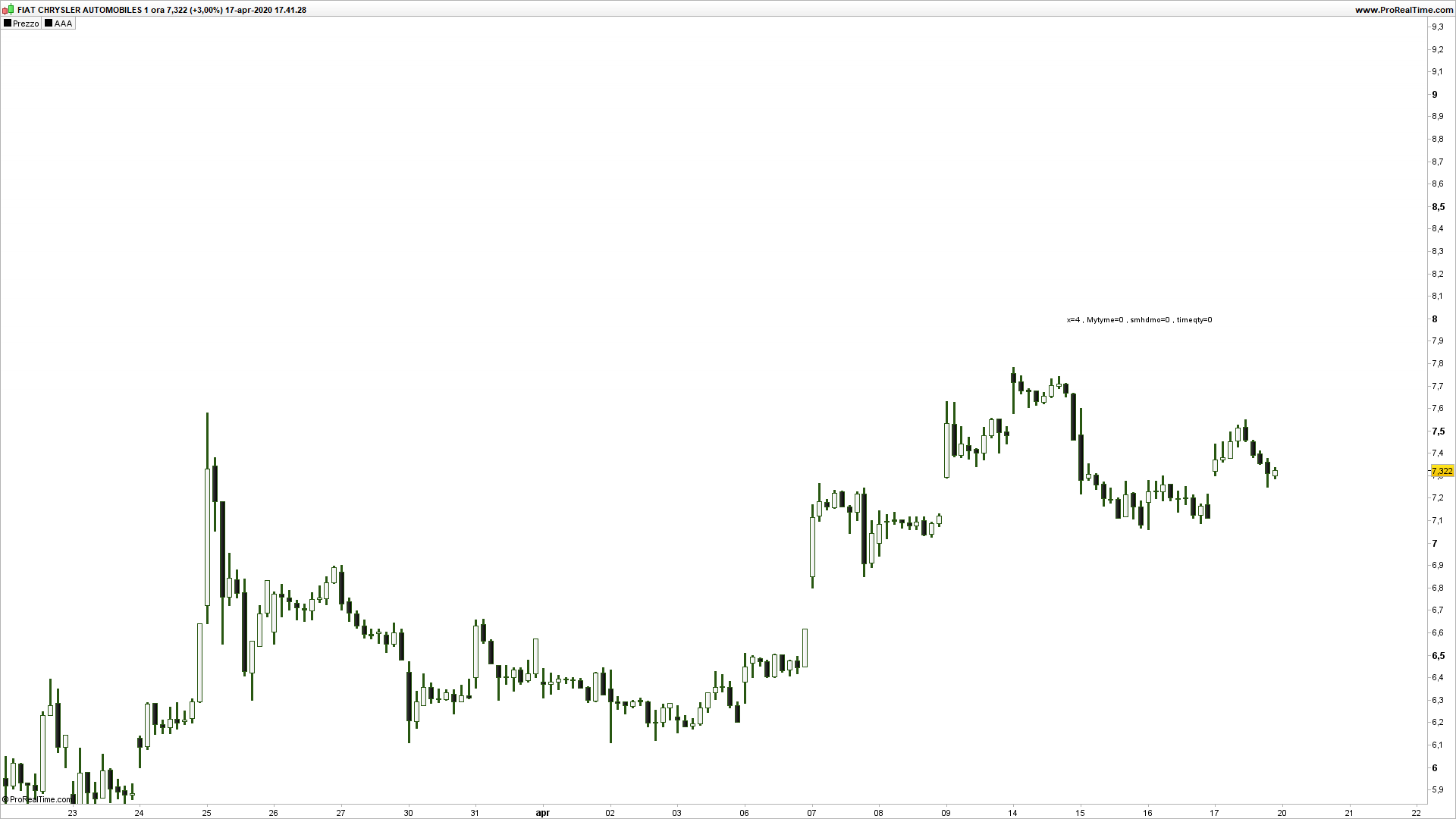
This is the sample code i use, i call detector and display return values to chart, (debug use only see attached image).
I think it return zero, don’t you?
if barindex = 40 then

x=4 //number of bar needed for confirmation of time
mytime = CALL "Time Frame Detector"[x]
smhdmo = round(mytime/10000)
timeqty = mytime - (smhdmo*10000)
p = 8
DRAWTEXT("x=#x#, Mytyme=#mytime#, smhdmo=#smhdmo#, timeqty=#timeqty#", datetobarindex(20200416),p)
endif

return
I can’t see what instrument or time frame you are testing on in your image. Did you use the ITF files that I posted for you?
Also perhaps in 40 bars it has not had sufficient quality of bars to identify the time. Change it to this:
defparam drawonlastbaronly = true

x=4 //number of bar needed for confirmation of time
mytime = CALL "Time Frame Detector"[x]
smhdmo = round(mytime/10000)
timeqty = mytime - (smhdmo*10000)

DRAWTEXT("x=#x#, Mytyme=#mytime#, smhdmo=#smhdmo#, timeqty=#timeqty#", barindex+20,close)

return
now is running, but i see that x must be less than 20, in 15 minute timeframe.
Thank you
The code checks the time difference between candles so if the data is not clean then it cannot get a match. I actually spotted a whole load of weird data this morning where daily candles do not always open at the same time so for example some Monday candles open at 0404 and some Tuesday candles open at 1313 or 1414. This sort of data will make it impossible to confirm a candle is a daily candle!
I have commented to Nicolas about it off forum and hopefully he will get some one at PRT to check it out.
something is wrong..
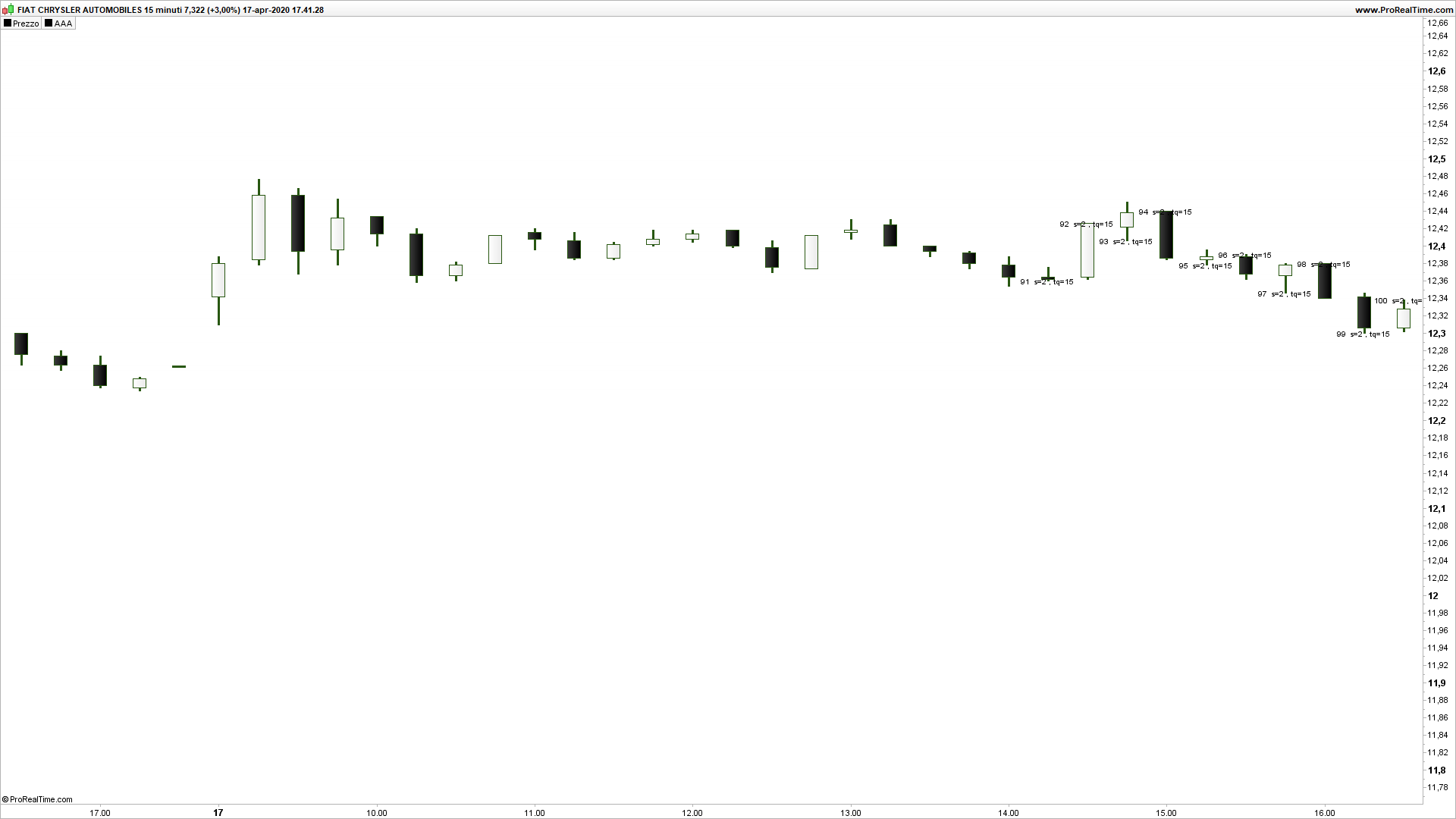
look at this code and check with me with using FCA”Italy Share”, Milan, timeframe 15 minutes loading 1k candle from today.
Run it, Detector return “Mytyme” > Zero for the first time at bar number 60.
then, i make a second calling code specular to first code, where first condition is coded “if barindex >= 60”.
I run it, Detector return “Mytyme” > Zero for the first time at bar number 91.
i dont’ understand… it look like that detector need to be called many tymes … but is not correct, i expect that Detector is called once ad it run immediatly correct value.
if barindex >  40 then
   x=20 //number of bar needed for confirmation of time
   mytime = CALL "Time Frame Detector v2"[x]
   smhdmo = round(mytime/10000)
   timeqty = mytime - (smhdmo*10000)
   mbar = barindex
   if mytime > 0 then
      mybar = barindex
      if mybar mod 2 = 0 then
         lev = high
      else
         lev = low
      endif
      DRAWTEXT("#mbar# s=#smhdmo#, tq=#timeqty#", barindex,lev)
   endif
//endif
endif
return