Good Day
I have just come across something extremely worrisome that could potentially invalidate much of what I have done on PRT over the last 2 years.
And worse pull the entire legitimacy of ProRealTime’s backtest engine into question.
I personally test all my strategies on my Live account albeit I do leave them alone approximately 1 to 2 months after development to see if the OOS backtest data confirms the in-sample backtest data.
Yet today for the first time in probably a year I ran the exact same strategies I have been testing and running in my Live account on the Demo account.
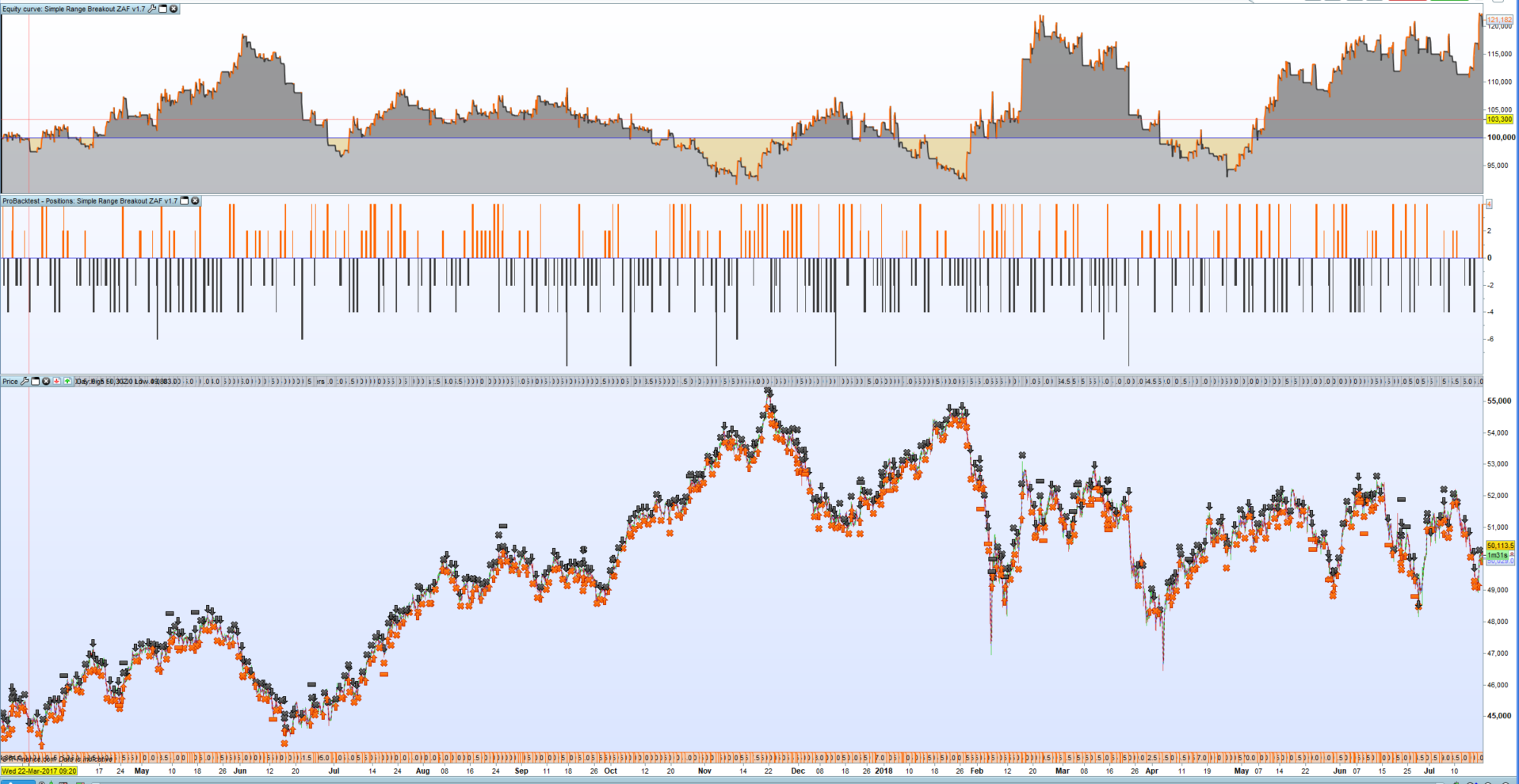
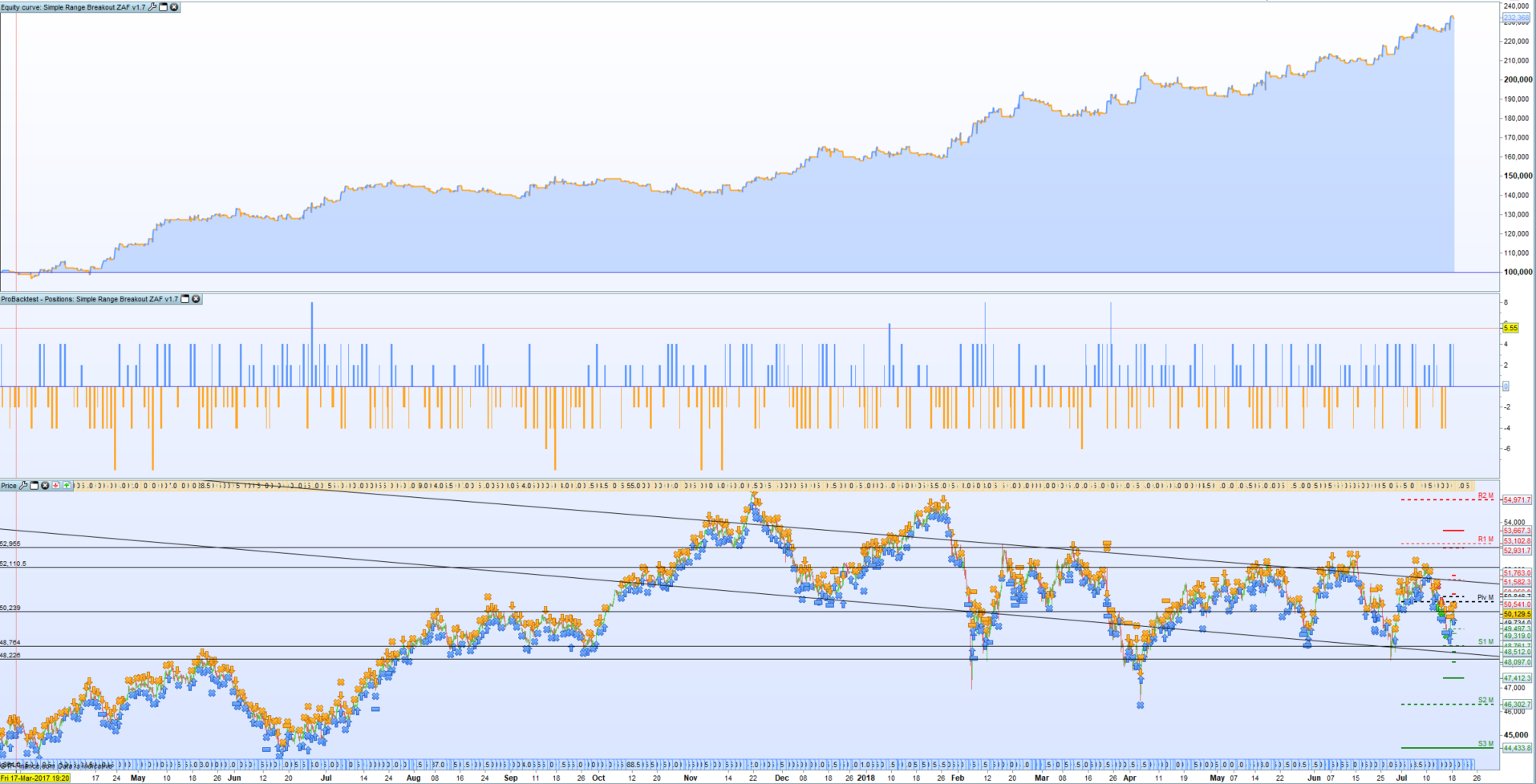
And to my horror, the backtest results differ wildly between the Live account and Demo account!
See example attached. I have already confirmed TimeZone settings to be the same on both Demo and Live accounts!
By comparing trades are you able to work out where the difference is? If you use stop or limit orders in the strategy then that may be the issue as I highlighted a while back that my backtests with limit orders were giving incorrect results but if I changed the order to a SET order the results were more accurate. I am still waiting for PRT to fix this major issue but we may have to wait till v11.0 I fear!
I’m guessing that you have the same spread and tick by tick data on or off for both strategies?
Just to clarify both are backtest results. Only difference is one of grin the Production Acc and the other en the Demo Acc.
Spread, TF, and tick by tick settings are identical.
So far luckily live results match the production backtest. But it worries me that there is such big difference between the two backtest engines?
It would be interesting to know exactly where the difference is – are the entries all the same but the exits wrong? Do you use sell limit or stop orders?
Dear Juanj,
In order to allow us to analyze your platform, please send us a technical report by following these instructions:
- As soon as you encounter the issue, go to the “Help” menu on the ProRealTime toolbar.
- Click on “Technical support”
- Select the appropriate option
- Give as many details as possible, explain the issue you are having in the text box and mention the name of the code you are referring to.
- Click “Send report”
This will send us a report containing technical information concerning your platform, which will allow our technical team to run a diagnostic analysis of the issue you have come across.
Many thanks in advance,
Maria
@Vonasi, comparing the orders list side by side in Excell is like comparing two different strategies.
I often times noted a 5 to 10min difference in entry times (i.e. 1 to 2 bars)
So playing around with trading times, but mostly I am at a complete loss to understand it.
The code is around 800 lines with many references to time so very difficult to troubleshoot.
If the codes are definitely identical and being run on the same time settings with the exact same start date and time and same tick by tick and spread then it can only be a data issue or the orders not being correctly carried out in the tick by tick backtesting.
@vonasi so I found the issue:
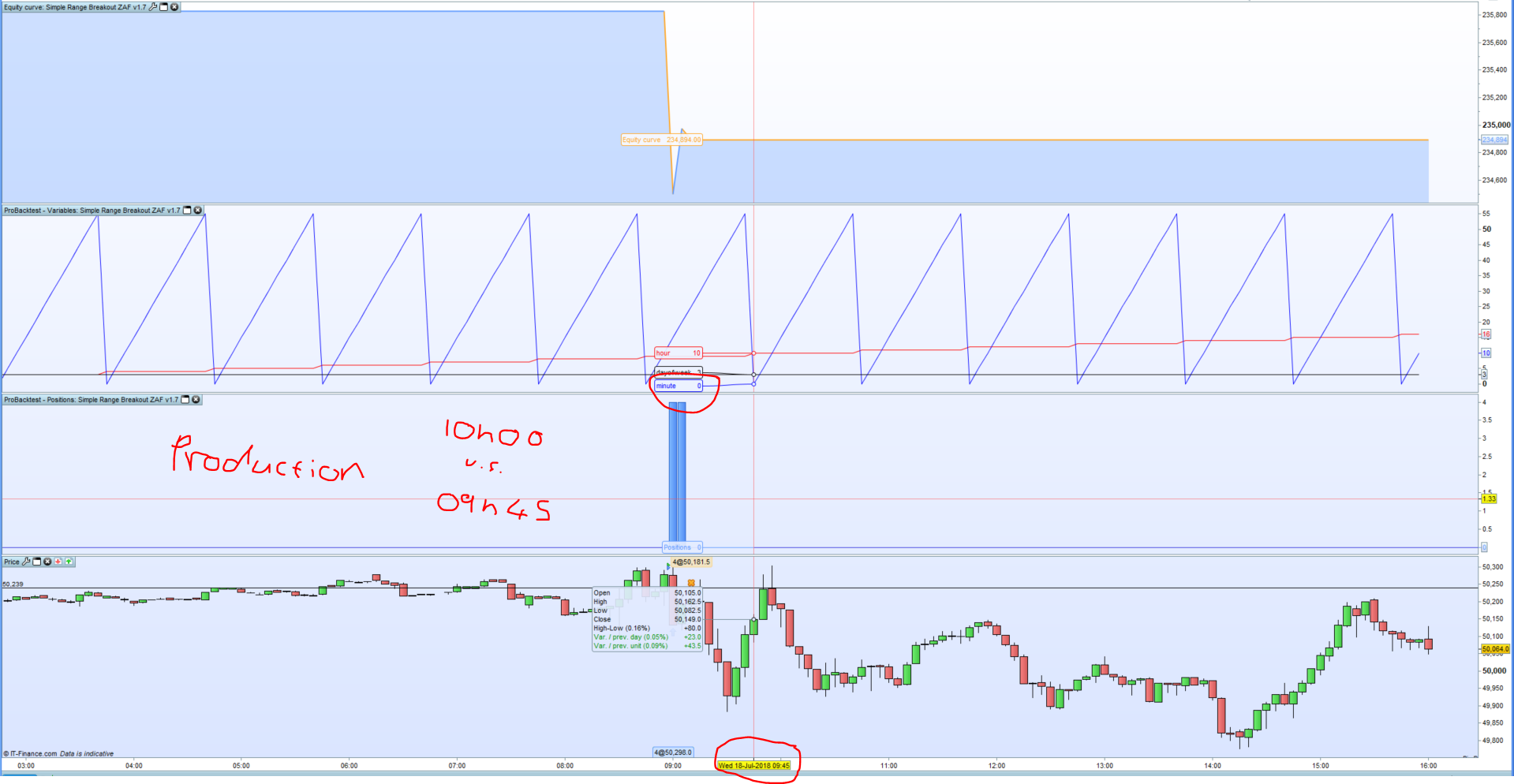
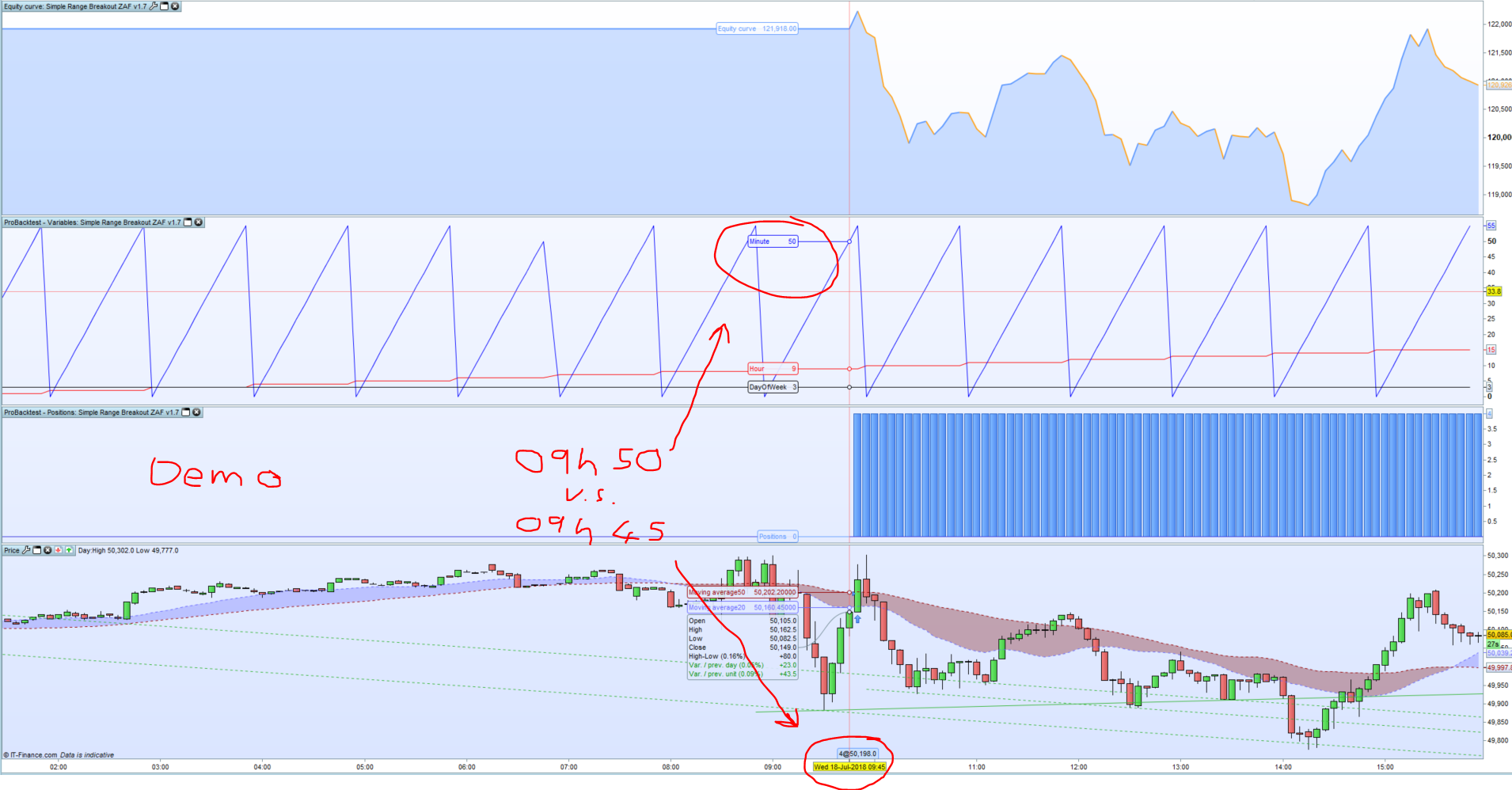
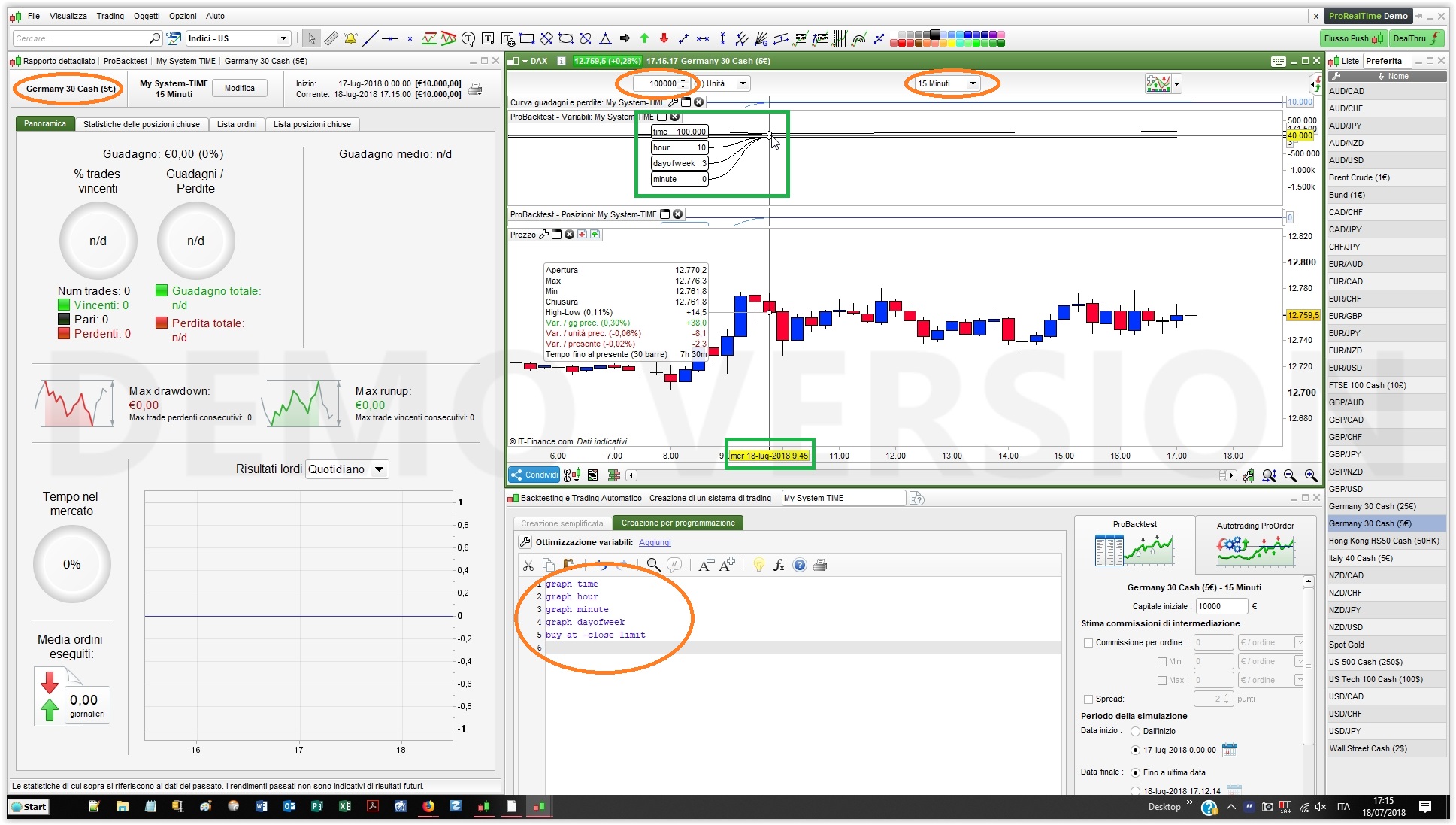
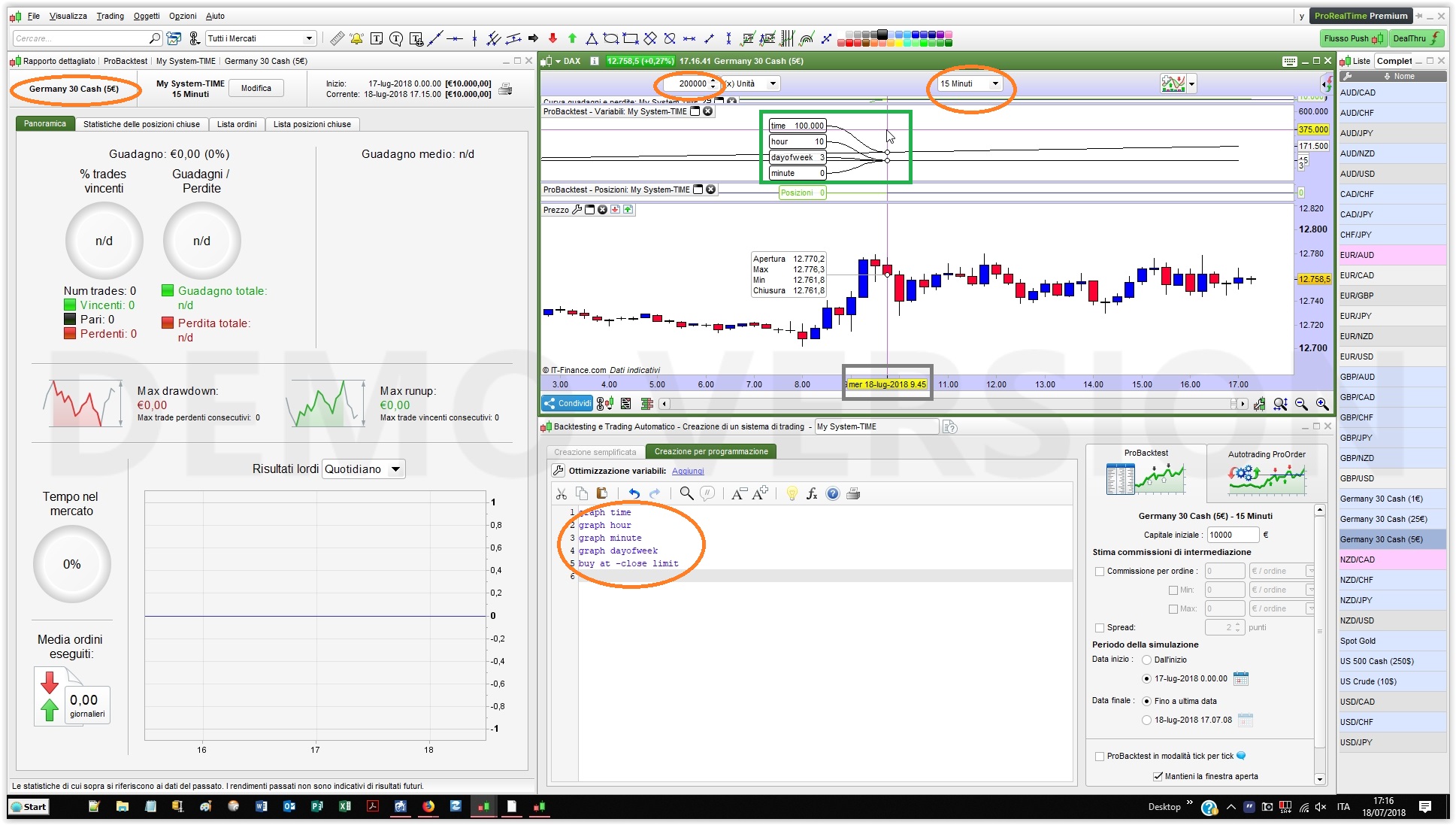
ProRealTime has really screwed this up big time. By graphing the time elements ‘hour’, ‘minute’, ‘dayofweek’ for the two different accounts look what I found:
Real Time: 09h45
Demo Acc Time: 09h50 (See attached)
Production Acc Time: 10h00 (See attached)
How the hell am I supposed to work with this kind of data???
Oh and PRT Moderators please stop asking me for a Technical Report, I have reported similar issues in the past yet here we are.
If the codes are definitely identical
I just my twopenny worth … I often use the site on link below to check for differences in code versions … sooo easy to use (copy and paste a version in right and left panes and press check diff) and interesting to see the differences! 🙂
https://www.diffchecker.com/
I always like to use openhour and opendayofweek etc as I have found strange things in the hour, dayofweek etc data before. It would be interesting if you can compare that in live and demo for us.
Maria from PRT has politely asked you to send in a technical report as that is her job. Prior to PRT having a presence in this forum the only way to communicate problems to them would have been via a technical report. Now at least we can discuss a problem on here but then without the technical report the problem is unlikely to be looked into. PRT do not just investigate every issue posted in this forum – they need a report to start the process. It is the work of a moment to send a report with a link to the topic here so I don’t understand your or anyone else’s reluctance to do so. Yes once you send it you may be left wondering if anything is happening but I have been surprised by the number of faults that I have reported that have with time suddenly started working correctly.
Thing is I need to reference different times in the day. Just confounded as to why minutes are so different!
I attach 2 pics, one is from my Demo IG account and the other one is from my Real IG account, both on Dax €5, 15-minute TF.
They show the same results with the same code.
For the candlestick labelled 09:45 (today) they show 10:00, because the strategy is executed at the closure when IT IS indeed 10:00, should you need to know the opening time you may want to use OPENHOUR instead.
What’s really odd is trhe difference in minutes, are you sure they they are same TFs?
They are exactly the same time frame.
I have reported the time difference issue to PRT sometime last year already, got told it had to do with timezones. This is not a sufficient answer in my opinion. Back then I didn’t even test in demo account like now. And last time I submitted a technical report I was told PRT didn’t receive it, although IG apparently did.
The fact that I have different minutes for the same code as exported from Production and then imported in Demo points to a obvious bug either related to my time zone (GMT +2) or instrument (South Africa 40 Cash).
My screenshots don’t lie.
My suspicion here is that PRT has different servers, and this time issue is only applicable to a specific server.
I have a friend of mine confirming that he also gets the same time difference issue when graphing hour and minute between production and demo accounts.
@Vonasi, you say “I have found strange things in the hour, dayofweek etc data before” have you reported this to PRT?