Dégradé de couleur dans une ellipse

Viewing 6 posts - 1 through 6 (of 6 total)

  • Author
    Posts
  • #255165 quote
    turame
    Participant
    Master

    Bonjour,

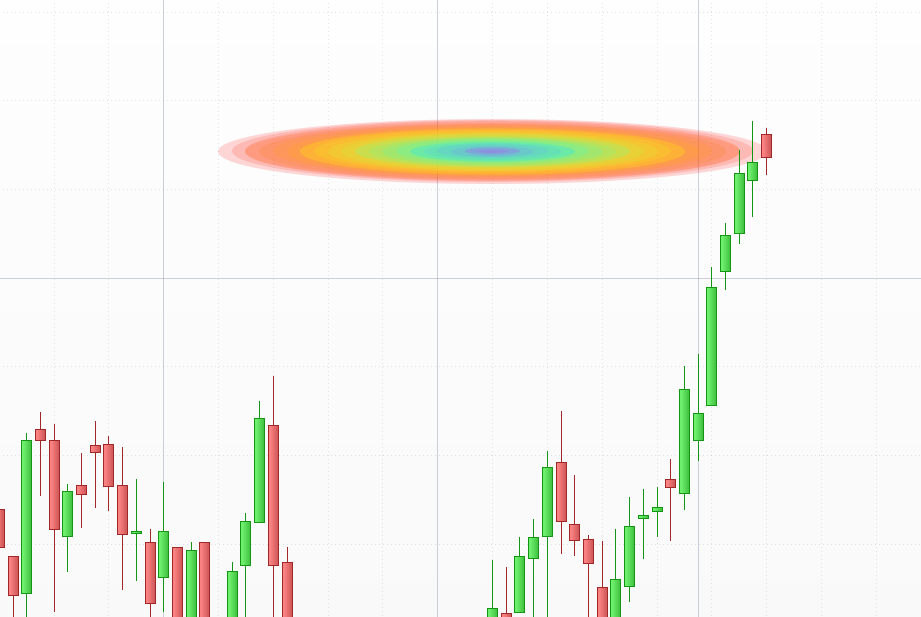
    Y a t il un moyen pour colorier l’intérieur d’une ellipse en arc en ciel ?

    Merci

    #255169 quote
    Iván González
    Moderator
    Master

    Bonjour. Il n’y a pas moyen de le faire avec l’instruction native… Je pense qu’on pourrait utiliser une boucle qui parcourt les couleurs de l’arc-en-ciel et dessine des ellipses concentriques.

    defparam drawonlastbaronly=true
    //-----------------------------------------------------
    // Rainbow Ellipse Template - Optimized Gradient
    //-----------------------------------------------------
    // Variables for the area
    xStart = barindex[40]
    yTop = high + 20 * pipsize
    xEnd = barindex
    yBottom = low - 20 * pipsize
    
    // Resolution: more steps = higher quality gradient
    totalSteps = 25
    
    // Calculating increments
    widthStep = (xEnd - xStart) / (2 * totalSteps)
    heightStep = (yTop - yBottom) / (2 * totalSteps)
    
    FOR i = 0 TO totalSteps DO
       // Current coordinates calculation
       currentX1 = xStart + (i * widthStep)
       currentY1 = yTop - (i * heightStep)
       currentX2 = xEnd - (i * widthStep)
       currentY2 = yBottom + (i * heightStep)
       
       // Smooth Rainbow Transition Logic
       // Division in 3 segments to cover the full spectrum
       IF i < (totalSteps / 3) THEN
          // Segment 1: Red to Yellow
          rVal = 255
          gVal = (i * 255) / (totalSteps / 3)
          bVal = 0
       ELSIF i < (2 * totalSteps / 3) THEN
          // Segment 2: Yellow to Cyan
          rVal = 255 - (((i - (totalSteps / 3)) * 255) / (totalSteps / 3))
          gVal = 255
          bVal = ((i - (totalSteps / 3)) * 255) / (totalSteps / 3)
       ELSE
          // Segment 3: Cyan to Magenta
          rVal = ((i - (2 * totalSteps / 3)) * 255) / (totalSteps / 3)
          gVal = 255 - (((i - (2 * totalSteps / 3)) * 255) / (totalSteps / 3))
          bVal = 255
       ENDIF
       
       // Transparency settings
       alphaVal = 40
       
       // Execution of drawing
       DRAWELLIPSE(currentX1, currentY1, currentX2, currentY2) FILLCOLOR(rVal, gVal, bVal, alphaVal) COLOURED(0, 0, 0, 0)
    NEXT
    
    RETURN
    
    robertogozzi thanked this post
    2026-01-09_10-16.png 2026-01-09_10-16.png
    #255173 quote
    turame
    Participant
    Master

    Super merci. Je vais regarder ça.  J’étais parti sur la piste des segments. Ca rend pas mal. je posterai quand j’aurai terminé.

    #255176 quote
    turame
    Participant
    Master

    Ivan,

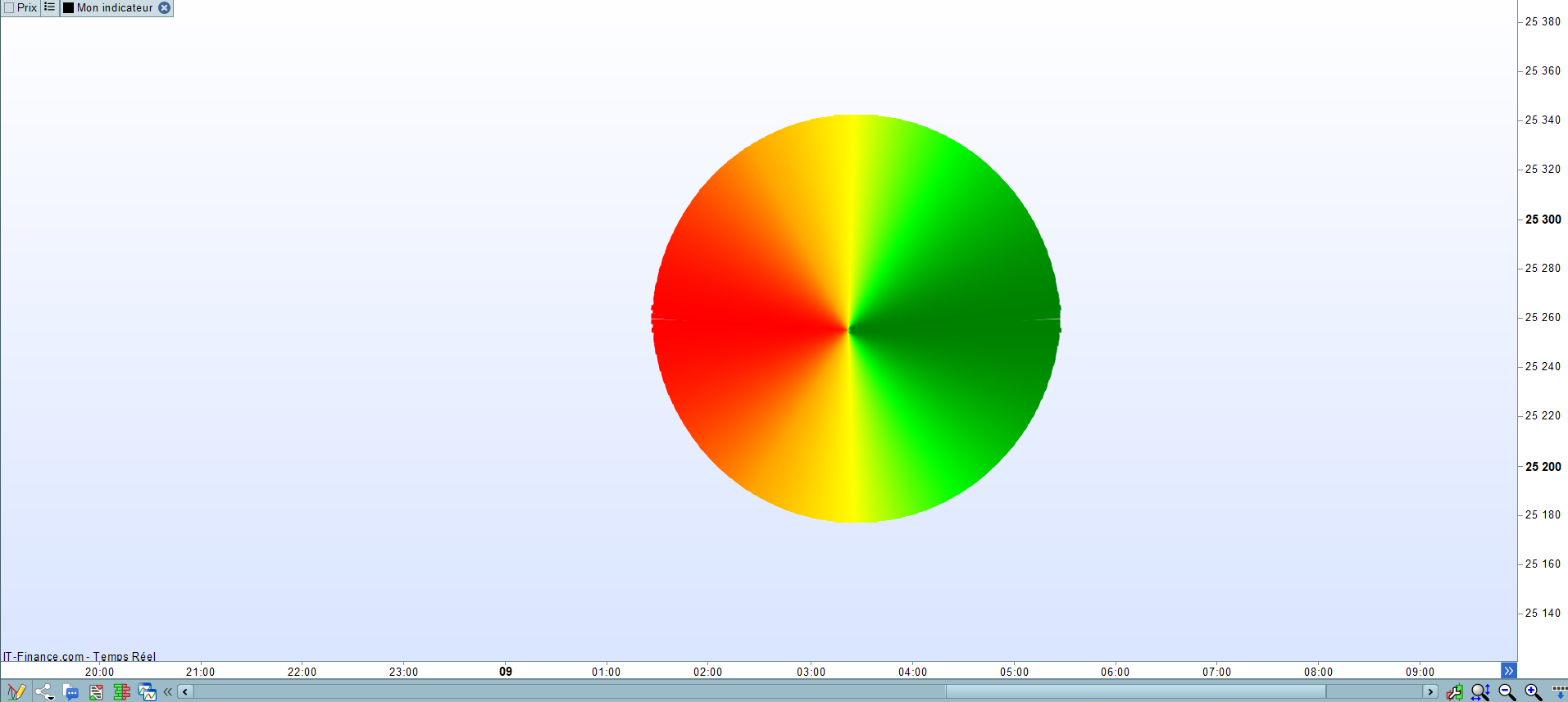
    Voici ce que j’ai pu coder pour colorer un cercle en dégradé grâce à des segments :

    p=1000
    
    for i = 0 to p
    
    x=400/p*(i)
    y=SQRT(SQUARE(210)-SQUARE(-210+210*2/(p-1)*i))
    yprime=-SQRT(SQUARE(210)-SQUARE(-210+210*2/(p-1)*i))
    z=p/4
    
    if x<= 400*1/4 then
    r=255
    g=165/z*i
    b=0
    elsif x <= 400*2/4 then
    r=255
    g=165+(255-165)/z*(i-z*1)
    b=0
    elsif x <= 400*3/4 then
    r=255-255/z*(i-z*2)
    g=255
    b=0
    elsif x <= 400 then
    r=0
    g=255-(255-128)/z*(i-z*3)
    b=0
    endif
    
    drawsegment(-105+x,0+y,90,0) anchor (middle,xshift,yshift) COLOURED(r,g,b) style (line,5)
    drawsegment(-105+x,22+yprime,90,0) anchor (middle,xshift,yshift) COLOURED(r,g,b) style (line,5)
    
    next
    
    return

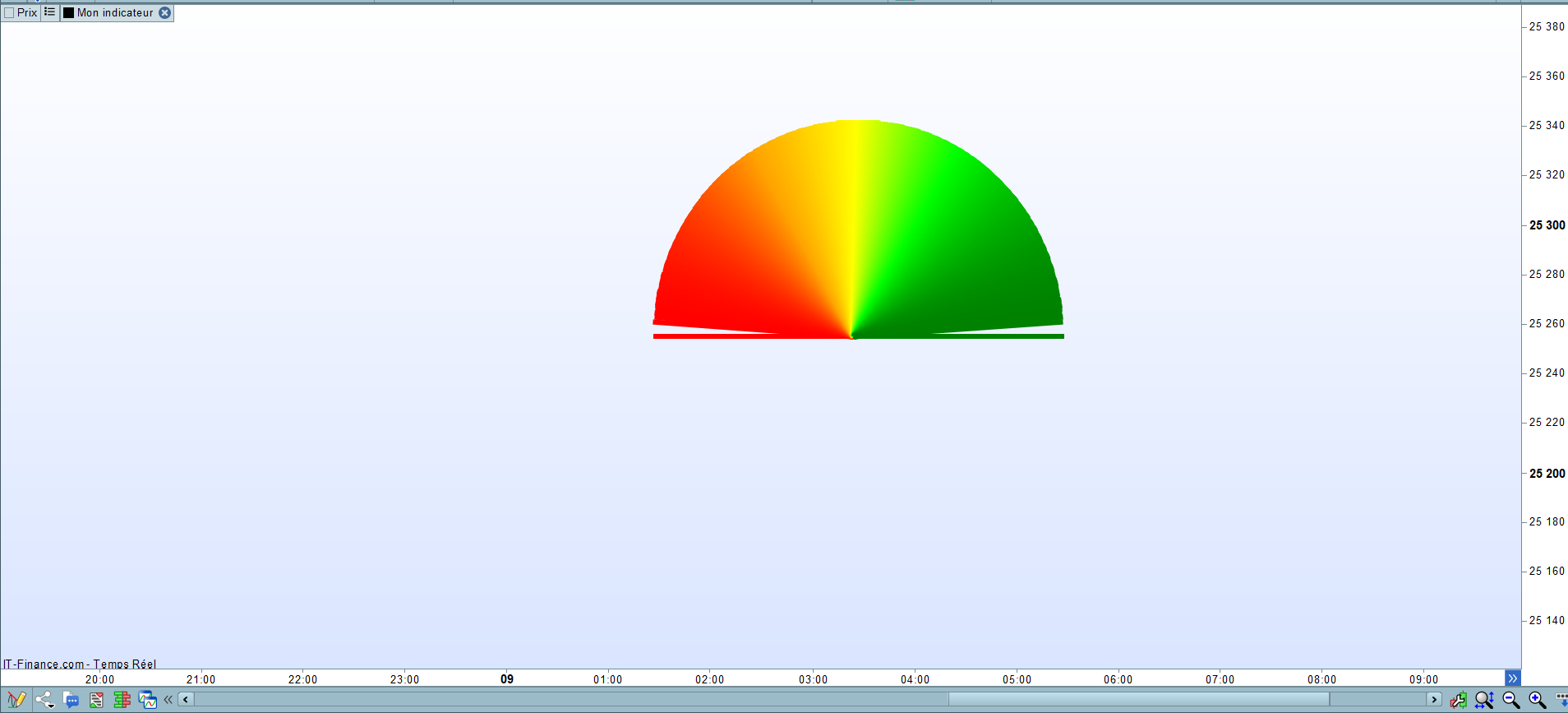
    Et voici le code pour un demi-cercle :

    p=1000
    
    for i = 0 to p
    
    x=400/p*(i)
    y=SQRT(SQUARE(210)-SQUARE(-210+210*2/(p-1)*i))
    z=p/4
    
    if x<= 400*1/4 then
    r=255
    g=165/z*i
    b=0
    elsif x <= 400*2/4 then
    r=255
    g=165+(255-165)/z*(i-z*1)
    b=0
    elsif x <= 400*3/4 then
    r=255-255/z*(i-z*2)
    g=255
    b=0
    elsif x <= 400 then
    r=0
    g=255-(255-128)/z*(i-z*3)
    b=0
    endif
    
    drawsegment(-105+x,0+y,90,0) anchor (middle,xshift,yshift) COLOURED(r,g,b) style (line,5)
    
    next
    
    return

    Comme tu peux le voir sur les photos, j’ai triché sur le cercle entier en remontant le deuxième demi-cercle sur l’axe des y pour combler les trous.

    Pour le demi-cercle il y une zone non colorée car j’ai utilisé la formule mathématique d’un demi-cercle. Or dans cette formule les points ne sont pas équidistants sur l’axe des y. Ils sont larges au début, puis se resserrent et s’écartent à nouveau de l’autre côté. J’ai un moyen d’y pallier en mettant p=5000, mais le calcul prend beaucoup de temps.

    Si tu as une formule mathématique qui permet d’obtenir des points équidistants sur un cercle je suis preneur. Est-ce que ta méthode ci-avant (via l’ellipse) permet de coder le remplissage d’un demi-cercle ?

    Merci

    Nicolas thanked this post
    Cercle.png Cercle.png demi-cercle.png demi-cercle.png
    #255186 quote
    Iván González
    Moderator
    Master

    Bonjour ! Concernant vos questions :

    Demi-cercle : Il n’existe pas de solution parfaite pour éliminer complètement les espaces. C’est une limitation technique de la plateforme lors du tracé de segments à partir d’un point central vers un arc (plus on s’éloigne, plus les pixels sont espacés).

    Optimisation : La meilleure façon d’accélérer le code est d’utiliser les degrés (de 0 à 180) avec les fonctions SIN et COS, comme indiqué ci-dessous. Ce sera beaucoup plus rapide que d’utiliser 5 000 itérations, même si le résultat visuel sera moins bon.

    Ellipse : La fonction DRAWELLIPSE ne peut pas être tronquée ; elle dessine toujours la forme entière.

    En résumé : utilisez l’approche par degrés pour améliorer les performances de la plateforme, mais acceptez que de petits espaces dans le remplissage soient inévitables en raison de la résolution des pixels.

    defparam drawonlastbaronly=true
    // Rainbow Semicircle using Polar Coordinates (equidistant points)
    
    // 1. Configuration
    xCenter = barindex[50]
    yCenter = close
    radiusPrice = 50 * pipsize // Vertical radius
    radiusBar = 20            // Horizontal radius (in bars)
    
    // Precision: one segment per degree
    totalDegrees = 180
    
    FOR i = 0 TO totalDegrees DO
       // Calculate angle in degrees (from 0 to 180 for a semicircle)
       angle = i
    
       // Trigonometry for equidistant points on the arc
       // x = x0 + R * cos(theta), y = y0 + R * sin(theta)
       // Note: SIN/COS in ProBuilder use degrees
       xPoint = xCenter + radiusBar * COS(angle)
       yPoint = yCenter + radiusPrice * SIN(angle)
    
       // Rainbow Color Logic based on the angle (Phase calculation)
       IF angle < 60 THEN
          rVal = 255
          gVal = (angle * 255) / 60
          bVal = 0
       ELSIF angle < 120 THEN
          rVal = 255 - ((angle - 60) * 255) / 60
          gVal = 255
          bVal = (angle - 60) * 255 / 60
       ELSE
          rVal = 0
          gVal = 255 - ((angle - 120) * 255) / 60
          bVal = 255
       ENDIF
    
       // Drawing a segment from the center to the arc point
       // This creates the filled "fan" effect
       DRAWSEGMENT(xCenter, yCenter, xPoint, yPoint) COLOURED(rVal, gVal, bVal) STYLE(line, 2)
    NEXT
    
    RETURN
    
    #255214 quote
    turame
    Participant
    Master

    Nickel merci

    Denis Quéva thanked this post
Viewing 6 posts - 1 through 6 (of 6 total)
  • You must be logged in to reply to this topic.

Dégradé de couleur dans une ellipse


ProBuilder : Indicateurs & Outils Personnalisés

New Reply
Author
author-avatar
turame @turame Participant
Summary

This topic contains 5 replies,
has 2 voices, and was last updated by turame

1 month, 2 weeks ago.

Topic Details
Forum: ProBuilder : Indicateurs & Outils Personnalisés
Language: French
Started: 01/09/2026
Status: Active
Attachments: 3 files
Logo Logo
Loading...