Date Indicator

Viewing 5 posts - 1 through 5 (of 5 total)
  • Author
    Posts
  • #30766 quote
    karunswaro
    Participant
    Junior

    Hi,

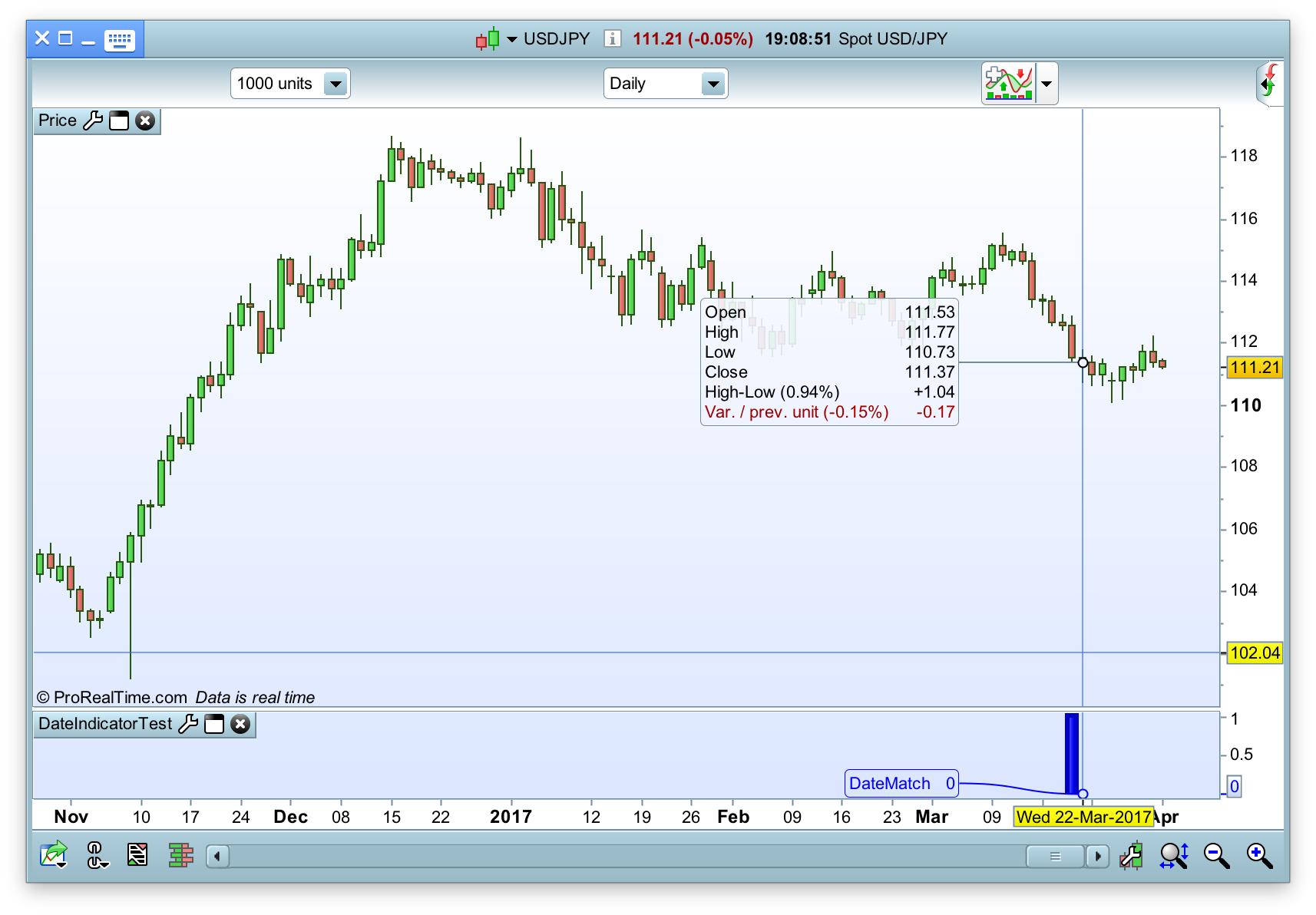
    When I try to put an indicator on a particular date, it shows up on wrong day (one day before in below example). Below is the code. Attached image shows, the indicator is showing on Mar 21 instead of Mar 22.


    DateMatch = 0
    
    
    If Date = 20170322 THEN // AND TIME = 010101 Then
    DateMatch = 1
    endif


    Return DateMatch as "DateMatch"
    
    #30771 quote
    karunswaro
    Participant
    Junior

    I have my TimeZone as UTC+00:00, which should be for Forex.

    #30847 quote
    Nicolas
    Keymaster
    Master

    You should use OpenDate instead of Date in your code.

    #30863 quote
    karunswaro
    Participant
    Junior

    Hi Nicolas,

    Thanks, OpenDate works fine, but on Monday (Mar27 2017 it shows Sunday(Mar26 2017) date. I am suspecting as the forex market is really open few hrs on Sunday.

    How do we resolve this issue.

    #30884 quote
    Derek
    Participant
    Veteran

    Hi!

    Unfortunately we can’t get around this issue in Proorder/Probacktest because Sundays are always included in the server side calculation of a backtest.

    Please feel free to suggest this as an improvement in the sticky thread.

    In the meantime we can only use visual indicators when data for weekends is turned off.

    Nicolas thanked this post
Viewing 5 posts - 1 through 5 (of 5 total)

  • You must be logged in to reply to this topic.

Date Indicator


ProBuilder: Indicators & Custom Tools

New Reply
Author
author-avatar
karunswaro @karunswaro Participant
Summary

This topic contains 4 replies,
has 3 voices, and was last updated by Derek

8 years, 10 months ago.

Topic Details
Forum: ProBuilder: Indicators & Custom Tools
Language: English
Started: 04/03/2017
Status: Active
Attachments: 1 files
Logo Logo
Loading...