I am new to Pro Real Time platform. I have reviewed many of the videos. I can not find how to open the editor to create a custom indicator. Any suggestions? Also would appreciate assistance with loading a custom indicator into the platform. I may familar with MT4 and writing code just an able to access the editor to do so. I the videos mention an option button on the main window which the Pro Real Time platform does not seem to have.
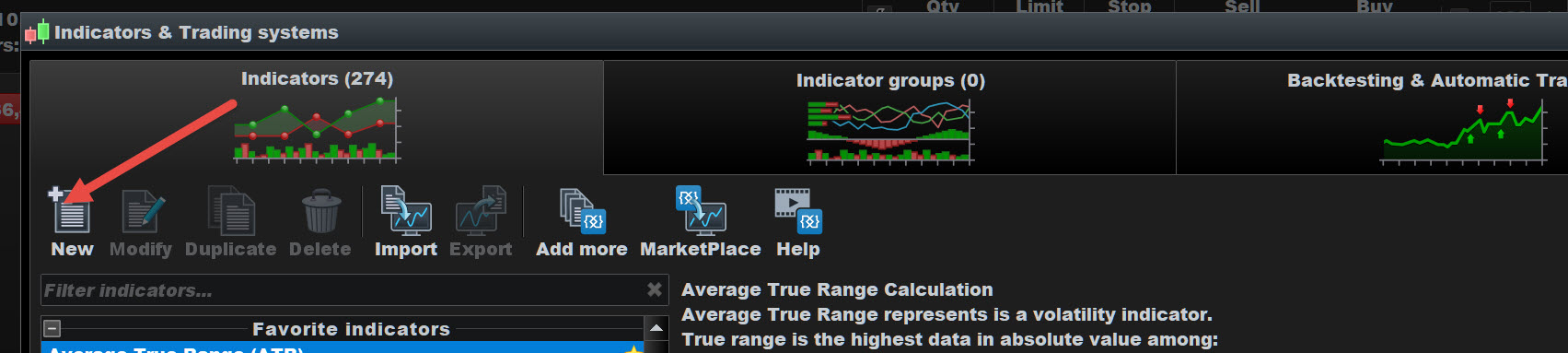
See attached at red arrowhead
See attached at red arrowhead
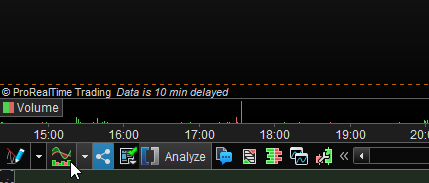
Yeah, but it starts here … (see below at the mouse pointer).
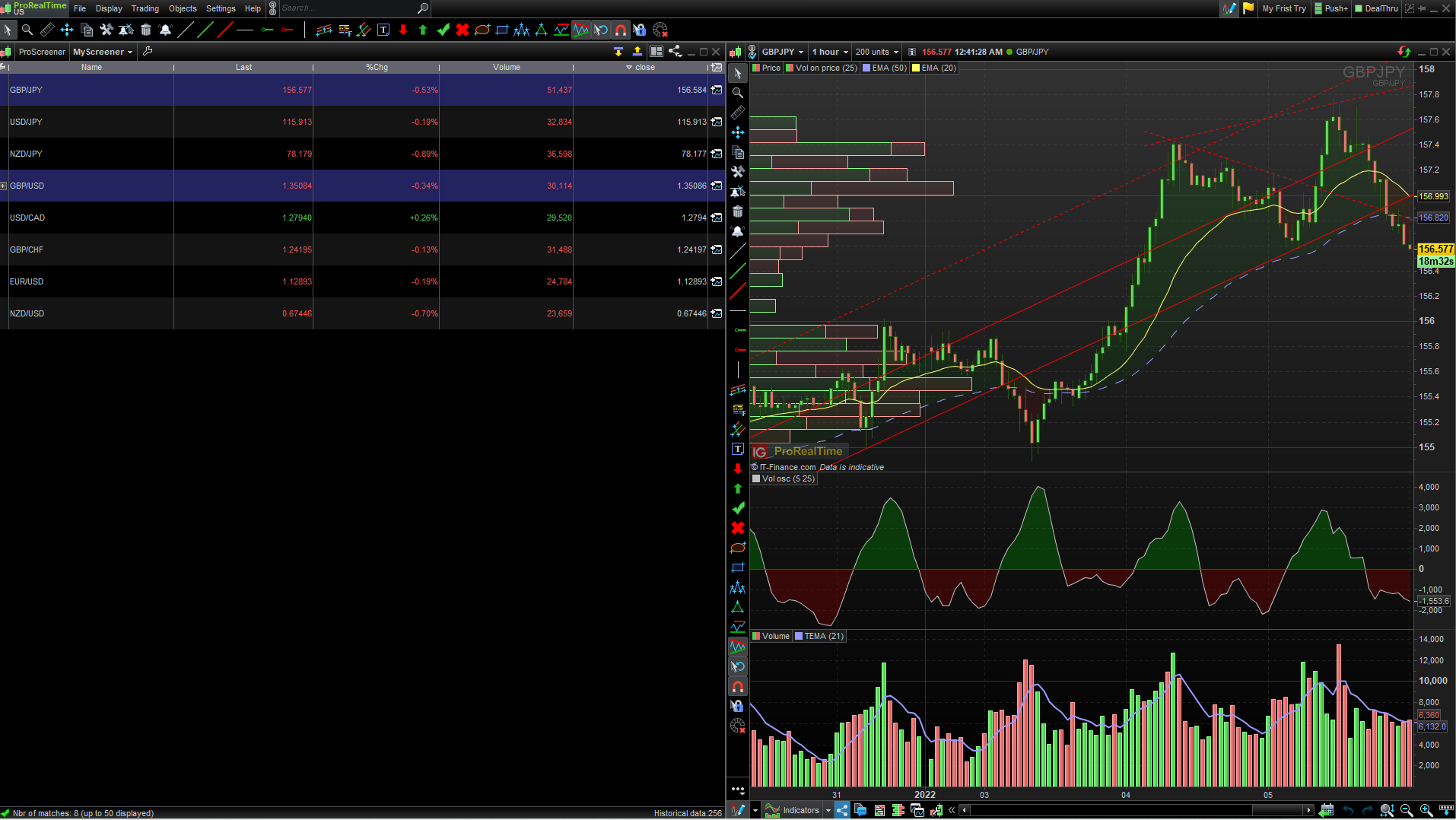
I do not have the Object button available in main window as in the help video, see my screen shot.
Randy, sure you have … but in your case it is larger (it is a setting on that bottom bar itself).
The video you are referring to is probably from V10.3. There it was all different. And no new video’s available afaik.
I attach screen shot of the buttons on the main window in help video,. Note my main window buttons do not have the Option button available to bring the menus in your screenshots up. How do I add this Option button to main window tool bar?
I don’t think I follow. 😉
Notice that the last screenshot I showed to you was a screen-copy from your own screenshot.
And your attached video(-shot) really is something else. 🙂
I know how to add a built-in indicator. What I want to do is be able to code a custom indicator and need an editor. In the help videos there is an Option button on the top of the screen for the main window that gives access to a drop down menu. Which is how access to a code editor becomes available.
I do have the V 11 version of the platform. Maybe I am missing something as when I click on the Indicator button the a drop down menu of built-in indicators appear but that is it.
Maybe this is what you mean :
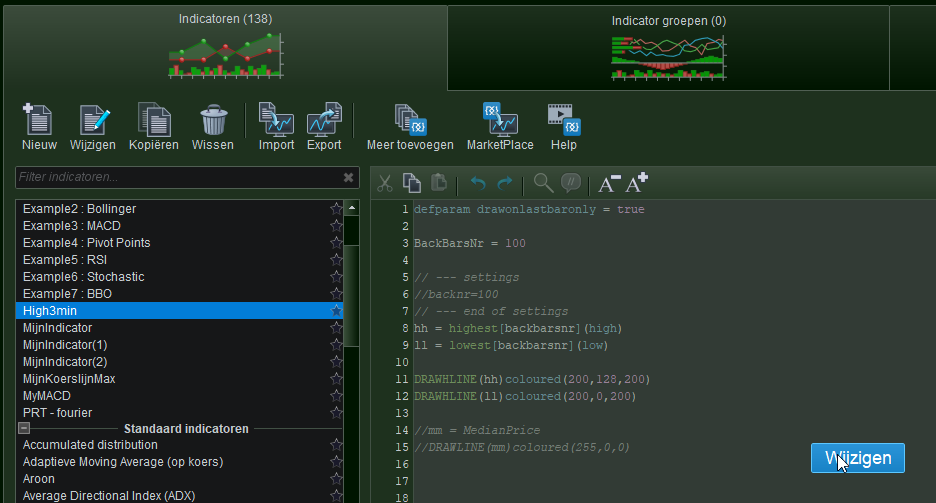
Once you select an indicator in the left panel, hover your mouse over the program code in the right panel. In there a button “Edit” (Wijzigen) will appear. Click that.
?
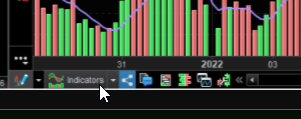
Hello 1Randy, if you are using the V11 if your window is too narrow to show the “Indicators” button at the bottom left of your charts you need to stretch it (or go in full screen mode) to make it show. If it still doesn’t show then in its place should be a triple horizontal line button and a double right-pointing arrow button: you have to click on the double arrow to display the toolbar with the “Indicators” button in it.
Then you shouldn’t click on the down-pointing arrow to the right of “Indicators” (otherwise it will display the drop-down menu with all the available indicators as you mention), but you must click on “Indicators” instead.
This opens the “Indicators & Trading systems” window, in which you can access the code editor by clicking on “Create” which is located top-leftish of the window, right above the list of all the indicators.
To the right of that button is the “Import” one to import your own files (as .itf) to you platform. You can find more info on this here (even if the guidebook is a bit outdated) https://www.prorealtime.com/en/help-manual/programs-import-export
Thank you for your assistance!
I am not sure if this is the proper place to request this form of assistance but here goes.
I want to code a system that looks for trend agreement on multiple time frames along with a 5 bar fractal chart pattern.
The first time frame is one hour with two moving averages an 8 period and a 21 period moving average. The second time frame is 15 minutes and has a 5 period moving average, a 13 period moving average, a 21 period moving average, and a 5 bar fractal.
The fractal is the average of each of the 5 bars high low.
The system rules are one hour moving averages are below price and the 15 minute moving averages are also below price with a fractal to confirm the lower time frame buy. The reverse is for the sell price below moving averages in both time frames.
The fractal may not be key to the system but the multiple time frame trend assessment is important to determine whether to buy or sell for a short term intraday position on the 15 minute time frame. I would like to scalp on the lower time frame only when both time frame trends agree and only in the direction of the trend.
Anyone can code this multiple time frame system I would greatly be appreciated.