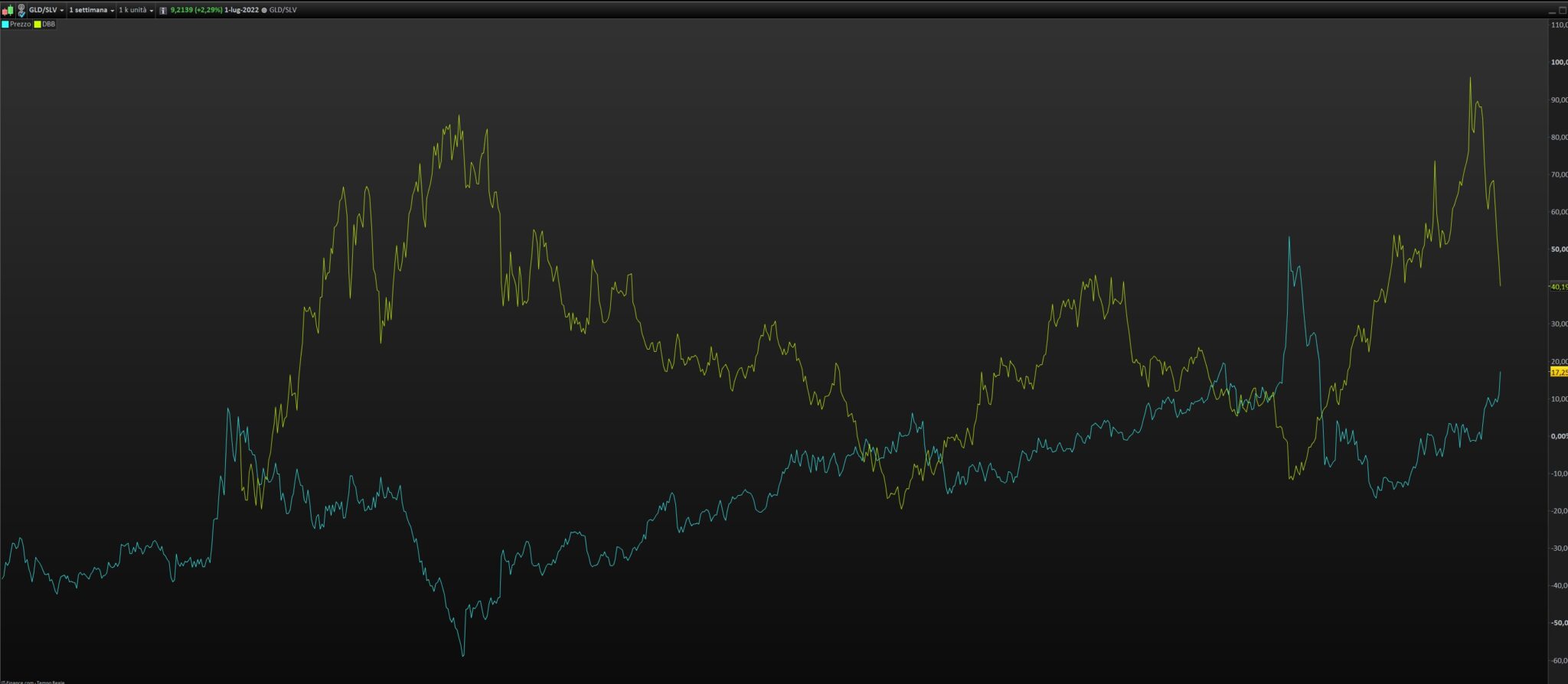
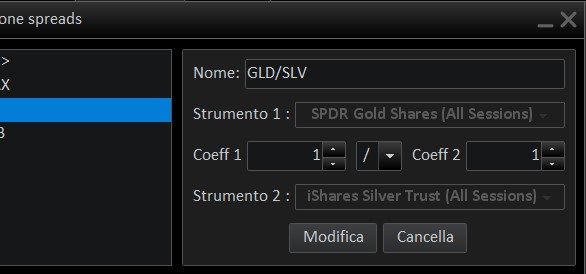
Hello looking at this link I tried to create some “SPREAD” tools but the visualization that gives me the platform is of two different quotation lines as from images attached, while the site shows a different creation (obviously do not lend the case if on the video are bars and here lines, what I would like is that I am returned a unique quotation resulting from the spread).
There is something applied on the spread chart (in yellow) named “DBB”, what is it?
Hello Gianluca, is it possible that the second yellow line that Nicolas is referring to (‘DBB’) is an indicator called “Price comparison / Confronto valore” that you set on an instrument which ticker is ‘DBB’ and added it to the chart?
If so what you are getting on your charts is a spread between SPDR Gold Shares and iShares Silver Trust represented by the blue line, and on top of that you have a yellow curve representing DBB’s price (Invesco DC Base Metal Funds maybe?) which isn’t compared to anything, simply added on top of the GLD/SLV spread). If you want to compare DBB to another instrument/spread you have to create a new spread for it.