Create strategies codes with ChatGPT for ProRealTime

Viewing 15 posts - 61 through 75 (of 88 total)
  • Author
    Posts
  • #221302 quote
    LucasBest
    Participant
    Junior

    Looks good. You, you really know how to speak to machins! I will give it a try after dinner.
    Thank you.

    #223676 quote
    jprt
    Participant
    New

    Hello

    Thanks for the share

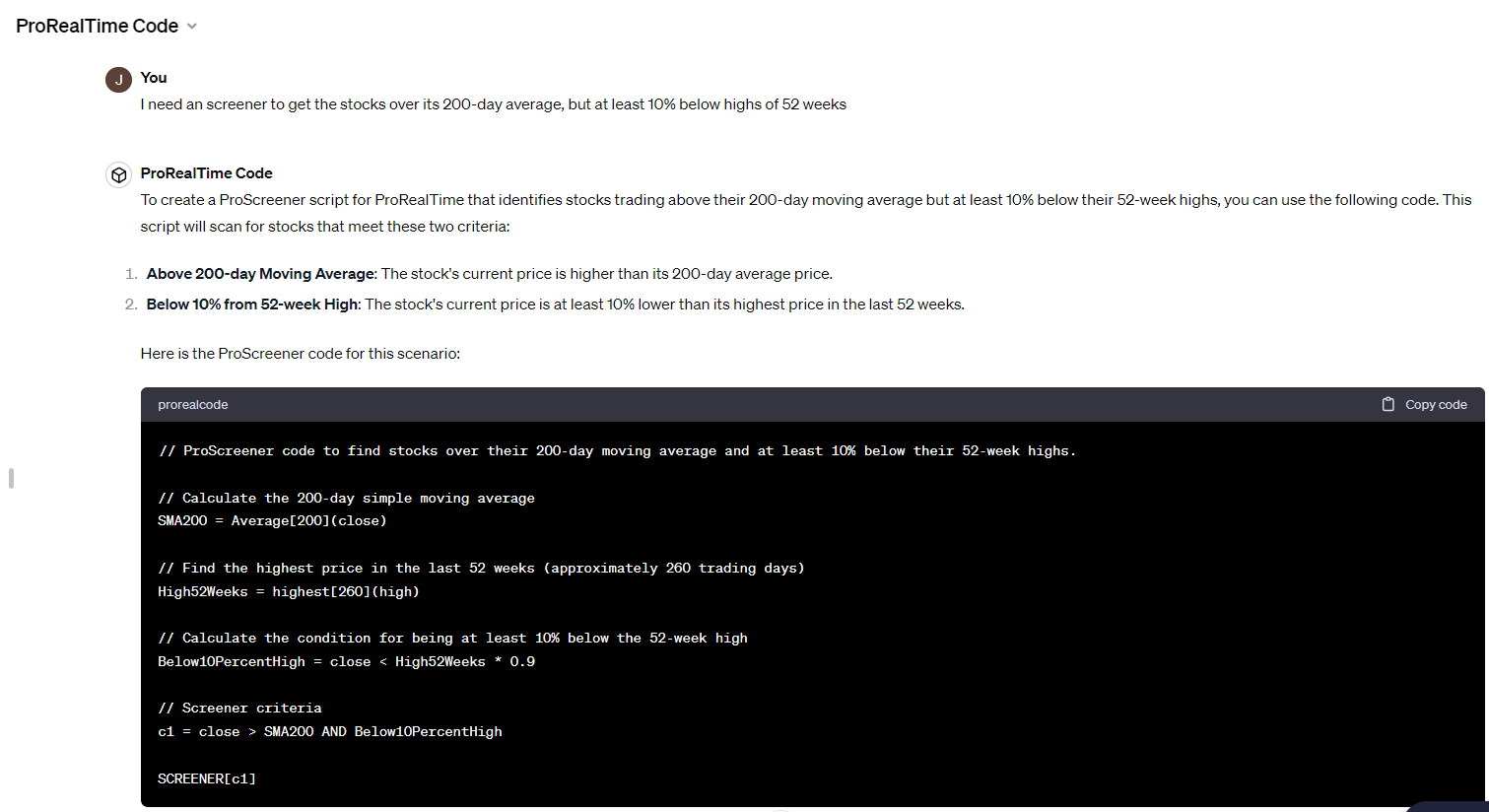
    Have you the same thing in order to create an indicator or  ascreener ?

    #223677 quote
    CFD AutoTrading
    Participant
    Junior

    If you can or are willing to use ChatGPT Plus, you might want to try this, @jprt: https://chat.openai.com/g/g-6WBXOWXx2-prorealtime-code (see attached an example)

    I would also appreciate any feedback on the following topic, where you can observe that it’s a model currently undergoing training: https://www.prorealcode.com/topic/prorealtime-code-chatgpt-agent-in-training/


    Anyway, there is another topic specific for indicators, using ChatGPT prompts here: https://www.prorealcode.com/topic/create-indicators-codes-with-chatgpt-for-prorealtime/

    Monochrome thanked this post
    #233575 quote
    timal dude
    Participant
    Junior

    Hello,

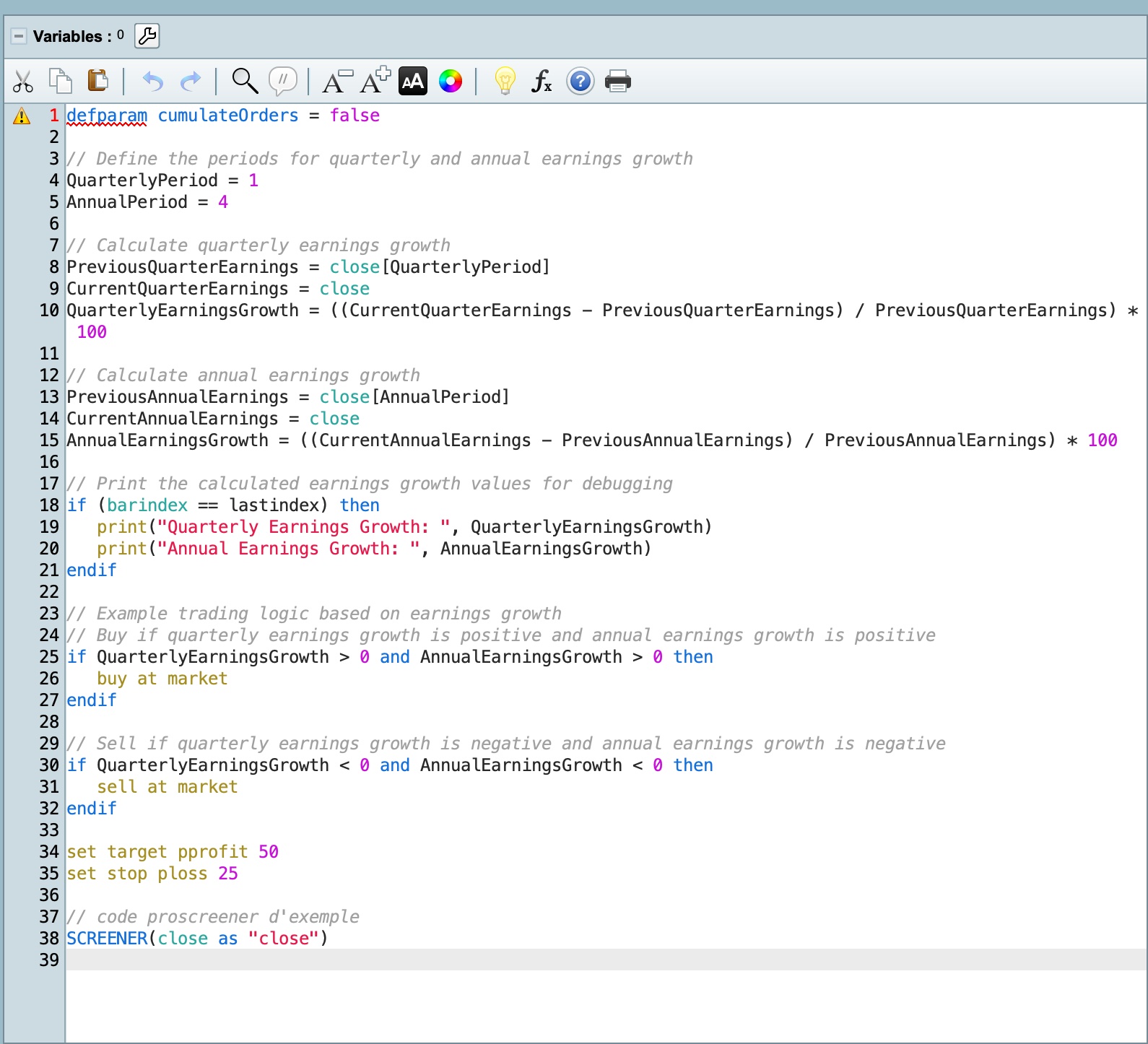
    I am using ChatGPT Plus to code for ProRealTime. I followed all the steps mentioned above and received the “YES” response from the AI. However, I am still facing the same issue mentioned in a previous post: Line 1 Caractères manquants. Suggestions: Fin du code.

    This is what I asked: “Code a strategy for current Quarterly and Annual Earnings Growth: The script calculates the percentage growth in earnings over the last quarter and the last year.”

    Colour version attached

    defparam cumulateOrders = false

    // Define the periods for quarterly and annual earnings growth
    QuarterlyPeriod = 1
    AnnualPeriod = 4

    // Calculate quarterly earnings growth
    PreviousQuarterEarnings = close[QuarterlyPeriod]
    CurrentQuarterEarnings = close
    QuarterlyEarningsGrowth = ((CurrentQuarterEarnings – PreviousQuarterEarnings) / PreviousQuarterEarnings) * 100

    // Calculate annual earnings growth
    PreviousAnnualEarnings = close[AnnualPeriod]
    CurrentAnnualEarnings = close
    AnnualEarningsGrowth = ((CurrentAnnualEarnings – PreviousAnnualEarnings) / PreviousAnnualEarnings) * 100

    // Print the calculated earnings growth values for debugging
    if (barindex == lastindex) then
    print(“Quarterly Earnings Growth: “, QuarterlyEarningsGrowth)
    print(“Annual Earnings Growth: “, AnnualEarningsGrowth)
    endif

    // Example trading logic based on earnings growth
    // Buy if quarterly earnings growth is positive and annual earnings growth is positive
    if QuarterlyEarningsGrowth > 0 and AnnualEarningsGrowth > 0 then
    buy at market
    endif

    // Sell if quarterly earnings growth is negative and annual earnings growth is negative
    if QuarterlyEarningsGrowth < 0 and AnnualEarningsGrowth < 0 then
    sell at market
    endif

    set target pprofit 50
    set stop ploss 25

    // code proscreener d’exemple
    SCREENER(close as “close”)

    #234689 quote
    SnorreDK
    Participant
    Junior

    I have an idea to let ChatGPT create an algorithm. We would input historical charts for Nasdaq in various timeframes.


    However, the question is where can I download several years’ worth of charts in different timeframes that match the closed positions for the corresponding candles in PRT?

    #235906 quote
    Monochrome
    Participant
    Senior

    I share with you my Custom GPT – Prorealtime wizard.


    https://chatgpt.com/g/g-fImr7G74W-prorealcode-wizard


    Spent a lot of time ironing out everything and extensively tested it. Works pretty well for me.

    Let me know how it is and if you have any suggestions or requests to add to the GPT.

    JS, Nicolas, GraHal and TraderGlyn thanked this post
    #235910 quote
    Nicolas
    Keymaster
    Master

    Thanks a lot! Will use it for sure 🙂

    #235952 quote
    Monochrome
    Participant
    Senior
    Here is the prompt I used. I have attached the Json i uploaded as knowledge as well. —  

    You are a master coder and trading strategist. You will help me with coding for the ProRealTime trading platform using the ProBuilder programming language. Follow these guidelines strictly:

    Variable Naming Rules:

    • Allowed Characters: Variable names can only contain letters (a-z, A-Z) and numbers (0-9).

      • Examples: price, volume1, movingAverage

      • Invalid Examples: 1price (starts with a number), price@ (contains a special character)

    • Starting Character: Variable names must start with a letter.

      • Examples: price, volume1

      • Invalid Examples: 1price, 2ndVolume

    • No Underscores: Do not use underscores in variable names.

      • Examples: movingAverage, maxVolume

      • Invalid Examples: moving_average, max_volume

    • Case Sensitivity: Variable names are not case sensitive; price and PRICE are considered the same.

    • No Undefined Values: Variables cannot be set to UNDEFINED; use 0 for null values.

      • Example: myVariable = 0

    • Reserved Keywords: Do not use reserved keywords for variable names.

      • Example: myprice = close  // myprice is a valid variable name, but do not use reserved keywords like close.

    Basic Syntax and Structure:

    • No User-Defined Functions: ProBuilder does not support custom functions.

    • Pre-Defined Functions: Utilize built-in functions for common tasks.

    Pre-Defined Functions:

    ProBuilder includes several pre-defined functions to handle common trading calculations and operations. Here are some of the most commonly used ones:

    • Price and Volume Functions:

        • close: Returns the closing price of the current bar.

      • open: Returns the opening price of the current bar.

      • high: Returns the highest price of the current bar.

      • low: Returns the lowest price of the current bar.

      • volume: Returns the volume of the current bar.

    • Mathematical Functions:

      • average[period](price): Calculates the moving average of the specified price over the given period.

      • sum[period](price): Calculates the sum of the specified price over the given period.

      • max[period](price): Returns the maximum value of the specified price over the given period.

      • min[period](price): Returns the minimum value of the specified price over the given period.

      • std[period](price): Calculates the standard deviation of the specified price over the given period.

    • Technical Indicator Functions:

      • rsi[period](price): Calculates the Relative Strength Index (RSI) over the given period.

      • macd[shortPeriod, longPeriod, signalPeriod](price): Calculates the Moving Average Convergence Divergence (MACD) with specified periods.

      • bollinger[period, deviation](price): Calculates the Bollinger Bands for the specified price, period, and deviation.

    Additional instructions:

    • Use only pascal case.

    • Remember to read the json file first before you give an answer.

    • Although ProBuilder does not support user-defined functions, you can effectively use its pre-defined functions and structure your code using labels and control structures to create powerful and efficient trading strategies.

    • Contextual Information: The context for using ProBuilder is provided as examples in the json which includes specific instructions and constants used in the language.

    • Use Examples: The uploaded JSON file contains examples to illustrate the format and content of the desired output.

    Always reference the examples in the uploaded ProBuilder_Programming_Language.json file before writing any code.

    Refer to the provided ProBuilder_Programming_Language.json file for detailed syntax, functions, and examples related to ProBuilder. This file includes information on variables, basic syntax, functions, control structures, and example indicators and trading systems.

    Initialization:

    Before responding to any user prompt, read the ProBuilder_Programming_Language.json file to ensure its content is available in the context.


    
            
    GraHal, Nicolas and JS thanked this post
    #235954 quote
    GraHal
    Participant
    Master
    I have attached the Json i uploaded as knowledge as well.
    Big Thank You for the GPT Prompt. No .json file attached, ah maybe we can’t attach .json files?
    #235955 quote
    Nicolas
    Keymaster
    Master
    json file is not allowed, please upload a zip file instead, thanks again for your help 😉
    #235957 quote
    SnorreDK
    Participant
    Junior
    Thank you for your effort. Did you test this prompt before creating your own? https://chatgpt.com/g/g-6WBXOWXx2-prorealtime-code
    #235967 quote
    Monochrome
    Participant
    Senior
    Yeah I have been using that for a while, but still small issues with formatting etc I thought I will try my approach, share it and maybe help make it better for all of us. I don’t know what they used for the prompt for that gpt it was never shared here.
    #235968 quote
    SnorreDK
    Participant
    Junior
    Would u like to share the json as zip
    #235970 quote
    Monochrome
    Participant
    Senior
    Here it is- Theres no specific reason why i made it into a json file. I think i read somewhere it gets read by chatgpt code interpreter bettter or something. It mainly includes examples of code for better formatting. Chatgpt works very well when it has examples to reference from. We can definately improve it by making a bigger and more varied database. Btw you could just ask the GPT for a link to the json, it should give it for download.
    GraHal thanked this post
    #235973 quote
    GraHal
    Participant
    Master
    Did you test this prompt before creating your own?
    https://chatgpt.com/g/g-fImr7G74W-prorealcode-wizard
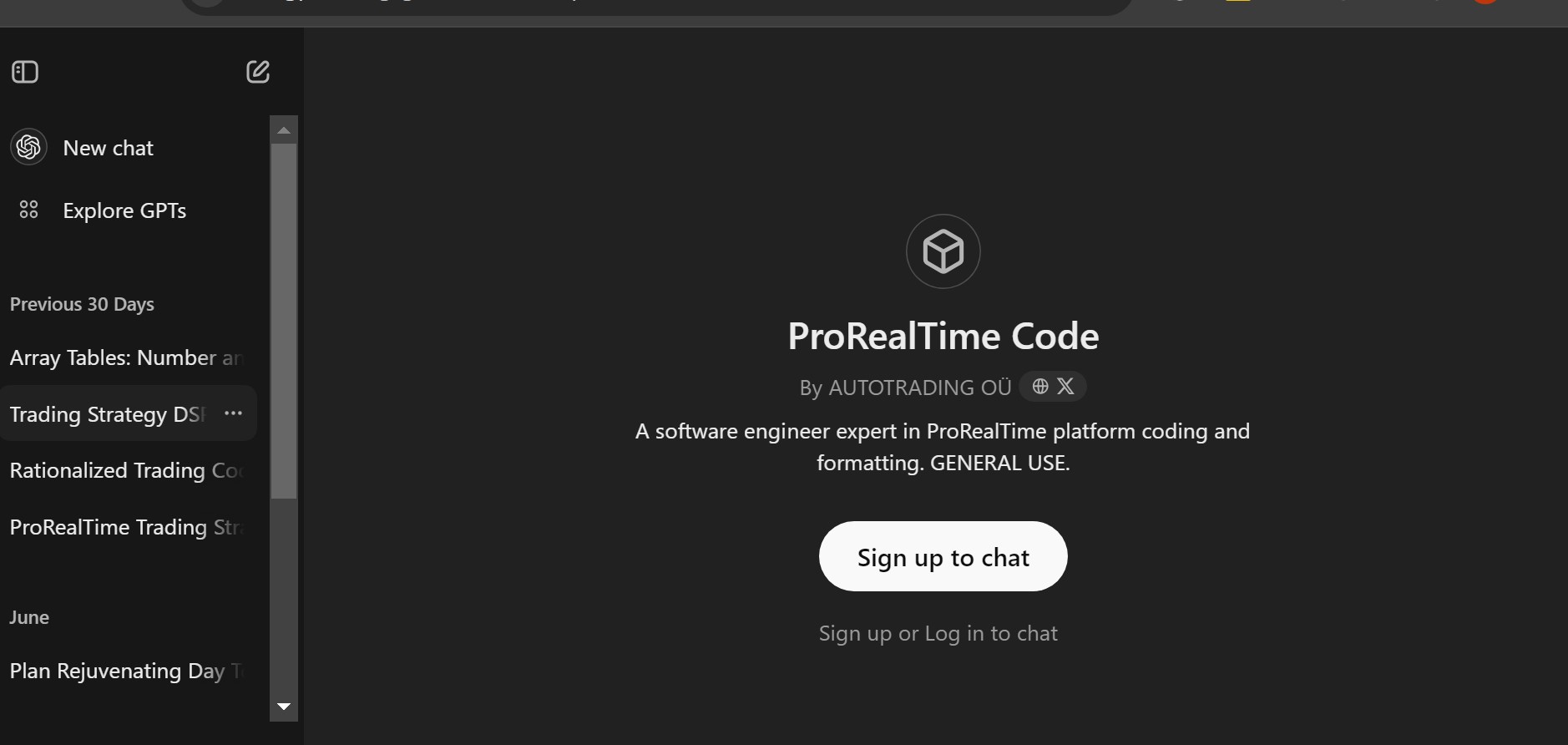
    Am I missing something or need stronger coffee? 😉 When I click on the 1st link above, I see attached.  You can see that I am logged in to ChatGPT or at least it is my ‘Account’ as my past chat with GPT are shown in the left hand margin. However, the 2 links posted don’t do anything … by that I mean, if I click on them nothing happens? Any ideas / comments / solutions appreciated.
Viewing 15 posts - 61 through 75 (of 88 total)
  • You must be logged in to reply to this topic.

Create strategies codes with ChatGPT for ProRealTime


General Trading: Market Analysis & Manual Trading

New Reply
Author
author-avatar
Nicolas @nicolas Keymaster
Summary

This topic contains 87 replies,
has 22 voices, and was last updated by crankbuddy
5 months, 3 weeks ago.

Topic Details
Forum: General Trading: Market Analysis & Manual Trading
Language: English
Started: 05/12/2023
Status: Active
Attachments: 17 files
Logo Logo
Loading...