Countdown Timer – Gone Missing!

Viewing 3 posts - 1 through 3 (of 3 total)
  • Author
    Posts
  • #258880 quote
    GraHalGraHal
    Participant
    Master

    Well Weird! (lots of my posts seem to be!!?? 🙂 )

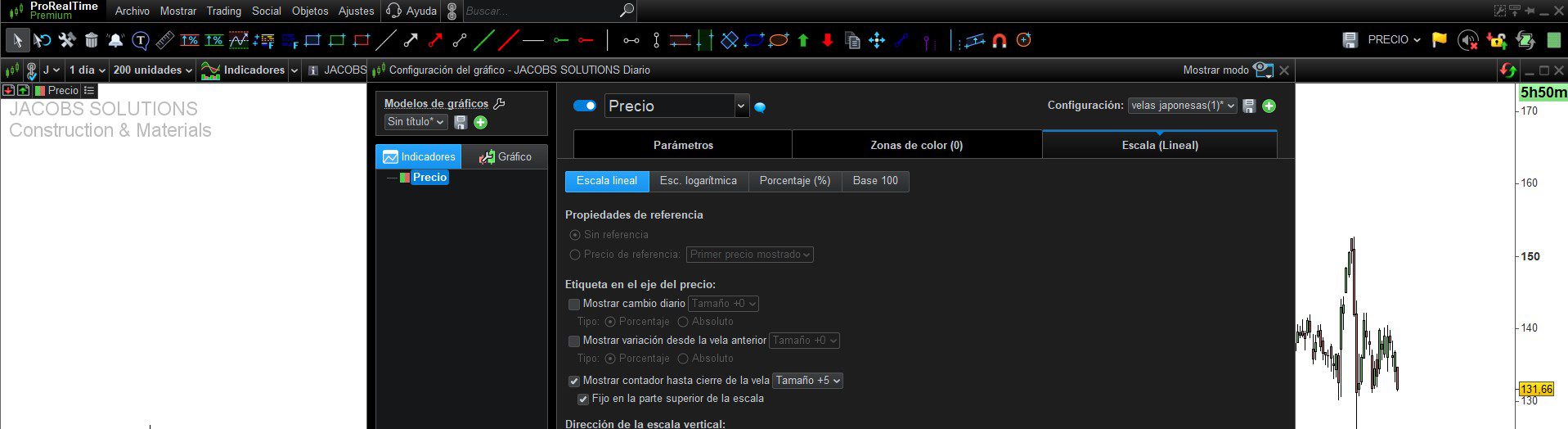
    The Countdown Timer to next bar is not visible on my Live Account as normal … see attached for my settings.

    The Countdown Timer is very useful when Manual Trading. I don’t normally have it set to size +5, but did in case it was hiding somewhere! 🙂 I have logged out and back-in etc.

    I have checked my Demo Accounts and all is good there, the Timer is visible etc.

    Please could somebody check their Live Account to see the Countdown Timer and let me know.

    Big Thank You

    a7xeI4XgCn.png a7xeI4XgCn.png
    #258887 quote
    Iván GonzálezIván González
    Moderator
    Legend

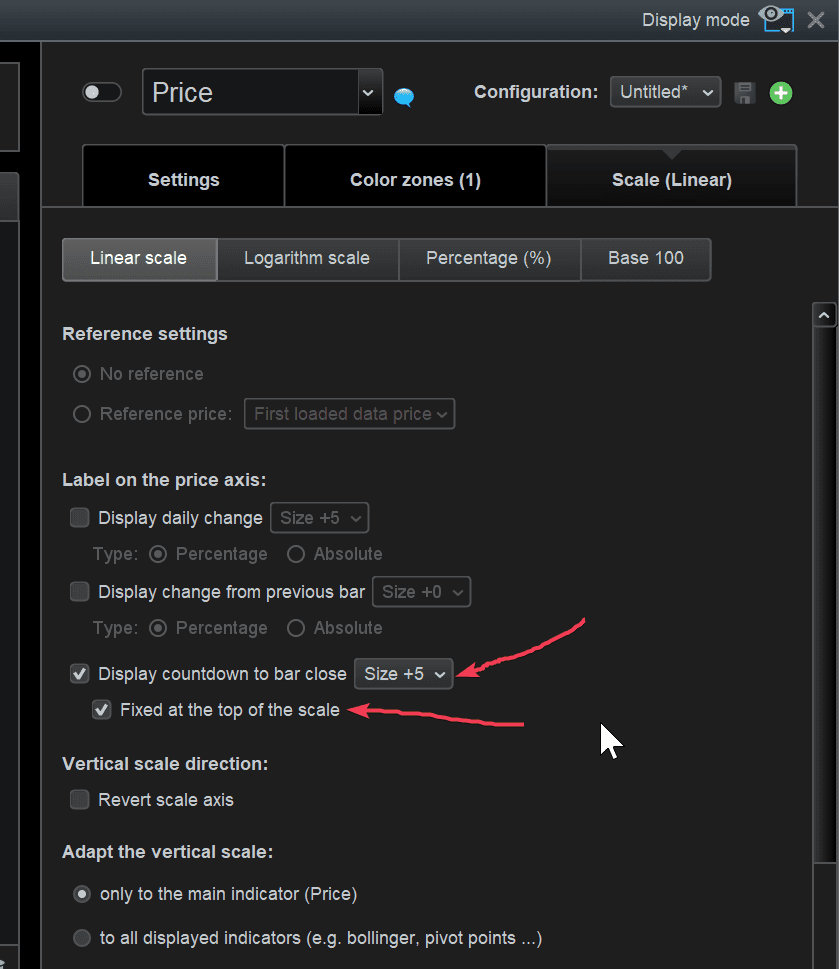
    This is what I get

    GraHal thanked this post
    Captura-de-pantalla-2026-03-09-152502.jpg Captura-de-pantalla-2026-03-09-152502.jpg
    #258889 quote
    GraHalGraHal
    Participant
    Master

    I tried a ‘Light screen’ (as yours) it wasn’t that, but I have 2 Price lines (one a full line and the other HeikenAshi) … the full Price line was set to ‘Hide’ and this was also hiding the Countdown Timer.

    So sorted now, Thank You Ivan.

Viewing 3 posts - 1 through 3 (of 3 total)

  • You must be logged in to reply to this topic.

ProRealAI ProRealAI New

From idea to ProBuilder code in seconds.

Your coding copilot for ProRealTime™. Ask in plain English — get clean, ready-to-paste indicators, screeners and systems.

Available in 7 languages
Try ProRealAI

Countdown Timer – Gone Missing!


Platform Support: Charts, Data & Broker Setup

New Reply
Author
Summary

This topic contains 2 replies,
has 2 voices, and was last updated by GraHalGraHal
6 months, 4 weeks ago.

Topic Details
Forum: Platform Support: Charts, Data & Broker Setup
Language: English
Started: 03/09/2026
Status: Active
Attachments: 2 files
ProRealCode ProRealCode
Loading...