Convert pivot indicator lines appearance?

Viewing 5 posts - 1 through 5 (of 5 total)
  • Author
    Posts
  • #136529 quote
    Nostromo111
    Participant
    New

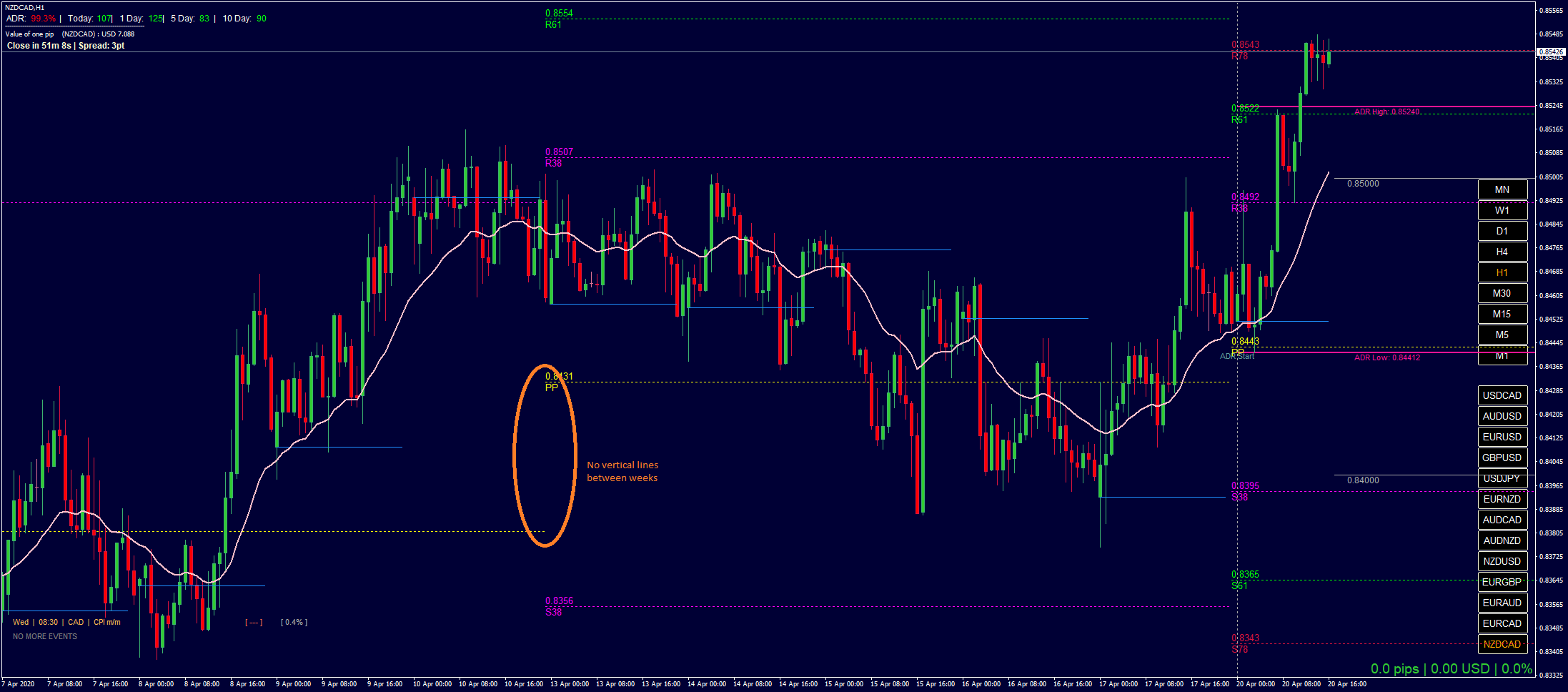
    I love this indicator https://www.prorealcode.com/prorealtime-indicators/fibonacci-pivots-points-4-hours-daily-weekly-monthly/  except one thing, the vertical/diagonal lines linking the horizontal pivot lines are really distracting to me, can someone please show me or link how to change this indicator so it draws just horizontal lines for the pivots like the MT4 screenshot I attached to this post?  I only use the weekly pivots which probably makes the request simpler.

    I tried to research a solution  and am guessing it needs to use code like this (https://www.prorealcode.com/documentation/drawline/) and I also realize that it will not be able to draw a dotted line, just a solid line which is fine.

    The bit I don’t understand is how to work out and plot the start and end points of the horizontal lines for each week, going back as far as there are weeks shown on the screen.  Obviously the solution needs to work even if the Timescale is changed (I usually only use H4, H1, M30 and M15).

    Playing around with the original Indicator I managed to get it to plot a solid line for the current week, but don’t know how to set the values for the other previous weeks.  I probably need a loop in there but don’t know what to base it on and, also don’t know how to set up the aaa and bbb barindex values below?

    DRAWLINE(aaa, PP,  bbb, PP) coloured(153,153,0)

    Any help is much appreciated!

    EDITED: forgot to add screenshot

    NZDCADH1.png NZDCADH1.png
    #136538 quote
    Nicolas
    Keymaster
    Master

    Everytime the value has changed, the code is recording the start of the new period in “firstbar” variable (used to draw rectangle zones). So you can use this coordinate to drawsegment:

    Example for “f236” line:

    drawsegment(firstbar,f236,barindex,f236)

    Of course you’ll have to remove all the returned variables in the RETURN instruction.

    Nostromo111 thanked this post
    #136942 quote
    Nostromo111
    Participant
    New

    Nicholas,

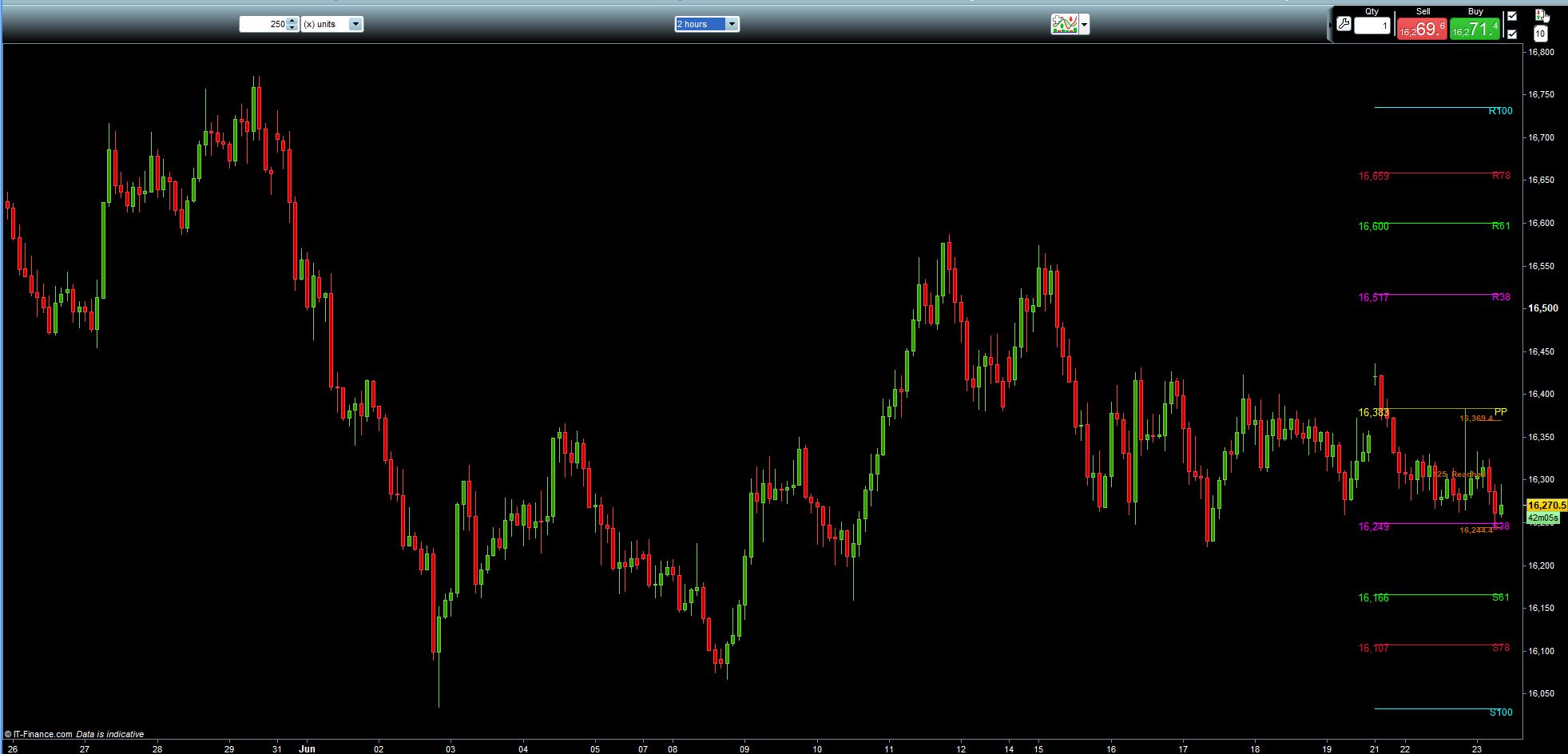
    Thank you very much for your reply, I did as you suggested, but now it only shows the pivots for the current week (see screenshot), and I was really wanting to see pivots for previous weeks as well (per screenshot on original post).  How do I create a loop to draw the pivots for the previous weeks as well ?  I don’t know how to handle the ‘start time-bar’ and ‘end time-bar’ for each previous week.

    I took the liberty of modifying your PRC_PivotFibo MTF to show you what I mean, as it stands this only draws a line for the current week …

    Am grateful for your help!

    how-to-show-previous-weeks-pivots.jpg how-to-show-previous-weeks-pivots.jpg how-to-show-previous-weeks-pivots.itf
    #137100 quote
    Vonasi
    Moderator
    Master

    An example of using SEGMENT to draw lines instead of using RETURN can be seen here:

    Display Line Name of Fibonacci Lines

    Nostromo111 thanked this post
    #137274 quote
    Nostromo111
    Participant
    New

    Vonasi – thanks a bunch!  that was a big help, I finally got it working now !

Viewing 5 posts - 1 through 5 (of 5 total)

  • You must be logged in to reply to this topic.

Convert pivot indicator lines appearance?


ProBuilder: Indicators & Custom Tools

New Reply
Author
Summary

This topic contains 4 replies,
has 3 voices, and was last updated by Nostromo111
5 years, 7 months ago.

Topic Details
Forum: ProBuilder: Indicators & Custom Tools
Language: English
Started: 06/19/2020
Status: Active
Attachments: 3 files
Logo Logo
Loading...