Conversion of “Bar Count by GYH9” from the TradingView software
Viewing 4 posts - 16 through 19 (of 19 total)
  • Author
    Posts
  • #210096 quote
    gadetrading
    Participant
    New

    Thank you for your reply @JS

    I have added your code and tested it.
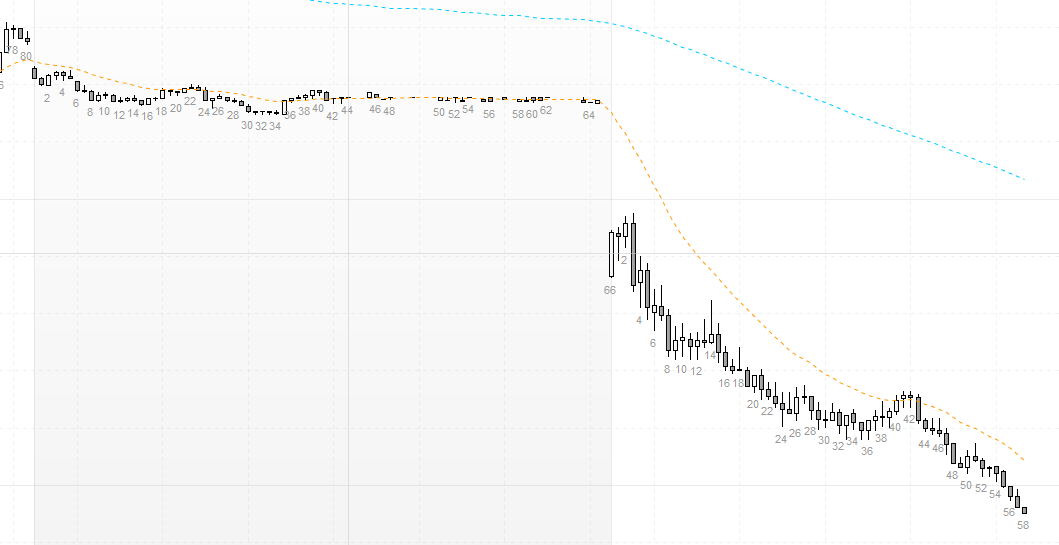
    Unfortunately, it is still not counting correctly.
    I can best describe it with the screenshot I have attached.

    Once Count = 0
     
    StartSession=093000
    EndSession=161500
     
    If OpenTime >= StartSession and OpenTime <= EndSession then
    Count=Count+1
    xEven=Count/2 - Round(Count/2)
     
    If Count > 0 and xEven=0 then
    DrawText( "#Count#", BarIndex,Low-2*pipsize,SansSerif) COLOURED (153, 153, 153, 255)
    EndIf
     
    If Time = EndSession then
    Count=0
    EndIf
    If IntraDayBarIndex = 0 then
    
    Count = 0
    
    EndIf
    Endif
    Return
    
    Still-Not-Working.png Still-Not-Working.png
    #210098 quote
    JS
    Participant
    Master

    Hi GadeTrading,

    The indicator works well for me…

    I don’t see anything special on your screenshot either…

    #210099 quote
    gadetrading
    Participant
    New
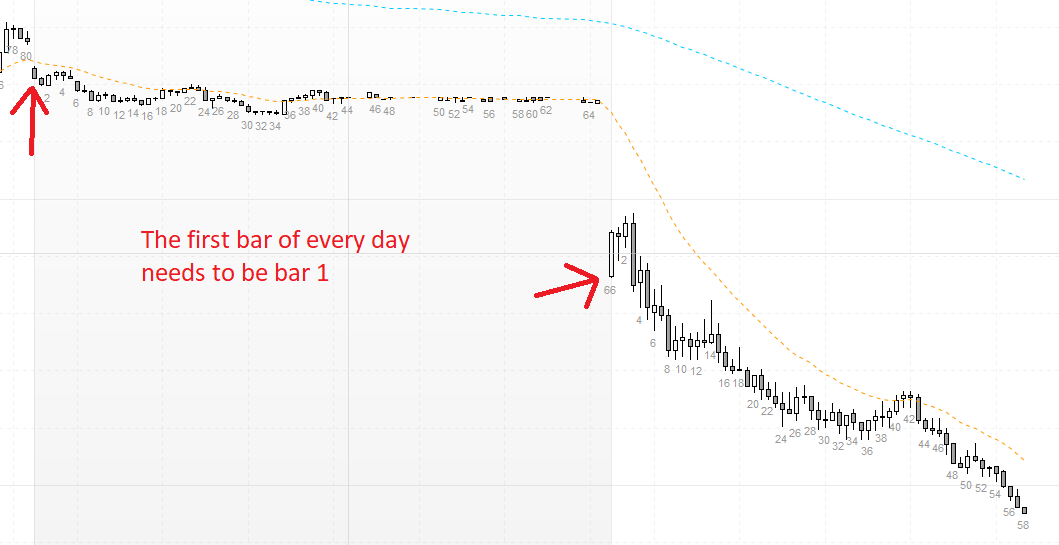
    @JS I apologize for my poor explanation. It is because the first bar of every day needs to be bar 1 and then count from there. I should have mentioned: In the screenshot, the days are seperated by the alternating color (grey/white). I have added some text in the screenshot to describe the problem.
    Still-Not-Working-1.png Still-Not-Working-1.png
    #210104 quote
    gadetrading
    Participant
    New
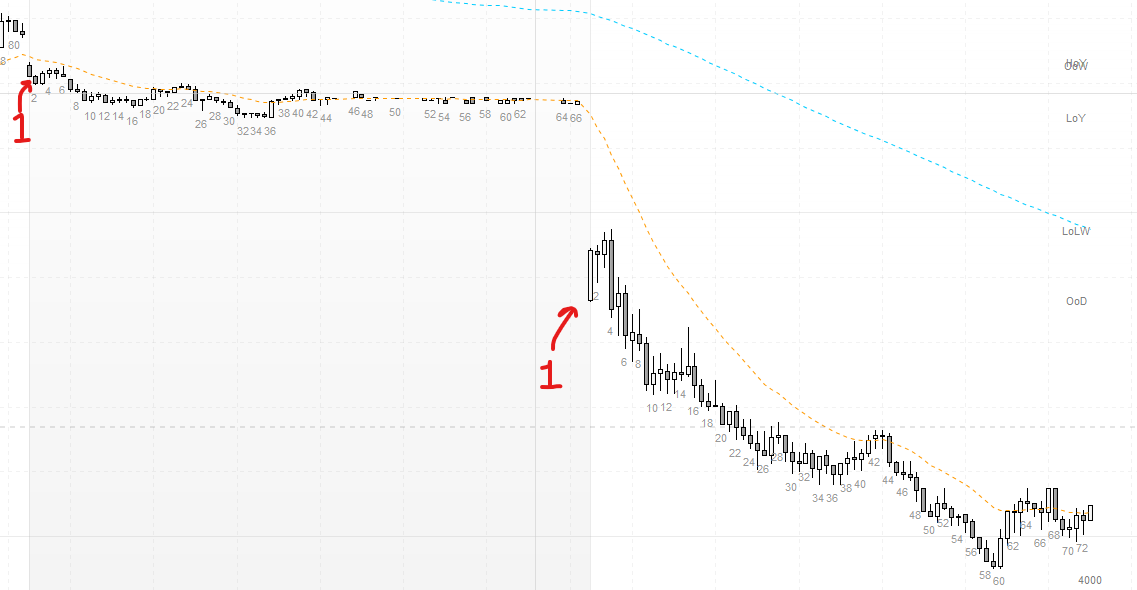
    @JS Thank you for your code snippet. I found out changing count = 0 to count = 1 makes the first bar of the day bar 1 every day. I appreciate it, as I am not good at coding.
    Once Count = 0
     
    StartSession=093000
    EndSession=161500
    
    If OpenTime >= StartSession and OpenTime <= EndSession then
    Count=Count+1
    xEven=Count/2 - Round(Count/2)
     
    
    If IntraDayBarIndex = 0 then
    
    Count = 1
    
    EndIf
    
    
    If Count > 0 and xEven=0 then
    DrawText( "#Count#", BarIndex,Low-2*pipsize,SansSerif) COLOURED (153, 153, 153, 255)
    EndIf
    
    If Time = EndSession then
    Count=0
    
    EndIf
    Endif
    Return
    
    It works like a charm now, even when are there are less bars in some days.
    JS thanked this post
    Bar-1.png Bar-1.png
Viewing 4 posts - 16 through 19 (of 19 total)
  • You must be logged in to reply to this topic.
ProRealAI ProRealAI New

Stuck on this ProBuilder code?

Describe what this topic is trying to build, in plain English, and ProRealAI writes the ProRealTime™ indicator, screener or system for you.

Available in 7 languages
Try ProRealAI

Conversion of “Bar Count by GYH9” from the TradingView software


ProBuilder: Indicators & Custom Tools

New Reply
Author
Summary

This topic contains 18 replies,
has 3 voices, and was last updated by gadetrading
3 years, 6 months ago.

Topic Details
Forum: ProBuilder: Indicators & Custom Tools
Language: English
Started: 12/15/2022
Status: Active
Attachments: 10 files
Logo Logo
Loading...