Conversion of a linear regression trend indicator

Viewing 3 posts - 1 through 3 (of 3 total)
  • Author
    Posts
  • #167414 quote
    MusiarMusiar
    Participant
    Average

    Hello,

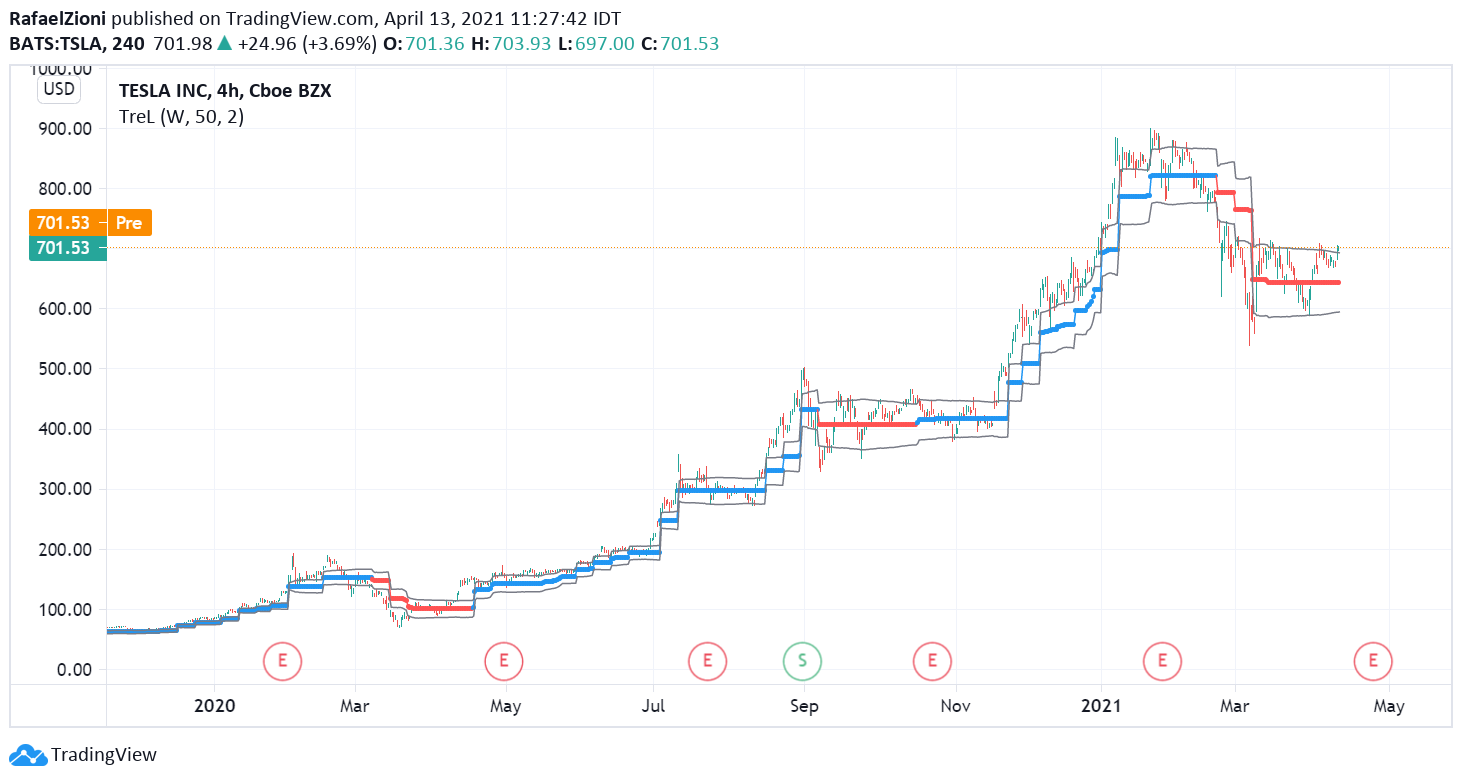
    I am wondering if you can help me with the conversion of an indicator found and checked on Tradinview platform. It is called TreL (https://www.tradingview.com/script/0d0HBnwB-TreL/), is free for use and it looks promising for identifying the entering and exit points. I know that everybody’s time is limited, but I think could be a valuable addition as an indicator on ProRealCode.

    Thank you for your support!

    _______________________________________________

    //@version=4

    study(“TreL”,overlay=true)
    length=100
    HTF = input(“W”, type=input.resolution)
    ti = change( time(HTF) ) != 0
    c = fixnan( ti ? close : na )

    //

    cp = c
    len = input(100, minval=1),off= 0,dev= input(2, “Deviation”,minval=0.01)
    lreg = linreg(cp, len, off), lreg_x =linreg(cp, len, off+1)
    b = bar_index, s = lreg – lreg_x,intr = lreg – b*s
    dS = 0.0
    for i=0 to len-1
    dS:= dS + pow(cp[i]-(s*(b-i)+intr), 2)
    de = sqrt(dS/(len))
    up = (-de*dev) + c
    dn= (de*dev) + c

    c5=(high+low)/2
    //

    factor = 0.001

    hb = 0.00 ,hb := nz(hb[1])
    hl = 0.000, hl := nz(hl[1])

    lb = 0.00 ,lb := nz(lb[1])
    l1 = 0.000,l1 := nz(l1[1])

    c2 = 0
    c2 := nz(c2[1]) + 1

    trend = 0,trend := nz(trend[1]),n = dn,x =up

    if barstate.isfirst
    c2 := 0
    lb := n
    hb := x
    l1 := c5
    hl := c5
    hl
    if c2 == 1
    if x >= hb[1]
    hb := x
    hl := c5
    trend := 1
    trend
    else
    lb := n
    l1 := c5
    trend := -1
    trend

    if c > 1

    if trend[1] > 0
    hl := max(hl[1], c5)
    if x >= hb[1]
    hb := x
    hb
    else

    if n < hb[1] – hb[1] * factor
    lb := n
    l1 := c5

    trend := -1
    trend
    else

    l1 := min(l1[1], c5 )

    if n <= lb[1]
    lb := n
    lb
    else

    if x > lb[1] + lb[1] * factor
    hb := x
    hl := c5

    trend := 1
    trend


    v = trend == 1 ? hb : trend == -1 ? lb : na
    plot(v, color=trend == 1 ? color.blue : color.red, style=plot.style_circles, linewidth=1, title=”trend”, transp=0, join=true)

    plot(v + ema(tr(true), length) * 2, color=color.gray)
    plot(v – ema(tr(true), length) * 2,color=color.gray)

    //

    long = trend == 1 and trend[1] == -1
    short = trend == -1 and trend[1] == 1
    //
    last_long = 0.0
    last_short = 0.0
    last_long := long ? time : nz(last_long[1])
    last_short := short ? time : nz(last_short[1])

    buy = crossover(last_long, last_short)
    sell = crossover(last_short, last_long)

    /////////////// Plotting ///////////////
    plotshape(buy, title=”buy”, text=”B”, color=color.green, style=shape.labelup, location=location.belowbar, size=size.small, textcolor=color.white, transp=0) //plot for buy icon
    plotshape(sell, title=”sell”, text=”S”, color=color.red, style=shape.labeldown, location=location.abovebar, size=size.small, textcolor=color.white, transp=0)

    /////////////// Alerts ///////////////
    alertcondition(buy, title=’buy’, message=’Buy’)
    alertcondition(sell, title=’sell’, message=’Sell’)

    N80Lt6UZ.png N80Lt6UZ.png
    #167426 quote
    NicolasNicolas
    Keymaster
    Legend

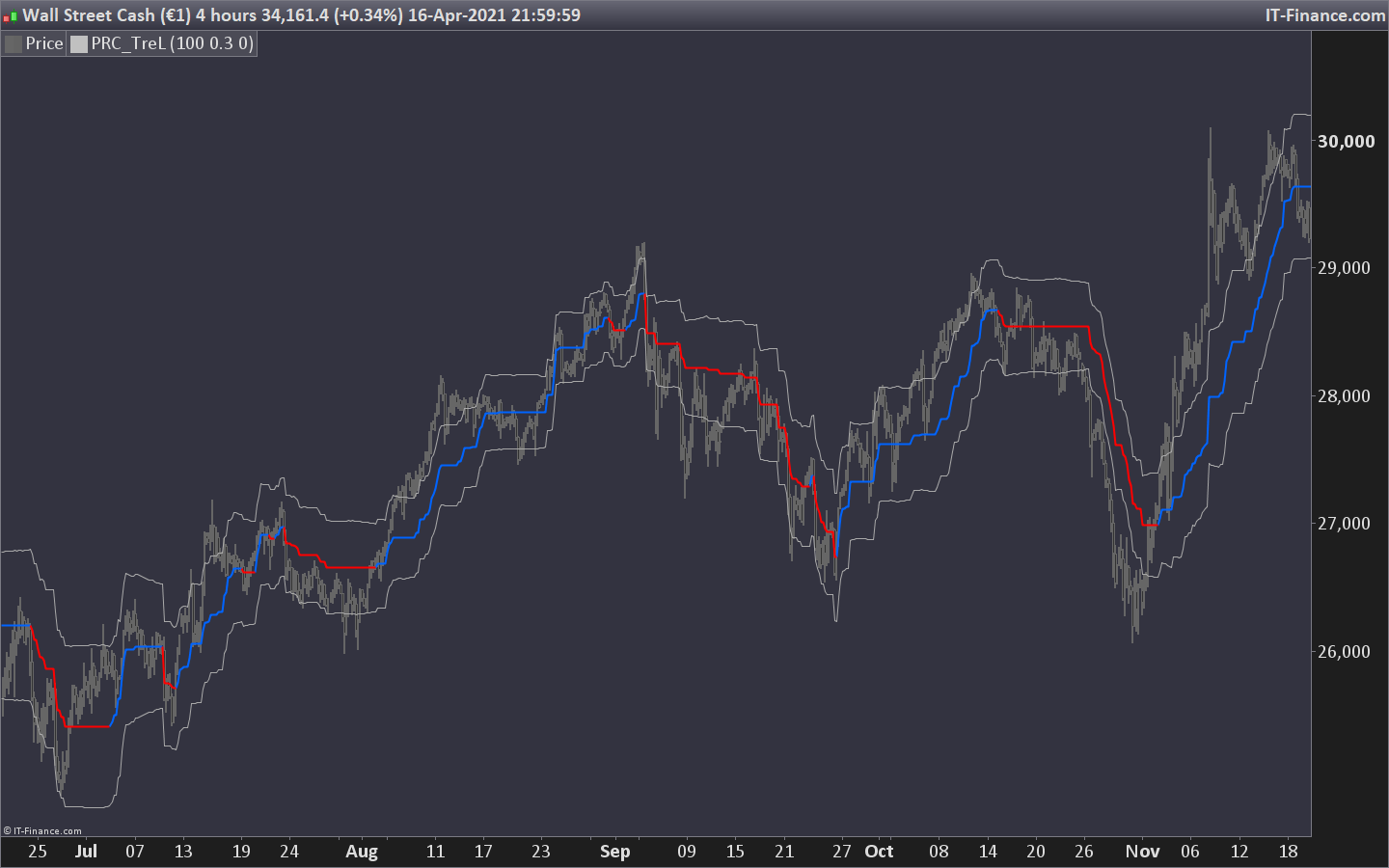
    Indicator has been converted into prorealtime code, please download from the library: TreL – Linear Regression Trend

    linear-regression-prel-indicator-trend.png linear-regression-prel-indicator-trend.png
    #167442 quote
    MusiarMusiar
    Participant
    Average

    Thank you Nicolas for your fast answer.

    Best regards!

Viewing 3 posts - 1 through 3 (of 3 total)

  • You must be logged in to reply to this topic.

ProRealAI ProRealAI New

Stuck on this ProBuilder code?

Describe what this topic is trying to build, in plain English, and ProRealAI writes the ProRealTime™ indicator, screener or system for you.

Available in 7 languages
Try ProRealAI

Conversion of a linear regression trend indicator


ProBuilder: Indicators & Custom Tools

New Reply
Author
author-avatar
Musiar @musiar Participant
Summary

This topic contains 2 replies,
has 2 voices, and was last updated by MusiarMusiar

5 years, 5 months ago.

Topic Details
Forum: ProBuilder: Indicators & Custom Tools
Language: English
Started: 04/18/2021
Status: Active
Attachments: 2 files
ProRealCode ProRealCode
Loading...