


Conversion indicateur mq4 vers prorealtime

Viewing 3 posts - 1 through 3 (of 3 total)
  • Author
    Posts
  • #238746 quote
    toulinetouline
    Participant
    Senior

    Bonjour
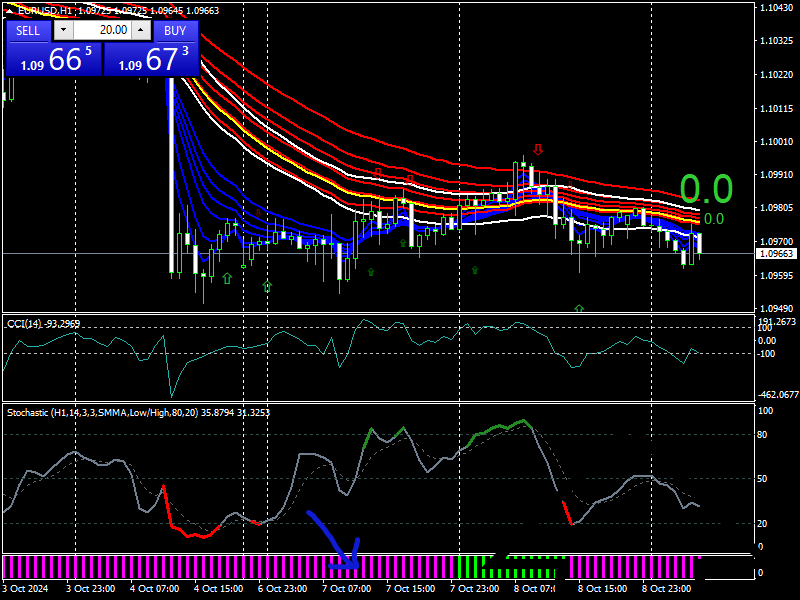
    Pourriez-vous convertir cet indicateur mq4 vers prorealtime s’il vous plaît se sont les histogrammes couleur magenta et vert Un grand merci d’avance
    Cordialement

    EURUSDH1.png EURUSDH1.png RAJESH-GHLA-HISTO-HTF.mq4
    #238793 quote
    Iván GonzálezIván González
    Moderator
    Legend

    Holà. Ici vous avez le code :

    Lb = 36
    
    if close > Average[Lb](High)[1] then
    trend = 1
    gann = Average[ Lb ](low)[1]
    r=0
    g=125
    b=0
    elsif close < Average[Lb](Low)[1] then
    trend = -1
    gann = Average[Lb](high)[1]
    r=255
    g=0
    b=125
    else
    trend = trend
    endif
    
    return trend as "Trend" style(histogram)coloured(r,g,b)
    #238824 quote
    toulinetouline
    Participant
    Senior

    un grand merci à toi pour le code

Viewing 3 posts - 1 through 3 (of 3 total)

  • You must be logged in to reply to this topic.

ProRealAI ProRealAI New

Stuck on this ProBuilder code?

Describe what this topic is trying to build, in plain English, and ProRealAI writes the ProRealTime™ indicator, screener or system for you.

Available in 7 languages
Try ProRealAI

Conversion indicateur mq4 vers prorealtime


ProBuilder : Indicateurs & Outils Personnalisés

New Reply
Author
author-avatar
touline @touline Participant
Summary

This topic contains 2 replies,
has 2 voices, and was last updated by toulinetouline

1 year, 11 months ago.

Topic Details
Forum: ProBuilder : Indicateurs & Outils Personnalisés
Language: French
Started: 10/09/2024
Status: Active
Attachments: 2 files
ProRealCode ProRealCode
Loading...

