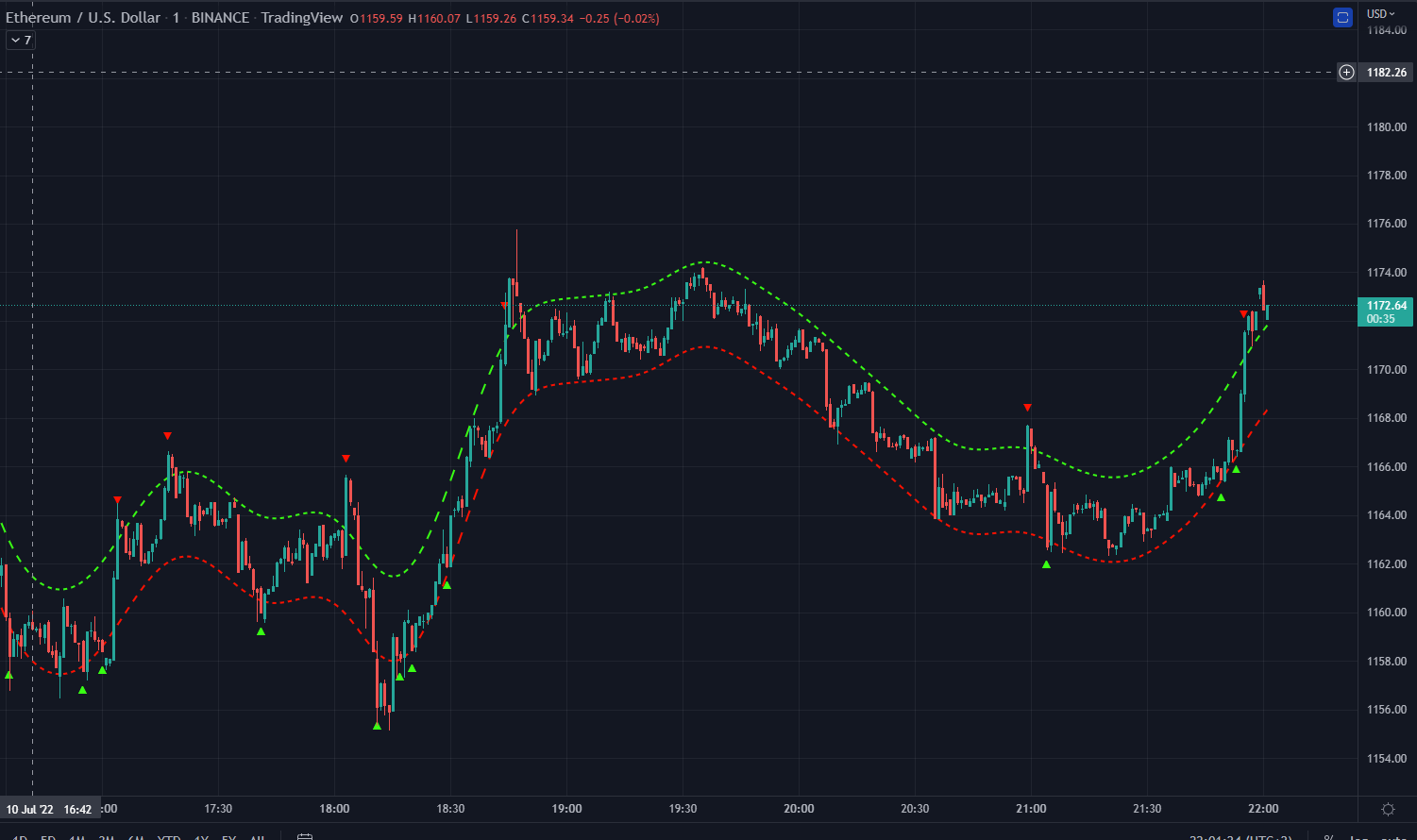
Yes, it was expected, I dont understand why you are making comparison? 🙂
If you know what are the price values in 10 days, then you can plot an ideal channel considering that price, and this is what a repainting indicator like this one is doing.
The version I delivered is using only the current price and not any price that is unkown.
If you want me to code a perfect 1:1 indicator with this repainting behavior, it would take a lot of effort and time, I can do it as a paid service: https://www.prorealcode.com/trading-programming-services/
Thanks very much for your help.
Any idea of the cost ?
Please use the form of the programming services page in order to get a free quote.
Hello,
have tou succeded in making this indicator work as it does in Trading View .?
thanks
Zakaria
Hello, not really, I still run it on Tradingview. Having 2 systems is an issue, but cheaper than develop it by an expert for Prorealtime
Thanks
Hello again,
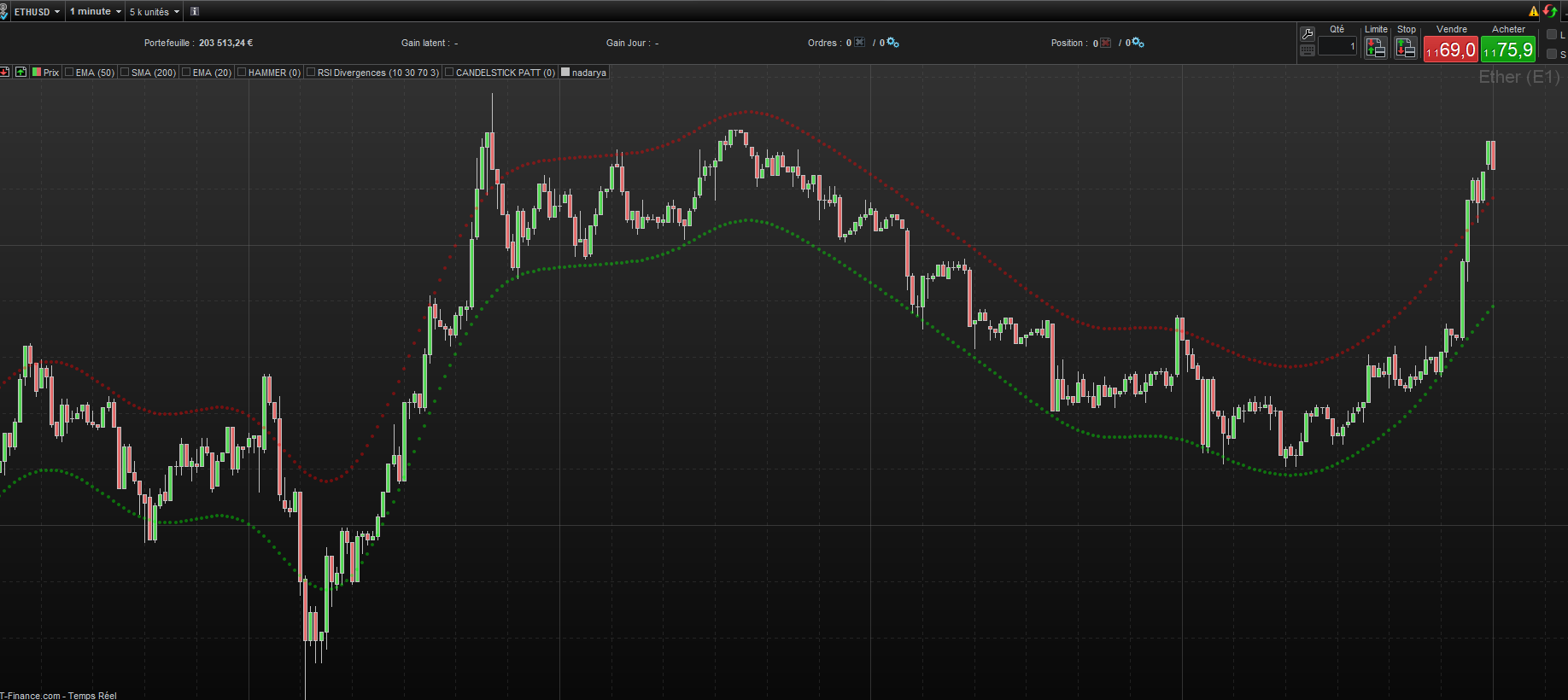
i’ve done some modification starting from Nicola’s version, i managed to make it work the same way as on trading view, here’s the code.
you can’t use it for alerts for now, it only draws the envelope.
see attached image i’ve tested it on ETHUSD on the m1 timeframe.
i’ll keep imporving it, to see if in any way it can be used in live trading.
Zakaria
//Nadaraya-Watson Envelope
defparam drawonlastbaronly = true
length = 500//Window Size
hh = 8 //Bandwidth
mult = 0.45
src = Close
n = barindex
k = 2
if IsLastBarUpdate then
y2 = 0
sume = 0
for i = 0 to length-1
sum = 0
sumw = 0
for j = 0 to length-1
w = EXP(-pow(i-j,2)/(hh*hh*2))
sum = sum+src[j]*w
sumw = sumw+w
next
y2 = sum/sumw
sume = sume+abs(src[i] - y2)
$a[barindex-i]=y2
//DRAWPOINT(barindex-i, y2, 1)
next
mae = sume/(length*mult)
for i=0 to length-1
DRAWPOINT(barindex-i, $a[barindex-i]-mae, 1) coloured(0,255,0,100)
DRAWPOINT(barindex-i, $a[barindex-i]+mae, 1) coloured(255,0,0,100)
//if close[barindex-i] > ($a[barindex-i]+mae) then // and src[1]<y2[1]+mae then
//drawarrowdown(barindex-i,high) coloured("red")
//endif
//if close[barindex-i] < ($a[barindex-i]-mae) then //and src[1]>y2[1]-mae then
//drawarrowup(barindex-i,low) coloured("green")
//endif
next
/*drawpoint(barindex,y2,1)
drawpoint(barindex,y2+mae,1)
drawpoint(barindex,y2-mae,1)*/
Y2High=$a[barindex]+mae
Y2Low=$a[barindex]-mae
endif
return
Thanks I will test it today.
Thanks again
The variable “Mult” input does not change the bands. Any idea ?
Thanks again
Dear Sir
Can I find this code in mql4?
Hello and thanks for this code.
I would love to add a median line just like you have an up and dow line already…
Anybody would know how to code the median line in POINT ?
Thanks a lot
Dear Sir
Can I find this code in mql4?
This forum is dedicated to the ProRealTime platform, thus conversions from other languages to PRT are free, while other conversions are available as paid services at this link https://www.prorealcode.com/trading-programming-services/.
Hi, this looks very interesting, but I can not get it to work when pasting into Trading View.
Can you confirm this is Pine like the original LuxAlgo one?
many thanks.
JSParticipant
Senior
Hi @Colonel_Kernel
The code above is for ProRealTime and not Pine code…(it is not the original LuxAlgo)