come importare il Regression Channell?

Viewing 2 posts - 1 through 2 (of 2 total)
  • Author
    Posts
  • #81705 quote
    Gian Paolo ScaramelliGian Paolo Scaramelli
    Participant
    New

    Come Importare il Regressionn Channell?

    #81711 quote
    robertogozzirobertogozzi
    Moderator
    Legend

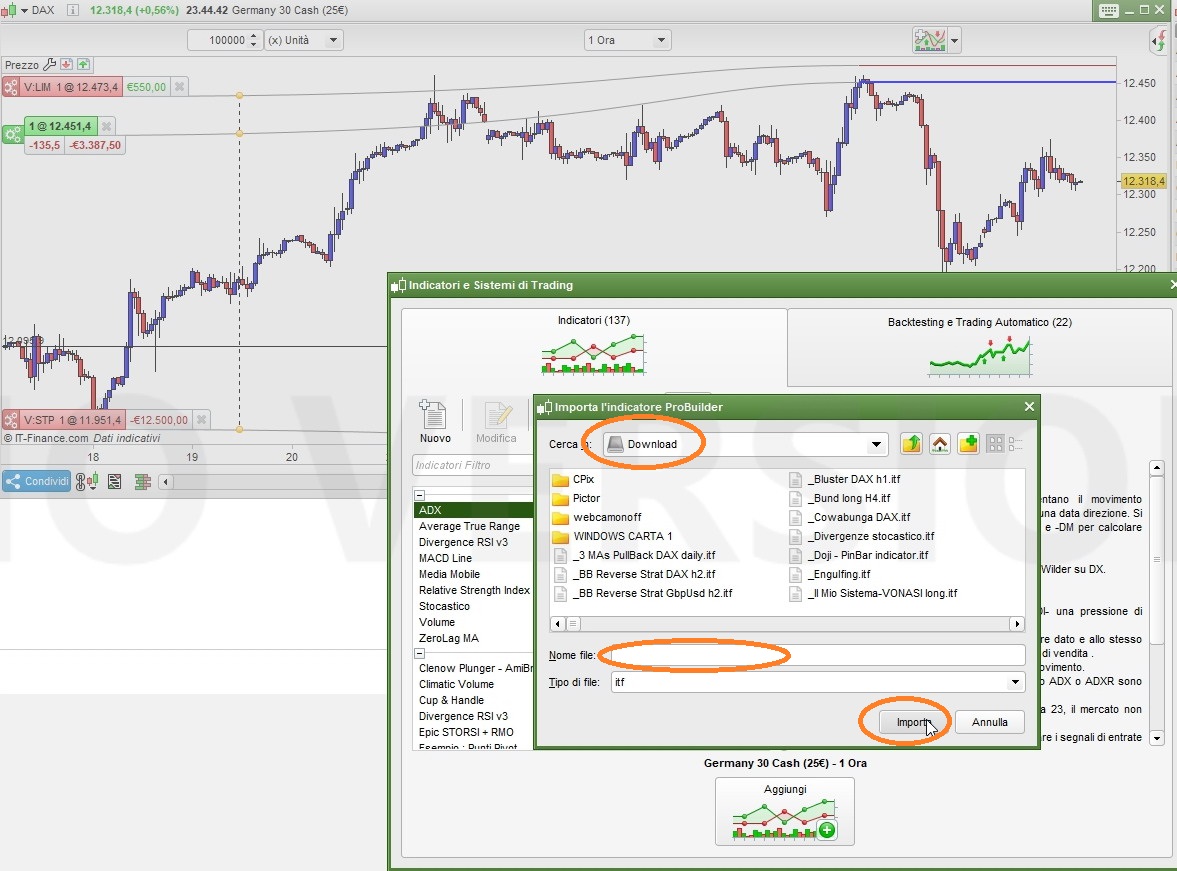
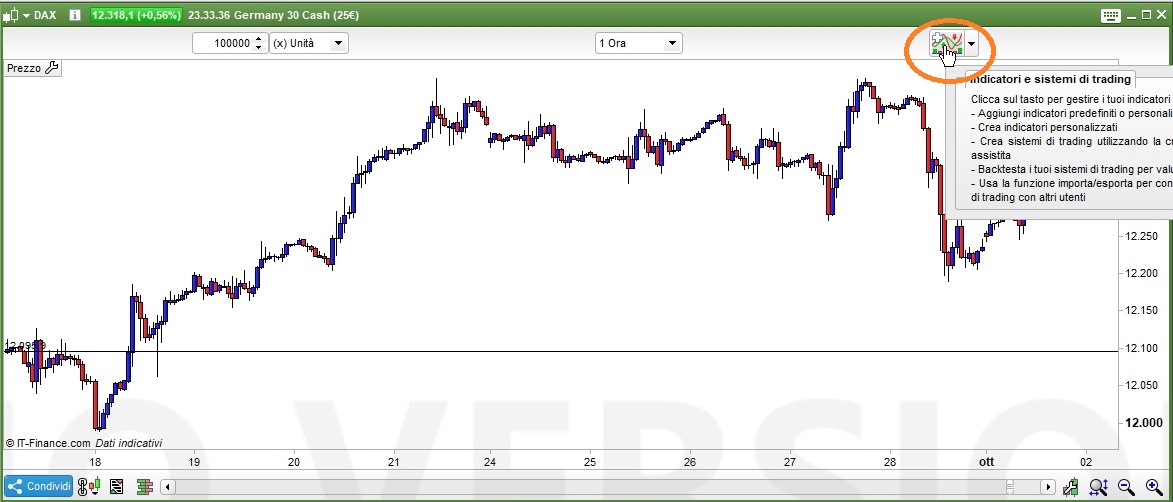
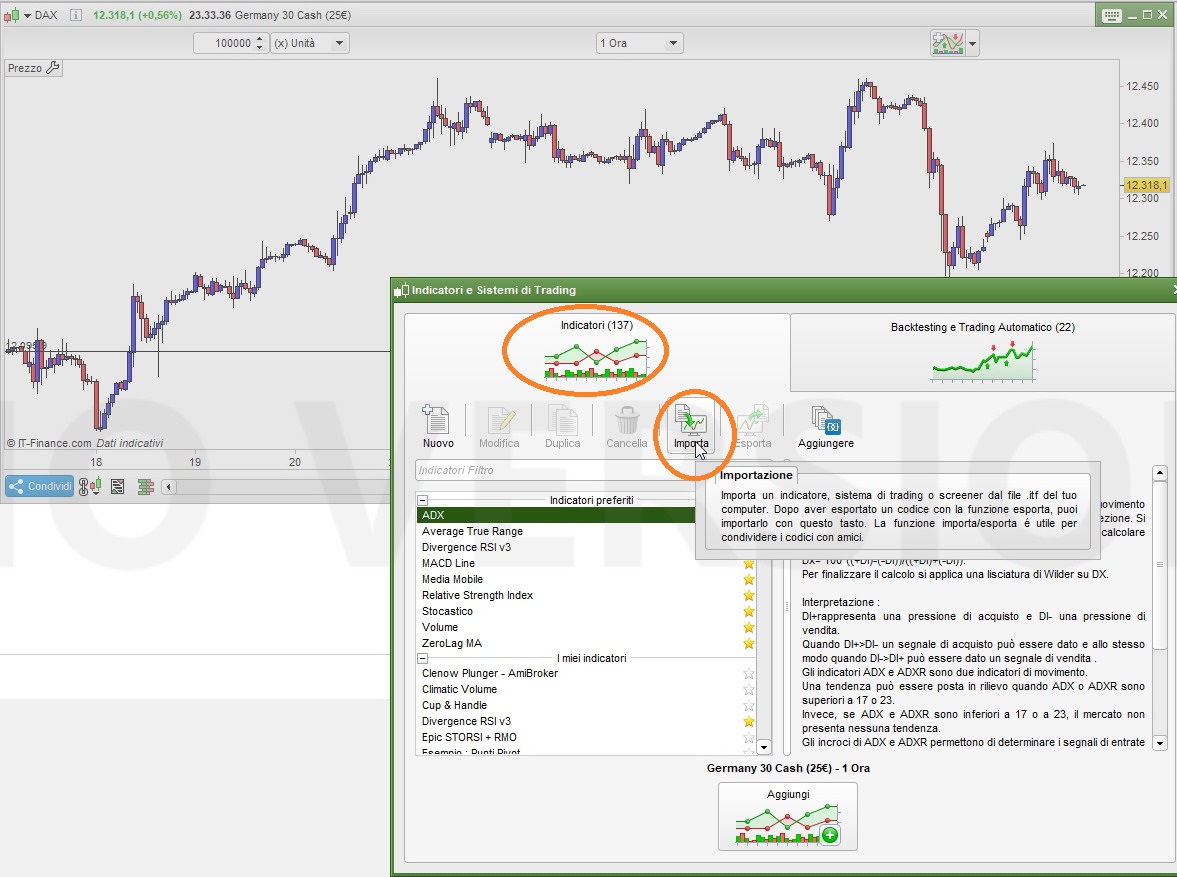
    Segui i passi indicati nei 3 screenshot allegati:

    1. sul grafico clicca nella parte in alto a sinistra dove c’è un segno “+”
    2. nella finestra che si apre clicca nella parte sinistra su “indicatori”
    3. poco sotto clicca su “importa”
    4. poi seleziona la cartella dove lo hai salvato (che tu abbia precedentemente scaricato/salvato il file ITF in una cartella di tuo piacimento è, ovviamente, essenziale)
    5. indica il nome del file ITF da importare
    6. clicca su “importa”

    a questo punto il tuo indicatore è stato importato ed aggiunto alla libreria di ProBuilder (tra gli indicatori personalizzati, o custom) e potrai caricarlo tutte le volte che vorrai.

    Nicolas thanked this post
    x1.jpg x1.jpg x2.jpg x2.jpg x3.jpg x3.jpg
Viewing 2 posts - 1 through 2 (of 2 total)
  • You must be logged in to reply to this topic.

ProRealAI ProRealAI New

Stuck on this ProBuilder code?

Describe what this topic is trying to build, in plain English, and ProRealAI writes the ProRealTime™ indicator, screener or system for you.

Available in 7 languages
Try ProRealAI

come importare il Regression Channell?


ProBuilder: Indicatori & Strumenti Personalizzati

New Reply
Summary

This topic contains 1 reply,
has 2 voices, and was last updated by robertogozzirobertogozzi
7 years, 11 months ago.

Topic Details
Forum: ProBuilder: Indicatori & Strumenti Personalizzati
Language: Italian
Started: 10/01/2018
Status: Active
Attachments: 3 files
ProRealCode ProRealCode
Loading...