Need help with this code with exit based on RSI

Viewing 4 posts - 1 through 4 (of 4 total)

  • Author
    Posts
  • #84949 quote
    jebus89
    Participant
    Master
    // Definition of code parameters
    DEFPARAM CumulateOrders = False // Cumulating positions deactivated
    
    timeframe(1hour,updateonclose)
    // Conditions to enter long positions
    indicator1 = RSI[4](close)
    c1 = (indicator1 > 40)
    
    
    indicator2 = average[5](RSI[4](close))
    indicator3 = Average[20](RSI[4](close))
    c2 = (indicator2 >= indicator3)
    
    timeframe(default)
    indicator4 = RSI[2](close)
    c4 = (indicator4[1] CROSSES OVER 30)
    
    indicator5 = RSI[2](close)
    c5 = (indicator5 < indicator5[1])
    
    indicator44 = RSI[2](close)
    yy = indicator44 > indicator44[2]
    
    IF c1 AND c2 AND c4 AND c5 and yy THEN
    BUY 1 CONTRACT AT MARKET
    ENDIF
    
    // Conditions to exit long positions
    indicator6 = RSI[2](close)
    c6 = (indicator6 CROSSES UNDER 90)
    
    IF c6 THEN
    SELL AT MARKET
    ENDIF
    

    So if i change my exit between “rsi 2 crosses under: “60” or “70” or “90” i get 3 completely different scenarios!

    I havnt changed the entry at all so why wouldnt it take all 3 trades whatever my exit is with the rsi?


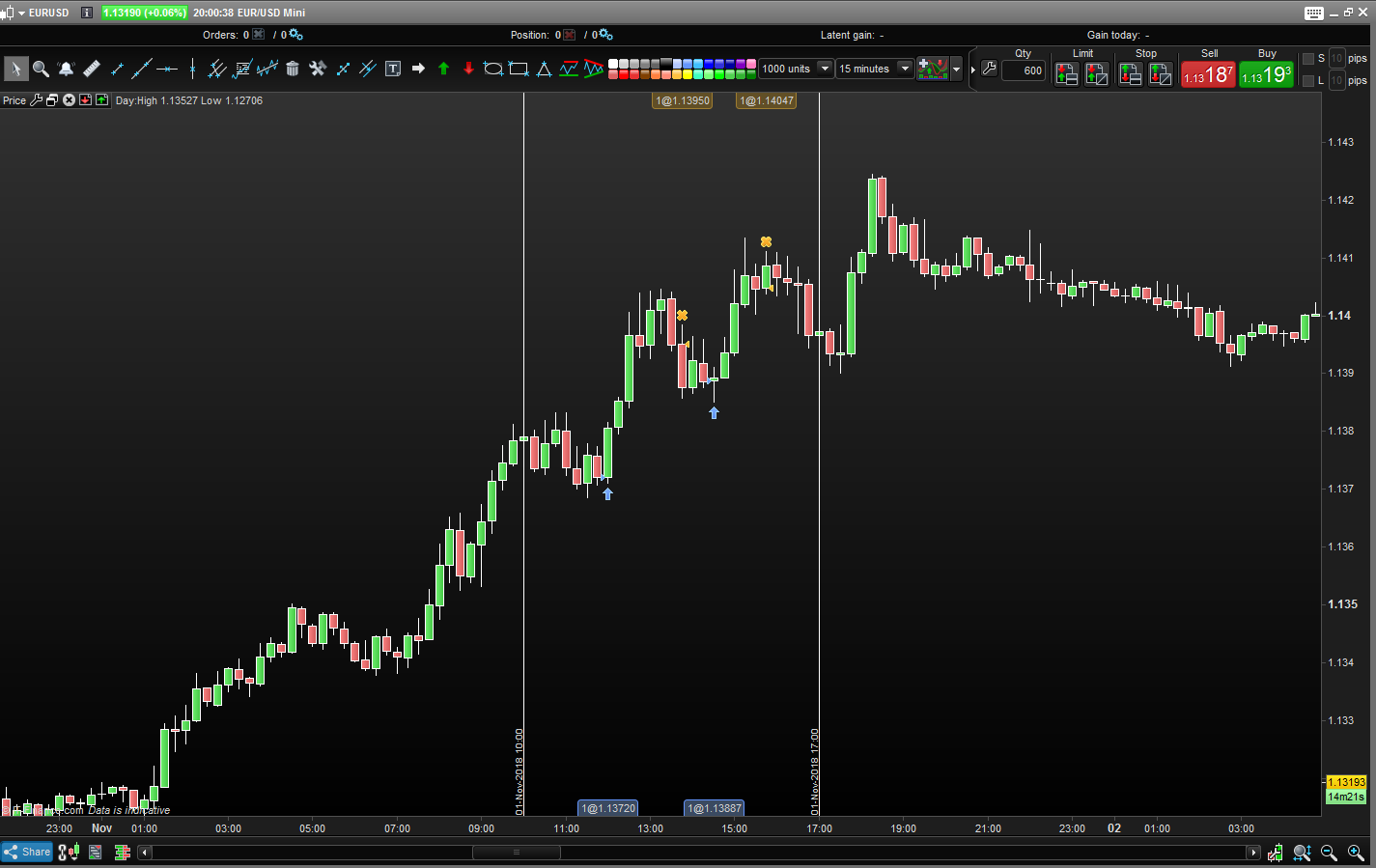
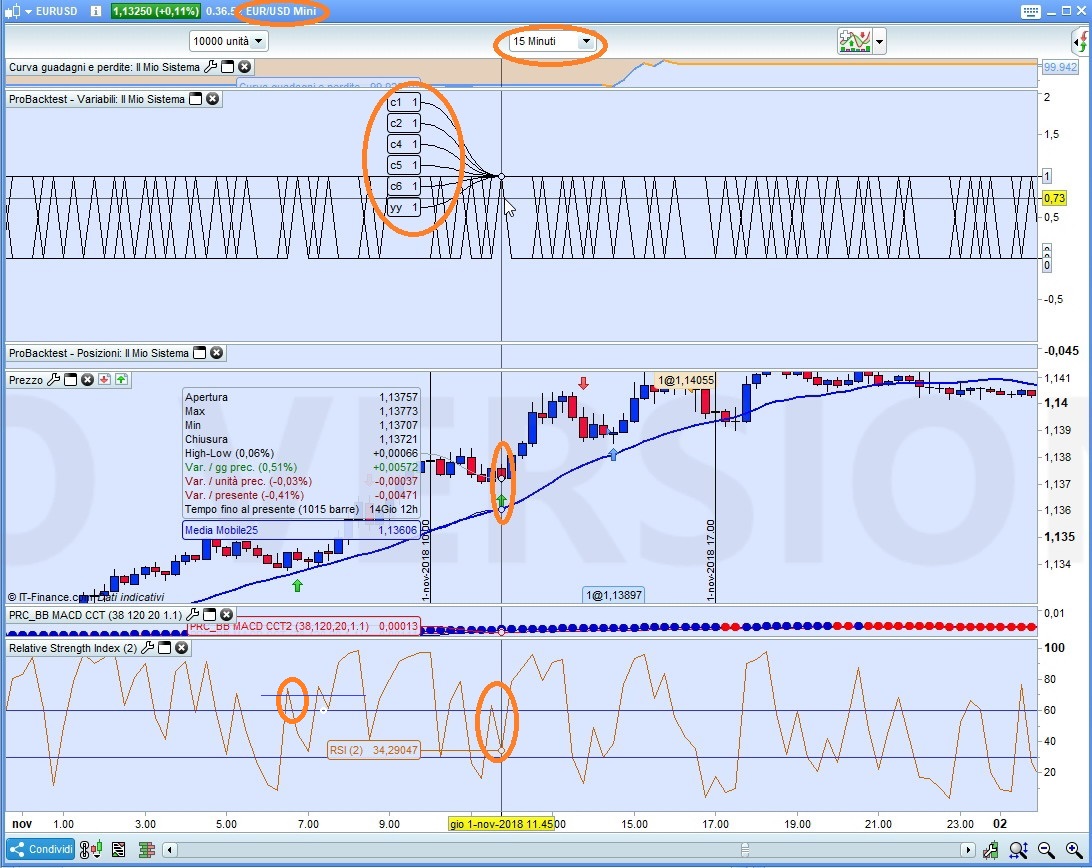
    trade 1 (pic1) = rsi2 crosses under 90

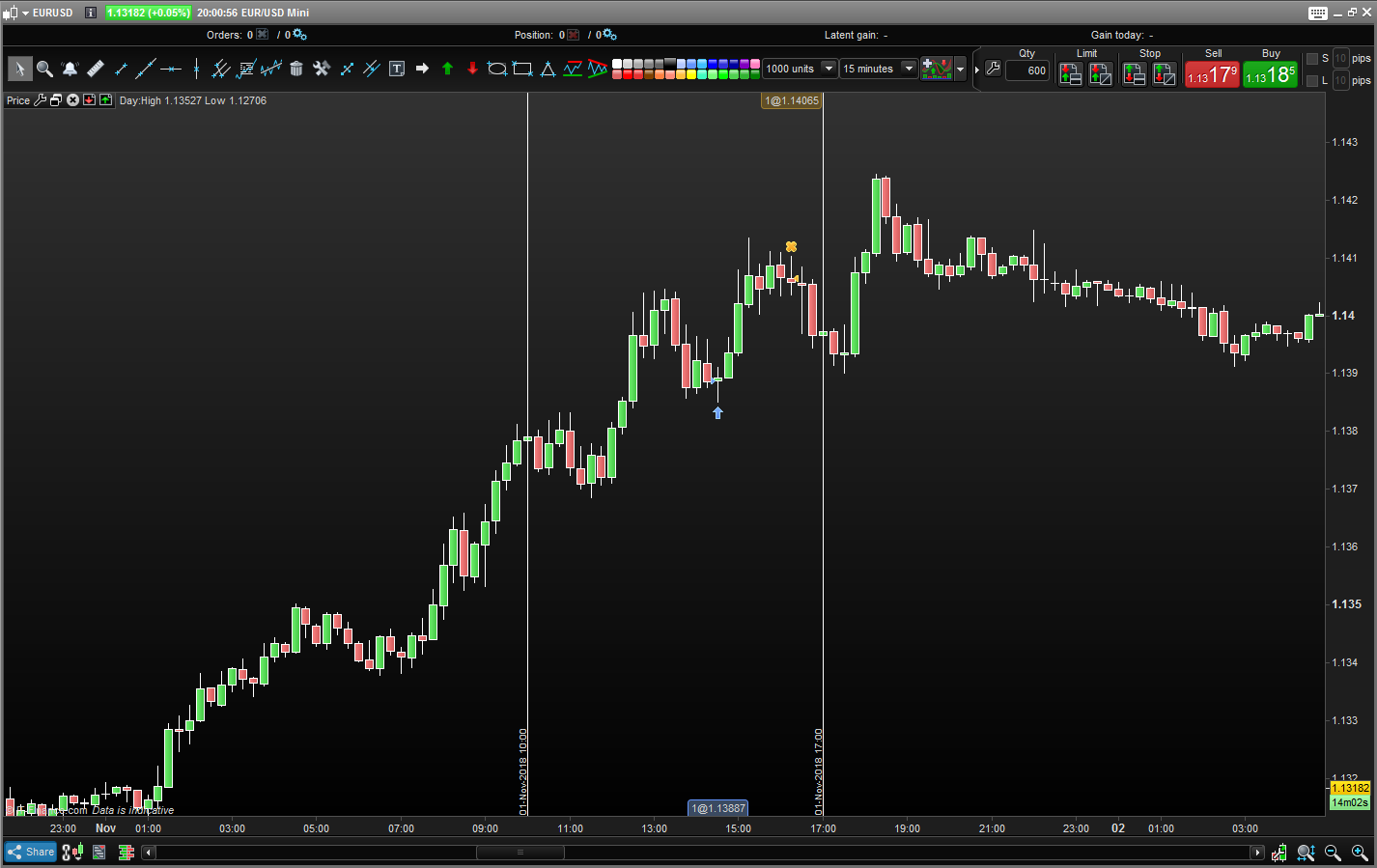
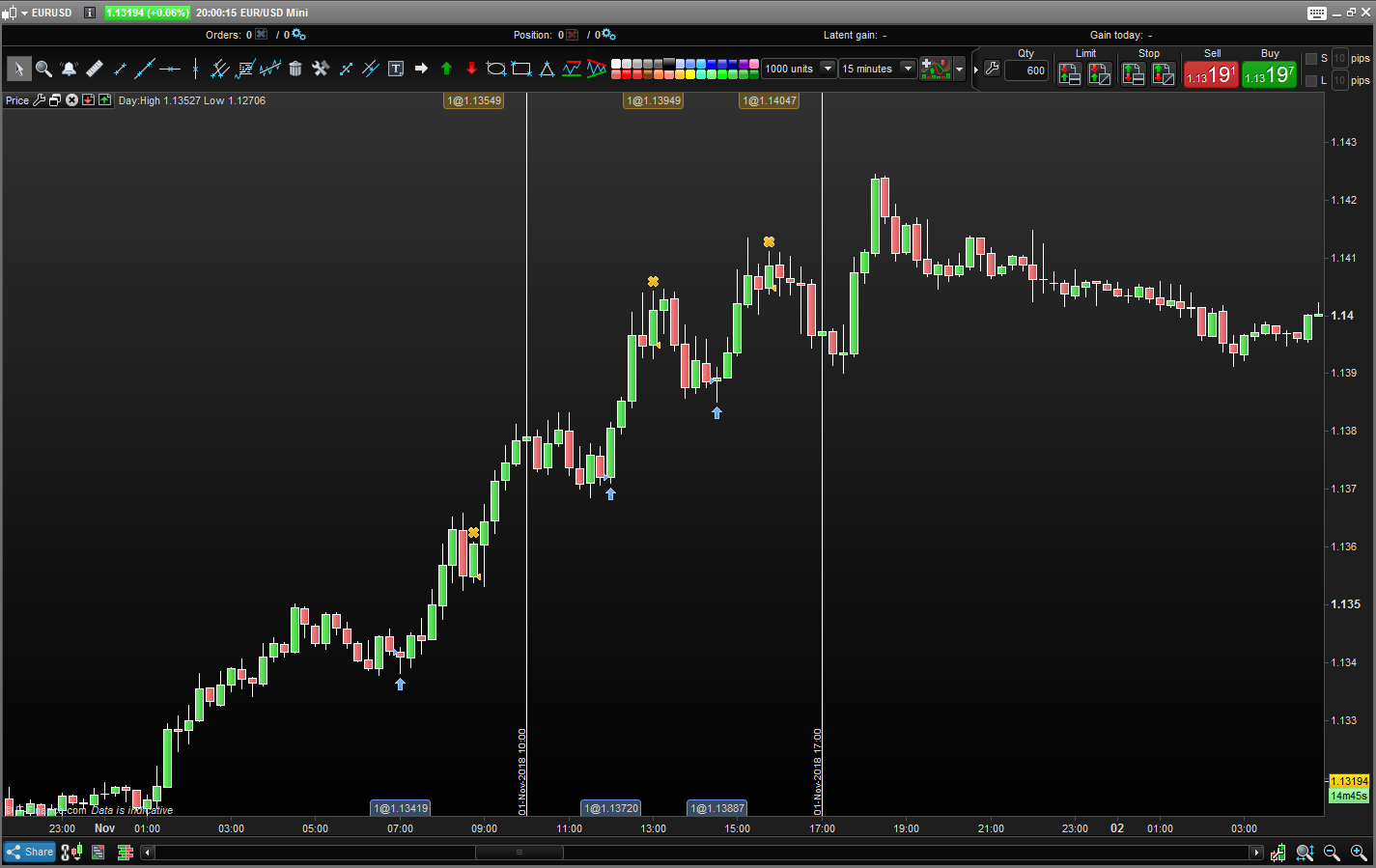
    trade 2 (pic2) = rsi2 crosses under 70

    trade 3 ( pi3) = rsi2 crosses under 60

    trade1.png trade1.png trade2.png trade2.png trade3.png trade3.png
    #84972 quote
    robertogozzi
    Moderator
    Master
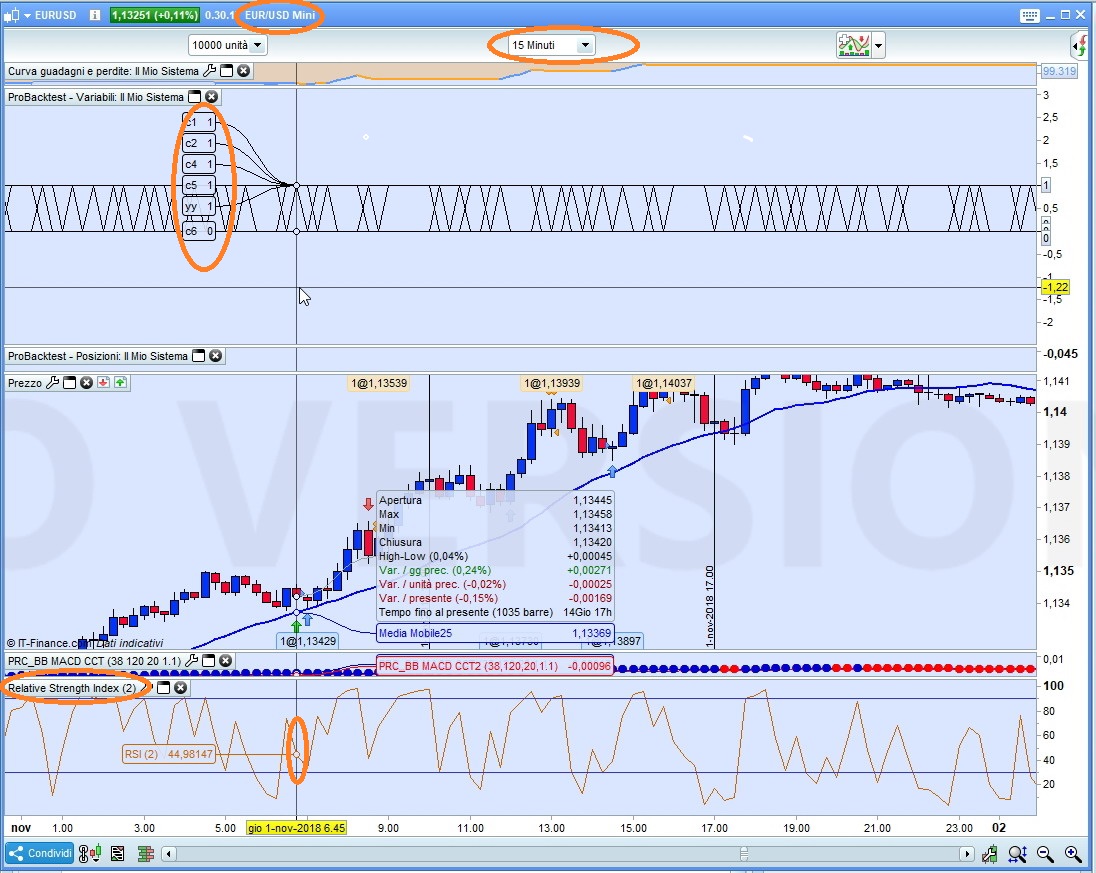
    • Pic X1: at the time of the setup candle C6 was FALSE since no crossing had occurred at RSI90 and the trade was opened
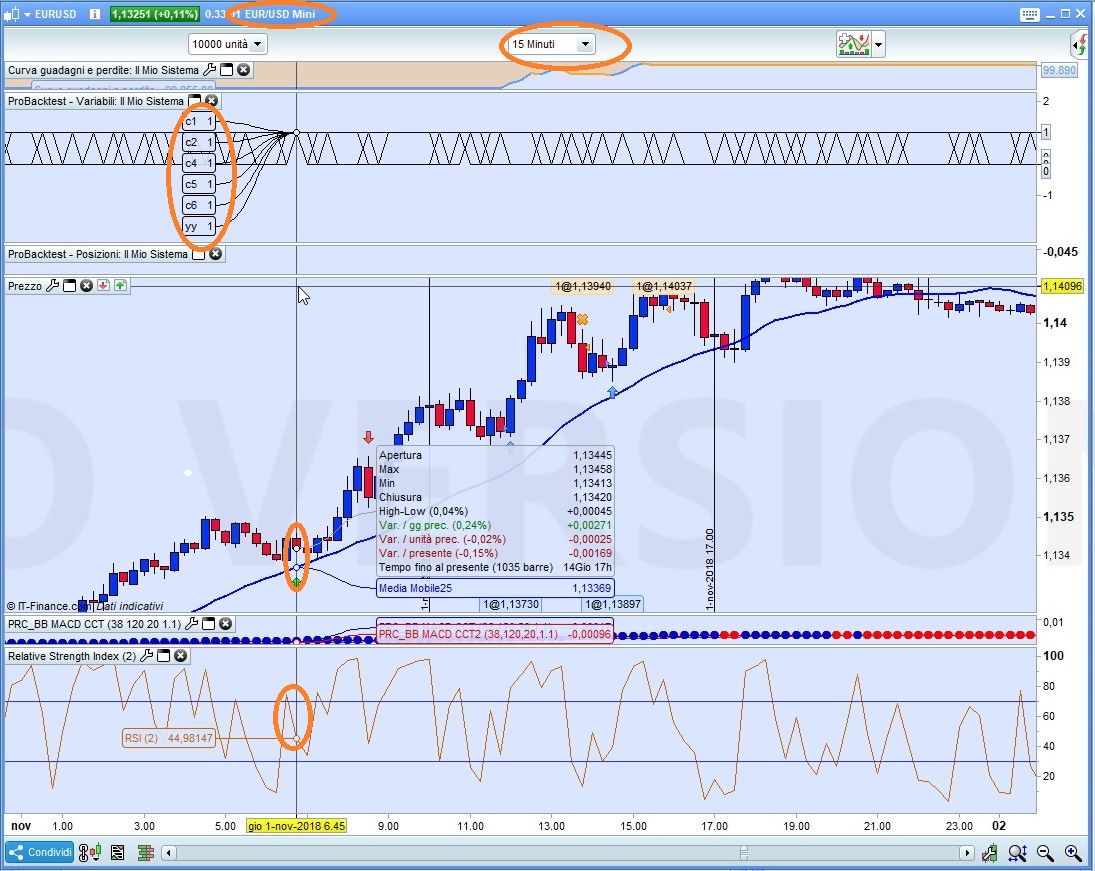
    • Pic X2: at the time of the setup candle C6 was TRUE  since a  crossing  had occurred at RSI70 and the trade, despite all other conditions being true, was even closed before being entered since opposite conditions were true at the same time
    • Pic X3: at the time of the setup candle C6 was TRUE  since a  crossing  had occurred at RSI60 and the trade, despite all other conditions being true, was even closed before being entered since opposite conditions were true at the same time (and at this time also the previous trade was not issued since the crossing under 60 is also a crossing under 70)

    That is logically correct as from my point of view, but it seems a litttle bit bizzarre. I knew ProOrder needed a bar before being able to update its status about OnMarket or not. In this case ProOrder should have sent two orders consecutively to the Broker, the first one was a BUY order and the next, immediately, a SELL order to close the position and this should have been reflected in the performance report as a trade entered and exited immediately with a loss equal to (or slightly greater than) the spread. Is ProOrder smart enough to detect such rare occurrences by NOT sending those two orders?

    x1-2.jpg x1-2.jpg x2-2.jpg x2-2.jpg x3-1.jpg x3-1.jpg
    #85000 quote
    Nicolas
    Keymaster
    Master

    @jebus89

    Please use a more detailed title for your topic next time than

    “Need help with this code”

    • For a new topic, your title should be explicit enough to prompt the community to read your discussion.

    Thanks in advance 😉

    #85010 quote
    GraHal
    Participant
    Master

    Yeah …  the Community would be missing  Roberto’s a very useful and educational analysis if they  don’t read this Thread!

    Thank You Roberto … I’m going to peruse it fully over my evening meal tonight! 🙂

Viewing 4 posts - 1 through 4 (of 4 total)
  • You must be logged in to reply to this topic.

Need help with this code with exit based on RSI


ProOrder: Automated Strategies & Backtesting

New Reply
Author
author-avatar
jebus89 @jebus89 Participant
Summary

This topic contains 3 replies,
has 4 voices, and was last updated by GraHal

7 years, 3 months ago.

Topic Details
Forum: ProOrder: Automated Strategies & Backtesting
Language: English
Started: 11/15/2018
Status: Active
Attachments: 6 files
Logo Logo
Loading...