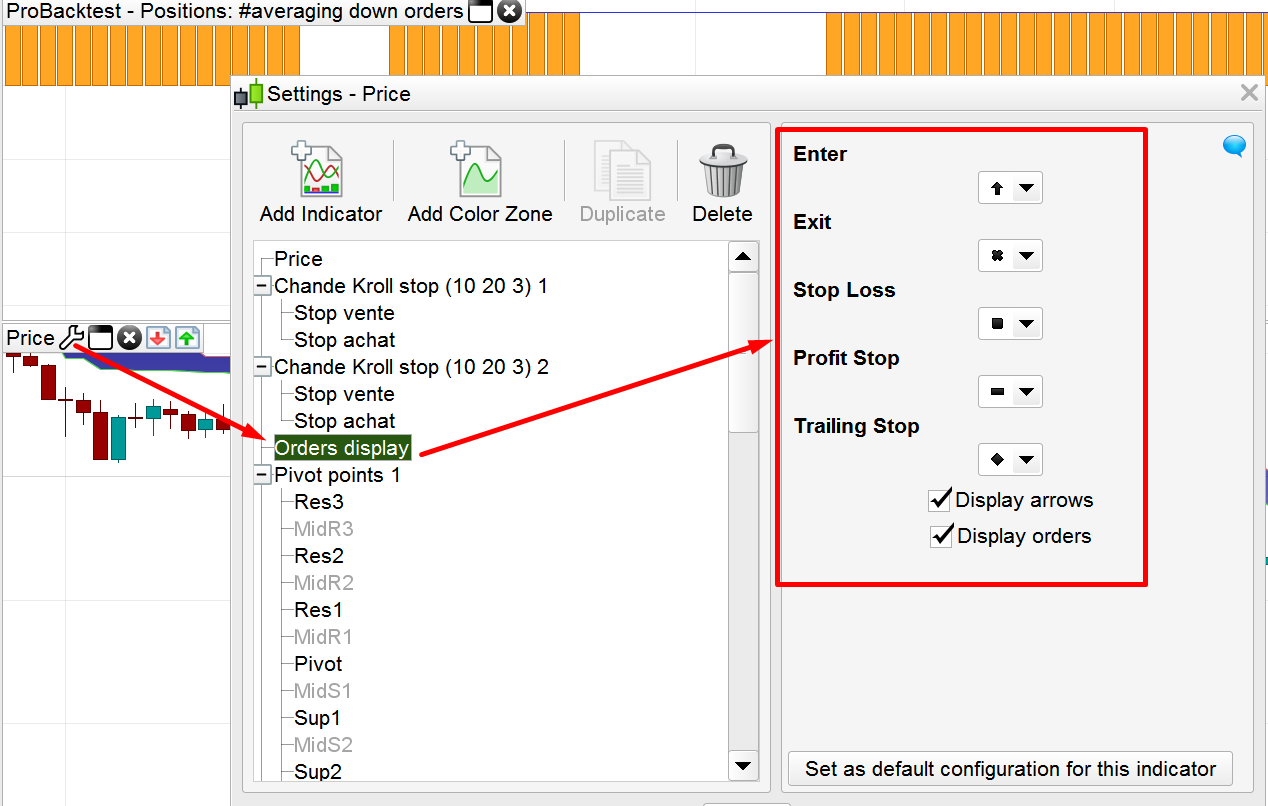
Sorry for the silly question, but where can I find an explanation of the differences between symbols shown in the backtest when a trade is closed?
There may be a cross, a square, and also a rhombus. Are there other symbols? What do they mean exactly?
If from the main menu window, you go to “options”, then “trading options”, a window appears with 4 tabs, pick the fourth one about statistics and orders (not sure of its name in english version), and bottom right corder you can see the symbols legend there, and even change them by choosing which one you prefer for entry and exit.
Yes I can choose symbol for entry/exit.
But the meaning of the symbols when I perform a backtest?
I suppose that if the trade is closed in stop/profit I see a symbol, if I close with an opposite order I see another symbol and so on.
But how can I know exactly?
By Clicking on Price/orders display, you’ll be able to get an hint about what symbol are used for, like in my attached screenshot.