Chart Aspect Ratio

Viewing 8 posts - 1 through 8 (of 8 total)

  • Author
    Posts
  • #49081 quote
    pieroim
    Participant
    Average

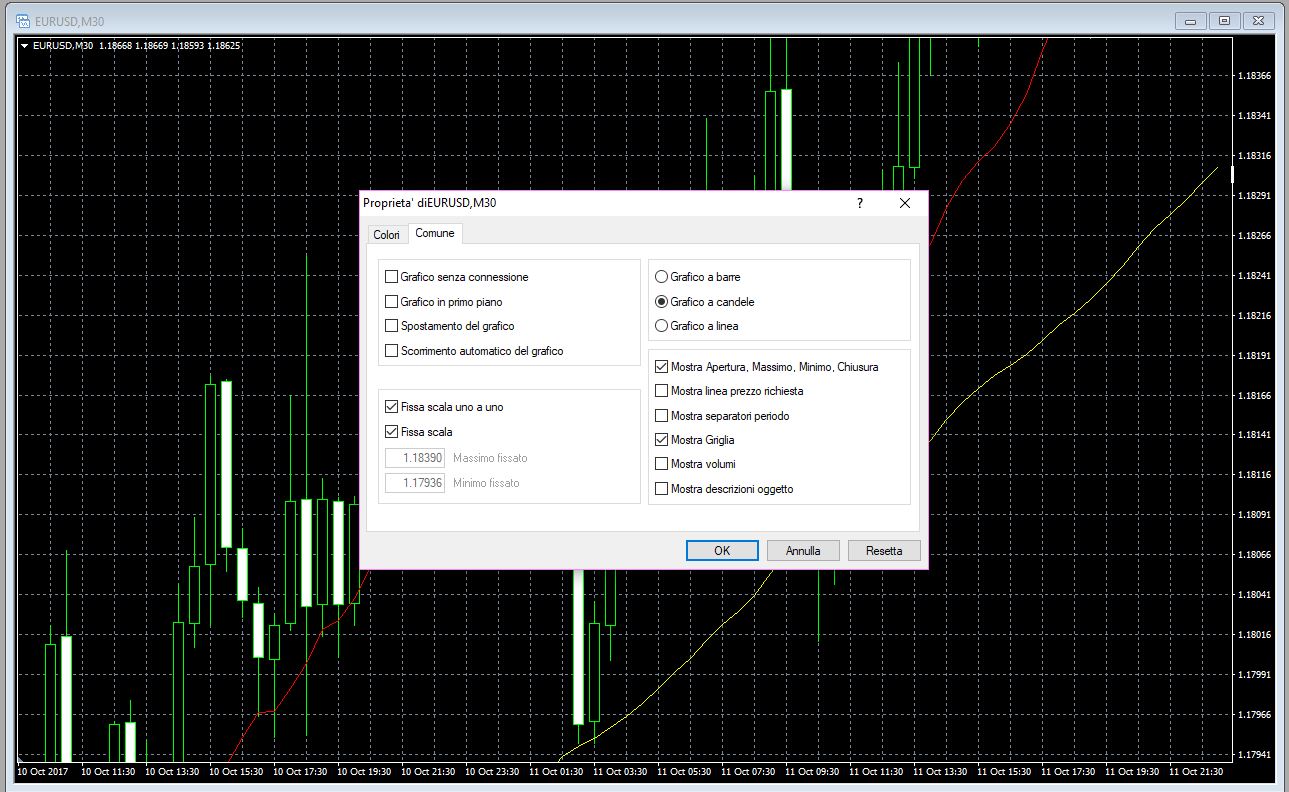
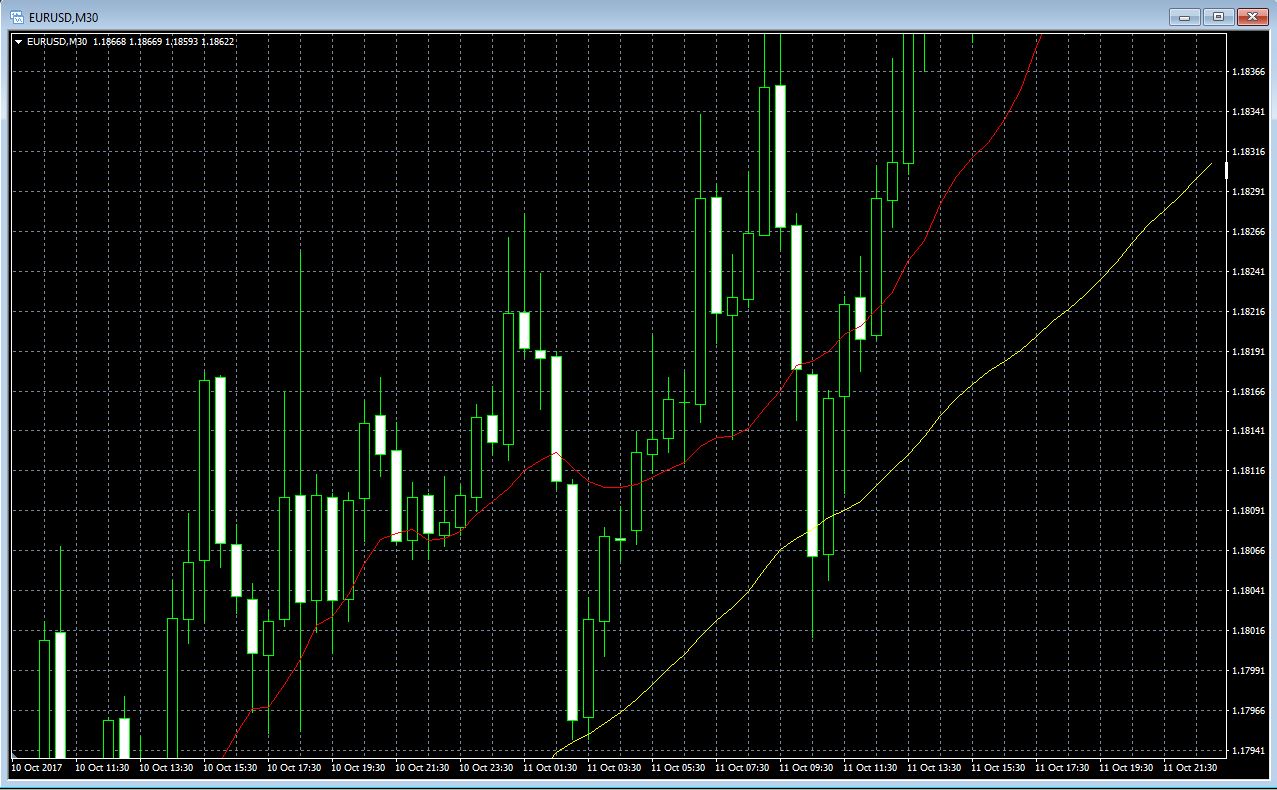
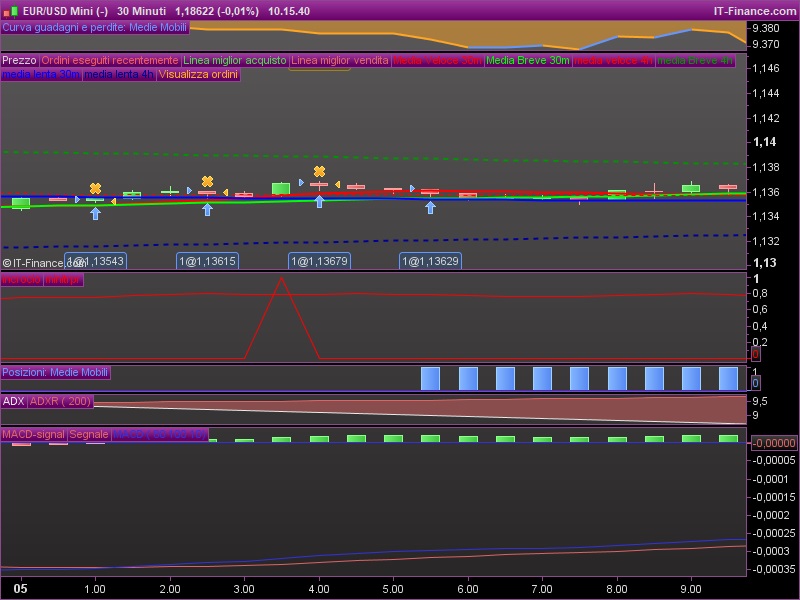
    I have an annoyng problem with prorealtime when I want read a very detailed information from the chart window, expecially when I go to study the behavior of the code of an EA, the aspect ratio is too distorted. You can see it in the attached picture 1.

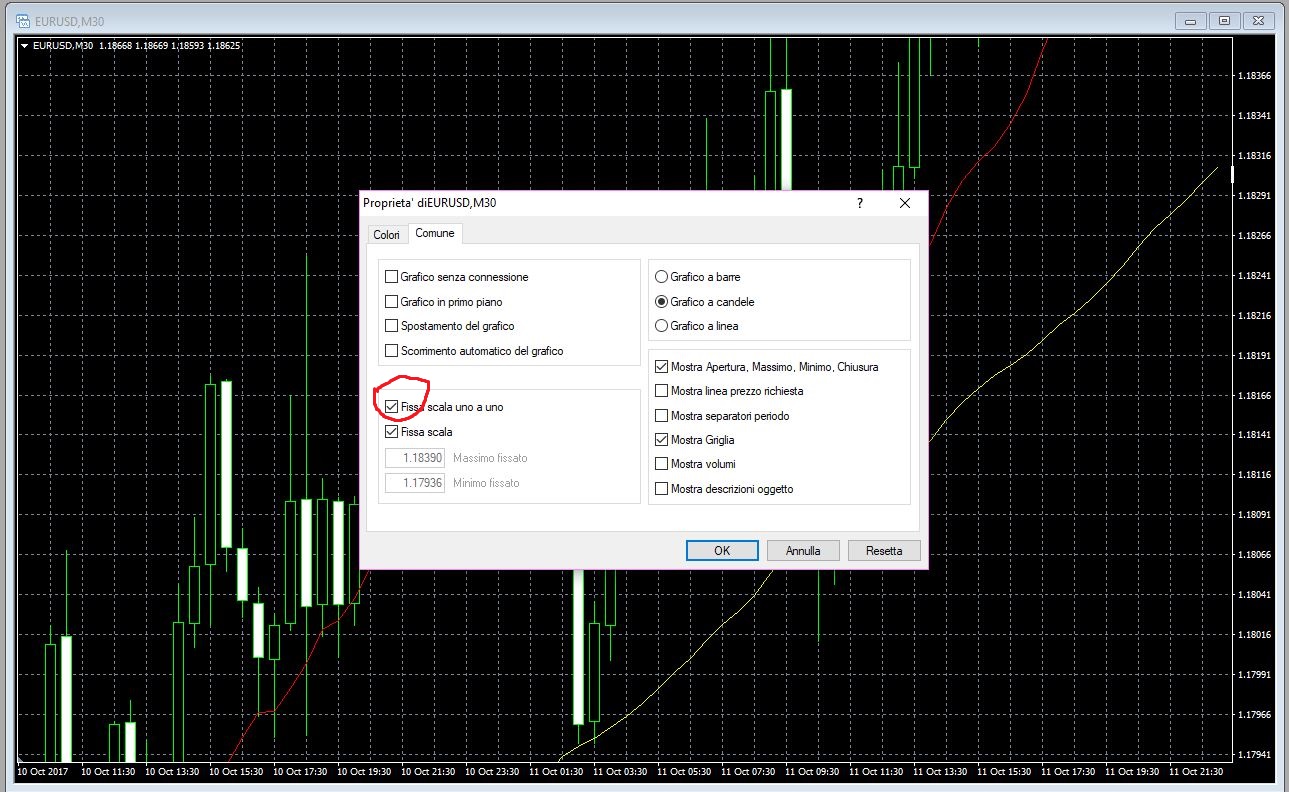
    Metatrade platform is more readable, and whit the option that you can see in attached picture 2 the aspect ratio is preserved, picture 3.

    Is there a similar option in prorealtime?

    Thank’s

    Piero

    EURUSD-30-Minuti.jpg EURUSD-30-Minuti.jpg eurusd.jpg eurusd.jpg eurusd2.jpg eurusd2.jpg eurusd-1.jpg eurusd-1.jpg
    #49087 quote
    Despair
    Blocked
    Master

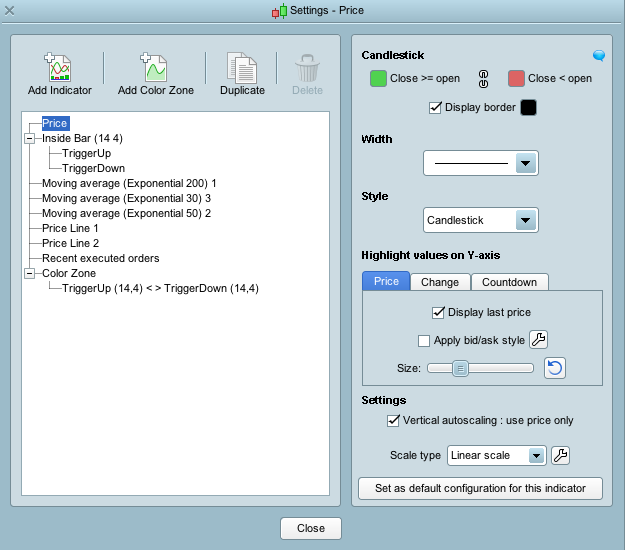
    Click on the  wrench symbol in the chart. Then a similar window like on the attached picture will open.

    In the lower right corner of this new window you see settings. Under this “Vertical autoscaling”. You want to set this to “use price only”. Then it should be fine.

    robertogozzi and Nicolas thanked this post
    Bildschirmfoto-2017-10-12-um-10.49.37.png Bildschirmfoto-2017-10-12-um-10.49.37.png
    #49091 quote
    pieroim
    Participant
    Average

    Ok, thank’s

    Very useful option..

    #160586 quote
    RobinJK
    Participant
    Junior

    The vertical autoscaling is not in the same place as in these pictures. Is this function still available? And if it is where is it?

    #160591 quote
    JC_Bywan
    Moderator
    Master

    Hi, right clic on vertical margin to the right of a graph, menu appears, select last line (“configurer cette zone” in french version, not sure how it’s called in english version, setings? zone configuration?), it brings you to the vertical scaling properties area.

    #160700 quote
    RobinJK
    Participant
    Junior

    Thanks i found it. Function seems to not work properly however. The chart is not completly “locked” it just reduces the ammount of auto scaling.

    #160706 quote
    JC_Bywan
    Moderator
    Master

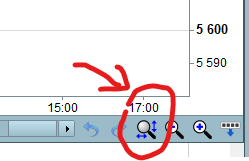
    Assuming by “not locked” you mean the price sometimes goes out of the window (?), that’s something you can reset to locked by clicking on the axis optimisation button looking like a magnifying glass icon located at bottom right margin of the window (see image attached)

    Chart-Axis-optimisation.png Chart-Axis-optimisation.png
    #160742 quote
    RobinJK
    Participant
    Junior

    Thanks for all your help. I was going to theorize with Gann angles. And they move when i zoom in and out. However i found that you could set the values on the gann lines and lock them, so problem solved.

Viewing 8 posts - 1 through 8 (of 8 total)
  • You must be logged in to reply to this topic.

Chart Aspect Ratio


Platform Support: Charts, Data & Broker Setup

New Reply
Author
author-avatar
pieroim @pieroim Participant
Summary

This topic contains 7 replies,
has 4 voices, and was last updated by RobinJK

5 years ago.

Topic Details
Forum: Platform Support: Charts, Data & Broker Setup
Language: English
Started: 10/12/2017
Status: Active
Attachments: 6 files
Logo Logo
Loading...