Hi,
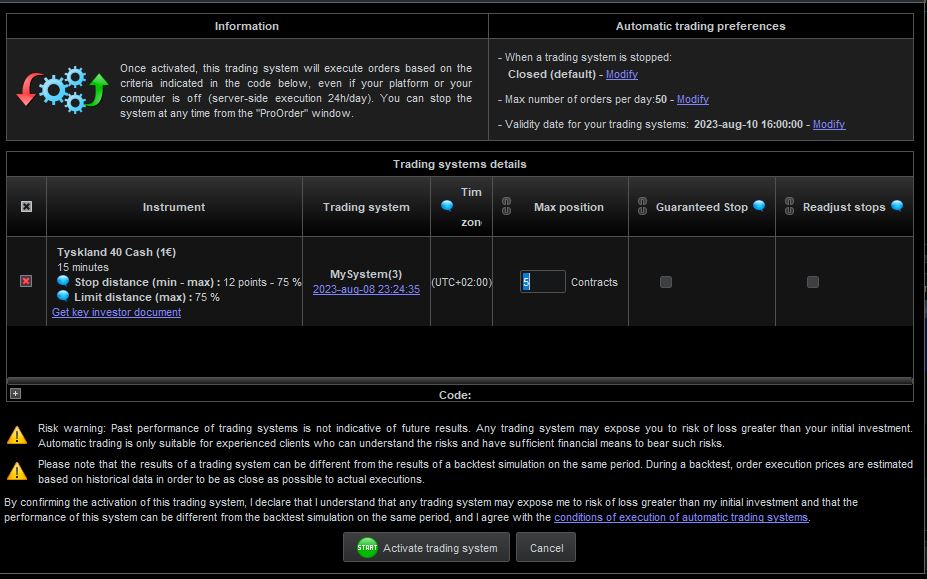
I want to share a code with some friends and maybe even go on to renting it out on the marketplace if everything goes well. How do I manage the positionsizing? I use the code that I have written below and thought that you could write like “5” contracts when you start the code in the “Max position” box but it dosent work and it only takes minimum position (dax 1 contract). How can I change the code so that my friend or eventually a renter could change the positionsize theirself? Thanks
IF L1 AND L2 AND L3 AND L4 THEN
BUY AT MARKET
ENDIF
IF L1 AND L2 AND L3 AND L4 THEN
BUY X Contracts AT MARKET //change X to your preference
ENDIF
|
|
IF L1 AND L2 AND L3 AND L4 THEN
BUY X Contracts AT MARKET //change X to your preference
ENDIF
|
Thanks but I don´t mean in the code.
I mean when I´m going to start the code. I want to send a invisible code to my friend so he can´t change the code and if you put it up on the marketplace theres no way for the customer to change the code so there must be a other way to write the code so the positionsize can be changed when it´s started.
marketplace theres no way for the customer to change the code
You need to ‘call’ the parts of your Strategy that you don’t want customers to see. You will find how to ‘call’ Indicators etc in Guides on MarketPlace and on this website.
You will not mind customers seeing code for position size and so this part of your code would not be hidden behind the ‘call’ Indicators etc aand so customers can change.
Your screenshot shows the max position size that a strategy code cannot go above and so it serves as a safety net in case we get something wrong in our coding.
marketplace theres no way for the customer to change the code
You need to ‘call’ the parts of your Strategy that you don’t want customers to see. You will find how to ‘call’ Indicators etc in Guides on MarketPlace and on this website.
You will not mind customers seeing code for position size and so this part of your code would not be hidden behind the ‘call’ Indicators etc aand so customers can change.
Your screenshot shows the max position size that a strategy code cannot go above and so it serves as a safety net in case we get something wrong in our coding.
I see. So I need to convert my base code to an indicator insead and call it. I will see if I can figure it out, I have several sell conditions that are based on pips and so on. Guess I have to do some reading
Doesn’t have to be an Indicator as such, you can call conditions, then display the result (maybe as a Flag, BuyCond = 1) in the code that customers can see.
Btw there’s no need to ‘Quote’ entire posts, esp when there is only two posters. If there is a particular small part of a post that saves us retyping to answer, or if querying part of a post way back etc, then we Quote it. Keeping Quoted text to a minimum makes for easier reading overall through the Topics.
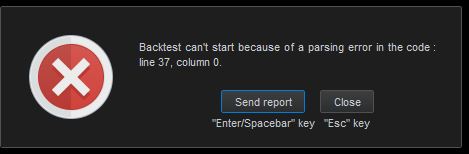
This is new to me. I have only worked in strategys before without the call function. I made an indicator and inserted the buycondition in the strategy but I get following error even tho I don´t have code below line 20 in my code?
(Indicator)
Buy1 = L1 and L2 and L3
return Buy1 AS "Buy1"

(Strategy)
Buy1= CALL "Indicator"
IF Buy1 THEN
BUY 1 Contract AT Market
ENDIF
I’ve never done it either (I might have a go now!) but try naming your Indicator as Indicator1 and see if makes any difference?
I’m sure JS or Roberto will be along soonn to help you.
Mine works with Indicator named as Indgh
There must be some error in the indicator.
Lines 1 and 5 need to be either removed or commented out.
I can add the indicator to my chart and it show my buy signals so I thought that the problem was in the “call” part. At line 37 I wanted information for another timframe (attached) and that dosen´t seem to work
TIMEFRAME (1hour)
indicator30 = Average[X20](close)
c3 = (close >= indicator30)
TIMEFRAME (default)
Did you use a 1-hour timeframe (or smaller, if 1 hour, or 60 minutes, are a multiple of it)?