AlcoParticipant
Senior
Hello everyone,
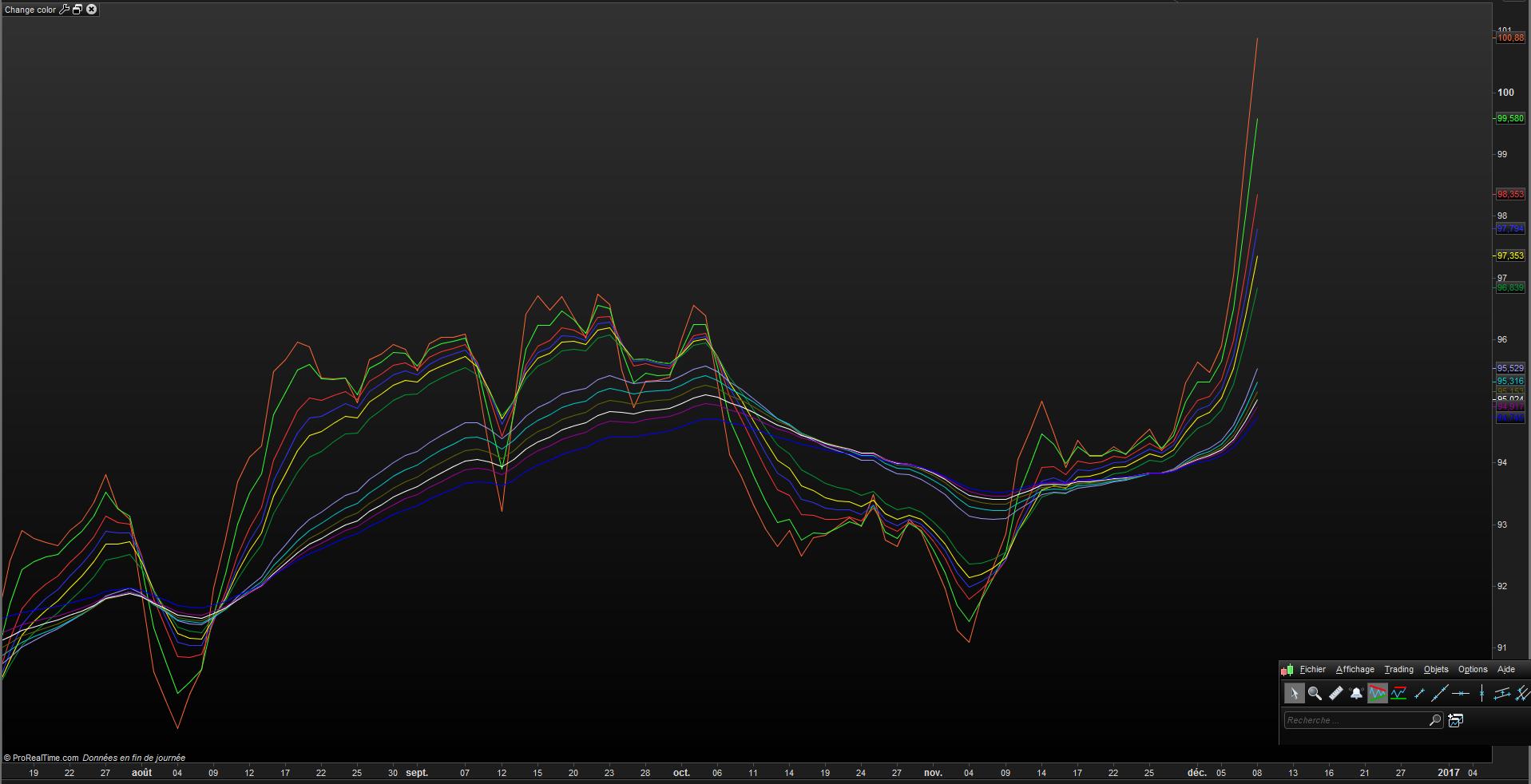
I’m using this indicator for scalping, but I can’t change the collors of the lines in PRT.
Does someone know how to write the code so I could change the colors? I also would like that the colors change when they pointing down and up.
Thanks!
Alco
EMA3 = ExponentialAverage[3](close)
EMA5 = ExponentialAverage[5](close)
EMA8 = ExponentialAverage[8](close)
EMA10 = ExponentialAverage[10](close)
EMA12 = ExponentialAverage[12](close)
EMA15 = ExponentialAverage[15](close)
EMA30 = ExponentialAverage[30](close)
EMA35 = ExponentialAverage[35](close)
EMA40 = ExponentialAverage[40](close)
EMA45 = ExponentialAverage[45](close)
EMA50 = ExponentialAverage[50](close)
EMA60 = ExponentialAverage[60](close)
//Scalp system
RETURN EMA3 COLOURED(0,0,255), EMA5 COLOURED(0,0,255) ,EMA8 COLOURED(0,0,255) , EMA10 COLOURED(0,0,255) ,EMA12 COLOURED(0,0,255) , EMA15 COLOURED(255,0,0) ,EMA30 COLOURED(255,0,0), EMA35 COLOURED(255,0,0),EMA40 COLOURED(255,0,0), EMA45 COLOURED(255,0,0),EMA50 COLOURED(255,0,0), EMA60 COLOURED(255,0,0)
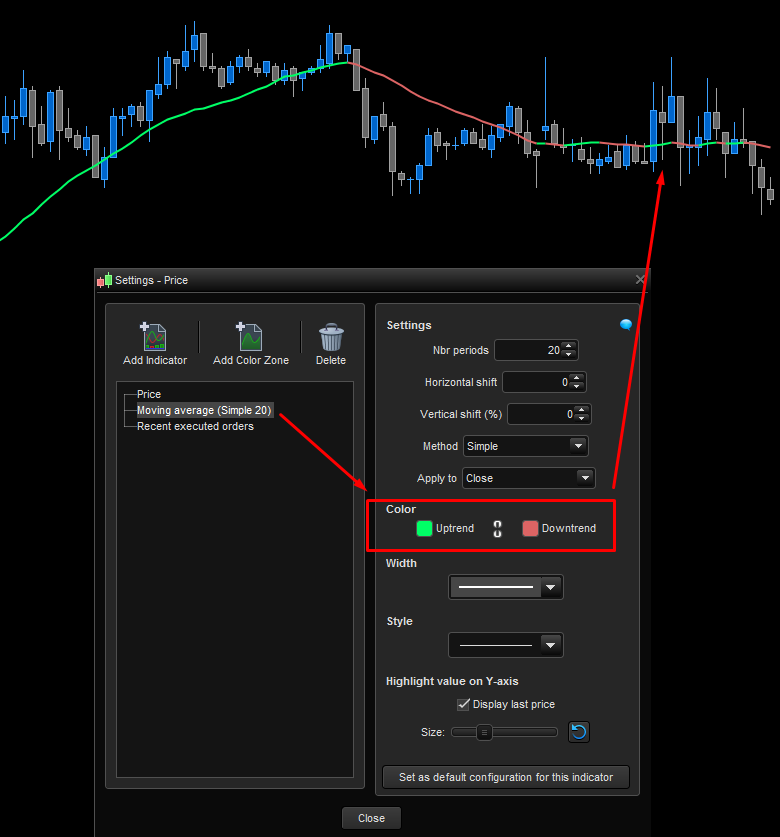
Remove all “coloured” instructions and set them manually in the indicator window like in the screenshot attached to this post. This can also be done by code but you’ll have to test each of your moving average to know if they are going north or south..
AlcoParticipant
Senior
If I remove all coloured instructions in the code, I get Syntax error: line 16, character 13
@ Alco
Everything is OK !
EMA3 = ExponentialAverage[3](close)
EMA5 = ExponentialAverage[5](close)
EMA8 = ExponentialAverage[8](close)
EMA10 = ExponentialAverage[10](close)
EMA12 = ExponentialAverage[12](close)
EMA15 = ExponentialAverage[15](close)
EMA30 = ExponentialAverage[30](close)
EMA35 = ExponentialAverage[35](close)
EMA40 = ExponentialAverage[40](close)
EMA45 = ExponentialAverage[45](close)
EMA50 = ExponentialAverage[50](close)
EMA60 = ExponentialAverage[60](close)
//Scalp system
RETURN EMA3 , EMA5 ,EMA8 , EMA10 ,EMA12 , EMA15 ,EMA30 , EMA35 ,EMA40 , EMA45 ,EMA50 , EMA60