Candle wicks display only

Viewing 9 posts - 1 through 9 (of 9 total)
  • Author
    Posts
  • #142196 quote
    amitoverseas40
    Participant
    Junior

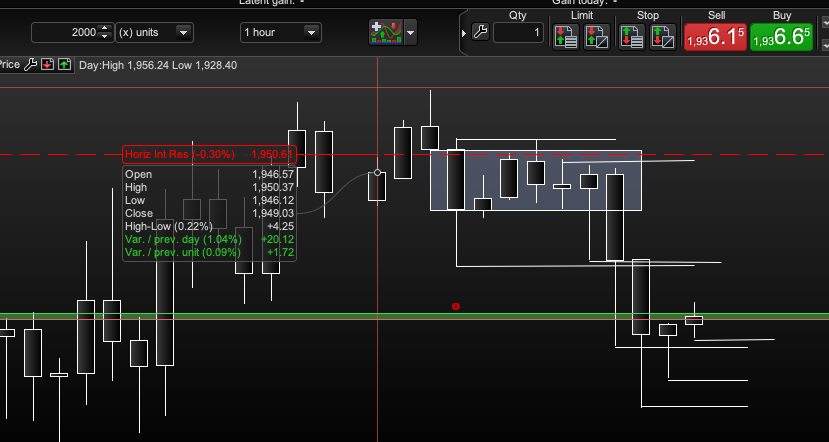
    Hi There, would anyone be kind enough to provide code that displays only highs and lows i.e wicks of candles and not the body please?

    There are some that displays sessions candles or renko with wicks, I only need wicks displayed.


    Kind Regards

    #142197 quote
    amitoverseas40
    Participant
    Junior

    Also, please if you can get a horizontal line displayed at the highs and lows of these wicks, that would be much appreciated.

    I have attached what I am looking for..tried coloring candle body but still visible.

    Regards

    wicksonly.png wicksonly.png
    #142200 quote
    robertogozzi
    Moderator
    Master

    So you only want two segments apart from one another with emptu space in between?

    A horizontal line at each high and low would clutter your chart making it unreadable, do you want them to be draw, say at the highest/lowest of the last X bars?

    #142201 quote
    robertogozzi
    Moderator
    Master

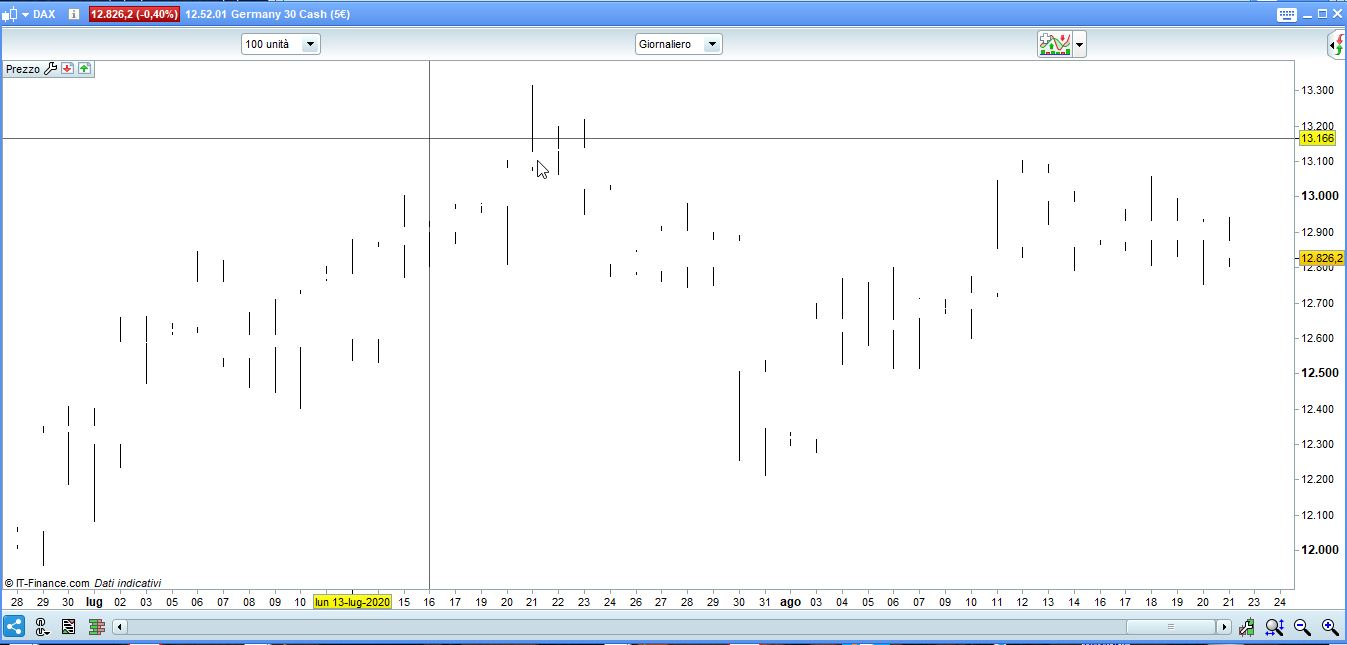
    You mean this?

    DrawCandle(Open,High,Low,Close) coloured(255,255,255,255) bordercolor(255,255,255,255) //first colorize candles the same as your background colour to make it invisible
    DrawSegment(Barindex,high,BarIndex,max(close,open)) coloured(0,0,0,255)                //plot the upper wick (black)
    DrawSegment(Barindex,low,BarIndex,min(close,open)) coloured(0,0,0,255)                 //plot the lower wick )black)
    RETURN

    will have to set colours according to your background color among these http://cloford.com/resources/colours/500col.htm.

    x-8.jpg x-8.jpg
    #142203 quote
    amitoverseas40
    Participant
    Junior

    Hi Robert, may thanks for your prompt response, appreciate it!

    You are correct I think drawing lines at every high and low will clutter the chart indeed. Let’s do the high’s and lows only of each candle wick..just need the wicks displayed please so I can actually view the difference as a wick between open vs high and low vs close

    ——

    So you only want two segments apart from one another with emptu space in between? – Correct

    A horizontal line at each high and low would clutter your chart making it unreadable, do you want them to be draw, say at the highest/lowest of the last X bars?

    #142204 quote
    amitoverseas40
    Participant
    Junior

    Ah, correct, I just need to adjust the colour I think for black backfround but that’s ehat I needed..I am getting to much bogged down with candle bodies and visual imparement isn’t helping so rather focus on high’s and lows without the need for the rest is my aim to request your assitance 🙂

    #142205 quote
    amitoverseas40
    Participant
    Junior

    All set now, many many thanks for your prompt and kind help Robert!!!

    robertogozzi thanked this post
    #142262 quote
    GraHal
    Participant
    Master

    Did you want to see wick size or just highs and lows?

    If just Highs and Lows, then you could use an average[1](high) and average[1](low) … this will show a line which follows highs and lows.

    Mmm … think I’ll go and try an Auto-System based on above! 🙂

    #142303 quote
    amitoverseas40
    Participant
    Junior

    it works, is a very simplistic way 🙂

Viewing 9 posts - 1 through 9 (of 9 total)
  • You must be logged in to reply to this topic.

Candle wicks display only


ProBuilder: Indicators & Custom Tools

New Reply
Author
Summary

This topic contains 8 replies,
has 3 voices, and was last updated by amitoverseas40
5 years, 5 months ago.

Topic Details
Forum: ProBuilder: Indicators & Custom Tools
Language: English
Started: 08/21/2020
Status: Active
Attachments: 2 files
Logo Logo
Loading...