cambio color histograma por condicion

Viewing 3 posts - 1 through 3 (of 3 total)
  • Author
    Posts
  • #178235 quote
    Antuan
    Participant
    Senior

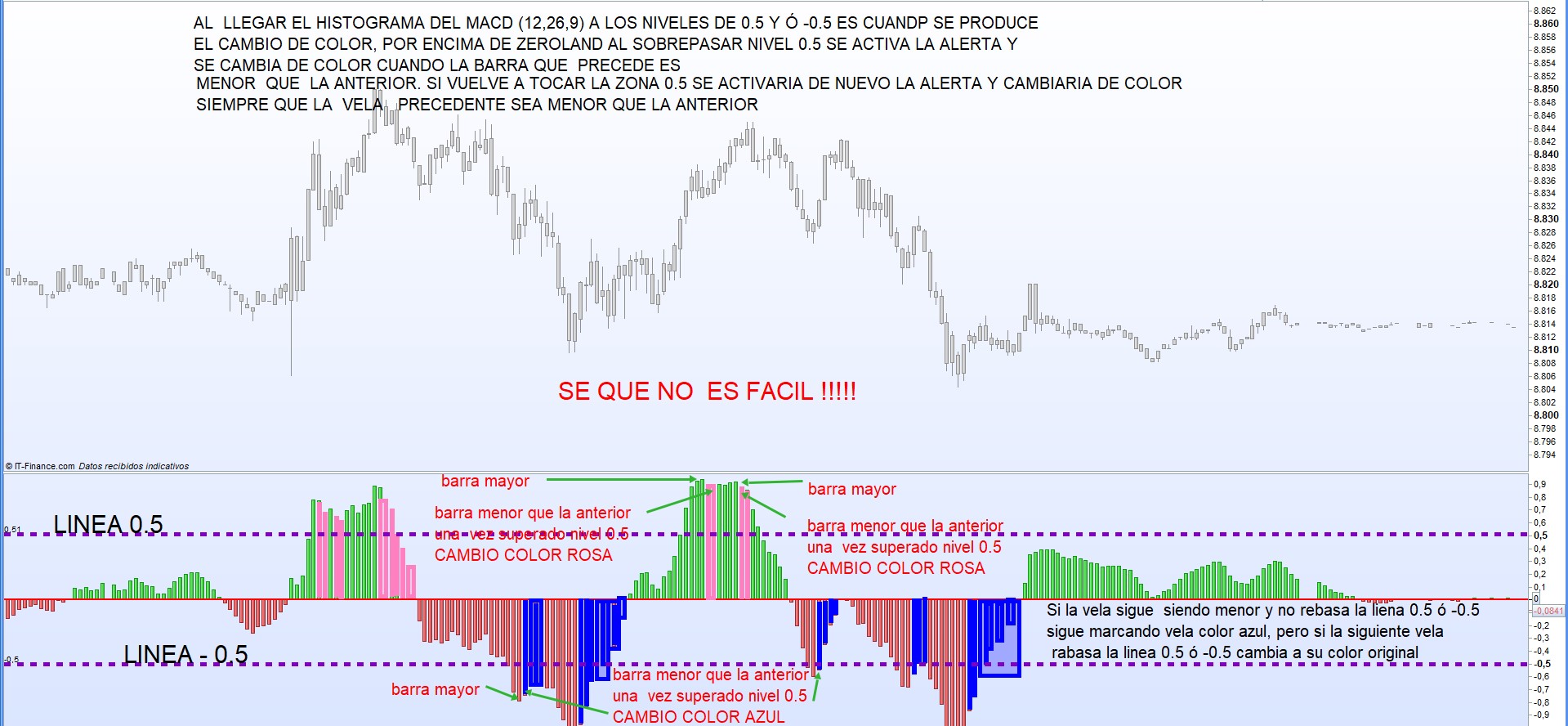
    Buenas tardes, estoy buscando la manera de que me marque un color diferente cuandop se cumple una condicion en el histograma del macd. La condicion es que si el histo supera el valor +0.5 ó -0.5  una vez superado aquella barra del histograma que sea menor a la barra que ha superado la linea +2 0 -2 cambie a color..no se..rosa cuando es +2 y azul cuando es en la zona -2..una imagen vale masque mil explicaciones

    HISTOGRAMA-DE-COLOR.jpg HISTOGRAMA-DE-COLOR.jpg
    #178238 quote
    robertogozzi
    Moderator
    Master

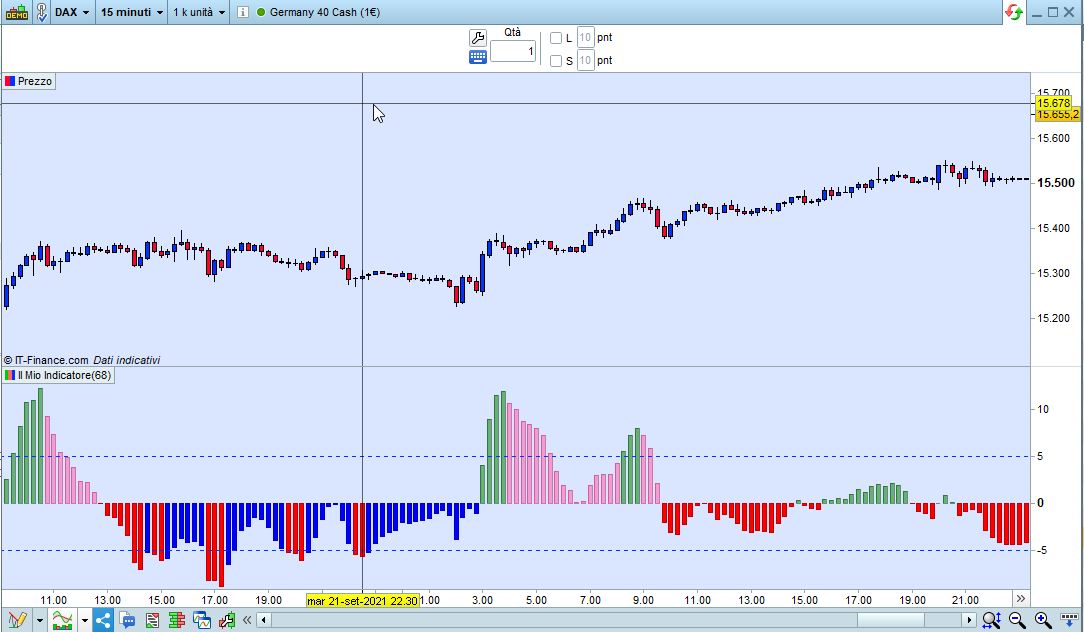
    Ahi esta:

    ONCE r = 0
    ONCE g = 0
    ONCE b = 0
    ONCE t = 255
    Histo  = MACD[12,26,9](close)
    IF (Histo CROSSES OVER  0) OR ((Histo > 5) AND (Histo >= Histo[1])) THEN
       r = 0
       g = 128
       b = 0
       t = 135
    ELSIF (Histo CROSSES UNDER 0) OR ((Histo < -5) AND (Histo <= Histo[1])) THEN
       r = 255
       g = 0
       b = 0
       t = 255
    ENDIF
    TOPpeak    = (Histo < Histo[1]) AND (Histo[2] < Histo[1]) AND (Histo > 5)
    BOTTOMpeak = (Histo > Histo[1]) AND (Histo[2] > Histo[1]) AND (Histo < -5)
    IF TOPpeak THEN
       r = 255
       g = 110
       b = 180
       t = 155
    ELSIF BOTTOMpeak THEN
       r = 0
       g = 0
       b = 255
       t = 255
    ENDIF
    RETURN Histo coloured(r,g,b,t) AS "Macd",5 AS "5",-5 AS "-5"
    x-17.jpg x-17.jpg
    #178245 quote
    Antuan
    Participant
    Senior

    Supremo..muy agradecido  …Robertogozzi 

Viewing 3 posts - 1 through 3 (of 3 total)
  • You must be logged in to reply to this topic.

cambio color histograma por condicion


ProBuilder: Indicadores y Herramientas

New Reply
Author
author-avatar
Antuan @osupero Participant
Summary

This topic contains 2 replies,
has 2 voices, and was last updated by Antuan

4 years, 5 months ago.

Topic Details
Forum: ProBuilder: Indicadores y Herramientas
Language: Spanish
Started: 09/23/2021
Status: Active
Attachments: 2 files
Logo Logo
Loading...