Hi
I think I already know the answer but I’m going to ask in case there is a workaround.
Lets say we wanted an indicator to only look 200 bars back but to ignore the latest 100 bars, so I want to apply it to 200-100 bars back but not 99 to the current bar.
Is that at all possible?
Thanks
Rob
DEFPARAM CalculateOnLastBars = 200
Not possible to define it with CalculateOnLastBars. This instruction will only use the last X bars from the actual one (last bar index). You’ll have to find a workaround directly into your code, like making a loop from the 100th bars from now to the 200th bars back. But it depends mainly of what you want to achieve here, so kind of difficult to give you a precise answer…
Thanks Nicolas. I think I’ve worked out a way to do in code.
Hi Nicolas
I need your help please.
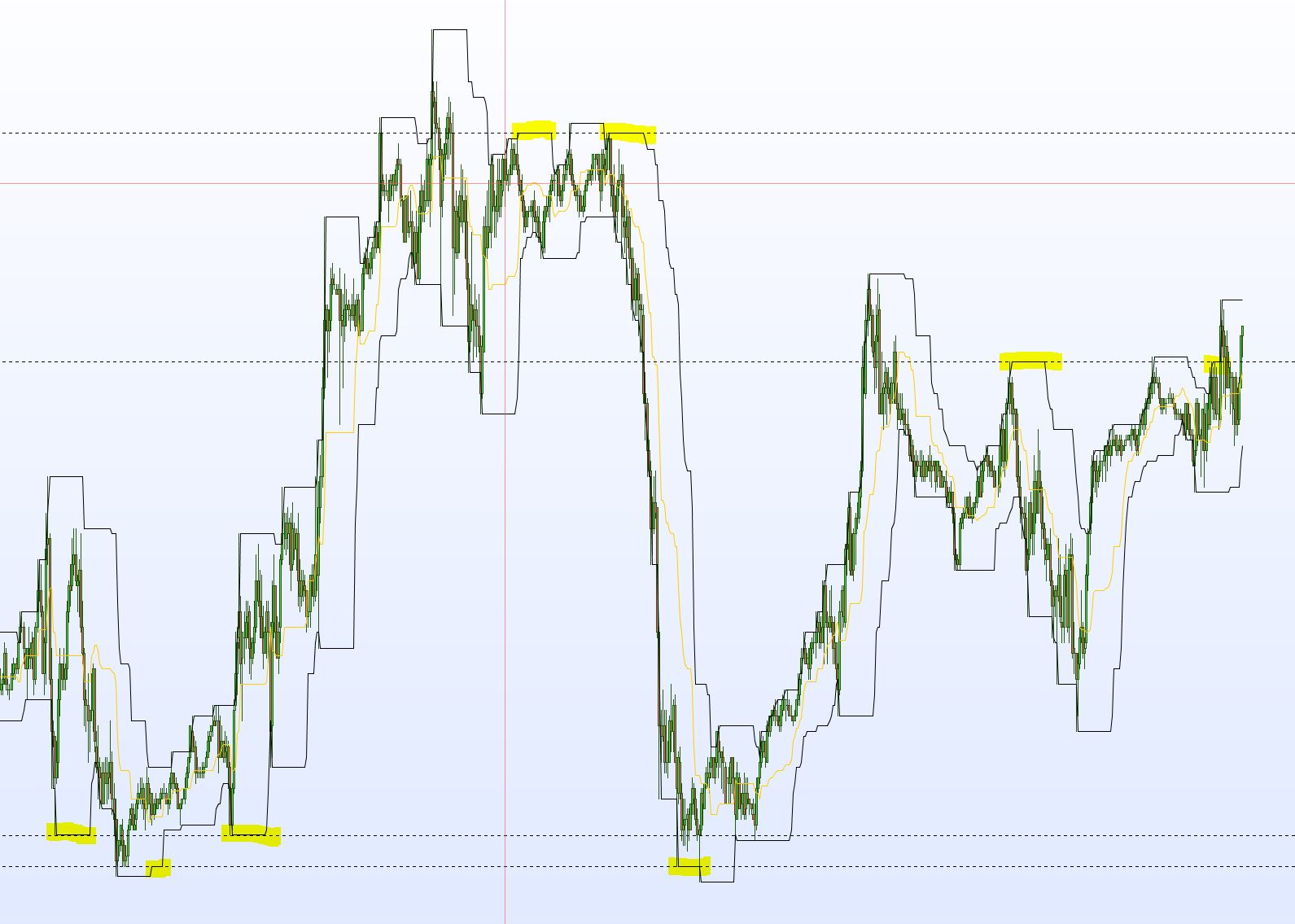
I’m working on finding some more support/resistance levels and need some help coding something. I’ve noticed that donchian channels can provide common levels over time and want to try and use them in a system. Please see attached screenshot showing some examples on a 20 period donchian channel.
I have coded the below which does draw the lines on a chart but they are unusable in a system. I think this is because I’m using DEFPARAM DRAWONLASTBARONLY = false maybe?
DEFPARAM DRAWONLASTBARONLY = false
DEFPARAM CALCULATEONLASTBARS = 1500

// Parameters
// Period = 20
// length = 13

// Donchian
Upper = HIGHEST[Period](HIGH[1])
Lower = LOWEST[Period](LOW[1])

// Draw the lines for shorts
IF Upper[length] = Upper THEN
DRAWHLINE(Upper)coloured(255,51,51)
ENDIF

// Draw the lines for longs
IF Lower[length] = Lower THEN
DRAWHLINE(Lower)coloured(0,201,57)
ENDIF

// Draw the lines for long and shorts i.e. when they occur at the same level
IF Upper[length] = Upper AND Lower[length] = Lower THEN
DRAWHLINE(Upper)coloured(0,0,255)
ENDIF

RETURN
I would like to be able to do this without using the DEFPARAM command. I would like to be able to configure a lookback number of bars which needs to cover the recent trading range e.g. 1500 but it needs to be configurable. Then, where the donchian upper or lower levels are the same for a configurable number of candles it draws a line but more importantly I can reference these lines in a system. So if the price hits one of the lines we can go long or short.
Even better would be if we could also ignore the last 10 or configurable number of candles.
Is this possible? Many thanks
Rob
If you want to use this indicator in a system, you need to add values in the RETURN instruction, otherwise nothing are present when you are CALLing in a strategy. Seems obvious, just say .. 🙂
Of course you’ll always get the last values of the indicator, not the last X supports and resistances because we can’t build arrays, we need to define first of much variables must be defined. Not a problem when we plot them with a persistent line on a chart, but a real one when we want to store them in memory to retrieve them later..
So, in order to get the last values of your S/R:
// Parameters
Period = 20
length = 13

// Donchian
Upper = HIGHEST[Period](HIGH[1])
Lower = LOWEST[Period](LOW[1])

// Draw the lines for shorts
IF Upper[length] = Upper THEN
//DRAWHLINE(Upper)coloured(255,51,51)
 res = upper
ENDIF

// Draw the lines for longs
IF Lower[length] = Lower THEN
 //DRAWHLINE(Lower)coloured(0,201,57)
 sup = lower
ENDIF

RETURN res as "resistance", sup as "support"
Now you only have to call this indi into your proorder strategy. To get previous support / resistance, you can also make a loop in the past in the strategy itself:
//we CALL the sup/res indi
sup,res = CALL "sup res indi"[20,13]

//we make a loop in the past to find previous support and resistance
for i = 1 to 100
 if sup[i]<>sup then
  previoussup = sup[i]
 endif
 if res[i]<>res then
  previousres = res[i]
 endif
next
So simple when you know how!
Many thanks again Nicolas.
Have a good Christmas.
Cheers
Rob
Hi Nicolas,
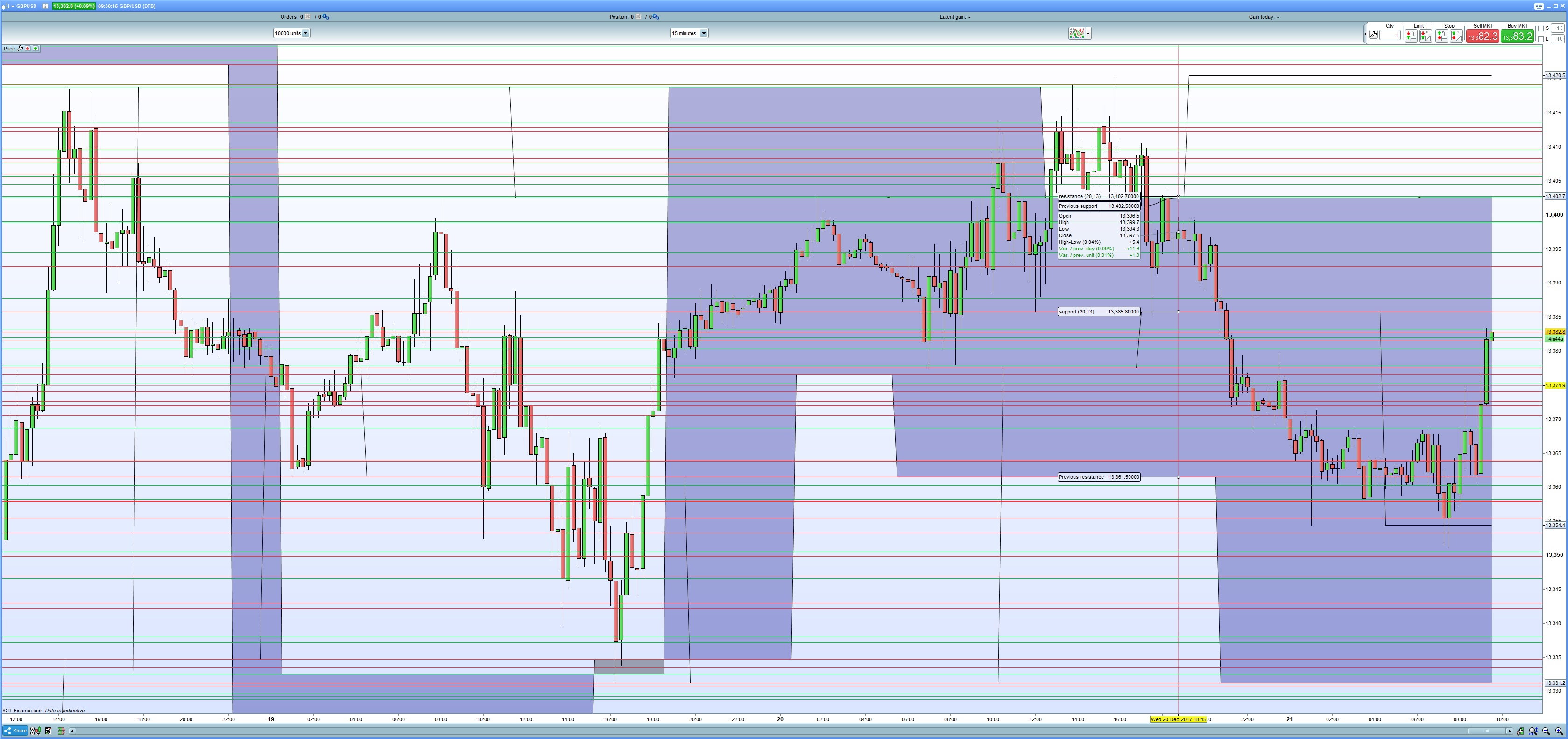
If I use this code then I can see all the previous support and resistance lines on the chart but I only get one of each that is referable. This is denoted by the ‘Color zone’ on the attached screen shot.
Any ideas please?
Thanks
Rob
//we CALL the sup/res indi
sup,res = CALL "sup res indi part 1"[20,13]

//we make a loop in the past to find previous support and resistance
for i = 1 to 100
if sup[i]<>sup then
previoussup = sup[i]
DRAWHLINE(previoussup)coloured(0,201,57)
endif
if res[i]<>res then
previousres = res[i]
DRAWHLINE(previousres)coloured(255,51,51)
endif
next

RETURN previoussup as "Previous support", previousres as "Previous resistance"
Nicolas,
Any ideas on this please? Even if you could get me started then that would be much appreciated.
Thanks again.
Rob
you’ll always get the last values of the indicator, not the last X supports and resistances because we can’t build arrays
That’s why you could try to set different lookback in the past to get more previous different supports and resistances values.