Hello,
Please i need help in programming a strategy with bollinger band and the bandwidth.
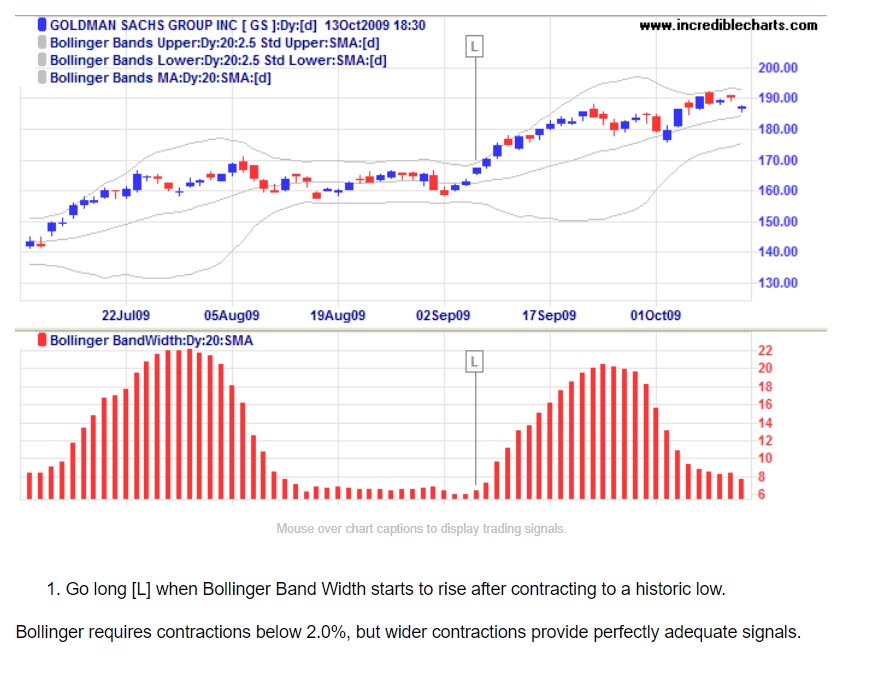
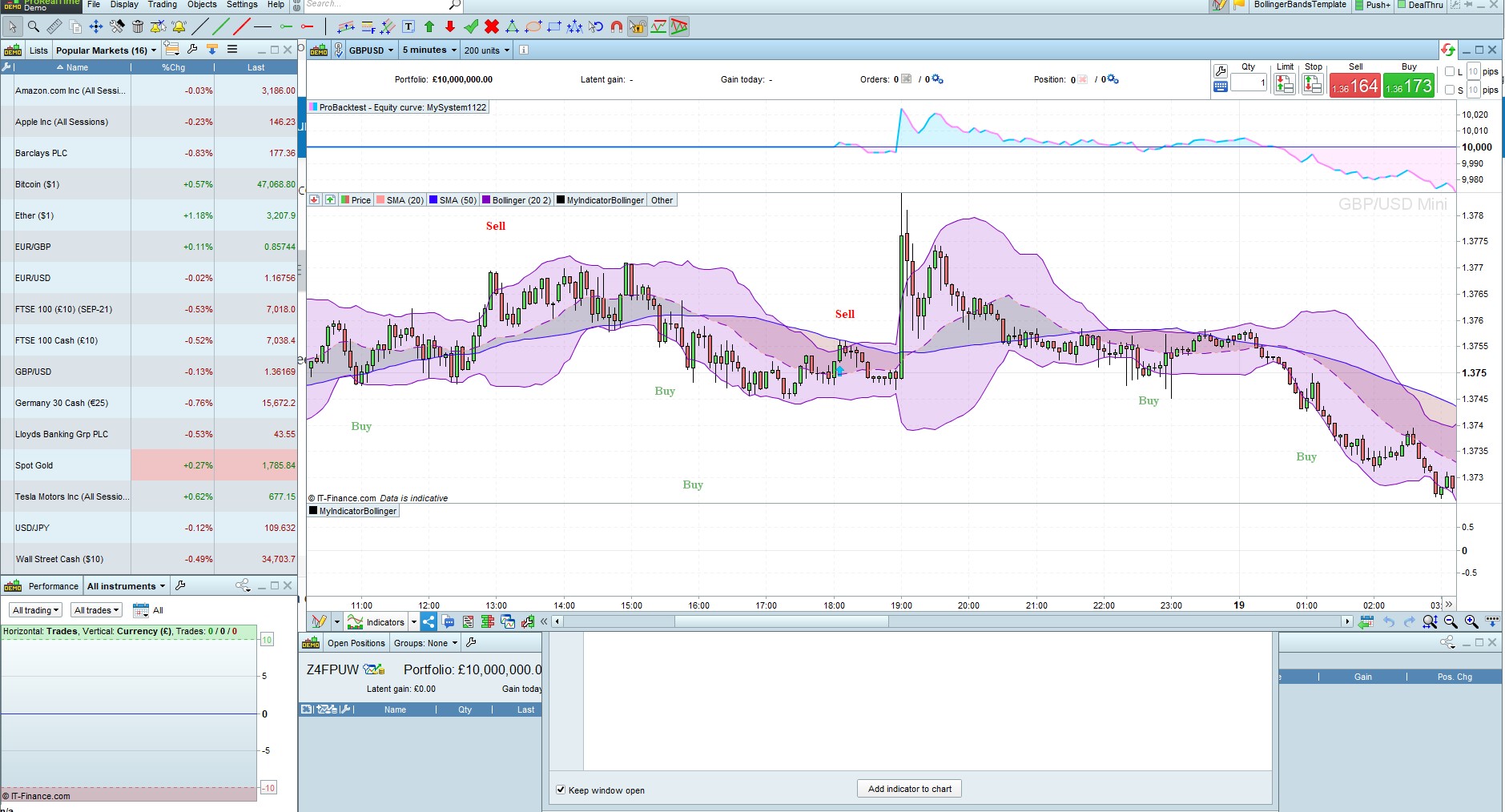
As shown in the attached screenshot;
Go long [L] when Bollinger Band Width starts to rise after contracting to a historic low.
How do i program this?
NB: Bollinger requires contractions below 2.0%, but wider contractions provide perfectly adequate signals.
There you go:
BBperiods = 20   //periods to calculate Bollinger Bands
LookBack  = 50   //min BB gap in these last bars
MinWidth  = 2    //max percentage of distance between the two bands
BBwidth   = BollingerBandWidth[BBperiods](close)
L1        = BBwidth = lowest[LookBack](BBwidth)
L2        = BBwidth > BBwidth[1]          //Contraction ended
BollUP    = BollingerUP[BBperiods](close)
BollDOWN  = BollingerDOWN[BBperiods](close)
BBgap     = BollUP - BollDOWN
MinBBgap  = lowest[LookBack](BBgap)
L3        = MinBBgap = lowest[LookBack](MinBBgap)
L4        = MinBBgap <= (BollUP * MinWidth / 100)
CondL     = L1[1] AND L2 AND L3[1] AND L4[1] AND Not OnMarket
IF CondL THEN
   BUY 1 Contract at Market
   SET STOP   pLOSS   200
   SET TARGET pPROFIT 600
ENDIF
@Robertogozz
Thanks very much, i appreciate .
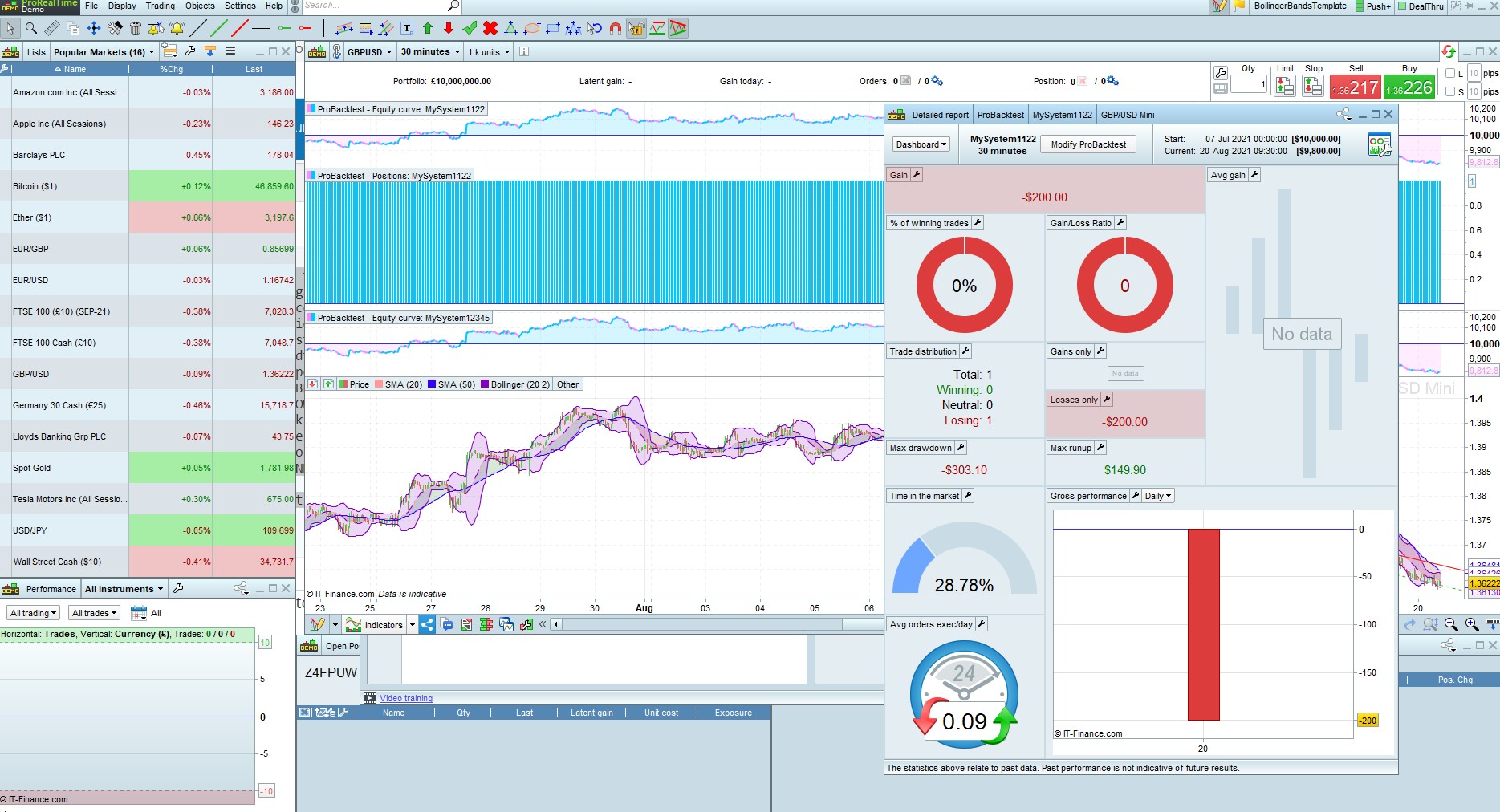
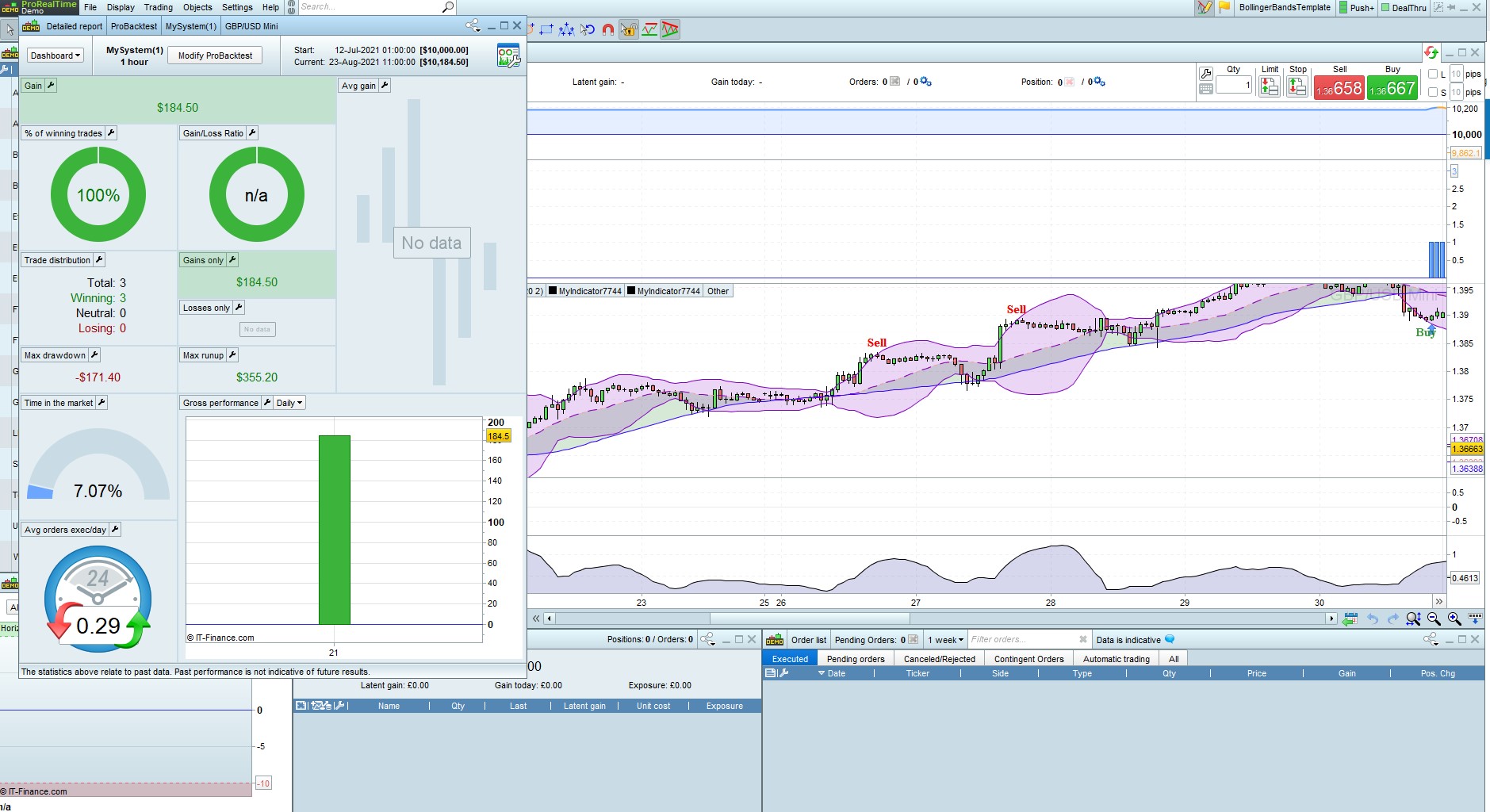
- i run the codes in the probacktest but receiving no data notifications as shown in the attached screenshot.
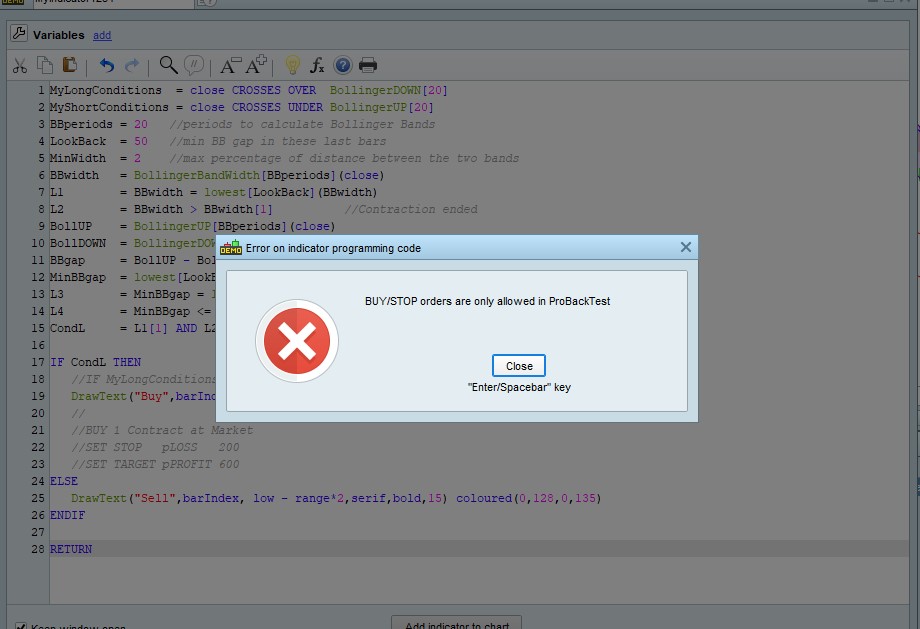
- I have also modified the codes to run it as indicator with Buy and Sell signals so i can have a visual display of the strategy effects before moving to backtest, but i have the attached errors when running;
MyLongConditions = close CROSSES OVER BollingerDOWN[20]
MyShortConditions = close CROSSES UNDER BollingerUP[20]
BBperiods = 20 //periods to calculate Bollinger Bands
LookBack = 50 //min BB gap in these last bars
MinWidth = 2 //max percentage of distance between the two bands
BBwidth = BollingerBandWidth[BBperiods](close)
L1 = BBwidth = lowest[LookBack](BBwidth)
L2 = BBwidth > BBwidth[1] //Contraction ended
BollUP = BollingerUP[BBperiods](close)
BollDOWN = BollingerDOWN[BBperiods](close)
BBgap = BollUP – BollDOWN
MinBBgap = lowest[LookBack](BBgap)
L3 = MinBBgap = lowest[LookBack](MinBBgap)
L4 = MinBBgap <= (BollUP * MinWidth / 100)
CondL = L1[1] AND L2 AND L3[1] AND L4[1] AND Not OnMarket
IF CondL THEN
//IF MyLongConditions THEN
DrawText(“Buy”,barIndex, low – range*2,serif,bold,15) coloured(0,128,0,135)
//
//BUY 1 Contract at Market
//SET STOP pLOSS 200
//SET TARGET pPROFIT 600
ELSE
DrawText(“Sell”,barIndex, low – range*2,serif,bold,15) coloured(0,128,0,135)
ENDIF
RETURN
3. the codes does not take into account or does not consider the bollinger upper and lower crossovers.
“Go long [L] when Bollinger Band Width starts to rise after contracting to a historic low.” ; how do we incorporate upper and lower crossovers into this strategy?
Ok, I’m sorry, I coded a strategy instead of an indicator.
There you go:
BBperiods = 20   //periods to calculate Bollinger Bands
LookBack  = 50   //min BB gap in these last bars
MinWidth  = 2    //max percentage of distance between the two bands
BBwidth   = BollingerBandWidth[BBperiods](close)
L1        = BBwidth = lowest[LookBack](BBwidth)
L2        = BBwidth > BBwidth[1]          //Contraction ended
BollUP    = BollingerUP[BBperiods](close)
BollDOWN  = BollingerDOWN[BBperiods](close)
BBgap     = BollUP - BollDOWN
MinBBgap  = lowest[LookBack](BBgap)
L3        = MinBBgap = lowest[LookBack](MinBBgap)
L4        = MinBBgap <= (BollUP * MinWidth / 100)
CondL     = L1[1] AND L2 AND L3[1] AND L4[1]
IF CondL THEN
   DrawText(“Buy”,barIndex, low – range*2,serif,bold,15) coloured(0,128,0,135)
//ELSE
//   DrawText(“Sell”,barIndex, high + range*2,serif,bold,15) coloured(0,128,0,135)
ENDIF
RETURN
If you want CROSSOVERS to be taken into account you need to tell me what to do in that case.
Furthermore, this code only considers LONG signals as per your request. For gthe SHORT side, if needed, tell me what to do.
Thanks very much,
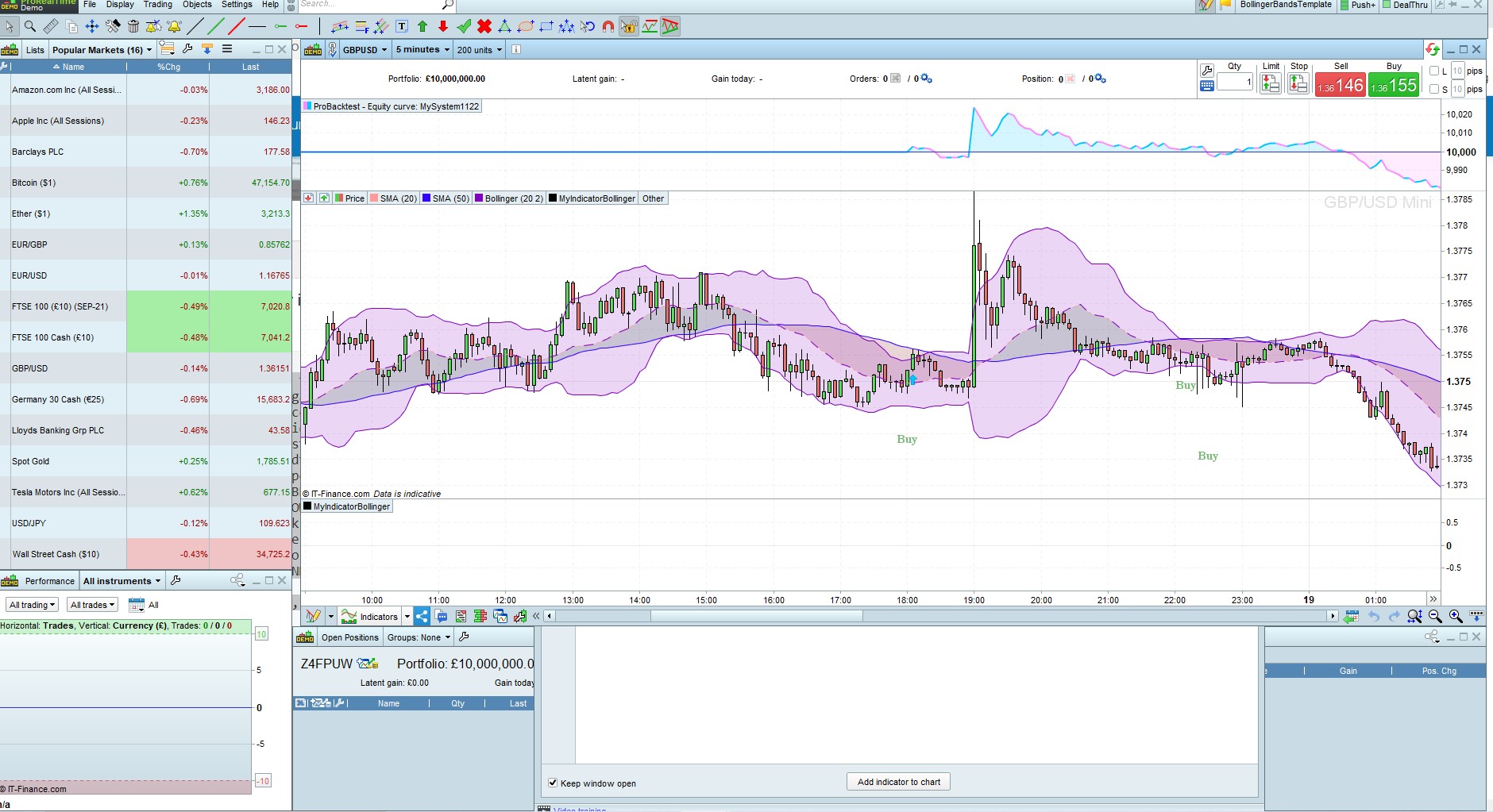
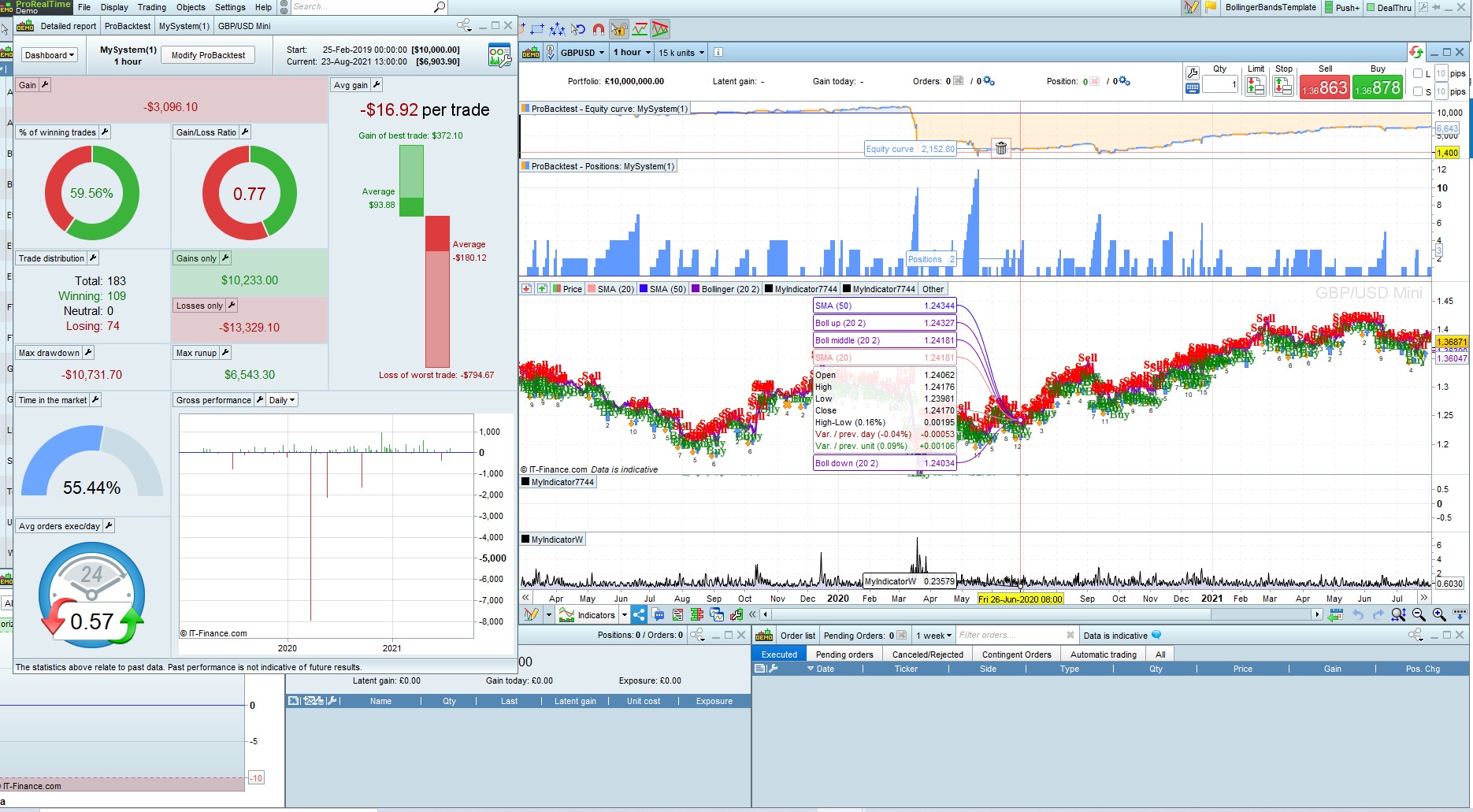
- i have run the code and please see attached results (BollingerBandSqueeze_Bandwidth), you will notice that Buy is taking place right within the consolidation/squeeze period which does not provide opportunities.
2. Also the first and original bollinger band strategy results is also attached (BollingerBandSqueeze_Bandwidth2) based on the codes below; here too trading taking place within the squeeze.
MyLongConditions = close CROSSES OVER BollingerDOWN[20]
MyShortConditions = close CROSSES UNDER BollingerUP[20]
MyBandWidth = BollingerBandWidth[20](close)
//For MyBandWidth <= 0.00295
IF MyShortConditions THEN
DrawText(“Sell”,barIndex, high + range*2,serif,bold,15) coloured(255,0,0,255)
ELSIF MyLongConditions THEN
DrawText(“Buy”,barIndex, low – range*2,serif,bold,15) coloured(0,128,0,135)
ENDIF
RETURN
3. “Go long [L] when Bollinger Band Width starts to rise after contracting to a historic low.” this should be modified to wait for crossovers first before Buy and Sell after contraction.
In other words there should be no Buy and Sell during consolidation or contraction
Hello, i just want to clarify further:
- test for the squeeze/contraction.
- wait till the end of the contraction and the Bollinger Band Width starts to rise after contracting to a historic low.
- when Bollinger Band Width starts to rise after contracting to a historic low, don not just enter the market for every rise of the width, but enter only at rise that produce CROSSOVERS
- Buy—> MyLongConditions = close CROSSES OVER BollingerDOWN[20]
Sell—>MyShortConditions = close CROSSES UNDER BollingerUP[20]
Hope this has fully clarified the strategy.
There you go:
BBperiods = 20   //periods to calculate Bollinger Bands
LookBack  = 50   //min BB gap in these last bars
MinWidth  = 2    //max percentage of distance between the two bands
BBwidth   = BollingerBandWidth[BBperiods](close)
C1        = BBwidth = lowest[LookBack](BBwidth)
C2        = BBwidth > BBwidth[1]          //Contraction ended
BollUP    = BollingerUP[BBperiods](close)
BollDOWN  = BollingerDOWN[BBperiods](close)
L1        = close CROSSES OVER  BollDOWN
S1        = close CROSSES UNDER BollUP
CondL     = C1[1] AND C2 AND L1
CondS     = C1[1] AND C2 AND S1
IF CondL THEN
   DrawText("Buy",barIndex, low - range*2,serif,bold,15) coloured(0,128,0,255)//135
ELSIF CondS THEN
   DrawText("Sell",barIndex, high + range*2,serif,bold,15) coloured(255,0,0,255)
ENDIF
RETURN
Hello , thanks very much.
I have made many modifications and got the attached backtest results : 100% results for few data , 56% for bigger data.
Now i want to apply risk management to improve the results, but am not sure whether to add stop loss & take profit at the end of the complete codes or i add it after both Buy statement and Sell statements.
I want to apply risk in percentage , so please i will be glad you provide me with the codes for that
Placing SL & TP at the end of your code or just after the entry doesn’t make any difference, unless you use different values for the two sides.
For position size management you can add this at the beginning of your code (just after DEFPARAMs):
////////////////////////////////////////////////////////////////////////
// DrawDown calculation + LARRY WILLIAMS' formula for size management
//
ONCE Capital     = 10000  //set your initial investment
ONCE LotSize     = 1      //start with 1
//------------------------------------------
//       DrawDown calculation
ONCE MinPoint    = Capital
ONCE MaxPoint    = 0
ONCE MaxRU       = 0
ONCE MaxDD       = 0
IF StrategyProfit <> 0 THEN
Equity        = Capital + StrategyProfit
TempProfit    = PositionPerf * PositionPrice / PipSize
TempEquity    = Equity + TempProfit
MaxPoint      = max(MaxPoint,TempEquity)
DD            = MaxPoint - TempEquity
MaxDD         = max(MaxDD,DD)
//------------------------------------------
//       LARRY WILLIAMS' formula (+margin)
MinSize       = 0.5                   //Minimum lot size allowed
Margin        = high / 100 * 0.5      //Margin required 0.5%
Risk          = 5                     //Risk per trade 2%
TempLotSize   = max(MinSize,(Equity * Risk / 100) / (MaxDD + Margin))
LotSize       = round((TempLotSize * 10) - 0.5) / 10   //only 1 decimal digit allowed
ENDIF
//
////////////////////////////////////////////////////////////////////////
then use LotSize to trade the calculated lots.
Make sure in your code you are not using any of the above variable names.
am sorry , i dont understand a bit of these codes, i dont know what they represent in relation to my questions
YOU asked about the SL & TO and I replied
YOU asked me to provide the code for risk management and I posted the code.
Was tour account hacked and you never posted it?
Thank you for the codes, Roberto. It is useful for the rest of the PRT community. Have a great weekend ahead.
Hello, you will notice from my correspondence that am not an expert in the probuilder language, so am relying on the the lessons under this Prorealtime:
Money/Risk management
The terms “Money management” and “Risk management” usually refer to rules for:
- Managing capital
- Managing positions
- Managing risk
A well planned money management strategy should allow you to maximize your gains while limiting your risk. Depending on your money management technique, a given strategy may be winning or losing for a given set of historical data.
The questions below may give you some ideas about the type of money management you may want to use:
- Leverage: What is the maximum leverage you do not want to go over?
Leverage is calculated as follows: 1 / [available cash / position value]
To limit leverage, you can either limit position size or increase portfolio value.
- Short selling: Do you only want to take buying positions or do you also want to take short selling positions?
- Keep positions overnight or close them: do you want to never be in position (“flat”) before the close of the market each day to avoid the risk of an gap between the previous close and the next day’s open (also called an opening gap)?
- Investment timeframe: do you want to use an investment timeframe of minutes, hours, days, or more long term?
- Time restrictions: Do you want to put time restrictions on your system, for example to not open new positions after a certain time of day close to the market close?
- Targets: Do you want to use a target with a fixed value that will close your positions once a certain amount of gain has been reached or would you rather close your positions based on technical analysis conditions?
- Protect your positions: do you want to add protection stops based on a maximum loss amount per position or based on a price level on the chart?
- Types of stops: if you use stops, do you want to use fixed stops or trailing stops with levels that are constantly re-evaluated? Learn more about the different types of stops
- Max position size: what is the maximum position size which you do not want to go over?
Note that the maximum position size will be asked each time you start a trading system and will override the conditions in the code.
- Maximum number of orders: what is the maximum amount of orders you want your system to execute per day?
(Ex: one round-turn per day or be more active).
Note that the maximum number of orders can be set via the “Trading Options” menu.
can you please add stop loss and profit target calculations or setup in your codes to make it more complete.
Also the Probacktest engine already comes with Drawdown calculations displayed in the backtest results so why are you recalulating them in your codes making it look confusing?
Sorry if i may have shown some ignorance, but i really need education.
Topic moved from ProBuilder to ProOrder support.
DrawDown calculated by ProBackTest can’t be known from within a trading system, it’s reported on your screen so that you can take note of it only, so it needs to be calculated by the TS itself if you plan to manage position sizing and risk management on it.
As to SL and TP, well… that dipends on your likings, it can be fixed (number of pips) or dynamic (according to bars recently formed), or based on ATR (Average True Range) or other indicators.
TP, Target (or Take) Profit, is often calculated multiplying SL by a factor (1, 1.5, 2, etc…).
Fixed SL (valid for both Long and Short trades):
SET STOP   PLOSS   50    //SL = fixed number of Pips
SET TARGET PPROFIT 150   //TP = 3 times SL
SL calculated on the lowest Low (for Long trades) and highest High (for Short trades) in the last N bars:
N       = 5                  //5-bar LookBack period
Factor  = 2.5                //TP factor (multiplier)
LongSL  = lowest[N](low)
ShortSL = highest[N](high)
LongTP  = LongSL  * Factor
ShortTP = ShortSL * Factor
SL calculated on the ATR (valid for both Long and Short trades):
Atr = AverageTrueRange[14](Close)
SET STOP   LOSS   Atr
SET TARGET PROFIT Atr * 1.8
As you can see, PROFIT and LOSS both require a difference (or range) expressed in price when SET. They can also be preceded by P if you prefer to set them using Pips, % if you prefer to use a percentage of the price or $ if you prefer to use a fixed amount of currency.