Hello
I’ve made an algo before i knew that the “SET STOP pLOSS xx pTRAILING” did’nt work.
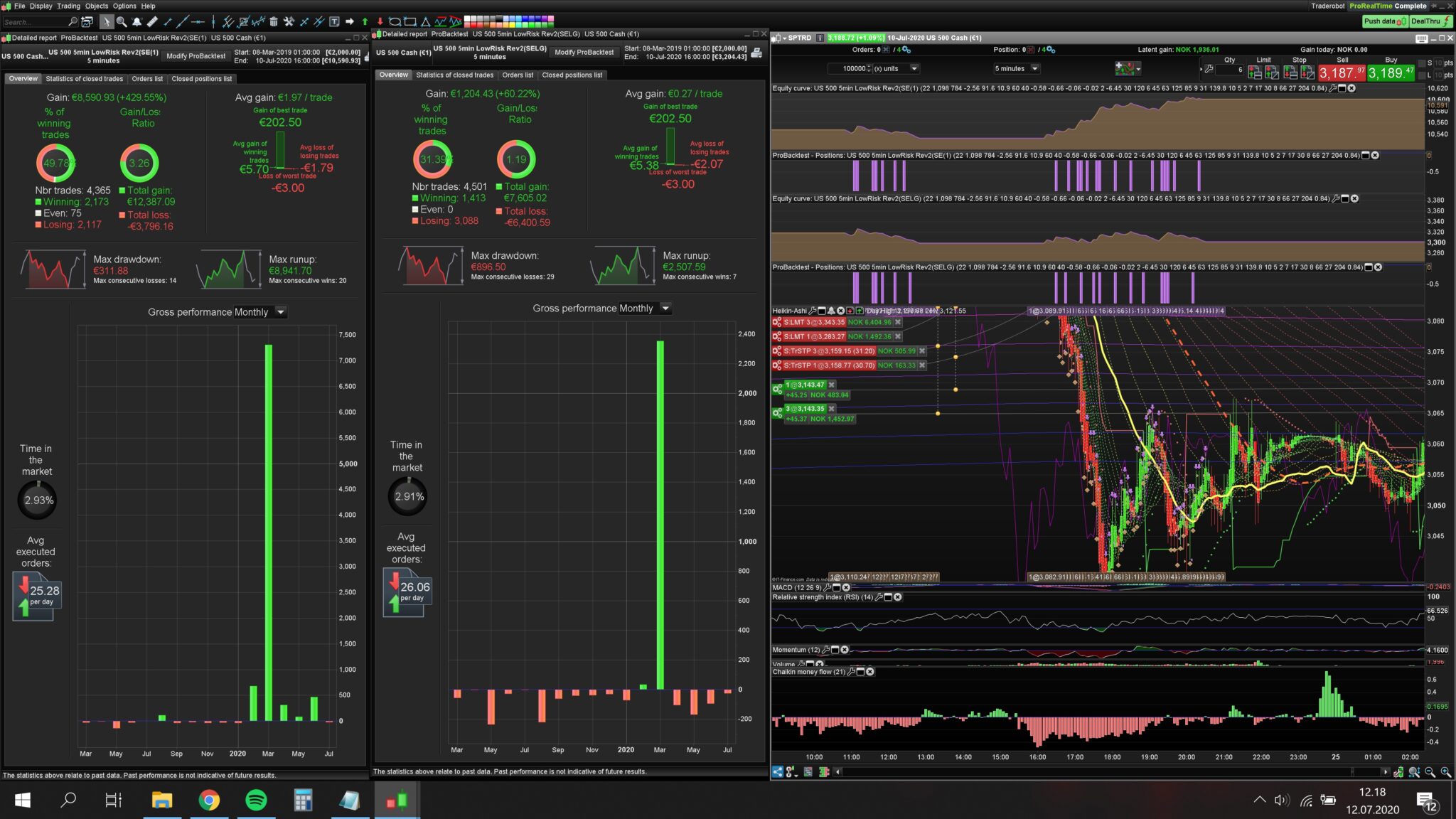
I used the optimizer to find best combo of the two. It found that the best combo was pLOSS 27 and pTRAILING was 2. Which I thougt was weird. In the backtest the “loss of worst trade” is 2£ which I thougt would indicate that the pLOSS never was touched. However, if I remove the pLOSS function. The backtest results dramatically changes.
Can anyone explain why?
And I’ve read in here before that the pTRAILING function should not be used because it does not take in to account the trailing step factor.
But the instrument I’ve been using this bot on has 1 step trailing. And I’ve read somewhere on this forum that the pTRAILING uses 1step trailing. Will the back test be reliable then?
Have you got the tick by tick mode box enabled in backtest?
Yes the tick by tick mode is on.
SET STOP pLOSS xx pTRAILING cannot be used, because two different kind of stops are not allowed.
Use either SET STOP pLOSS or SET STOP xx pTRAILING.
If you use both on separate lines, only the last one will be used.
Yes I know now, but I made the algo before I knew.
The problem is when i only use the pTRAILING function(remove the pLOSS), the performence dramatically changes. Even though I seems that the pLOSS part of the function never was touched.
I had the pLOSS on 27 and the pTRAILING on 2, and the “worst trade” was only 2£. Does’nt that mean that only the pTRAILING was executed?
I suggest that you use some trailing stop code instead of the native one.
I think I’ve tried every hardcoded trailing stops on this forum, but i’m afraid they don’t work. This is because most of my trailing stops happens within a candle.
What I don’t understand is why would there be a difference without pLOSS? When the pLOSS is 25 points away.. Is there a bug with the probacktest?
SET STOP pLOSS xx pTRAILING cannot be used, because two different kind of stops are not allowed.
Use either SET STOP pLOSS or SET STOP xx pTRAILING.
If you use both on separate lines, only the last one will be used.
Yes, as I said in the post, I made this algo before I was aware that this function did’nt work.
But when I remove the pLOSS part of the function and only use the pTRAILING, the change is so dramatic even though the pLOSS does’nt seem to be touched in the first algo.
Did you try using GRAPH Set Stop pLoss to see if indeed ploss ever does get triggered?
Thats a really good idea GraHal.
How do you code that?
I tried “GRAPH Set Stop pLoss”. Does’nt seem to work.
Mmm try something like below (for a long) …
Not tested
If longonmarket Then
MyStop = TradePrice - p*pipsize (p = p value in pLoss entry)
Endif
GRAPH MyStop
You should get ‘1’ if / when condition / MyStop is true.
I did’nt manage do get it to work. The GRAPH showed no results, and it did not show any result even if i set the Loss value to less than the trailing stop.
However, I tried making my own “SET STOP pLOSS” function.
//Hjemmelagd Stoploss
IF StoplossHjemmelagdSell = 1 THEN
mySL = tradeprice(1)+StoplossS*pipsize
IF NOT ONMARKET THEN
mySL=0
ENDIF
IF mySL>0 THEN
EXITSHORT AT mySL STOP
ENDIF
ENDIF
I’m having the same huge difference in performance.
And there is no difference if i turn it on/off.
So im thinking that there must be some kind of a bug i the backtesting software?