You are right Vonasi, I did not go back to that post before writing.
@VONASI yes, @robertogozzi for now, best way is to take entry signal with the high TF like 15m 1h etc, and manage the strategy with the lower TF, also is very good and profitable to use trend filter with the MTF
 Jan
JanParticipant
Veteran
Hallo all,
Maybe it is already explained before, (in that case apologizes), but I have just confirmed myself that Multiple Time Frames has no impact on the standard functions Stop PTrailing, Stop PLoss, and Target PProfit, as listed below: I just would like to let you know. .
//===>  Independent of Multiple Time frames,
// it exits a trade when target cq loss points are reached.

SET STOP PTRAILING 20
SET TARGET PPROFIT 20
SET STOP LOSS 25
//CODE USED FOR TESTING. Profits cq losses are the same, regardless any used Multiple Time Frame
timeframe(20 minutes, updateonclose)
//SET STOP PTRAILING 20
//SET TARGET PPROFIT 20
timeframe(10 minutes, default)//
if time = 80000 and not onmarket  then
BUY 1 shares AT MARKET
SET STOP PTRAILING 20
//SET TARGET PPROFIT 20
//SET STOP LOSS 25
endif
KR, Jan
MTF doesn’t change anything about the way the broker handle your takeprofit, stoploss or moving stoploss.
Hello everyone,
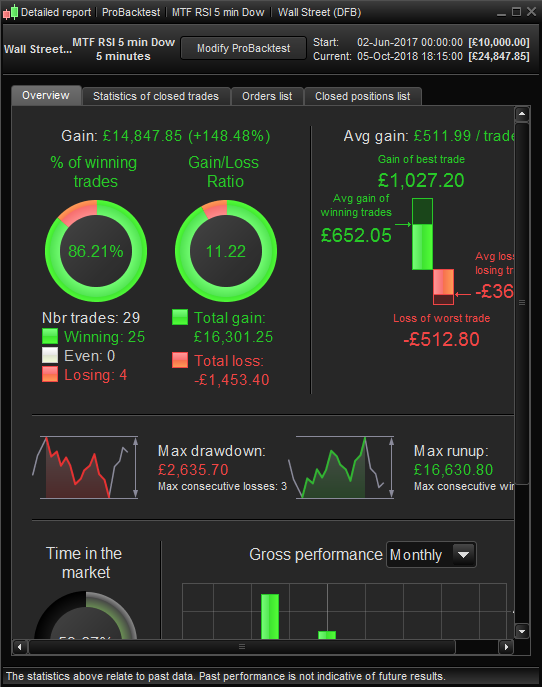
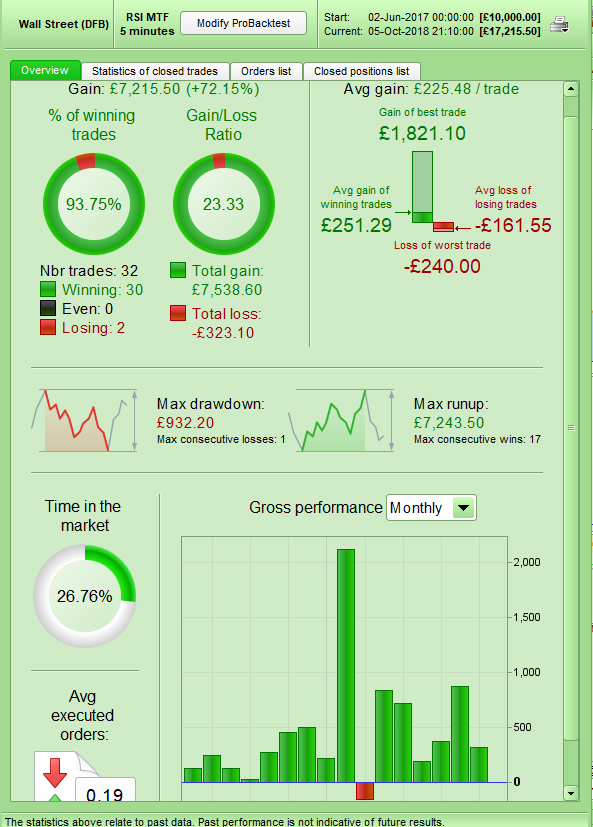
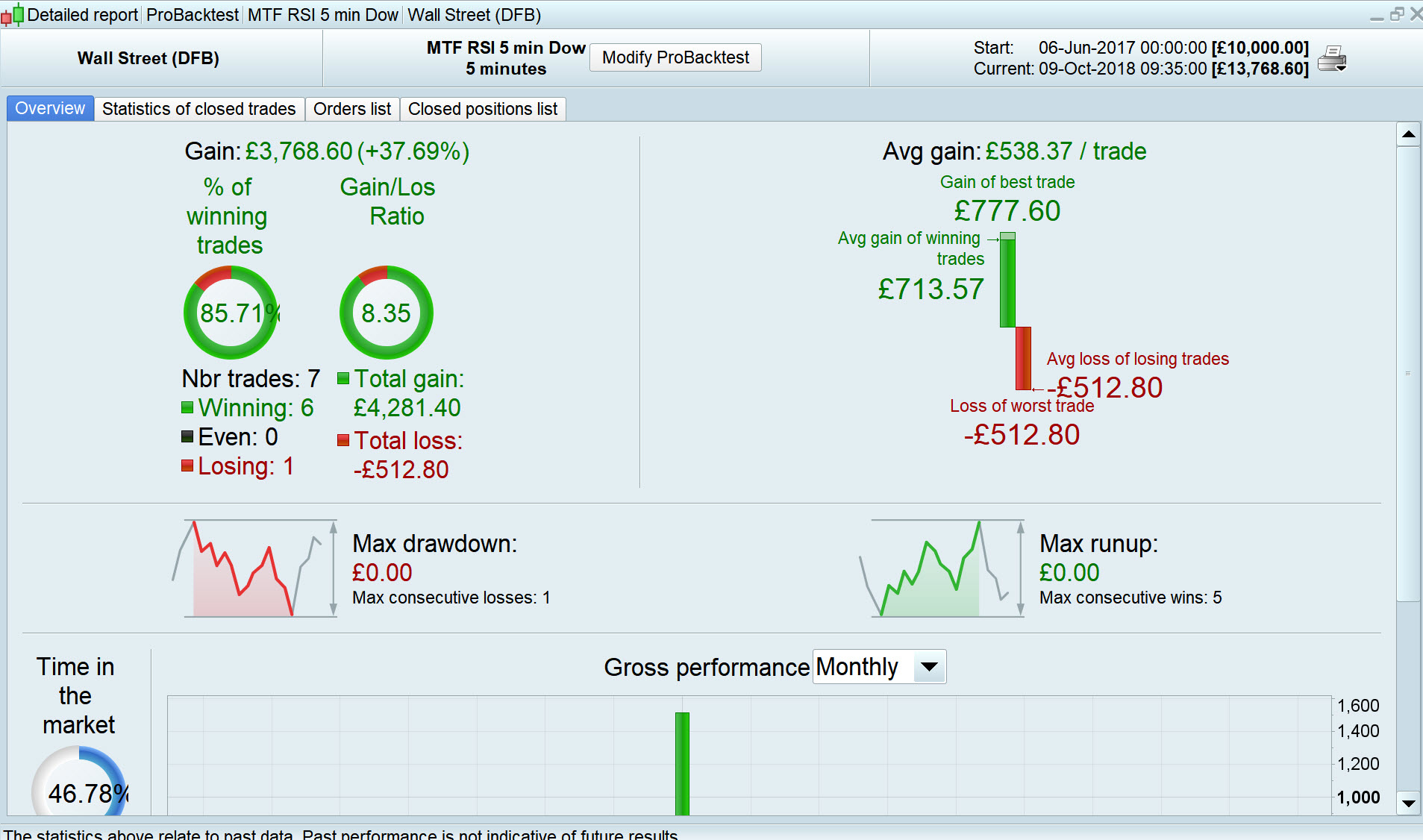
I tried to duplicate Vonasis RSI MTF algo. That was the closest I managed to achieve.
Here my results with an overall trend checker which I believe came also originally from Vonasi.
@Vonasi, did you use OOS or Walk forward testing for that?
Mine has definitely fewer trades.
Kind regards
I tried to duplicate Vonasis RSI MTF algo.
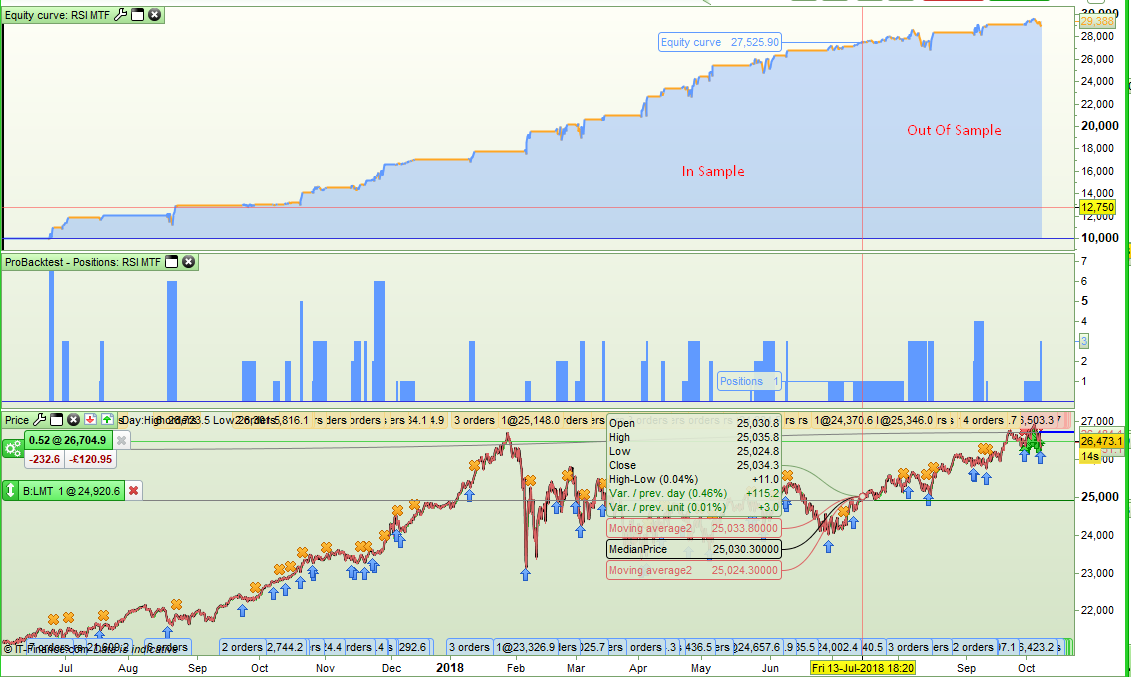
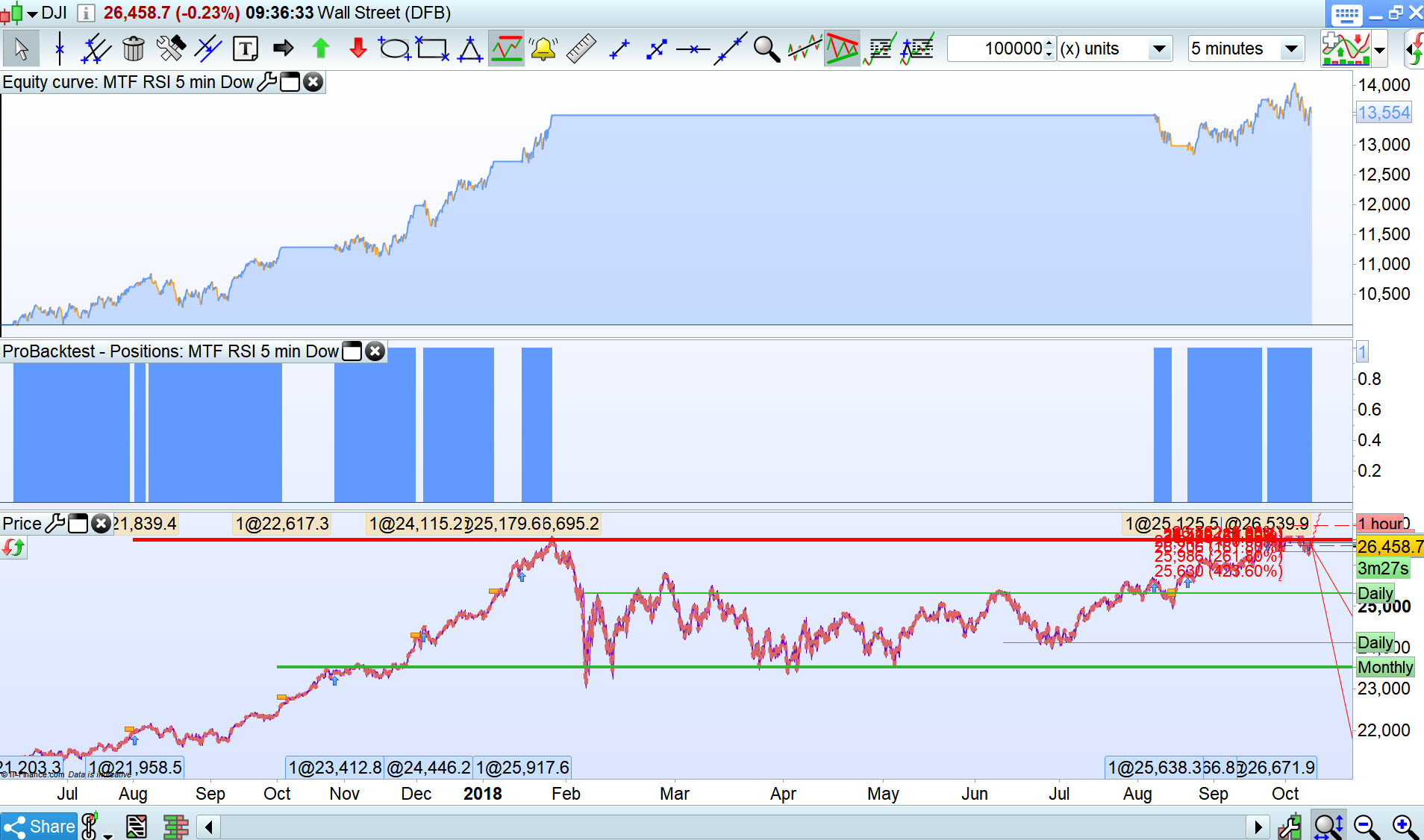
Now that is going back. It took me a while to work out which strategy that was that I posted back then but I think I found it. Initially it was all in sample data but here is the now OOS results:
[attachment file=82124]
[attachment file=82126]
All good and in line with expectations but not one I would put live as it seems that when I coded it I included some averaging down which will make you rich just as quick as it will suddenly make you poor! Averaging down is great if you start with a Warren Buffett size bank account but then if you have that size of bank account spread betting is not your tool of choice!
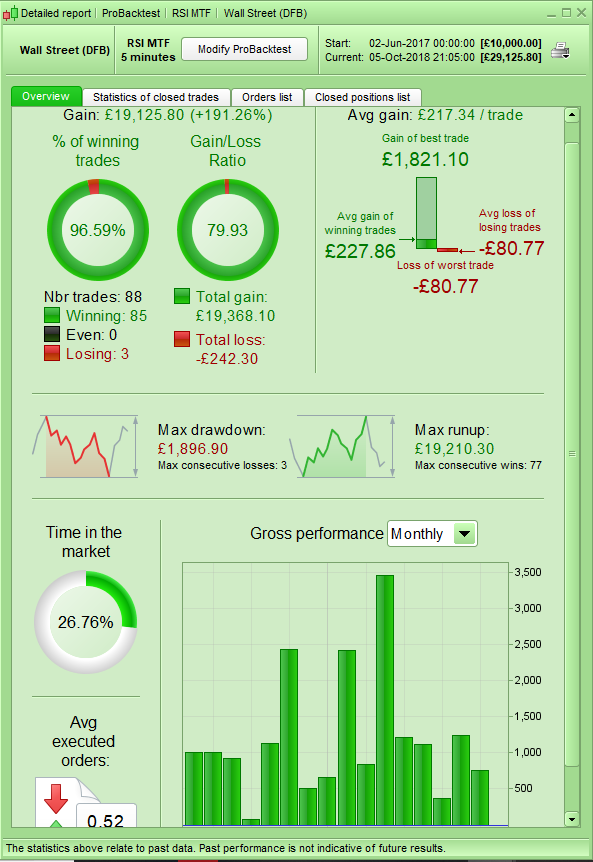
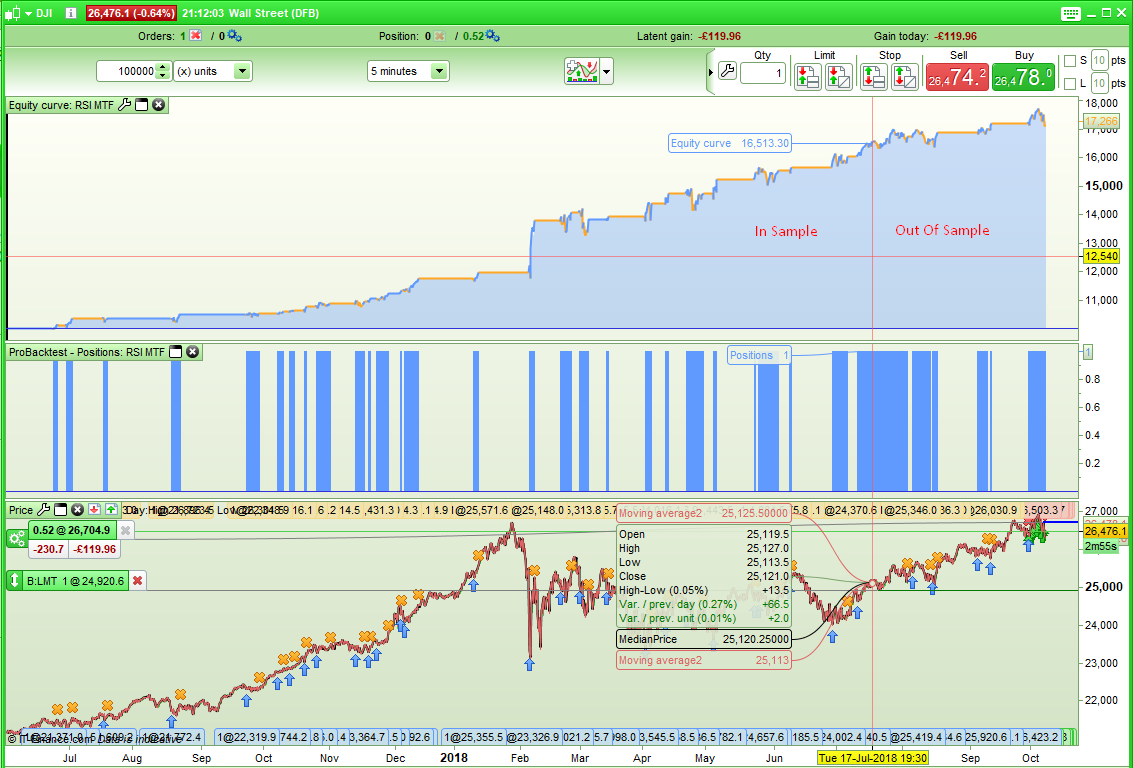
Here is the same RSI MTF idea but without averaging down. Seems that it might still have some legs. Thanks for reminding me of it – more investigation is needed I think to remind me why I have not put it live!.
[attachment file=82129]
[attachment file=82130]
JanParticipant
Veteran
Hallo,
Today I have been testing with Multiple Time Frames in the DEMO PRT environment, I used the FTSE 100 Cash 1 Euro, for testing, see the code below.
I found two weard things, seems errors to me:
- It ignore time restraints completely in MTF code: the limited time for opening a position // if TIME >= 73000 And TIME <= 93000 then // is ignored. Opening positions are taken during the whole day, this can be found at the tab //Close Position List// when running the code in backtesting.
- I receive complete different trade results varying the code at Time Frame of 15 minutes. I am using the 15 minutes graph, which is the lowest timeframe for my testing I would expect the code behind Time Frame, //update on close// and //default// used in the lowest timeframe to give exactly the same trading results. Why NOT is for me a question.
- timeframe(15 minutes,updateonclose) gives a much higher trade result as
- timeframe(15 minutes, default)
It seems to me like bugs in the new MTF module, it does not seem as realiable, any comment on this ?
PS: the PRT code used for those findings, is stated below
KR Jan
//SIMPLE LONG + SHORT STRATEGY FOR TESTING MULTIPLE TIME FRAME IN  PRT TEST ENVIRONMENT 07.10.2018
DEFPARAM CumulateOrders = False // Cumulating positions deactivate
DEFPARAM Preloadbars = 500

// (Definition) Averages in different timeframes
timeframe(60 minutes,updateonclose)
Av60 = average[18,1](close)
timeframe(30 minutes,updateonclose)
Av30 = average[18,1](close)
timeframe(15 minutes,updateonclose)
Av15 = average[26,1](close)

if TIME >= 73000 And TIME <= 93000   then
IF  Av60 > Av60[1] and Av30 > Av30[1] and Av15 > Av15[1] and Av15[1] < Av15[2] THEN
BUY 1 shares AT MARKET
SET STOP PLOSS 60
SET STOP PTRAILING 30
endif
else
IF  Av60 < Av60[1] and Av30 < Av30[1] and Av15 < Av15[1] and Av15[1] > Av15[2] THEN
SELLSHORT 1 shares AT MARKET
SET STOP PLOSS 60
SET STOP PTRAILING 30
endif
endif
Why should a BUG be in MTF and not in your code?
Could you spot that only LONG trades are correct, while SHORT ones are outside your time range?
Did you match each of your IF with its correct ENDIF?
1/ It ignore time restrictions because your code is what is made for 🙂 Look at line 19, you are using an “else” instruction telling the platform that if your condition at line 13 is not true execute the below code (from line 20 to 25).
2/ Let me do some tests first 😉
2/ by using timeframe(default), you’ll get the same exact results. But your question is legit because it should not be the case by using the same timeframe definition as the one actually displayed. I continue investigating and be back when I get a solid answer to this behavior 🙂 So keep calm and love PRT.
[attachment file=82229]
JanParticipant
Veteran
Nicolas and Roberto,
Thanks for the fast reply, indeed the time restraint works perfectly, also in MTF, if you code it correctly, my fault, it was too late in the evening . . !
Curious about the findings of Nicolas about my remark point 2.
P.S.: I am absolutely not negative about MTF, I have already found a good strategy, with multiple timeframe averages.
JanParticipant
Veteran
All,
I experienced slow optimising when using 4 different timeframes in combination with 5 variables to optimise; the variables gives in total just only 900 combinations to optimise.
- Do you recognise / agree with my experience ?
- Are there guidelines for optimising with MTF ? (can you overload the optimising ?)
Thanks in advance for your replies.
KR Jan
Mine has definitely fewer trades.
I have loads less trades than even you O-jay. But they look good trades!
Vonasi or O-jay please can you post the link to the original Thread showing Vonasi code then we can discuss further on that Thread?
Looks well good Vonasi … I might get converted to Daily TF at this rate! 🙂
@JanWind
1/ Sounds normal to me as your indicators must be calculated over as many data history as per the timeframes you are using. You may experience faster backtests/optimization while everyone is sleeping, during night 🙂
2/ There is no specific tip to reduce optimization time with MTF, same rules apply as for the single timeframe trading strategy (declare only time the same indicator, avoid CALL, reduce loops if possible, etc.).