BB MACD RIGOLO

Viewing 8 posts - 1 through 8 (of 8 total)
  • Author
    Posts
  • #49710 quote
    supertiti
    Participant
    Master

    Bonsoir à tous,

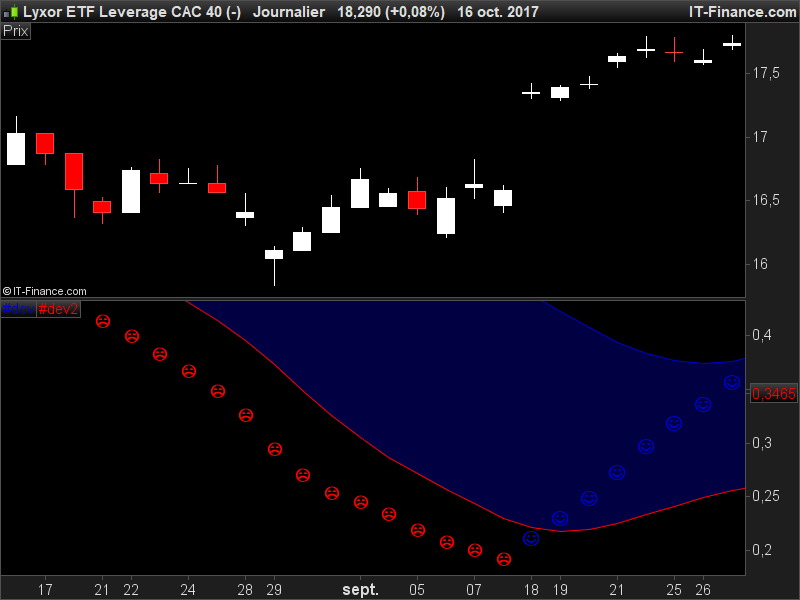
    Dans cet indicateur plutôt que des dots j’ai mis des smileys gais ou tristes selon la tendance, je n’arrive qu’à mettre un type de smiley et j’aimerais
    poser un gai pour la hausse et un triste pour la baisse …

    C’est jouable ou pas ?

    //PRC_BB MACD CCT | indicator
    //16.10.2017
    //Nicolas @ www.prorealcode.com
    //Sharing ProRealTime knowledge
    //converted from MT4 version
     
    // --- settings
    //FastLen = 38
    //SlowLen = 120
    //Length = 20
    //StDv = 1.1
    // --- end of settings
     
    bbMacd = average[FastLen,1]-average[SlowLen,1]
     
    avg = average[Length,1](bbMacd)
    sDev = std[Length](bbMacd)
     
    UpperBand = avg+(StDv*sDev)
    LowerBand = avg-(StDv*sDev)
     
    if bbMacd>bbMacd[1] then
     r=0
     b=205
    else
     r=255
     b=0
    endif
     
    drawtext("●",barindex,bbMacd,Dialog,Bold,10) coloured(r,0,b)
     
    return UpperBand coloured(0,0,205) style(line), LowerBand coloured(255,0,0) style (line)

    1ere ligne = smiley gai
    2eme ligne = smiley triste


    ///////////////////////////////////////////////////////
    
    drawtext("",barindex,bbMacd,Dialog,Bold,30) coloured(r,0,b)
    
    //drawtext("",barindex,bbMacd,Dialog,Bold,30) coloured(r,0,b)
    
    ///////////////////////////////////////////////////////
    #49713 quote
    supertiti
    Participant
    Master
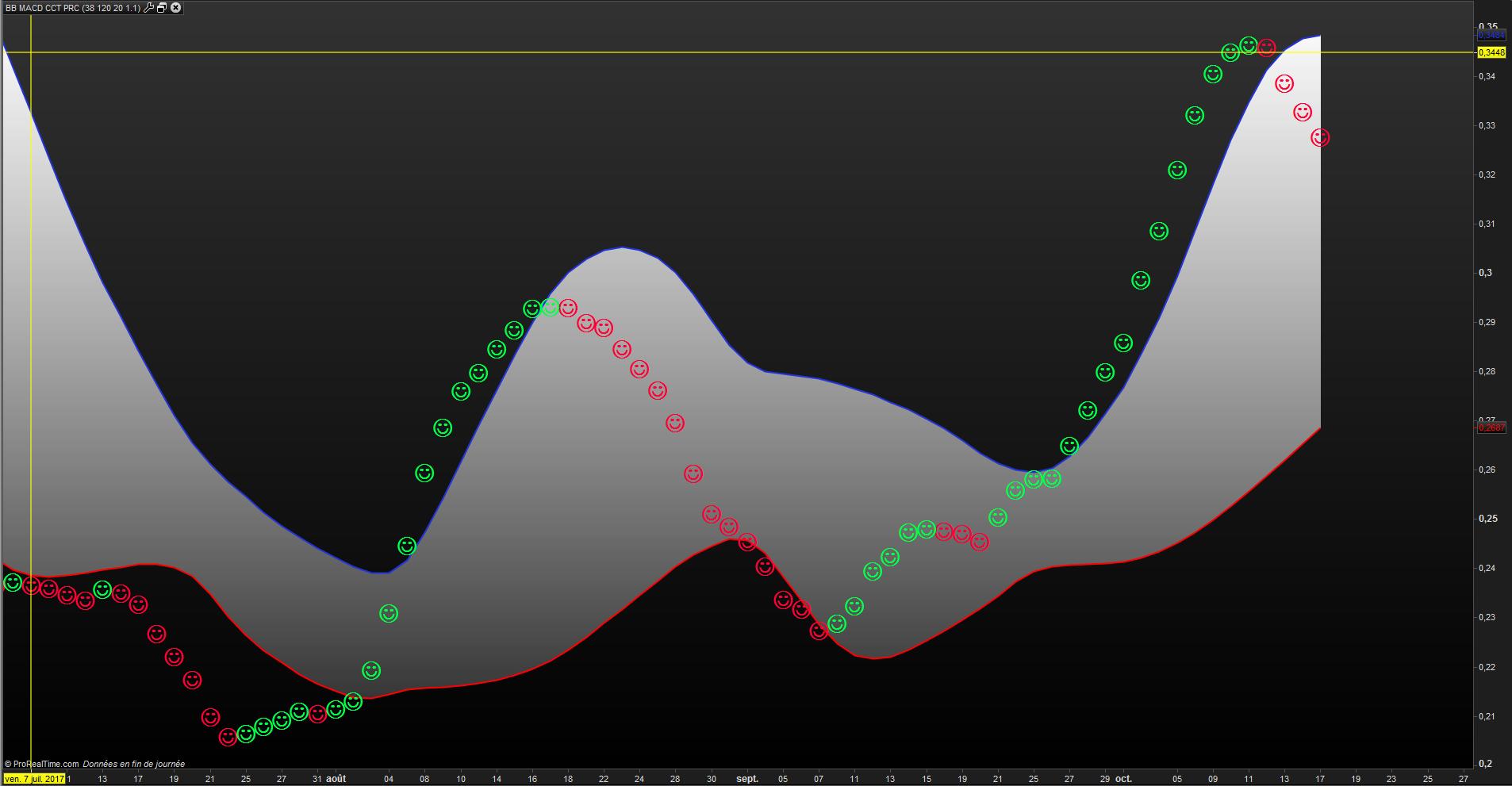
    if bbMacd>bbMacd[1] then
    r=0
    g=255
    b=72//205
    else
    r=255//255
    g=0
    b=55//0
    endif
    #49736 quote
    Nicolas
    Keymaster
    Master

    Tu pourrais nous donner le code ASCII pour les smileys stp? Ils sont pas passés dans ton message !

    #49813 quote
    supertiti
    Participant
    Master

    Bonjour Nicolas

    Je retire mes smileys depuis word :

    – Insertion
    – symbole
    – icône gaie et triste que j’agrandis et colore en vert et rouge

    puis après je fais un copier/coller depuis word vers le code Prorealtime

    je joins un fichier word avec les 2 icônes

    Bonne journée

    #49826 quote
    supertiti
    Participant
    Master

    ALT + 1 donne un smiley rieur

    🙁 donne un smiley triste deux points tiret ouvrez la parenthèse

    bolsatrilera thanked this post
    #49851 quote
    Nicolas
    Keymaster
    Master

    Le smiley triste c’est ALT+2639 : http://www.fileformat.info/info/unicode/char/2639/index.htm

    Voilà le code, je pense que ça doit passer en le copiant / collant

    //PRC_BB MACD CCT | indicator
    //16.10.2017
    //Nicolas @ www.prorealcode.com
    //Sharing ProRealTime knowledge
    //converted from MT4 version
     
    // --- settings
    FastLen = 38
    SlowLen = 120
    Length = 20
    StDv = 1.1
    // --- end of settings
     
    bbMacd = average[FastLen,1]-average[SlowLen,1]
     
    avg = average[Length,1](bbMacd)
    sDev = std[Length](bbMacd)
     
    UpperBand = avg+(StDv*sDev)
    LowerBand = avg-(StDv*sDev)
     
    if bbMacd>bbMacd[1] then
    r=0
    b=205
    drawtext("☺",barindex,bbMacd,Dialog,Bold,20) coloured(r,0,b)
    else
    r=255
    b=0
    drawtext("☹",barindex,bbMacd,Dialog,Bold,30) coloured(r,0,b)
    endif


    return UpperBand coloured(0,0,205) style(line), LowerBand coloured(255,0,0) style (line)

    Il est beaucoup plus petit que le smiley joyeux, donc j’ai utilisé une taille de 30. Bon amusement.

    AVT and bolsatrilera thanked this post
    #49864 quote
    supertiti
    Participant
    Master

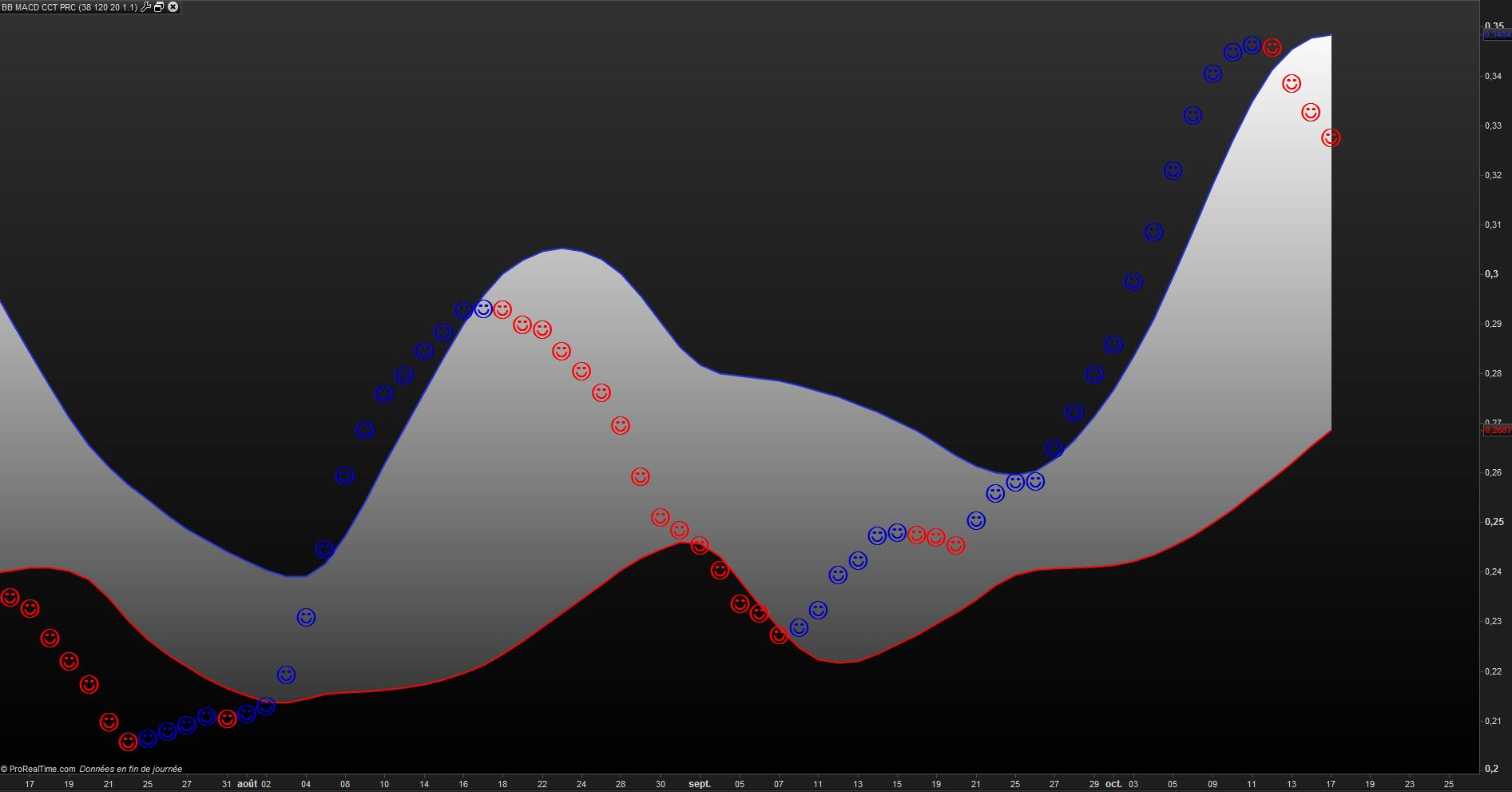
    Ca marche nickel !

    Je n’ai pas réussi à trouver le code du clown triste Alt2639 … comme dit l’autre j’étais Chocolat ( voir la filmographie d’Omar Sy )

    Merci ainsi nous pouvons mettre un peu de fantaisie dans nos graphes .

    Soyons sérieux tout en ne nous prenant pas au sérieux !

    Bonne soirée

    #49882 quote
    AVT
    Participant
    Senior

    @Nicolas Thanks a lot for that link, did not know that site!

Viewing 8 posts - 1 through 8 (of 8 total)
  • You must be logged in to reply to this topic.

BB MACD RIGOLO


ProBuilder : Indicateurs & Outils Personnalisés

New Reply
Author
author-avatar
supertiti @supertiti Participant
Summary

This topic contains 7 replies,
has 3 voices, and was last updated by AVT

8 years, 3 months ago.

Topic Details
Forum: ProBuilder : Indicateurs & Outils Personnalisés
Language: French
Started: 10/17/2017
Status: Active
Attachments: 4 files
Logo Logo
Loading...