
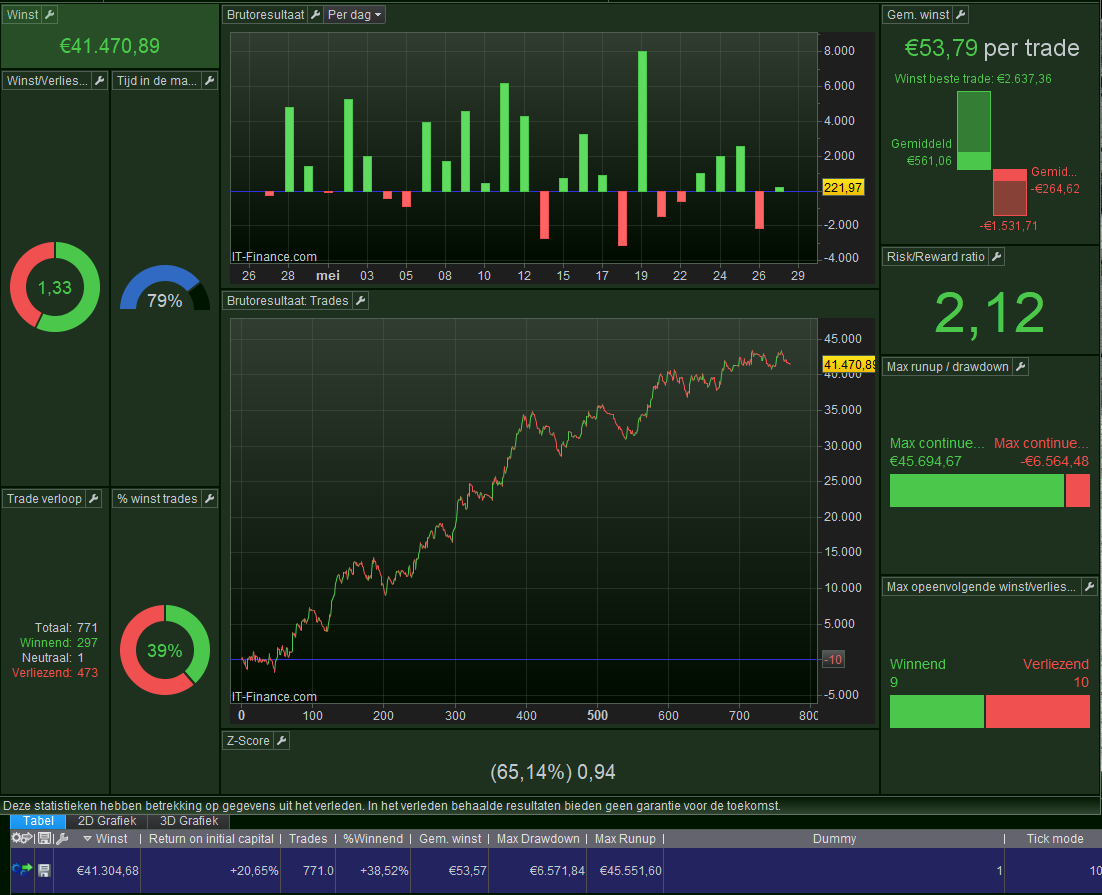


All right (not so), it is no different than what I already knew, despite it just took me an hour to prove to myself (and now you) what exactly the situation is. Anyway it is not related to variables needing to be obtained in the code instead of leaving them as Optimization Parameters.
I said something along these lines :
When the optimization result is there, you can click a result line in the list and it will show the backtesting result in the Statistics form, including Tick by Tick mode.
I also said :
When the result is there, usually PRT simulates you clicking on the best result (the result line at the top) and that result will show in the Statistics form and it incorporates Tick by Tick mode.
Now we add a new one, which dangerously let all newbies go under :
When we don’t have any Optimizations to enumerate, hence we don’t have Optimization Parameters *or* they are all (!!) fixed, no Optimization result is shown, and there is no result line for PRT to simulate a click on. And thus it now shows the result in the Statistics form without incorporating Tick by Tick mode.
That simple it is.
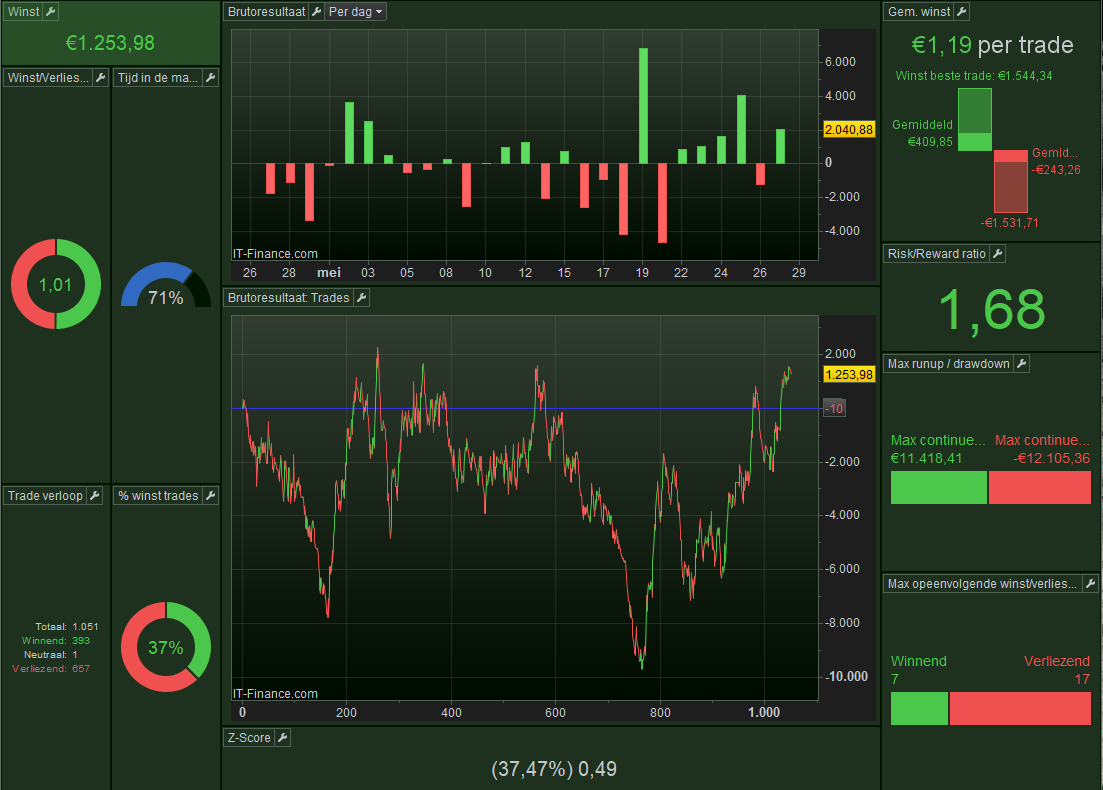
First attachment shows the latter situation. Notice that I deliberately implied a lot of in-bar trades, so the Tick by Tick mode would be a requirement (it actually always is !!).
Thus, this is just a Strategy without Optimization Parameters involved. This can be read as : all is fixed.
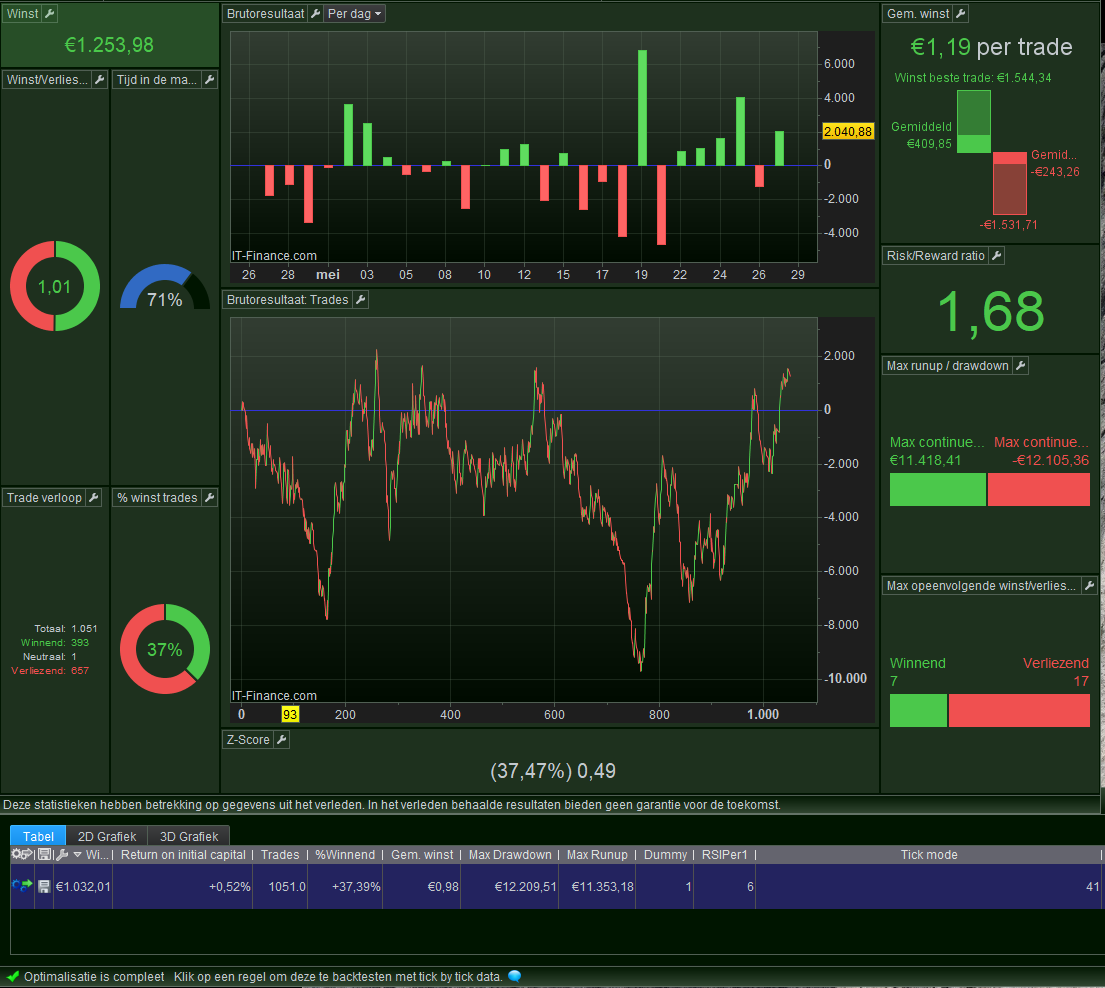
Second attachment shows how I now use a Dummy Optimization Parameter, which each self-respecting Backtester will have in there (I bet). This now causes the
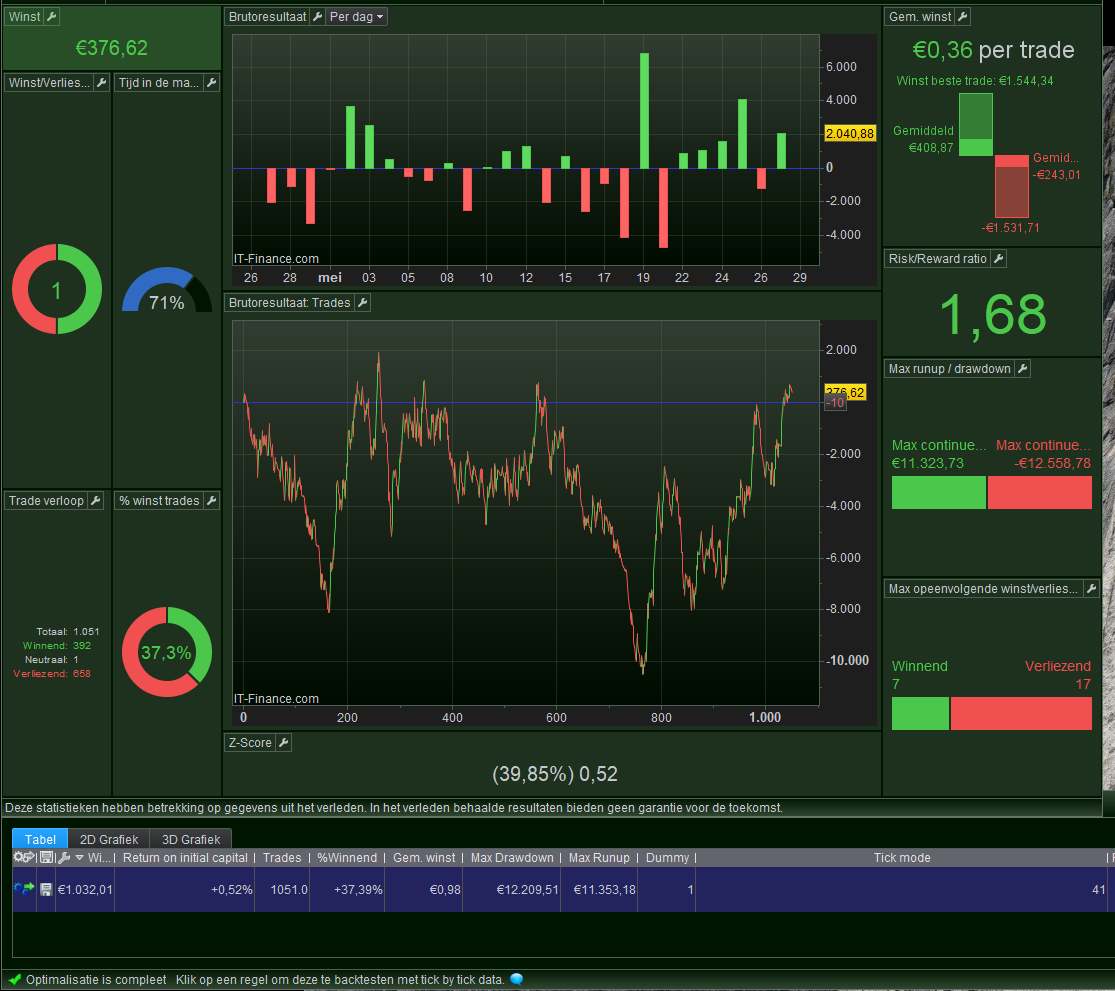
Third attachment. This should be the result in reality; the 41 situations where in-bar trades occurred, should now incorporated correctly. PRT could click the first line which causes Tick by Tick mode to apply (also see message at the bottom). But in this example it did not perform that click (mind my mentioned “usually” in this post and in a previous post).
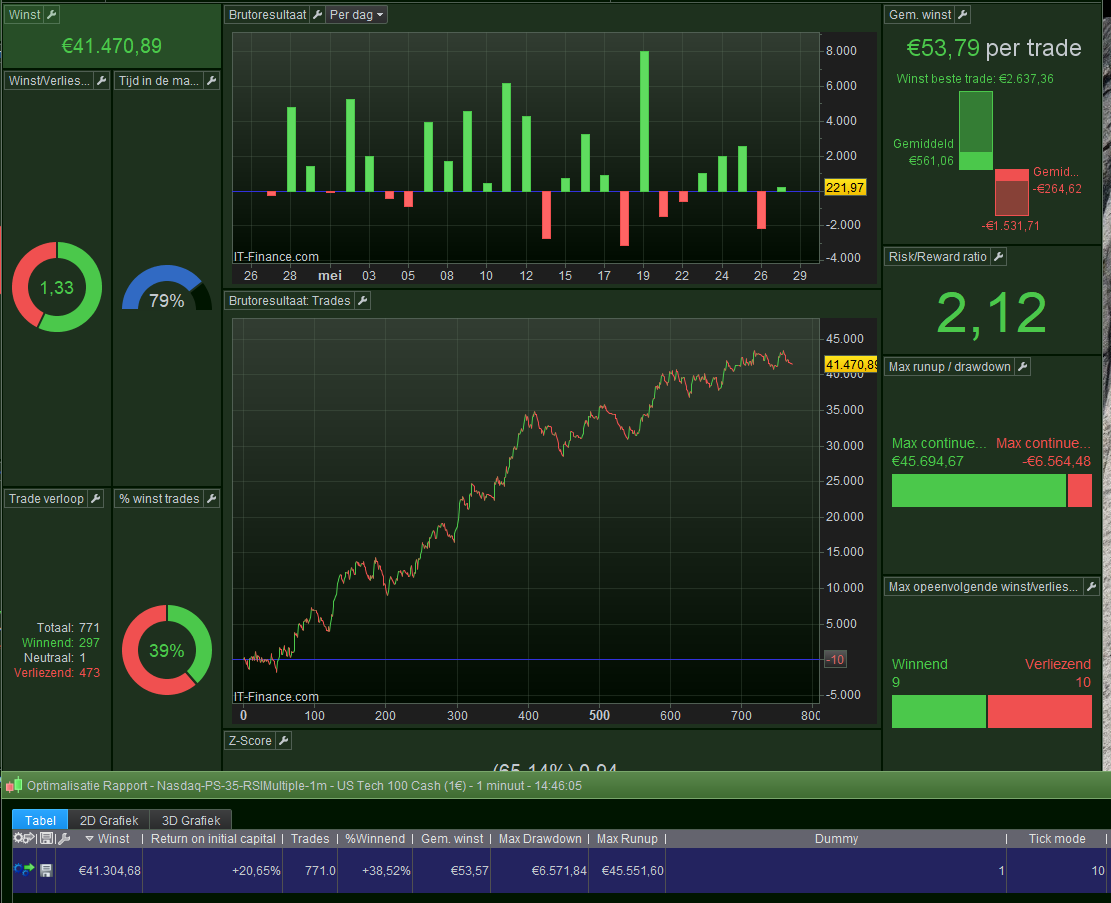
The fourth attachment shows what happened after I clicked the result line.