backtest error using Pivots
Forums › ProRealTime English forum › ProOrder support › backtest error using Pivots
- This topic has 8 replies, 4 voices, and was last updated 5 years ago by
Nicolas.
-
-
01/13/2020 at 5:45 PM #116672
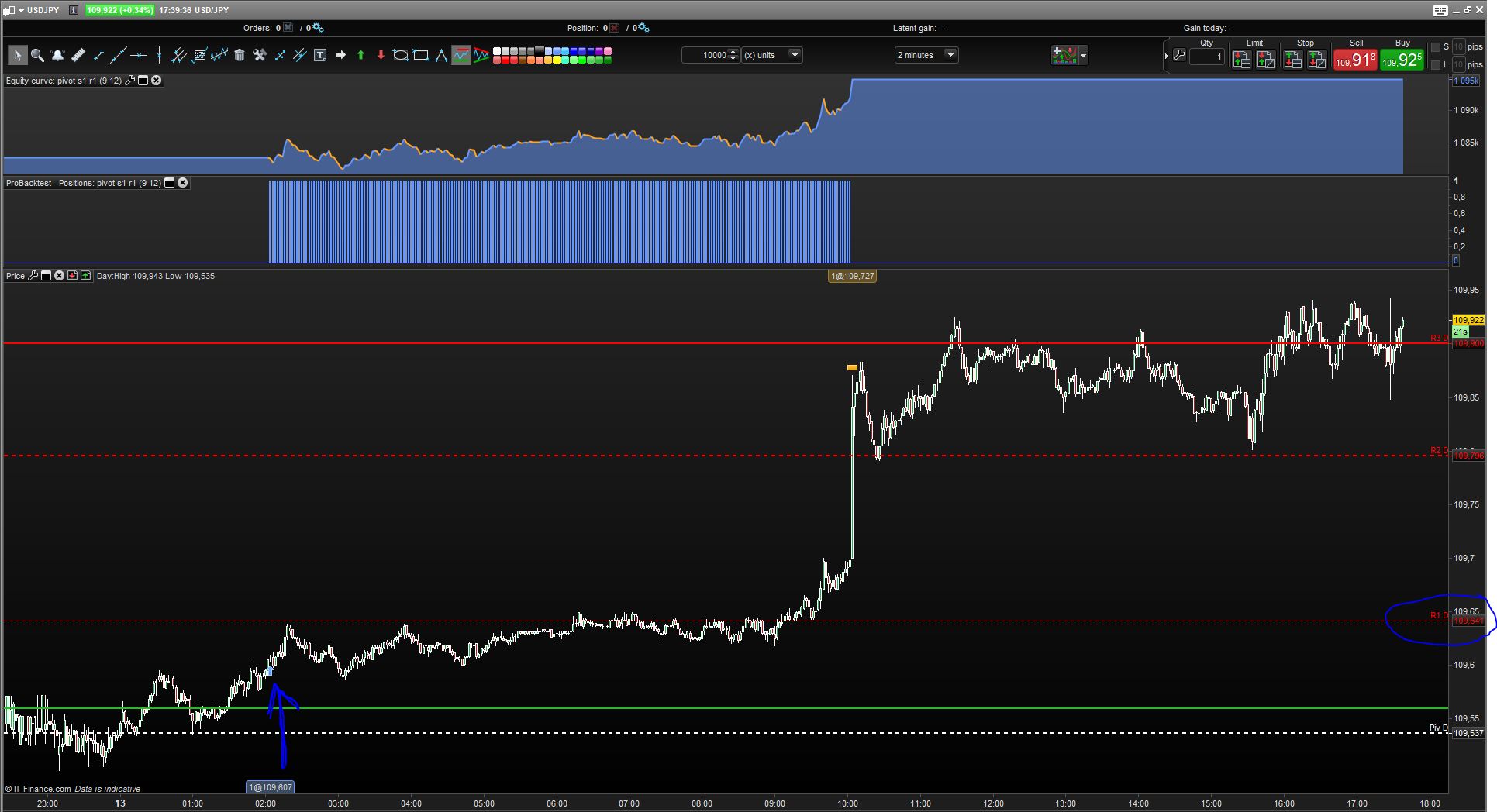
Hi, im using this code to take the crossover/under R1/S1-pivots. Using standard setting (High + Low + Close)/3.
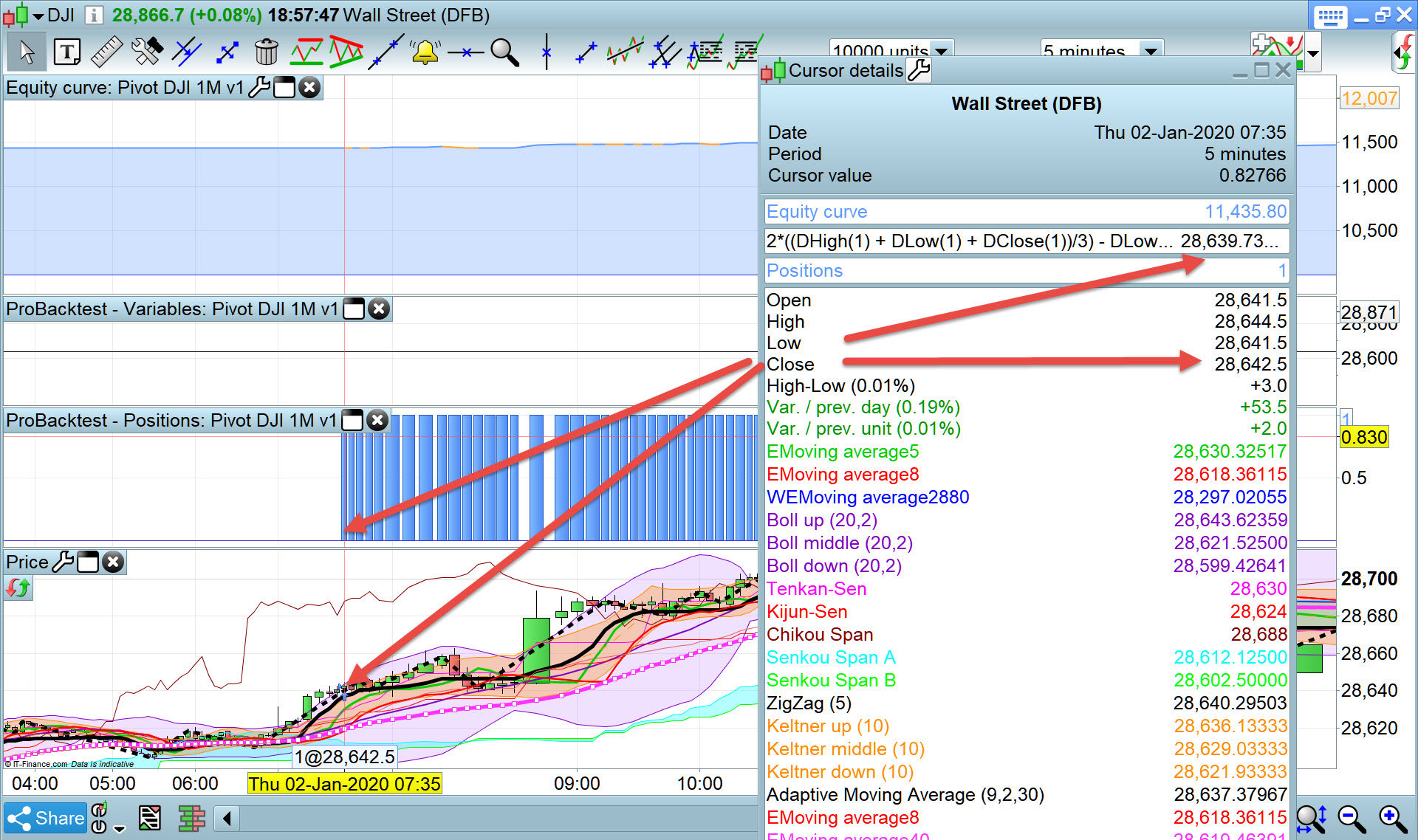
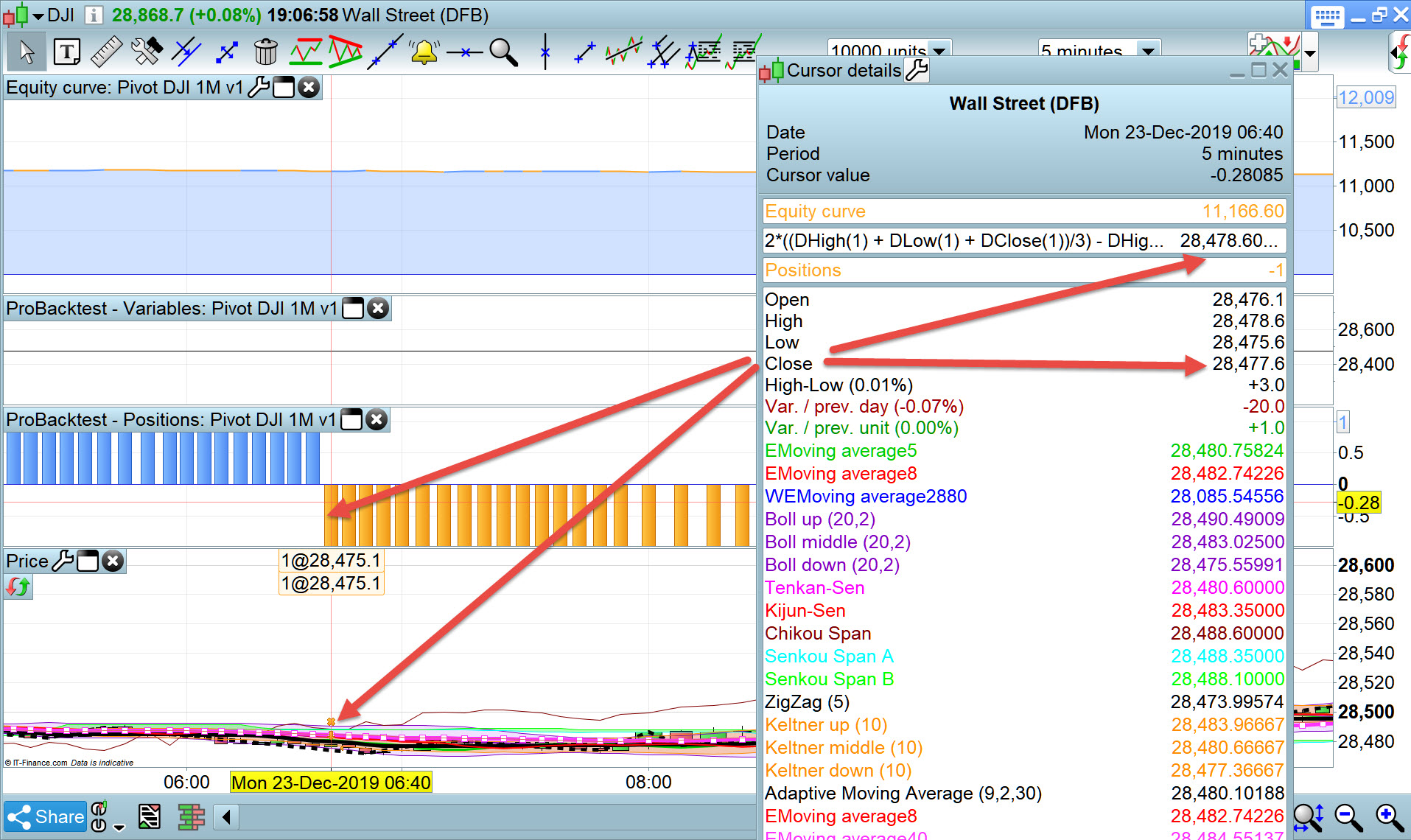
But if you look at the attached picture, you can see it takes a pos waaaay before even reaching the R1.
Anyone know why?
s1 / r1 cross12345678910111213141516171819202122// Definition of code parametersDEFPARAM CumulateOrders = False // Cumulating positions deactivated// Conditions to enter long positionsindicator1 = 2*((DHigh(1) + DLow(1) + DClose(1))/3) - DLow(1)c1 = (close CROSSES OVER indicator1)IF c1 THENBUY 1 CONTRACT AT MARKETENDIF// Conditions to enter short positionsindicator2 = 2*((DHigh(1) + DLow(1) + DClose(1))/3) - DHigh(1)c2 = (close CROSSES UNDER indicator2)IF c2 THENSELLSHORT 1 CONTRACT AT MARKETENDIF// Stops and targetsSET STOP pLOSS 9SET TARGET pPROFIT 1201/13/2020 at 6:02 PM #11667601/13/2020 at 6:17 PM #11667801/13/2020 at 6:18 PM #11668001/13/2020 at 8:03 PM #11668601/13/2020 at 8:08 PM #11668801/14/2020 at 12:05 AM #11670601/14/2020 at 8:21 AM #116722Use GRAPH to plot the value of your pivot calculation to compare with that of the indicator on your chart.
I note that you posted on a Monday so your strategy pivot calculation will be using the Sunday data for its calculation which will mean that the lines are very close together. Perhaps the indicator on the chart is using Friday data?
01/14/2020 at 8:26 AM #116723Sunday data or not (as Vonasi said). Custom trading hours on your chart? OHLC instruction with a “D” (Dclose, Dlow, ..) use real (official) and standard market hours for the instrument, not the custom ones displayed on your chart.
-
AuthorPosts
Find exclusive trading pro-tools on