Automated strategy gone (seems not saved) and yet running

Viewing 2 posts - 1 through 2 (of 2 total)
  • Author
    Posts
  • #87677 quote
    crusaderz
    Participant
    New

    Hi,


    Apologies for potentially coming across as ruggedy muffin – I just got my blood pressure up.


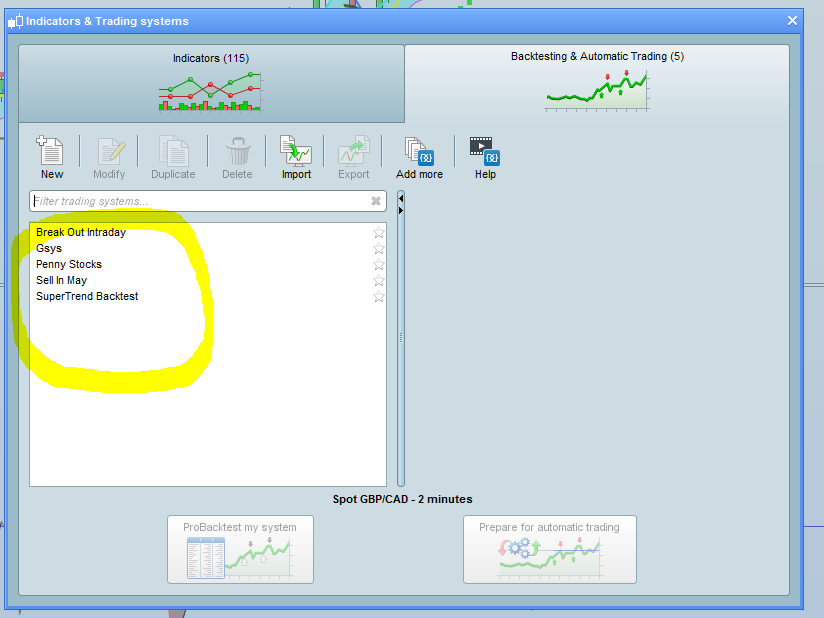
    Looks like my Automated strategy I have spent all night working on has disappeared, along with custom indicator I have created.

    I have saved both of them under custom names and they were showing in Trading Strategies last night but no such luck this morning.


    I have also created custom indicator (KAMA – using code from Nicolas posted somewhere in the forum) and also have saved it as KAMA.

    Now when I try to add this custom indicator to new charts, it’s not there.

    Wth?


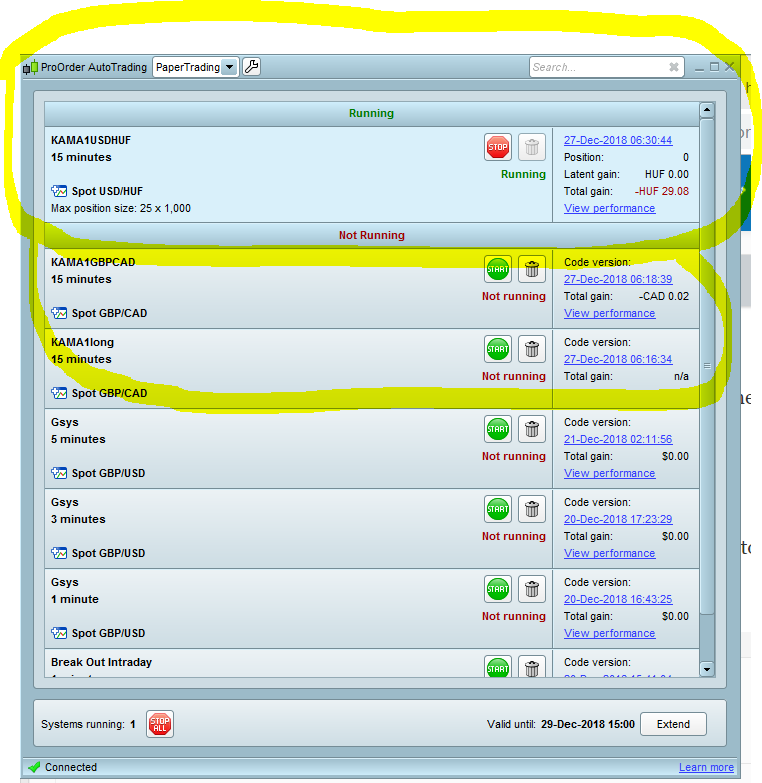
    Strange enough, the custom strategy shows as running in Automated Trading but I can’t find to modify it for Pro Backtesting or to apply it to other currency pairs.


    And the platform seems to close by itself after a night running.

    I was just about to splurge on the paid version of PRT but if it’s gonna cost me many lost hours of effort because it misleads people into believe their work has been saved…


    Is there a way to retrieve my strategy and the custom KAMA indicator?

    And how to prevent the platform from shutting down? I want it to run non-stop, the way e.g. MT4 does.

    Thanks for putting up with my frustrated tone.

    KAMA-running.png KAMA-running.png Preset-systems.png Preset-systems.png
    #87680 quote
    GraHal
    Participant
    Master

    And how to prevent the platform from shutting down?

    Unless there have been recent changes then every 18 hours the Platform shuts down.

    Is there a way to retrieve my strategy

    In Auto-Trading click the blue version date / time Version for the KAMA code (Ctrl+A) then Copy (Ctrl+C) then open a coding window and paste all the code (Ctrl+V) then name the Strategy with same KAMA name at the top of your code then either Backtest or click the cross in the top right hand corner and then click okay / yes to Save … hey presto you have retrieved your Strategy.

    If you need more explanation re above then just say.

    Nicolas thanked this post
Viewing 2 posts - 1 through 2 (of 2 total)
  • You must be logged in to reply to this topic.

Automated strategy gone (seems not saved) and yet running


ProOrder: Automated Strategies & Backtesting

New Reply
Author
author-avatar
crusaderz @crusaderz Participant
Summary

This topic contains 1 reply,
has 2 voices, and was last updated by GraHal

7 years, 2 months ago.

Topic Details
Forum: ProOrder: Automated Strategies & Backtesting
Language: English
Started: 12/27/2018
Status: Active
Attachments: 2 files
Logo Logo
Loading...