apply my personnal indicator to graph

Viewing 13 posts - 16 through 28 (of 28 total)
  • Author
    Posts
  • #89371 quote
    Vonasi
    Moderator
    Master
    multiple = 1 //(or any value you choose to tune the indicator to the market)
    x = 0 -(????) //( ???? = output of your indicator usually between -15 and + 15)
    z = medianprice * (1 + (x / 100) * multiple)
    return z

    If your indicator output is normally between -15 and +15 then the above will do what I was suggesting. Tune the multiple to match individual markets.

    #89399 quote
    Nicolas
    Keymaster
    Master

    i can still use it only as support/resistance when it crosses zero but i wanted to improve it a little bit more.

    oh, easier to understand with a picture! Indeed, what you want is possible. Please share the indicator code in order to incorporate all the necessary code to it. I’m sure we’ll be able to add the graphical component you miss.

    #89432 quote
    Porion
    Participant
    New
    a = RSI[30](close) - RSI[100](close)

    it’s a really simple code, but it can give you pretty decent signal if you use it correctly.

    #89458 quote
    Vonasi
    Moderator
    Master

    a = RSI[30](close) – RSI[100](close)

    That is a bounded indicator as RSI is bounded between 0 and 100 so your combination of two RSI’s is now bounded between 100 and -100 as those are the maximum and minimum results possible.

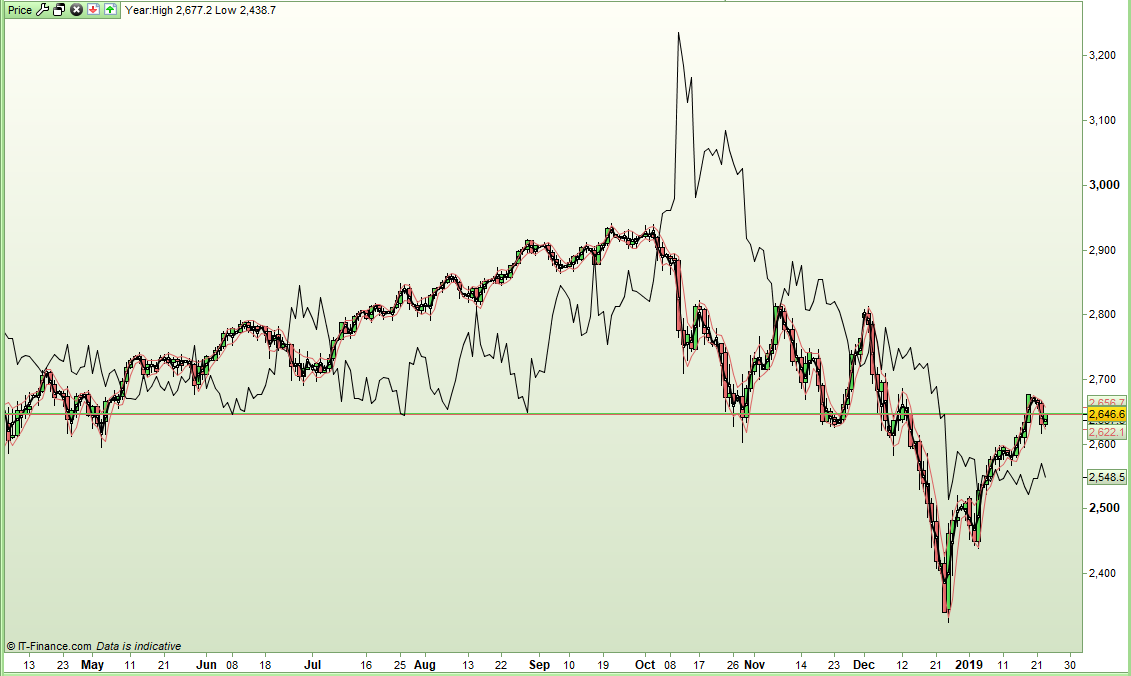
    If you apply your indicator to my code you get a line that flips above and below price.

    multiple = 1 
    x = 0 - (RSI[30](close) - RSI[100](close))
    z = medianprice * (1 + (x / 100) * multiple)
    return z
    

    [attachment file=89459]

    robertogozzi and Nicolas thanked this post
    Screenshot_4.png Screenshot_4.png
    #89461 quote
    robertogozzi
    Moderator
    Master

    Nice job Vonasi, but line 3 should be replaced by

    z = medianprice * (1 - (x / 100) * multiple)

    to replicate the true indicator.

    #89463 quote
    Vonasi
    Moderator
    Master

    when my indicator turn positive, it should be below the price and vice versa.

    I think mine is correct if I understood the above comment from the OP correctly.

    #89465 quote
    Vonasi
    Moderator
    Master

    Here is a version that draws a buy or sell arrow when the line crosses medianprice as Porion requested this originally I seem to recall.

    multiple = 1
    x = 0 - (RSI[30](close) - RSI[100](close))
    z = medianprice * (1 + (x / 100) * multiple)
    
    if z crosses over medianprice then
    drawarrowdown(Barindex, medianprice + range) coloured(128,0,0)
    endif
    
    if z crosses under medianprice then
    drawarrowup(Barindex, medianprice - range) coloured(0,128,0)
    endif
    
    return z
    
    #89472 quote
    Porion
    Participant
    New

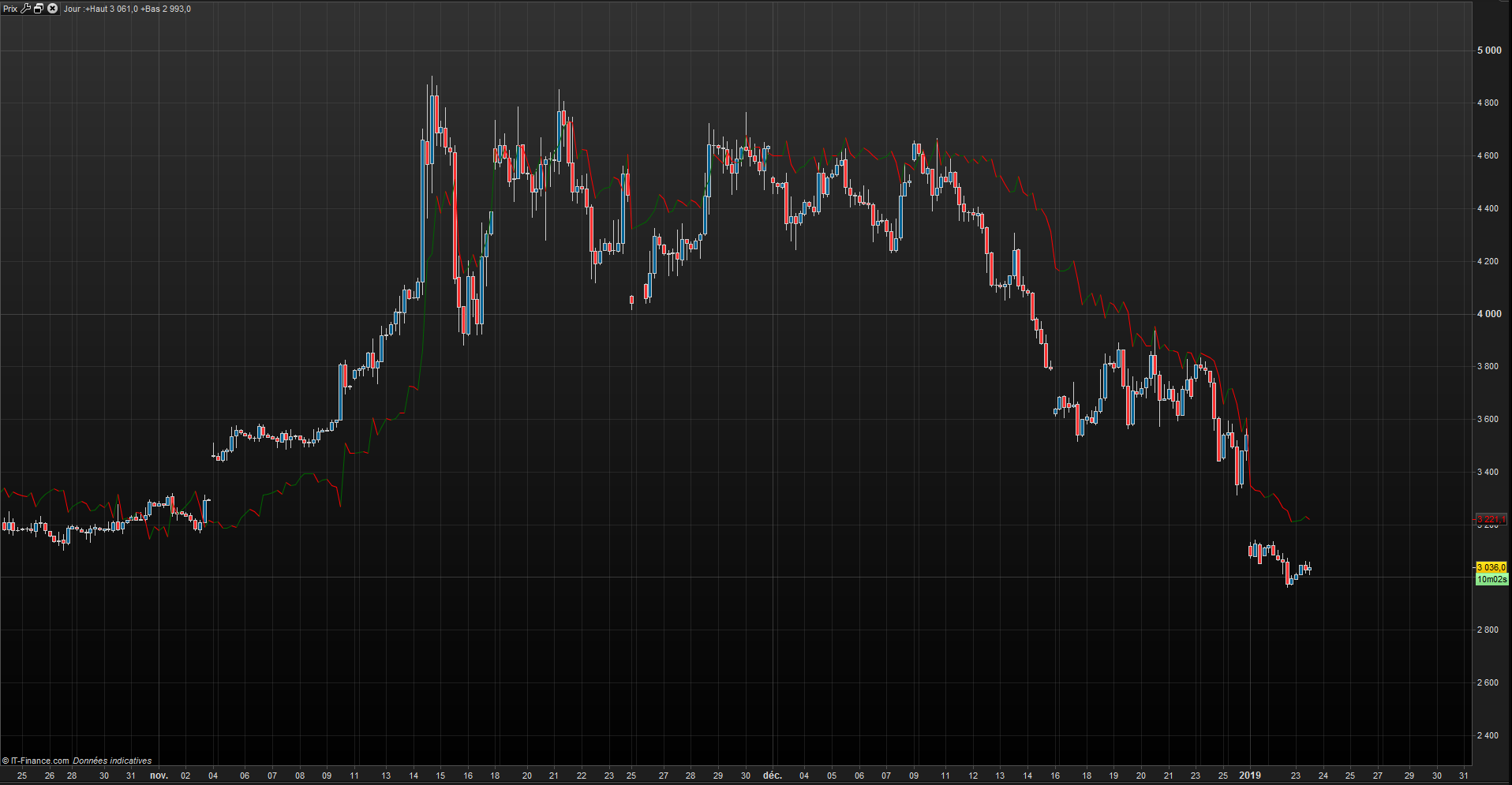
    Thanks a lot guys for your help, it seems quite encouraging. i used Vonasi’s first code. i think it would be better if i was able to smooth it a little bit but it return me an error message.

    aaa-2.png aaa-2.png
    #89475 quote
    Porion
    Participant
    New

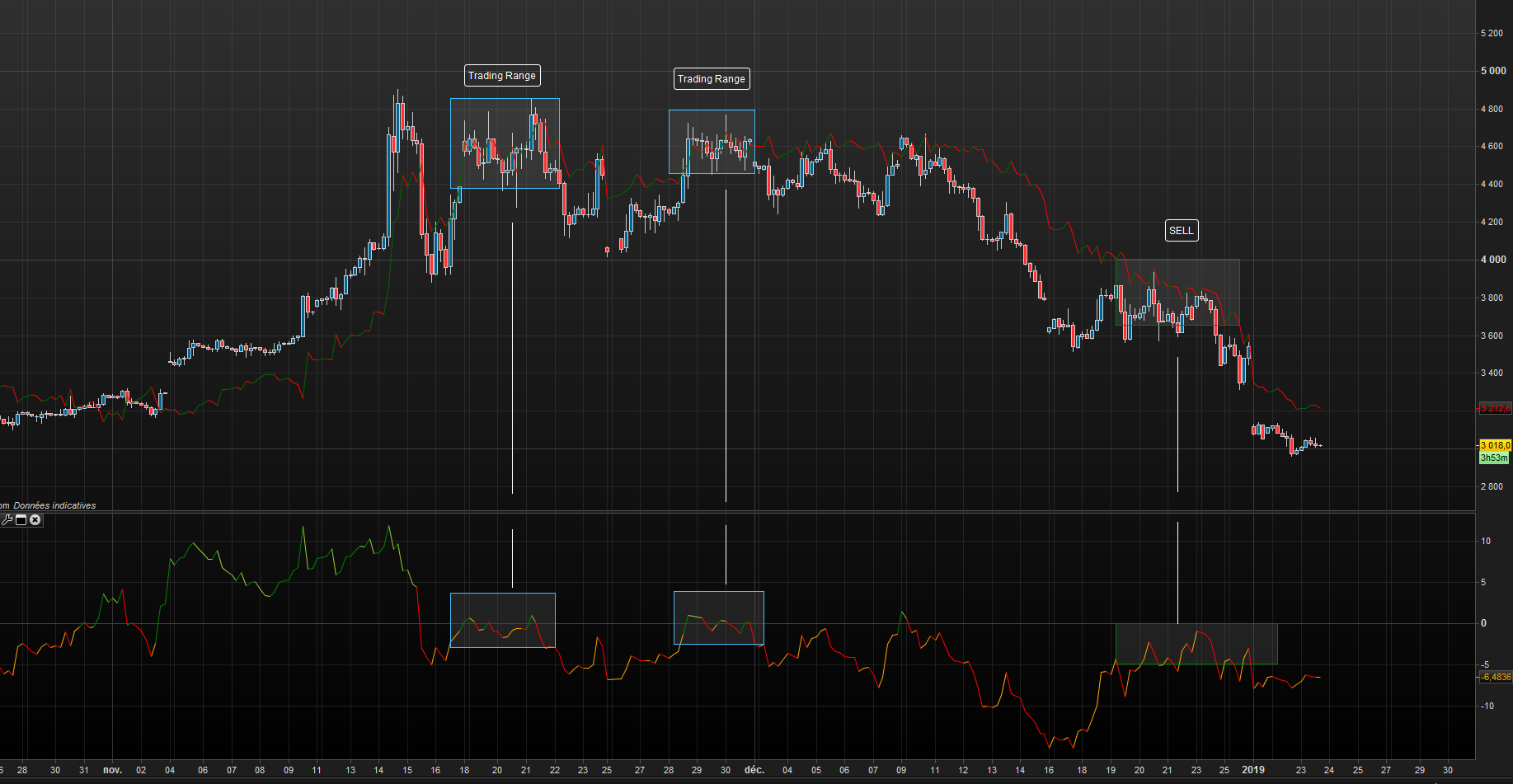
    Quite interessing as i’m now able to see where i should short (late december, as you can see on the chart) but with the old indicator i wasn’t.

    aaa-3.png aaa-3.png
    #89478 quote
    Vonasi
    Moderator
    Master

    i think it would be better if i was able to smooth it a little bit

    Try changing line for something like this:

    x = exponentialaverage[3](0 - (RSI[30](close) - RSI[100](close)))
    #89479 quote
    Vonasi
    Moderator
    Master

    I think I messed up the code in post #89465 as I was playing with Roberto’s suggestion. I have edited the post and corrected it now so you might want to try it again.

    #89489 quote
    Porion
    Participant
    New

    Thanks Vonasi,

    i added

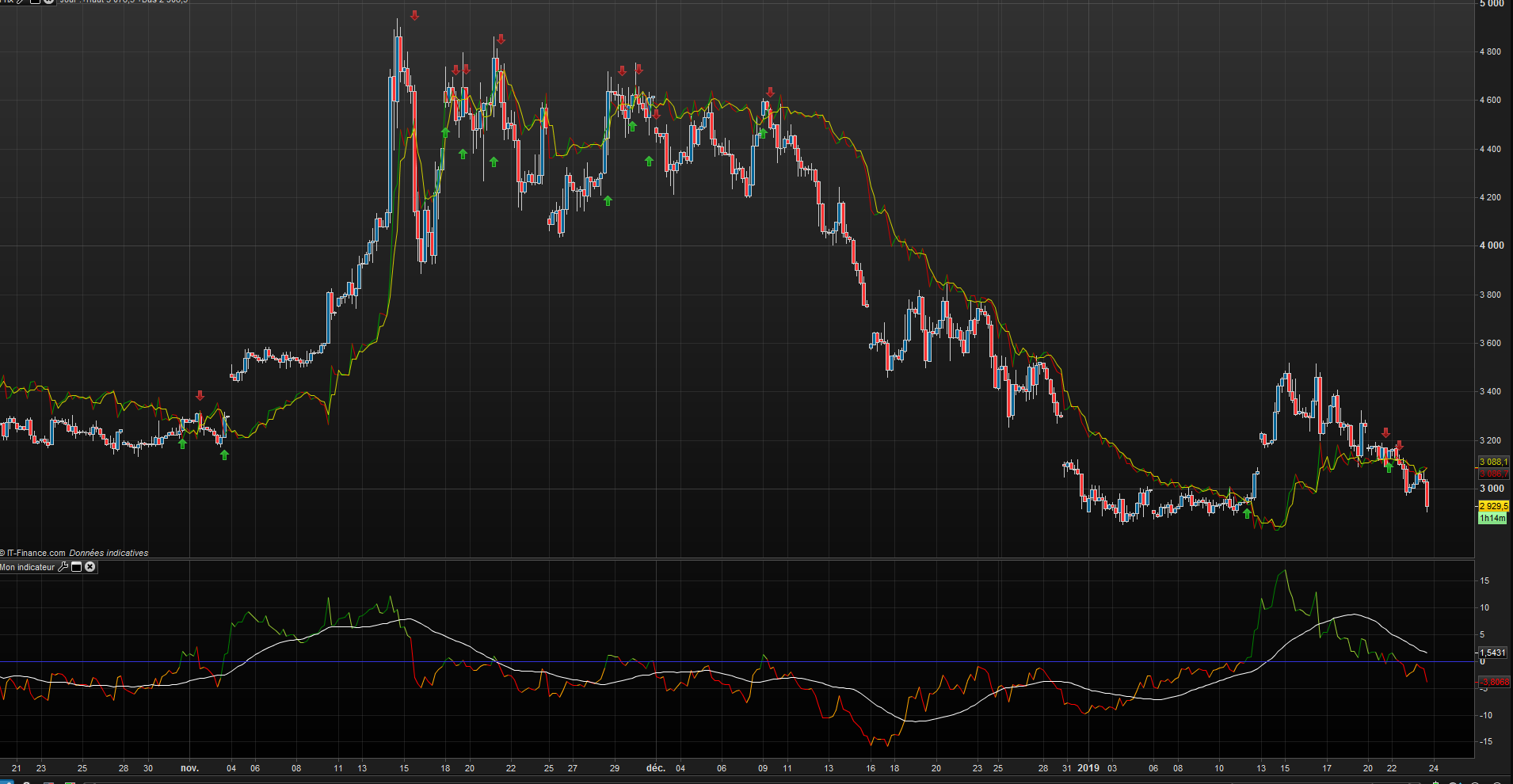
    a1 = ((highest[3](z))+(lowest[3](z)))/2

    to your code to smooth the indicator a little bit(in yellow)

    aaa-4.png aaa-4.png
    #89494 quote
    Vonasi
    Moderator
    Master

    Increasing the period from 3 upwards will smooth it more but at the expense of lag.

Viewing 13 posts - 16 through 28 (of 28 total)
  • You must be logged in to reply to this topic.

apply my personnal indicator to graph


ProBuilder: Indicators & Custom Tools

New Reply
Author
author-avatar
Porion @porion Participant
Summary

This topic contains 27 replies,
has 4 voices, and was last updated by Vonasi

7 years ago.

Topic Details
Forum: ProBuilder: Indicators & Custom Tools
Language: English
Started: 01/22/2019
Status: Active
Attachments: 7 files
Logo Logo
Loading...