adjusting code runs the code in different TF window

Viewing 5 posts - 1 through 5 (of 5 total)
  • Author
    Posts
  • #105107 quote
    Paul
    Participant
    Master

    Hi, I ‘ve 2 screens open, one on 1 min TF, the other one on 5 min TF

    I’am working on the code on the 1 minute timeframe (1minute chart is highlighted/active), click to probacktest my system and it runs on the 5 minute TF and visa versa sometimes. What to do to prevent this, because it’s pretty annoying!

    #105109 quote
    robertogozzi
    Moderator
    Master

    You need to click PROBACKTEST from the chart from which you want to run your code.

    #105112 quote
    Paul
    Participant
    Master

    yes indeed.  Working on 2 strategies the same time, one 1 min an other 5 min.

    I go to the mechanic tool icon on the equitycurve and via modify probacktest directly or after detail rapport. It still switches sometimes, not often. Anyway perhaps some strange habit of mine I overlook is the reason if nobody else have it. Can’t replicate it either.  This is with the mac software.

    #105114 quote
    GraHal
    Participant
    Master

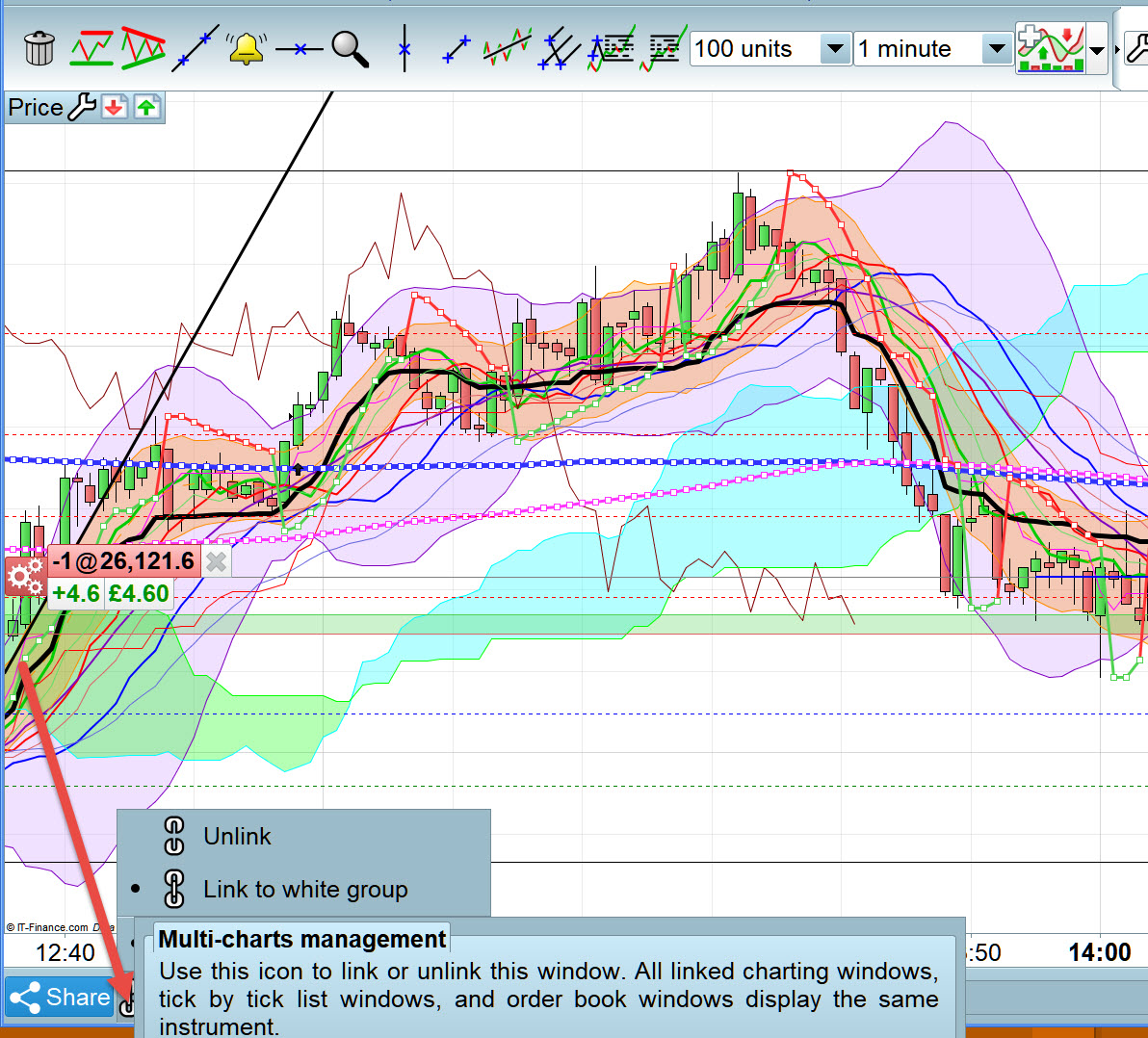
    Do you need the Charts to be unlinked … see at the red arrowhead

    Paul.jpg Paul.jpg
    #105122 quote
    Paul
    Participant
    Master

    Thanks GraHal for the tip. I will check next time if it goes wrong again!

Viewing 5 posts - 1 through 5 (of 5 total)

  • You must be logged in to reply to this topic.

adjusting code runs the code in different TF window


Platform Support: Charts, Data & Broker Setup

New Reply
Author
author-avatar
Paul @micky75d Participant
Summary

This topic contains 4 replies,
has 3 voices, and was last updated by Paul

6 years, 6 months ago.

Topic Details
Forum: Platform Support: Charts, Data & Broker Setup
Language: English
Started: 08/20/2019
Status: Active
Attachments: 1 files
Logo Logo
Loading...