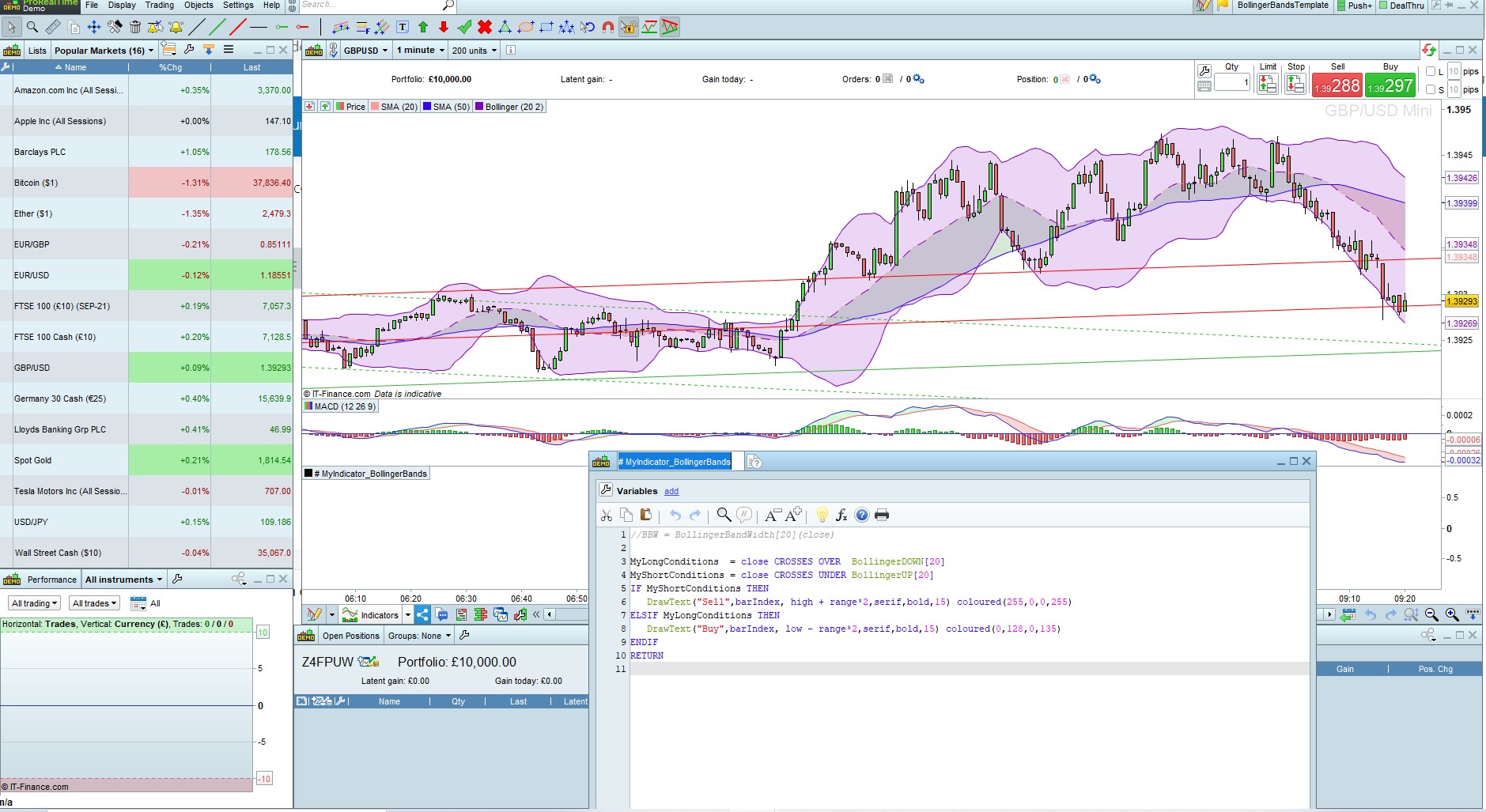
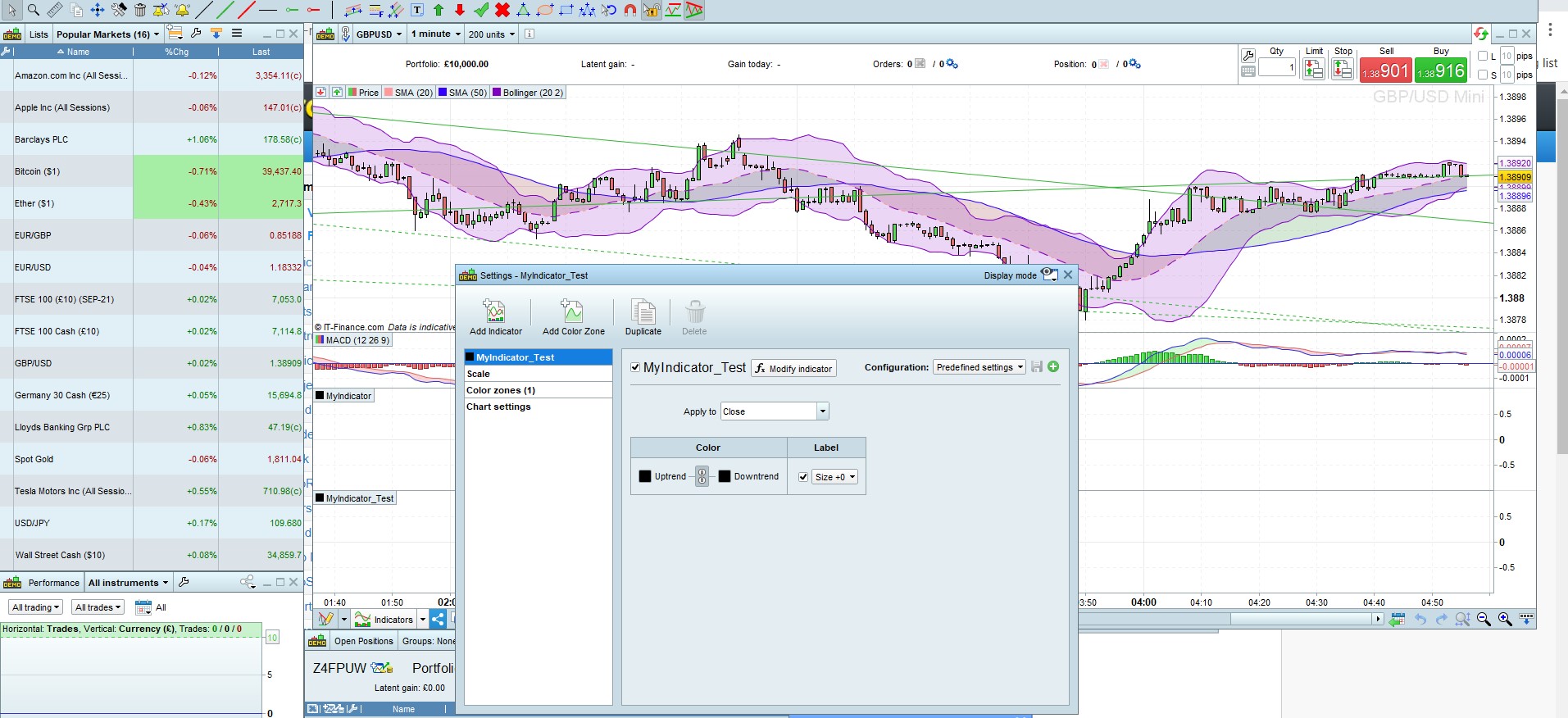
Am working on a Bollinger bands idea and auto system where i want to be able to write “Buy” on all points on the charts that buy conditions are met and “Sell” where all sell conditions are met.
I will be most grateful for any help on this issue, Cheers,
There you go:
MyLongConditions  = close CROSSES OVER  BollingerDOWN[20]
MyShortConditions = close CROSSES UNDER BollingerUP[20]
IF MyShortConditions THEN
   DrawText("Sell",barIndex, high + range*2,serif,bold,15) coloured(255,0,0,255)
ELSIF MyLongConditions THEN
   DrawText("Buy",barIndex, low - range*2,serif,bold,15) coloured(0,128,0,135)
ENDIF
RETURN
@robertogozzi
Thanks very much, i do appreciate your help so much.
Cheers!
Hello Robertogozzi,
I have applied the sample bollinger codes you provided, but no texts are drawn or written on the chart as shown in the attached screenshot.
Also when i create new indicators they are not getting saved after closing the platform . i follow the instructions to save by adding to the chart but is not saving.
I will be most grateful you help
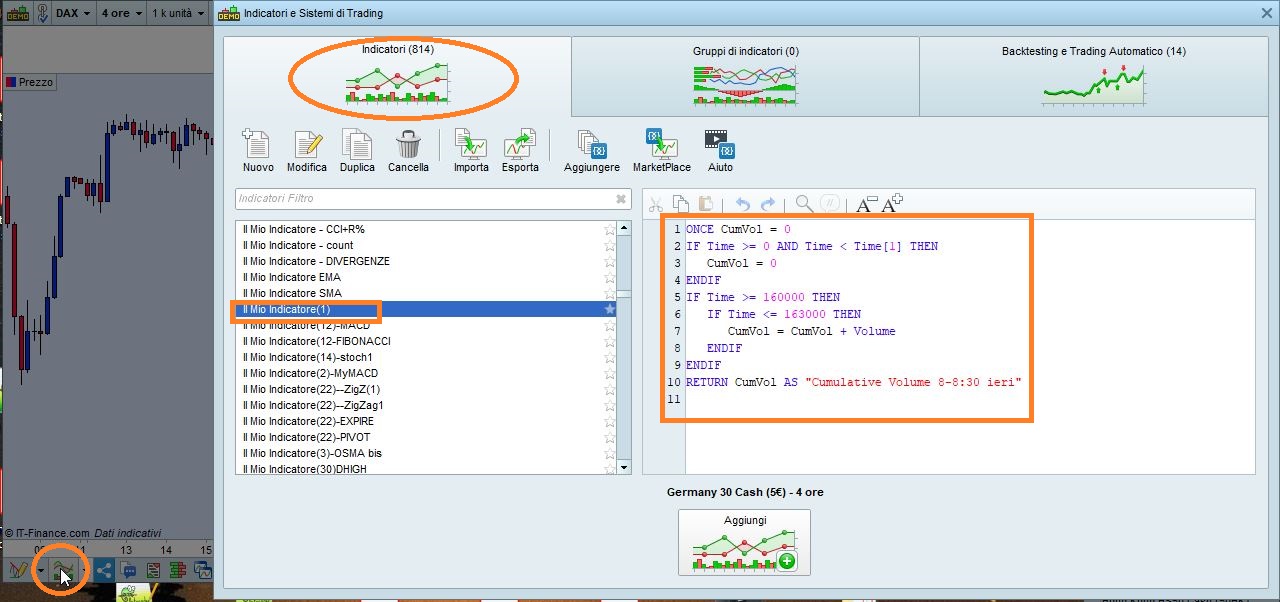
To be added to the chart it MUST be saved, check ProBuilder (the software managing indicators and oscillators) as shown in pic X.
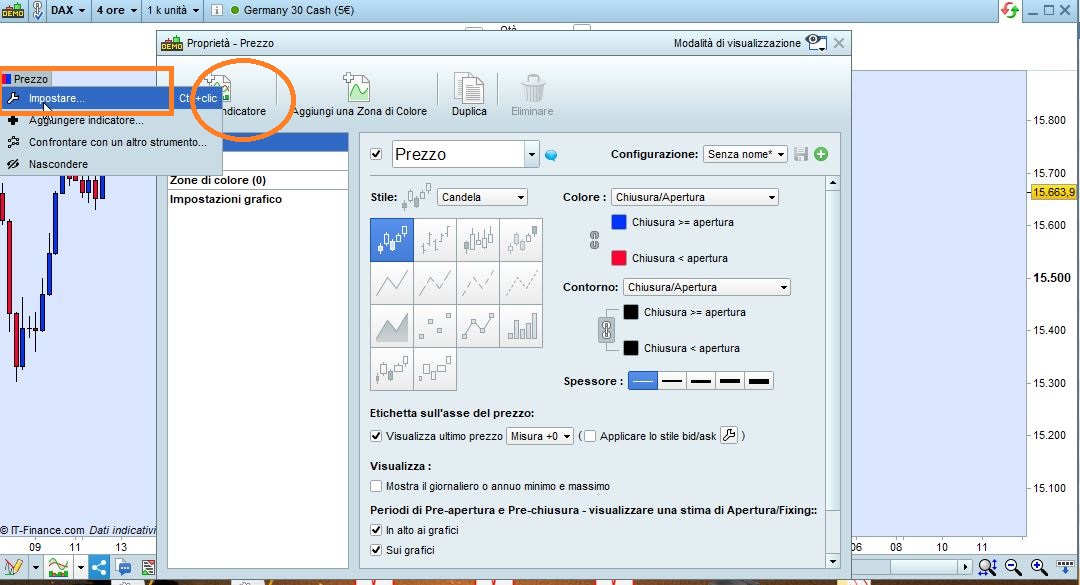
To be visible you need to add it ON rthe price chart, not below, as shown in pic Y:
- click the PRICE tag on the upper left corner of your chart
- select SETTINGS
- once the settings show, selct ADD INDICATOR and choose among those listed (yours will be there under the name you have chosen).
Thanks very much but the save issues still remain .
I followed the link or material you provided “check ProBuilder (the software managing indicators and oscillators) “, but he Save referred to there is about Save platform and template.
There is article or documents on how to save Indicators, even it the programming environment there are many tools like copy, paste, do, undo etc but there is no tool for Saving the programs that have been coded.
Also please i will be glad you put your images in English.
Thanks
When you validate/confirm an indicator it is saved in Probuilder and you can export to any folder of your choice in your PC.
You don’t have to translate what’s in my pics, just click the tab in THAT position on your chart.
You may find these links useful:
https://www.prorealtime.com/en/help-manual/quick-tour
https://www.prorealcode.com/programming-with-prorealtime/
https://m.youtube.com/channel/UC0OEWQSbrDTH2ArVFAzNJkQ
Hi Robertogozzi,
Thanks very much for the response and information.
I read all the links you have provided but none of them explained how to validate/confirm an indicator.
I guess this could be a very simple action but if you could state or explain in practical terms the exact action that must be done to get the new indicator validated or confirmed.
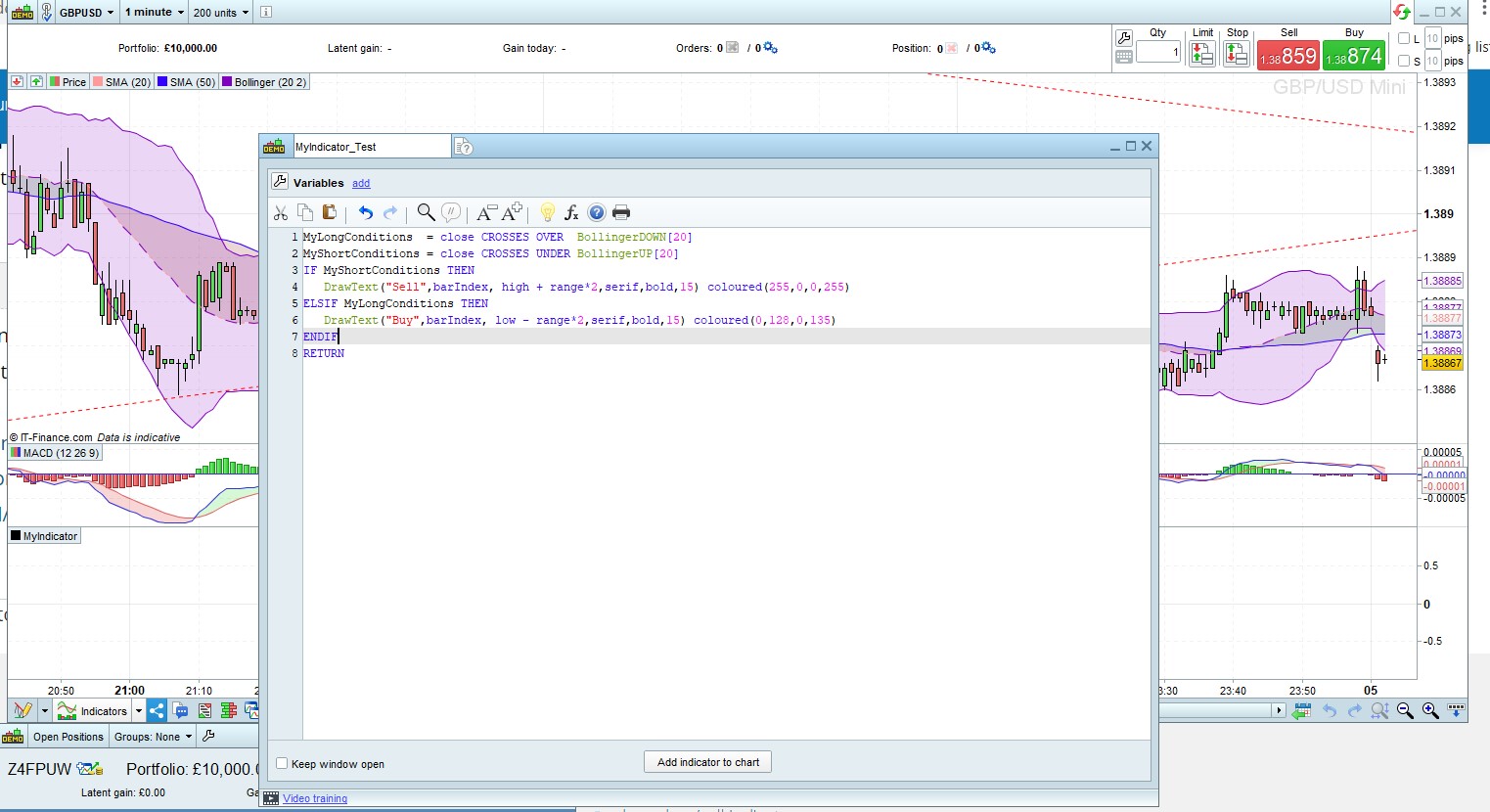
I have attached again the new indicator window ,and kindly tell me what need to be done in this code window to get the indicator saved, and ready to be applied to the charts.
Thanks and regards.
Those links will lead you to videos that explain how to build and save indicators, among many other things.
Click the button “Add indicator to chart” and this will save your code.
Once you have clicked it, does that indicator appear among your indicators?
Hello,
I had already stated i clicked “Add indicator to chart” button many times but it does not not save, instead another window opens (settings) as shown attached.
And even after closing settings windows the indicator does not save.
Is your indicator listed among all the others?
No , it is not listed. I guess it will be listed only after the Save proces is functioning well.
I suggest you hit Ctrl+M to open an assistance ticket with PRT,
Hi Robertogozzi,
Hello,
i have raised technical support ticket in the PRT sine last week but unfortunately response has been very disappointing.
And as at today the IG team has no idea when my issues will be resolved , according to the team they have forwarded my issues to their dev team and have not heard anything from them since.
Please do we have a paid services when i can pay someone to at least use teamviewer and i will share my screen and platform for help.
Perhaps it may be relating to some Settings i have missed or something else.
Regards
There’s no option to tick/clear to enable/disable saving code. It is automatically saved after writing it, even closing the code window will save it.
Your code will only be lost whenever the platfotm or your PC is shut down suddenly. In this case all code written/modified since the last save is lost (I regularly do a Copy & Paste to Notepad++ every 30-60 minutes or export the code to a folder).
If this is not the case, then I’m afraid no connection to your PC will help.
In any case paid programming services are available at https://www.prorealcode.com/trading-programming-services/.