Actual/ current Price levels to appear on Indicators

Viewing 3 posts - 1 through 3 (of 3 total)

  • Author
    Posts
  • #65540 quote
    segie
    Participant
    Senior

    Good day,

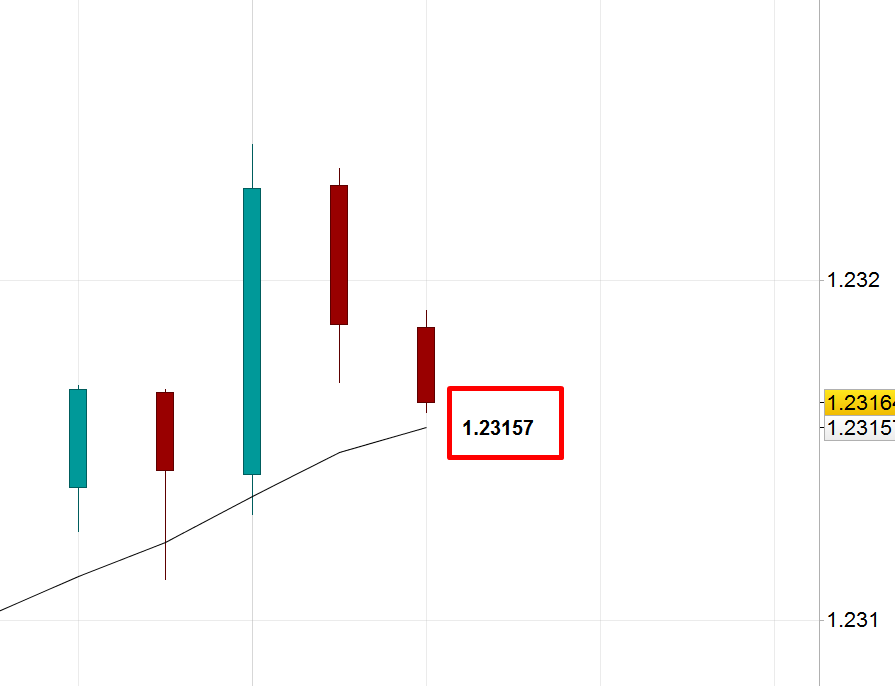
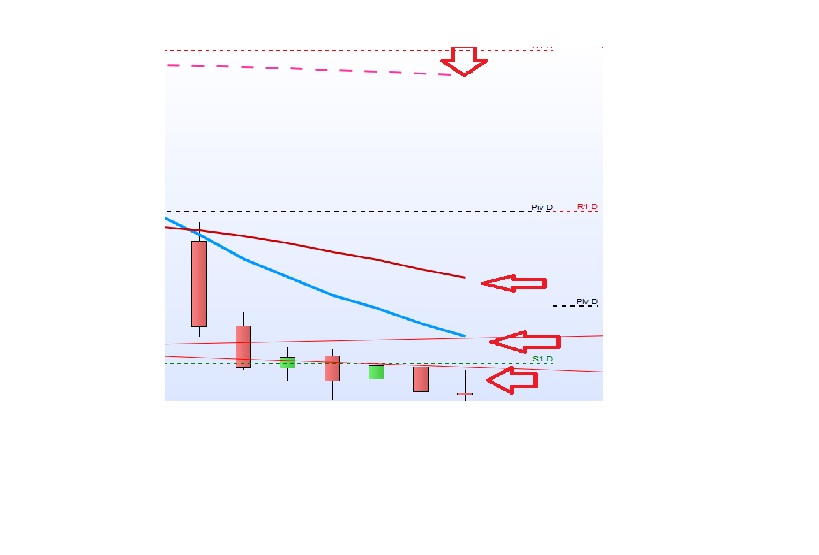
    Need help with the following. I would like the live/current price to appear on the following indicators. i.e without having to use the cursor

    1)  Current candle stick: Price to appear above it as it trades live.

    2) Moving averages: Price to appear at the end of the line

    3) Support and Resistences: Price to appear just above or below.

    I know they appear on the right hand side of the chart. But would like to see  those  same price levels on these actual indicators if possible. I have attached a picture. Any help will be appreciated.


    Regards,

    Segie

    #65673 quote
    Ulrike
    Moderator
    Senior

    Hi Segie,

    I moved your post to “ProBuilder support” as this section is more appropriate concerning your request.

    The options you are looking for  are not provided by default.

    Best regards,

    Ulrike

    #65699 quote
    Nicolas
    Keymaster
    Master

    That would need some custom coding for each of the indicator you’d like to get the value plotted like the way you want. As an example, for a moving average:

    defparam drawonlastbaronly=true
    
    a = average[10]
    
    drawtext("                         #a#",barindex,a,Dialog,Bold,20)
    
    return a
    segie thanked this post
Viewing 3 posts - 1 through 3 (of 3 total)
  • You must be logged in to reply to this topic.

Actual/ current Price levels to appear on Indicators


ProBuilder: Indicators & Custom Tools

New Reply
Author
author-avatar
segie @segie Participant
Summary

This topic contains 2 replies,
has 3 voices, and was last updated by Nicolas

7 years, 10 months ago.

Topic Details
Forum: ProBuilder: Indicators & Custom Tools
Language: English
Started: 03/17/2018
Status: Active
Attachments: 2 files
Logo Logo
Loading...