Hello,
Thank you all for your suggestions.
I published the code above to help you test configurations. This code is incomplete and should not be used on a real account. (I should have clarified this.)
I will do what I can to make the indicator usable in a robot.
However, I cannot remove the tables from my code because the range recognition algorithm relies on them.
I added the “Return” option to avoid rescaling the chart. This comes from the buy and sell signals that are 1 and -1.
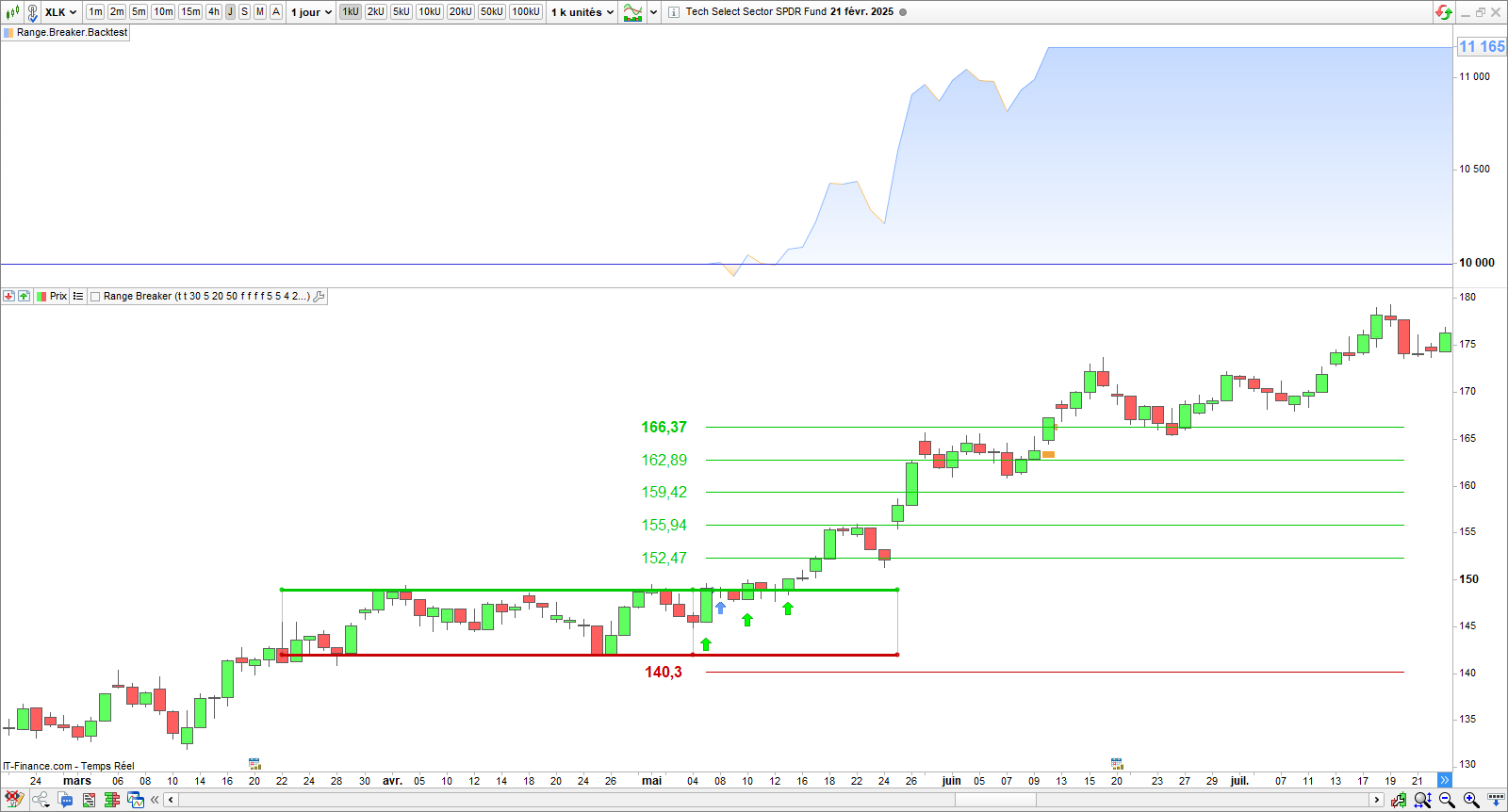
For now, I recommend that you backest your configurations before taking manual positions. You can use the variable optimizer to find the stoploss and target levels.
Kind regards
Hello everyone,
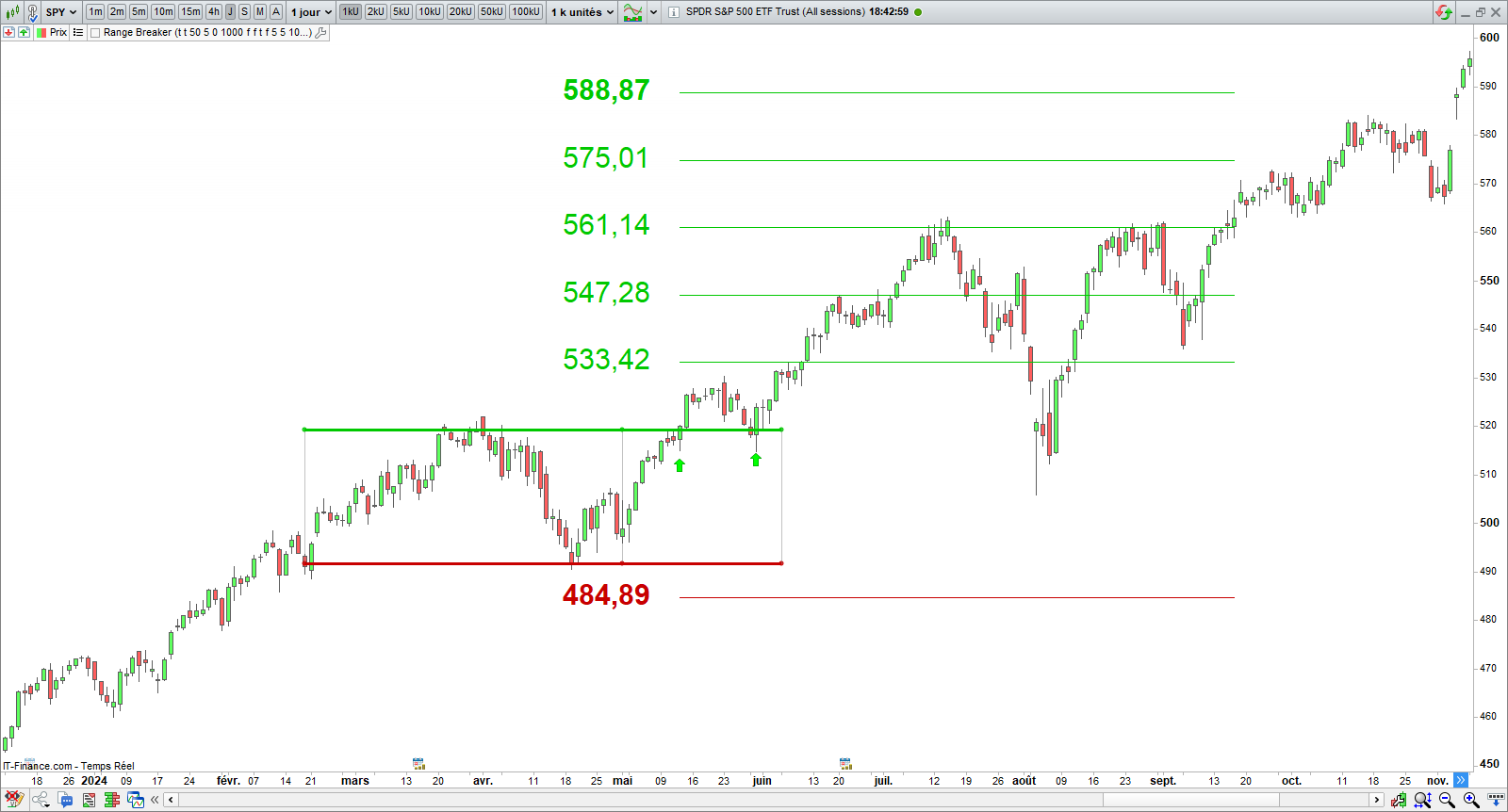
I just updated the Range Breaker indicator. I fixed the bug that caused the bot calling the indicator to crash. I added checks on all the tables present in the code. I also improved the algorithm and optimized the code. The indicator is more efficient and faster now.
The call parameters of the indicator have changed. You must use the following code to integrate the indicator in a backtest:
//--------------------------------------------------------//
// *** Range Breakout Backtest  *** //
//--------------------------------------------------------//
// Author: Vivien Schmitt
// Website: https://artificall.com
// Range Breaker: https://artificall.com/range-breaker-prorealtime/
// Indicator: Range Breaker
// Date: 2025/02/24
//--------------------------------------------------------//

DEFPARAM CUMULATEORDERS = False
DEFPARAM PRELOADBARS = 1000

//--------------------------------------------------------//
// *** SETTING BLOCK *** //
//--------------------------------------------------------//
// * Position Size
// Capital to invest
ONCE CapitalToInvest = 10000
// Minimum number of contracts
ONCE NumberOfContractsMin = 0.5
// Position Size
NumberOfContracts = MAX(ROUND(CapitalToInvest / Close, 2), NumberOfContractsMin)

// * Indicator Parameters
// Type of Breakout
ONCE BullishBreakout = 1
ONCE BearishBreakout = 0

// Length of the range
ONCE RangeLength = 30

// Extension of the Range
ONCE RangeExtension = 5

// Min range height (%)
ONCE HeightMin = 20

// Max range height (%)
ONCE HeightMax = 100

// Breakout conditions
ONCE ValidatedBreakout = 0

// Volume Filter
ONCE VolumeIncreases = 0

// Trend Filter
ONCE IntTheTrend = 0
ONCE Reversal = 0

// Target and Stoploss levels
ONCE TargetLevel = 5
ONCE StoplossLevel = 5

// Font Size
ONCE FontSize = 12

// Starting Year
ONCE StartingYear = 2000
//--------------------------------------------------------//

//--------------------------------------------------------//
// *** INITIALIZATION OF THE VARIABLES *** //
//--------------------------------------------------------//
ONCE myBreakout = 0
ONCE myTargetLong = 0
ONCE myStoplossLong = 0
ONCE myTargetShort = 0
ONCE myStoplossShort = 0

//--------------------------------------------------------//
// *** INDICATOR CALLING *** //
//--------------------------------------------------------//
myBreakout, myTargetLong, myStoplossLong, myTargetShort, myStoplossShort = CALL "Range Breaker"[BullishBreakout, BearishBreakout, RangeLength, RangeExtension, HeightMin, HeightMax, ValidatedBreakout, VolumeIncreases, IntTheTrend, Reversal, TargetLevel, StoplossLevel, FontSize, StartingYear](close)

//--------------------------------------------------------//
// *** ENTRY OPENING *** //
//--------------------------------------------------------//
// *** LONG POSITION OPENING *** //
IF NOT OnMarket AND myBreakout = 1 THEN
  BUY NumberOfContracts CONTRACTS AT MARKET
  Set Target Price myTargetLong
  Set Stop Price myStoplossLong
ENDIF

// *** SHORT POSITION OPENING *** //
IF NOT OnMarket AND myBreakout= -1 THEN
  SELLSHORT NumberOfContracts CONTRACTS AT MARKET
  Set Target Price myTargetShort
  Set Stop Price myStoplossShort
ENDIF
I updated the documentation of the indicator in which I describe the new options:
https://artificall.com/docs/range-breaker/range-breaker-documentation-en/
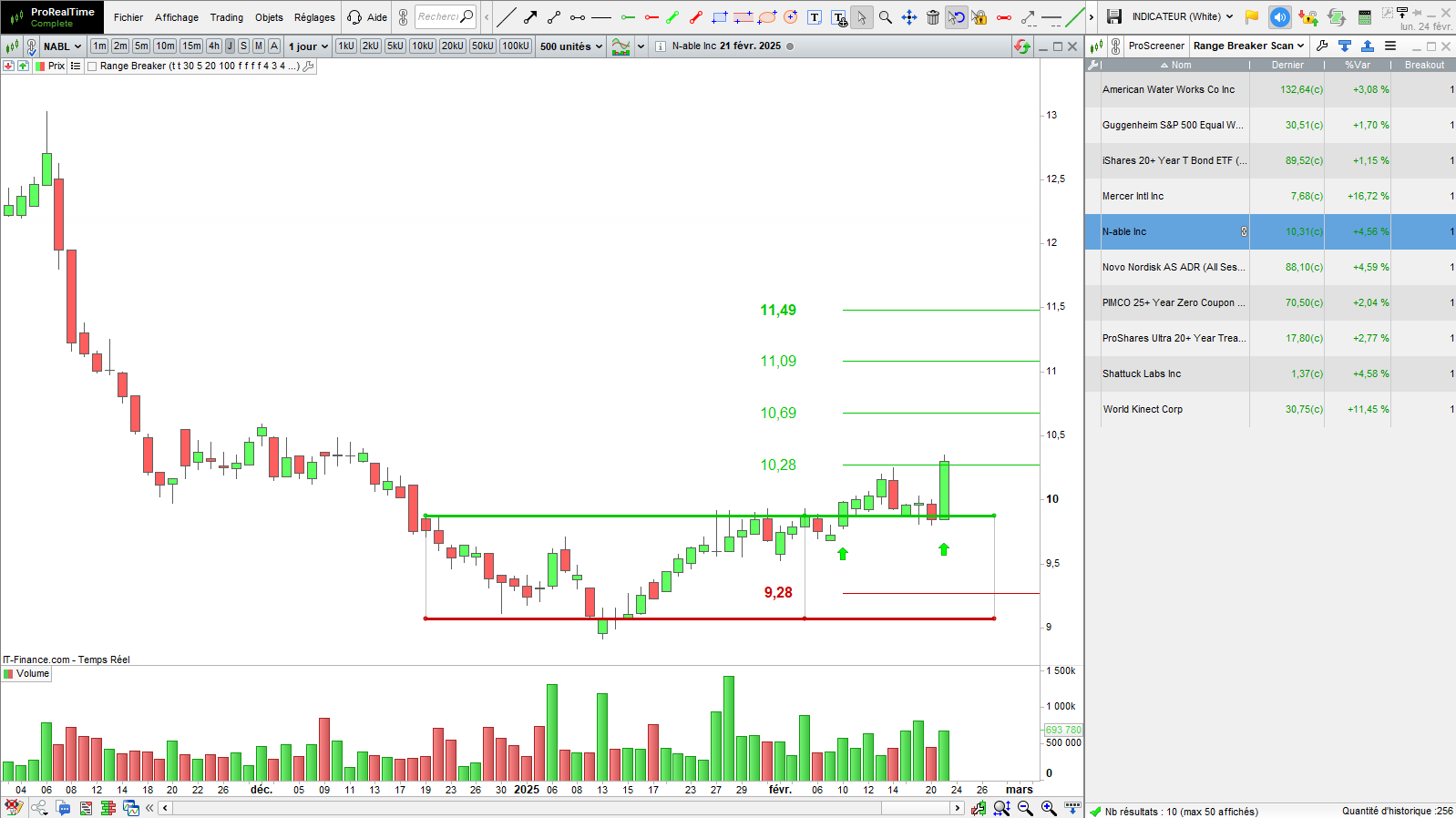
New: Range Breakout Screener
I created a range break detection screener. I sent the new indicator and screener version to my subscriber list. If you haven’t received them, you will find the download link on the documentation page.
Feel free to reply to this message if you have any questions.
I wish you good trades. 😊
Vivien