1/4 Hour Units of Time

Viewing 10 posts - 1 through 10 (of 10 total)

  • Author
    Posts
  • #138505 quote
    StrongRobert
    Participant
    Junior

    Hi Guys,


    On the daily chart i can see the 25 to 1,500 units.

    On the 1 to 4 hours I can only see 400 units back in time.  Anyone else had this issue or know how to solve it ?


    Thank You

    Robert

    #138537 quote
    GraHal
    Participant
    Master

    Close Platform and login again and then if the same Issue  … tell us which Market and I will try on my Platform for you.

    #138843 quote
    StrongRobert
    Participant
    Junior

    Hi,


    Thank you for your reply. I have tried that several times. I am using PRT to trade currency pairs I am experiencing it on all pairs. V10.3 Broker IG.


    Thank You

    Robert Strong

    #138845 quote
    GraHal
    Participant
    Master

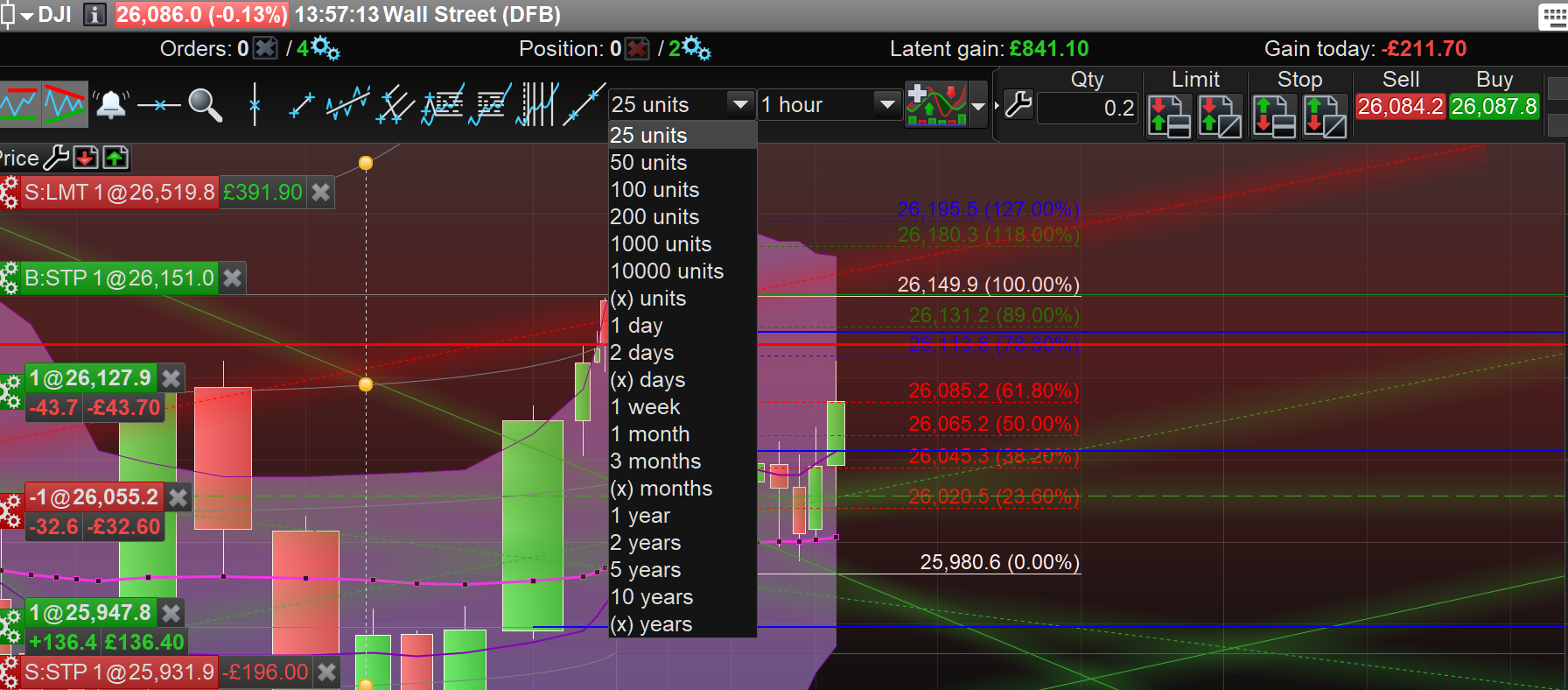
    You are selecting the Units as attached …Yes?

    S.png S.png
    #138847 quote
    StrongRobert
    Participant
    Junior

    Yes sir!

    #138852 quote
    GraHal
    Participant
    Master

    On the 1 to 4 hours I can only see 400 units back in time.

    400 units isn’t even a selectable value so how are you getting 400 units?

    Please post a screen shot of what you have selected and what you are seeing.

    #138858 quote
    StrongRobert
    Participant
    Junior

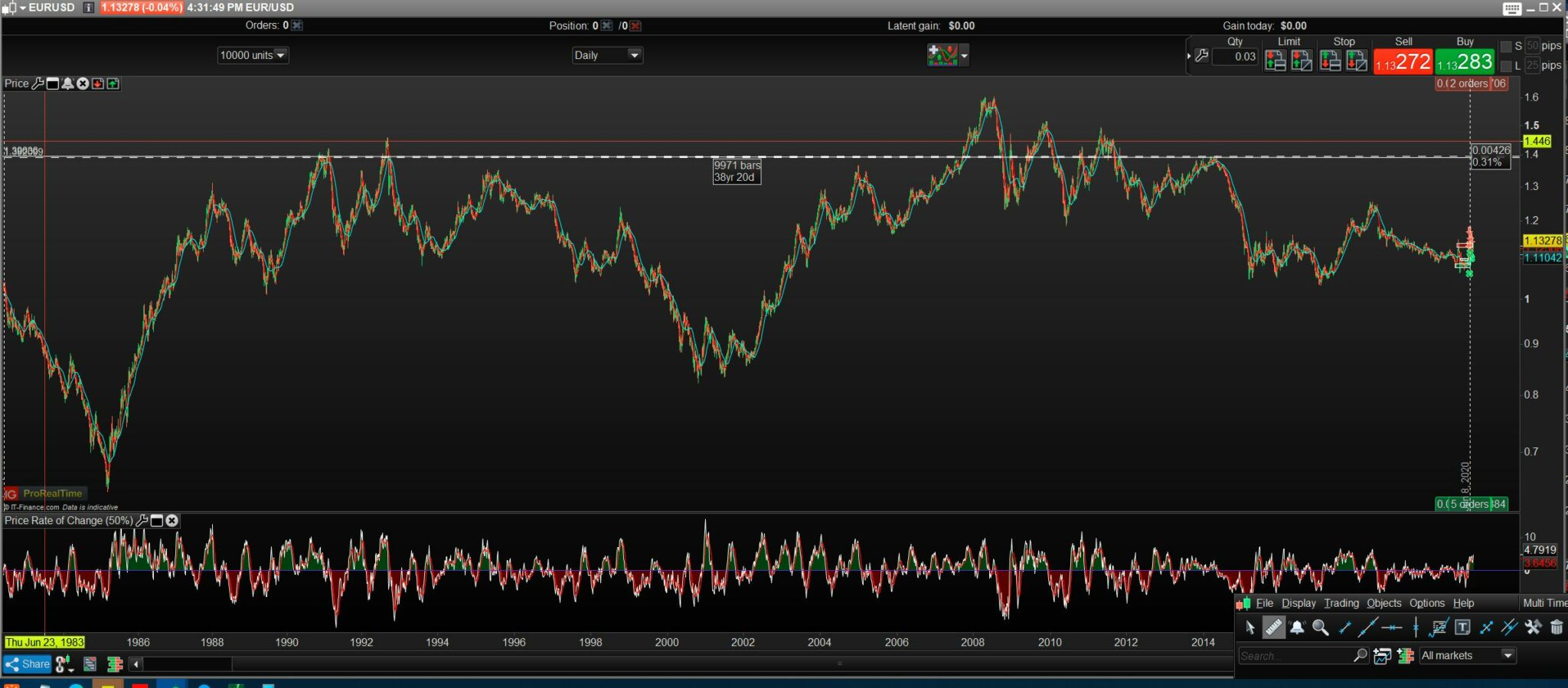
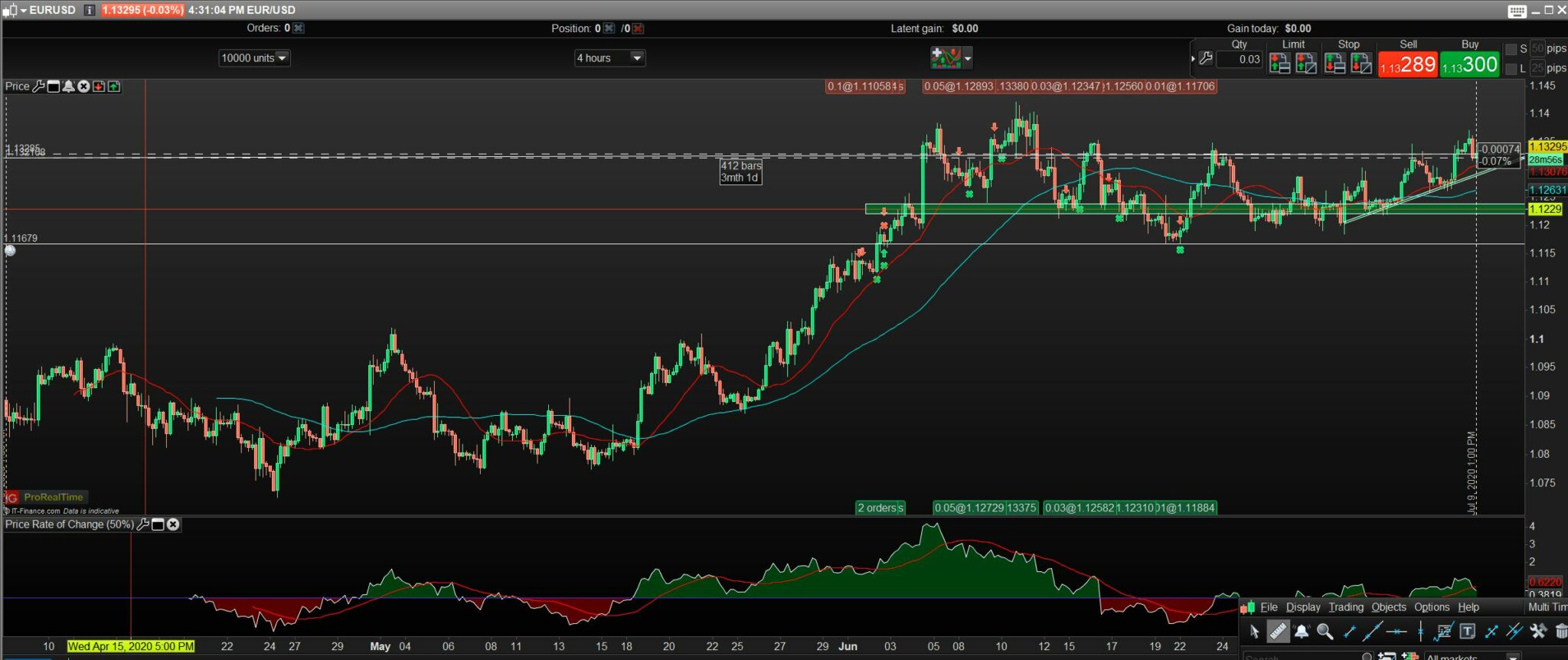
    Same chart all I changed was the 4 hour time increment to 1 day. Please let me know if anything else would help.

    1-Day.jpg 1-Day.jpg 4-Hour.jpg 4-Hour.jpg
    #138864 quote
    GraHal
    Participant
    Master

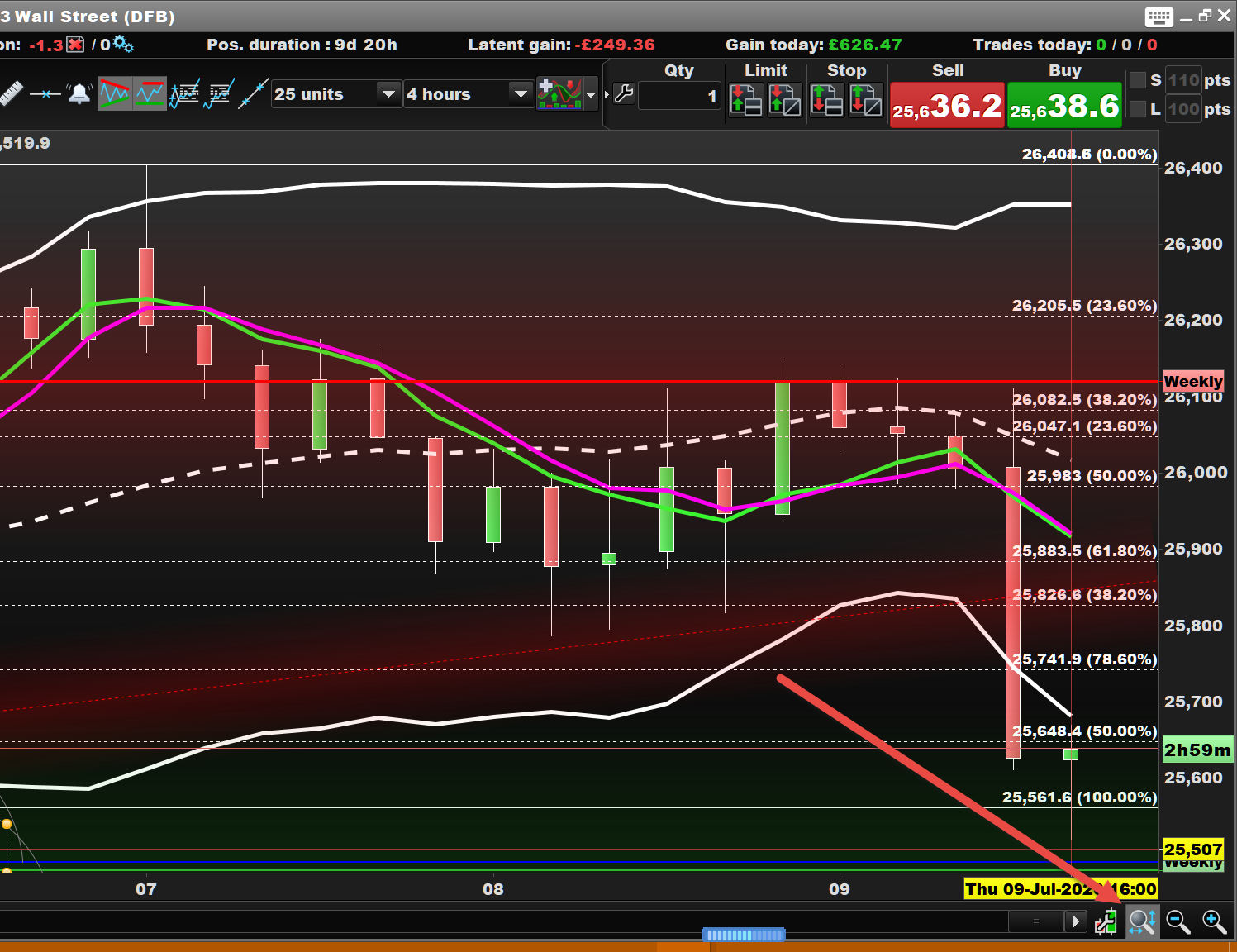
    Might sound daft, but just click the little magnifier at the red arrowhead on attached and tell us if it makes any difference?

    On the face of it I can’t see why you are only seeing 400 units at 4 hour TF … apart from above?

    #138866 quote
    GraHal
    Participant
    Master

    Ooops forgot the screen shot

    Red arrowhead … bottom right hand corner

    S2.png S2.png
    #139893 quote
    RafaelN
    Moderator
    Senior

    Dear Robert,

    In order to allow ProRealTime to analyze your platform, please send us a technical report following these instructions:

    • As soon as you encounter the issue, go to the “Help” menu on the ProRealTime toolbar.
    • Please assure that the window concerned by this issue is open.
    • Click on “Technical support”
    • Choose the category (e.g. “Data” for a spike)
    • Select the concerned window in the drop-down menu.
    • Giving as much detail as possible, explain the issue you are having in the text box.
    • Click “Send report”

    This will send us a report containing technical information concerning your platform, which will allow our technical team to run a diagnostic analysis of the issue you have come across.

    Thanks in advance,

Viewing 10 posts - 1 through 10 (of 10 total)
  • You must be logged in to reply to this topic.

1/4 Hour Units of Time


Platform Support: Charts, Data & Broker Setup

New Reply
Author
Summary

This topic contains 9 replies,
has 3 voices, and was last updated by RafaelN

5 years, 8 months ago.

Topic Details
Forum: Platform Support: Charts, Data & Broker Setup
Language: English
Started: 07/06/2020
Status: Active
Attachments: 4 files
Logo Logo
Loading...