Hi
I have set at stop on my program at the bottom with:
SET STOP pTrailing 4
but it only works in long positions and not when a short positions is opened. What is wrong??
DEFPARAM CumulateOrders = False// Define start and closing time
DEFPARAM FlatBefore = 091500
DEFPARAM FlatAfter = 171500

// Define holidays when market closed 2019
IF (Month = 1 AND Day = 1) OR(Month = 4 AND (Day = 19 OR Day = 21 OR Day = 22)) OR (Month = 5 AND Day = 1) OR (Month = 6 AND (Day = 6 OR Day = 21)) OR (Month = 12 AND (Day = 24 OR Day = 25 OR Day = 26 OR Day = 30 OR Day = 31)) THEN
TradingDay = 0
ELSE
TradingDay = 1
ENDIF

// Conditions and indicators for the system
MA = Average[30](close) // Simple moving average
X = 5 // Number of contracts

cond1 = Low[0] > MA

// Conditions for long positions
cond2 = High[0] < MA // Conditions for short positions

//Long positions
IF (cond1) AND TradingDay > 0 THEN
BUY X CONTRACTS AT MARKET
ENDIF

IF LONGONMARKET AND (cond2) THEN
SELL AT MARKETENDIF

// Short positions
IF (cond2) AND TradingDay > 0 THEN
SELLSHORT X CONTRACTS AT MARKET
ENDIF

IF SHORTONMARKET AND cond1 THEN
EXITSHORT AT MARKET
ENDIF

// Stops and targets : Enter your protection stops and profit targets here
SET STOP pTrailing 4 // Backtest StopLoss if contracts increases
I believe SET STOP pTrailing 4 works by a default gain of 12 (all*pipsize) then the step of 4 comes into play, then another step of 4 after a further gain of 4.
So a drop of 8 after an initial gain of 8 and you are out / exit.
Does above figure on how you know SET STOP pTrailing 4 is working on Long Trades?
Just a few thoughts, anybody got anything better?
How does one GRAPH SET STOP pTrailing anyway … anybody?
Aha … I just had an idea after asking the question! 🙂
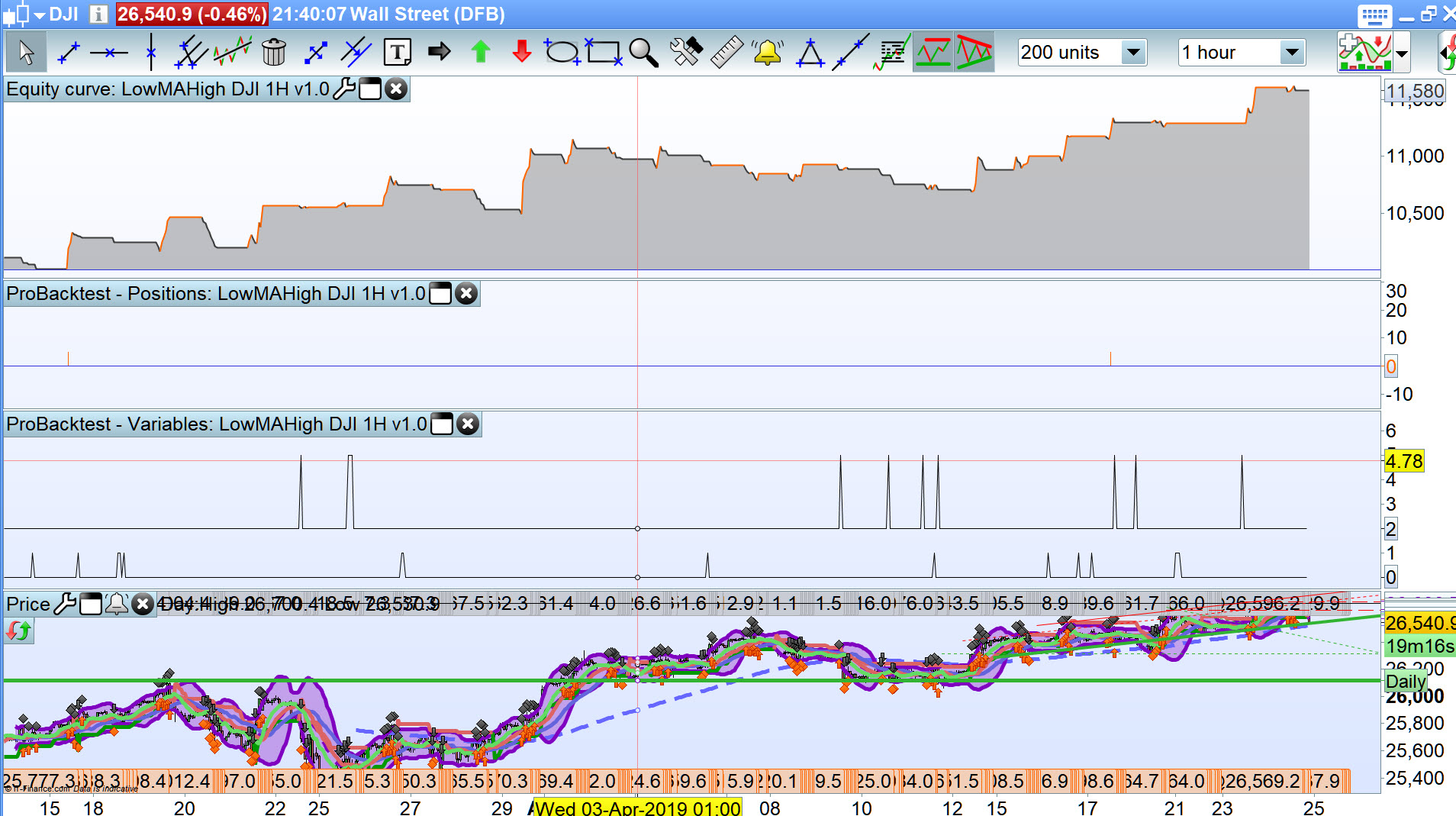
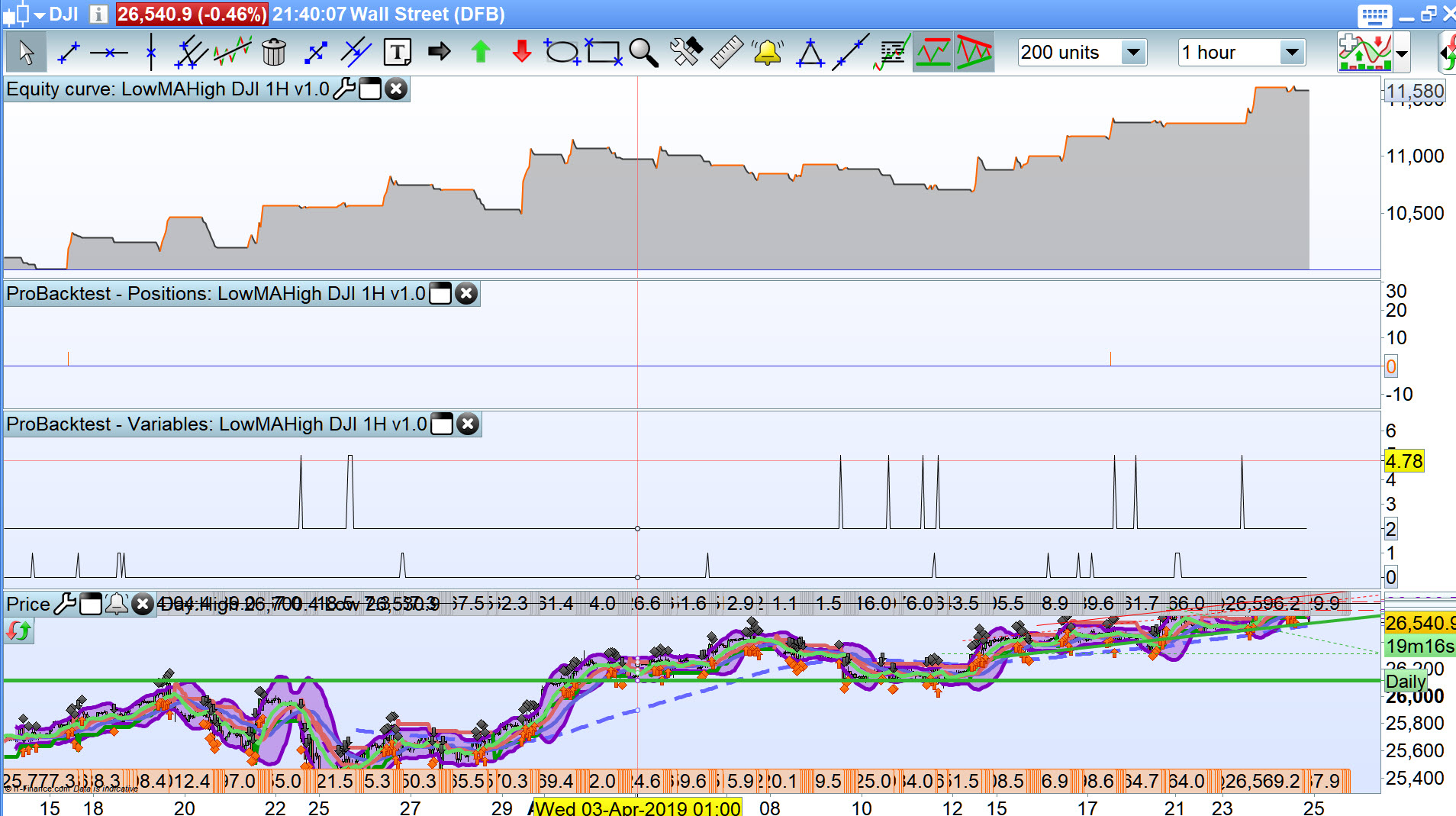
SET STOP pTrailing 4 should be working on Shorts … see spikes at 5 on attached indicates a drop of 12 after a short entry.
I’ll see if I can think of any other way to know that the step of 4 is working.
Please ignore previous post, it is in error … as I thought more about it! 🙂
umebon – Welcome to the forums. Please use the ‘Insert PRT Code’ button when putting code in your future posts. It makes it much easier for others to read and understand. I have tidied up you last post for you. 🙂
4 pips is a very close stop to use. Most brokers and markets won’t let you use such a close stop when trading live – what market are you testing on? Do you have tick by tick turned on for testing?
Vonasi do you recall any snippet to show that a Trailing Stop is working (using GRAPH I guess)?
With the OP stop being so low then most trades are entry and exit within a single / first 1 hour bar.
I tried with the strategy running on 1 hour and Graph running on 1 min.
I was working towards showing a staircase waveform showing the TS step … but I never got there! 🙂
I never use SET STOP TRAILING but I believe it just sets a stop price x pips from the average price. I assume this is (high – low)/2? If the strategy is trading on an hour time frame you could store this value + or – your trailing stop distance at the start of each new hour and then in the minute time frame check if you are long or short and plot the stop loss value. Obviously we still have the issue of no plotting if the price moves 4 pips in the first minute bar.
Hi
I use it on 5 min Sverige Cash and it works as i want if a long position is taken. I want it too work like this:
- Long position is opened at 1680 and a trailing stop loss is set at 1676. If the market increases and passes 1681 the trailing stop is set too 1677 (this works)
- Short position is opened at 1680 and a trailing stop loss is set at 1684, and this works. But when market turns too 1679 or 1678 i want the trailing stop to follow too 1683 or 1682, a gap of four.
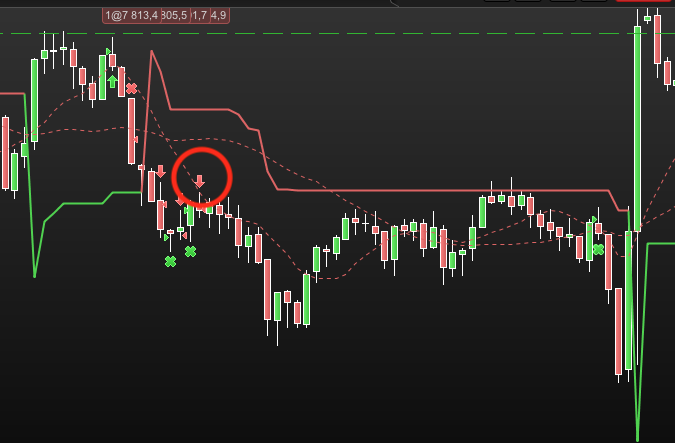
The program does it right on the long positions and sets a trailing stop on the shorts positions but they don’t change. I attach a picture where a short position is taken (red cirkel) and the trailing stop is at 4 over it. But when the market moves the trail stop doesn’t go along which results in a lower profit as the market turned around.
Grateful for all help and excuse me for my english… from sweden
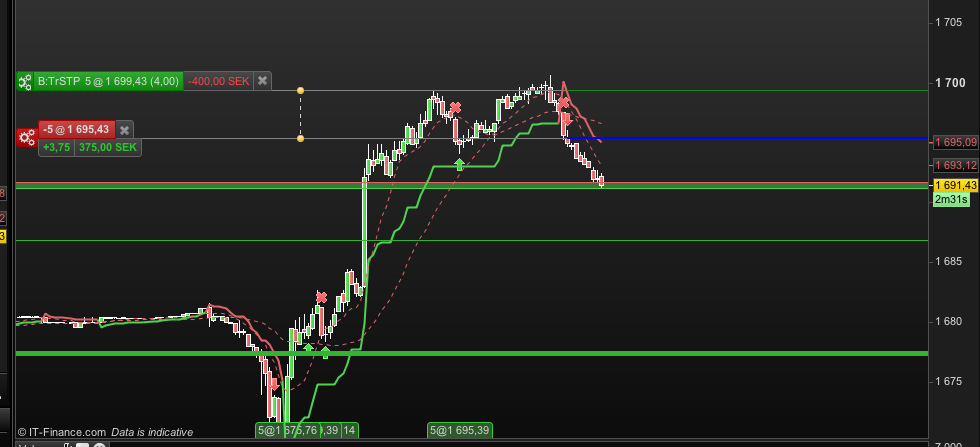
Heres a example:
Sell position taken @1695,43 at TrSTP is set at 1699,43.
The price drops but the trailing stop doesn’t follow along. If the market turns up again the stop is way too high. ..
In the manual it says that it should work in both directions
Trailing stops
A trailing stop is an stop order whose price changes depending on the evolution of price. For long positions, when price increases, the level of a trailing stop increases, but if the price decreases, the level of the trailing stop remains constant. Trailing stops on short positions work in the opposite manner: when price decreases, the level of the trailing stop decreases, but if price increases, the level of the trailing stop remains constant.
Like protection stops, trailing stops can be defined in relative or absolute terms:
SET STOP TRAILING y: Sets a trailing stop y units from average position price.
SET STOP pTRAILING y: Sets a trailing stop y points from average position price.
SET STOP %TRAILING y: Sets a trailing stop y% from average position price, brokerage fees not included.
SET STOP $TRAILING y: Sets a trailing stop y €,$ (currency of the instrument) from average position price, brokerage fees not included.
The quantity and direction (exit long or exit short position) of the trailing stop order are automatically adapted to the type of position currently open. All trailing stops are linked to a position. If there is no open position, the trailing stop is not active.
If the quantity of the position changes, the level of the stop is re-initialized.
The price drops but the trailing stop doesn’t follow along. If the market turns up again the stop is way too high. .
I’d contact PRT direct via the Form below and also let us know the outcome.
Form below also contains email address if you want to send images etc, but make sure you send from the email address which your are registered for the PRT Platform.
Send them your code also.
https://www.prorealtime.com/en/contact
I have sent them an email with the problem, but if someone else can figure it out before they answer I’m grateful. When I get an answer I post it here.
Are you able to follow Vonasi idea (or another idea) re coding the TS and then using GRAPH to show the the STOP levels changing at each Step?
I have seen it before as a staircase wave and it is interesting to see etc.
Do it first for the Long trades so you know you have got the code correct etc.
I would do it for you, but I could end up struggling for hours! 🙂
No answer but now it works as supposed. Thanx for all help!