





Yes that’s what I also found.
Ahh, great, thank you for you work Nicolas!
Bonjour ,
J’ai essayer ton code “plus haut et plus bas trimestriel” en M15 sa me mais un ligne tout en bas du graphique ??
Aurait tu une idée ??
trimH=max(trimH,high)
trimL=min(trimL,low)
If openMonth<>openMonth[1] then
if openmonth=4 or openmonth=7 or openmonth=10 or openmonth=1 then
trimestrialH=trimH
trimestrialL=trimL
trimL=close*100
trimH=0
endif
Endif
return trimestrialH,trimestrialL
Amicalement John
Sorry, wrong code, this one should work better:
1
2
3
4
5
6
7
8
9
10
11
12
|
trimH=max(trimH,high)
trimL=min(trimL,low)
If openMonth<>openMonth[1] then
if openmonth=4 or openmonth=7 or openmonth=10 or openmonth=1 then
trimestrialH=trimH
trimestrialL=trimL
trimL=close*100
trimH=0
endif
Endif
return trimestrialH,trimestrialL
|
Hello,
Thanks a lot for your help.
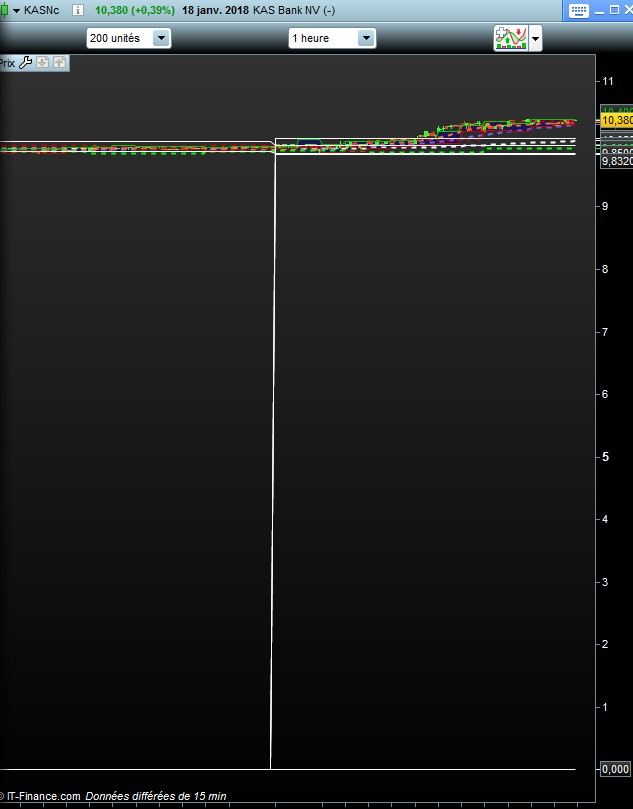
Your code works fine for quarter on daily graph, but not on lower timeframe, where value for quarter low is equal to 0.
Any idea to fix that bug ?
Thanks
That’s not a bug. 200 1hour units is not sufficient to get enough bars for a quarter. Expand the displayed units.
Thanks a lot for your help.
I can not do anything with OpenMonth, I fixed the screener to return information with “Month” instead, but the values of the quarters may not be the right ones, to be checked:
1
2
3
4
5
6
7
8
9
10
11
12
13
14
15
16
17
18
19
20
21
22
23
24
25
26
27
28
29
30
31
32
33
34
35
36
37
38
|
// previous quartly high/low
trimH = max(trimH,high)
trimL = min(trimL,low)
if month <> month[1] then
Mhi=trimH
Mlo=trimL
if month = 4 or month = 7 or month = 10 or month = 1 then
Qhi = trimH
Qlo = trimL
trimL = close*100
trimH = 0
endif
endif
if close > Qhi then
q = 20
endif
if close < Qlo then
q = 10
endif
if close < Qhi and close > Qlo then
q = 0
endif
//m=0
if close > Mhi then
m = 2
endif
if close < Mlo then
m = 1
endif
if close < Mhi and close > Mlo then
m = 0
endif
t = q + m
SCREENER (t as “Q M”)
|
Hello Nicolas,
I really thank you for the help you provide to all of us.
When you correct that screener, you wrote :
Mhi = trimH
Mlo = trimL
I understand that means that the value returned for monthly will be the trimestrial one.
Is that right ?
Thanks
I understand that means that the value returned for monthly will be the trimestrial one. Is that right ?
Don’t remember exactly how I coded it, but seems right to me after a quick read of the code.
H i Nicolas,
I don’t understand your answer. Do you want to say it’s right for you that mensual and trimertrial values are the same or it’s right for you that the screener return 2 different value ?
thanks for your help
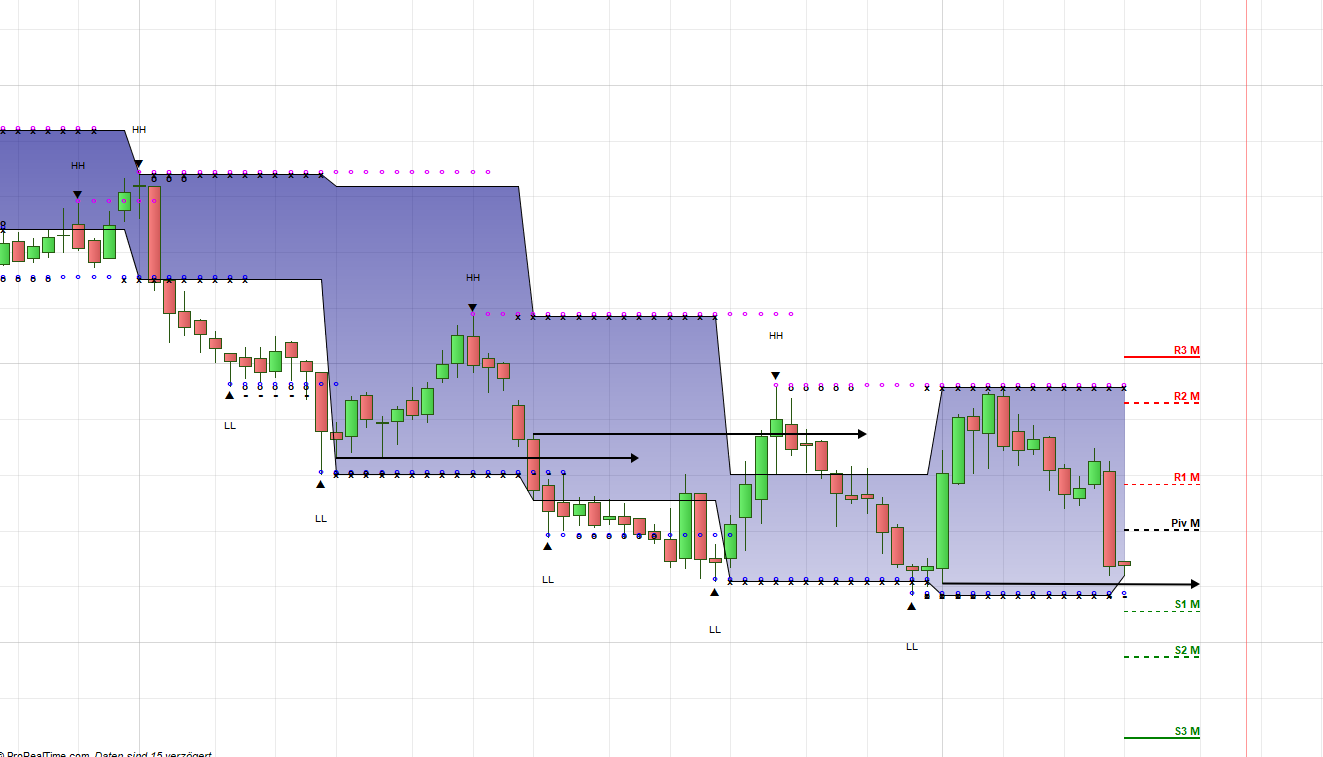
The code is not correct in a weekly chart – see attachment. It is always the problem with the first candle. How can this be fixed?
Will there be soon a variable for week and month high/low? I think this would help a lot!!!!
trimH=max(trimH,high)
trimL=min(trimL,low)
If openMonth <> openMonth[1] then
if openmonth=4 or openmonth=7 or openmonth=10 or openmonth=1 then
trimestrialH=trimH
trimestrialL=trimL
trimL=close*100
trimH=0
endif
Endif
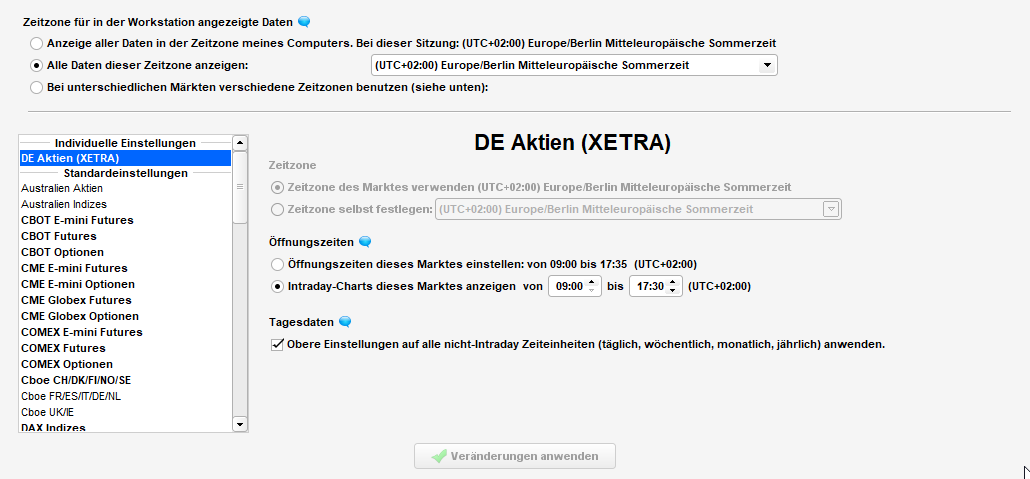
It should works correctly if you activate the week-end data for the instrument displayed on the chart.
I searched in the documentation, but can’t find this setting. Where is it? Could you also please provide a solution without this setting?
There is a SERIOUS problem in ProRealtime with previous OHLC values. Everthing works fine with “Dlow” and “Dhigh”, but every other OHLC (Hour, Week, Month etc.) doesn’t work correct in the several timeframes. I really need a solution for this, otherwise I can’t use PRT!!! Why is there only the inbuild variable dhigh/dlow? In other platforms are OHLC values avaailable for every Timeframe. This one of the basic tools and should be simple!!! How can I contact Prorealtime directly in order to implement this?
You can change custom trading hours by right clicking on a price chart then change the week-end data display in this window.
As you already surely know, there is no multi-timeframe support for indicators. You can contact PRT on their website.
but every other OHLC (Hour, Week, Month etc.) doesn’t work correct in the several timeframes.
They don’t exist, you have to calculate them. Be sure to have sufficient units displayed in order to get the calculation right.
Ok, I tried, but nothing changed – see attachment below. The previous High/Low are still wrong.
Sure, previous OHLC values have to be calculated! BUT due to several other settings this is difficult for the USER. This makes it time consuming for the USER!!! With the variable Dhigh/Dlow everything works fine!!!! So users also need further variables for Hour/Month/Week etc. High/Low (even better OHLC). In this Forum so many users have problems with this!!! Just an example below out of TradingView. Within one line of code I can adress every OHLC within every previous hour/day/week/month and I can plot his information in every chart with every timeframe. If I change the exchange hours in TradingView, the calculation simply adapts the OHLC to the new exchange hours – VERY SIMPLE. Also easy possible in other charting software….
To put it simple: Like Dhigh and Dlow, which exist now in PRT, further varibales are needed.
//Monthly
mo = security(tickerid, ‘M’, open[1], lookahead=barmerge.lookahead_on)
mc = security(tickerid, ‘M’, close[1], lookahead=barmerge.lookahead_on)
mh = security(tickerid, ‘M’, high[1], lookahead=barmerge.lookahead_on)
ml = security(tickerid, ‘M’, low[1], lookahead=barmerge.lookahead_on)
//Weekly
wo = security(tickerid, ‘W’, open[1], lookahead=barmerge.lookahead_on)
wc = security(tickerid, ‘W’, close[1], lookahead=barmerge.lookahead_on)
wh = security(tickerid, ‘W’, high[1], lookahead=barmerge.lookahead_on)
wl = security(tickerid, ‘W’, low[1], lookahead=barmerge.lookahead_on)
//Daily
do = security(tickerid, ‘D’, open[1], lookahead=barmerge.lookahead_on)
dc = security(tickerid, ‘D’, close[1], lookahead=barmerge.lookahead_on)
dh = security(tickerid, ‘D’, high[1], lookahead=barmerge.lookahead_on)
dl = security(tickerid, ‘D’, low[1], lookahead=barmerge.lookahead_on)
//1 Hour
oho = security(tickerid, ’60’, open[1], lookahead=barmerge.lookahead_on)
ohc = security(tickerid, ’60’, close[1], lookahead=barmerge.lookahead_on)
ohh = security(tickerid, ’60’, high[1], lookahead=barmerge.lookahead_on)
ohl = security(tickerid, ’60’, low[1], lookahead=barmerge.lookahead_on)
also need further variables for Hour/Month/Week
I agree. I’m helping people program things here since 3 years, do you think you are the first one to ask for multi timeframe instruction? Or OHLC constant for other timeframes? No, you are not the first one, and we are counting almost 20.000 members now.
I understand that this is frustrating, but solutions exist with codes, and even if it is not the easy way, me, you, we, have to deal with it.
Feel free to drop a suggestion to ProRealTime by using their suggestion box, here:
https://www.prorealtime.com/en/contact?suggestion=1