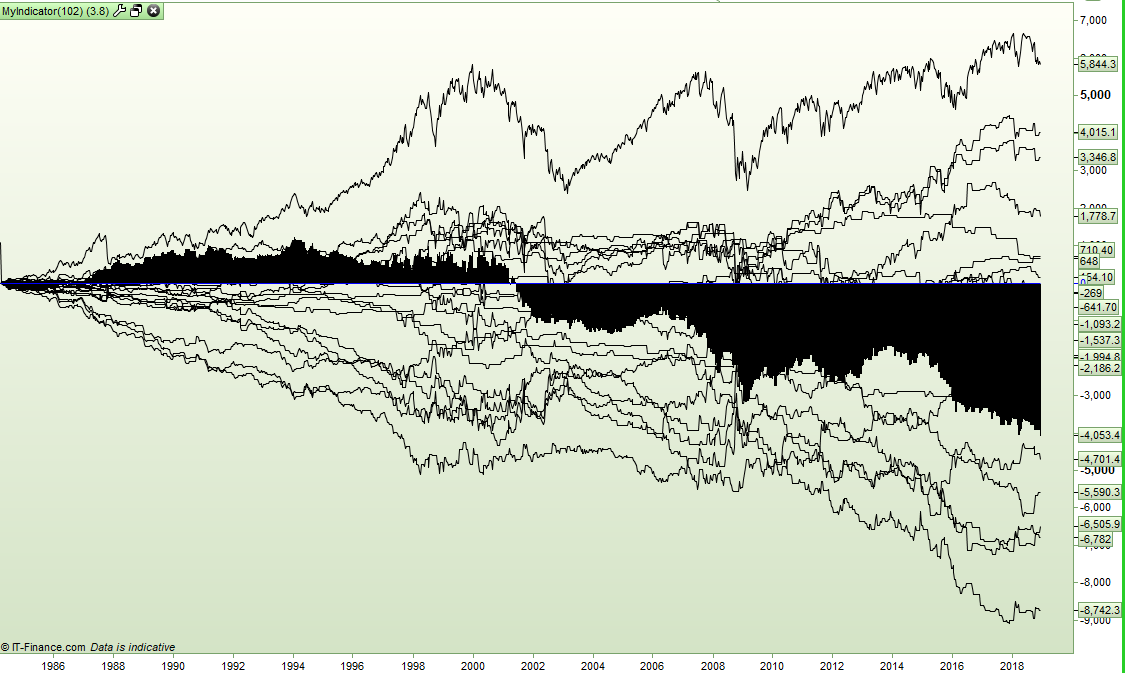
I sometimes have a strange bug when drawing lines in an indicator. I just wrote an indicator which draws lots of lines. With this code I get the strange results shown in the image.
return uplong as "HHHL long", downlong as "LHLL long", upshort as "HHHL short", downshort as "LHLL short", buyhold as "Buy and Hold", uplongg as "HHHL Green long", downlongg as "LHLL Green long", upshortr as "HHHL Red short", downshortr as "LHLL Red short", uplongr as "HHHL Red long", downlongr as "LHLL Red long", upshortg as "HHHL Green short", downshortg as "LHLL Green short", insidelong as "Inside long", insideshort as "Inside short", outsidelong as "Outside long", outsideshort as "Outside short", hhhlwaitonelong as "HHHL wait one long", hhhlwaitoneshort as "HHHL wait one short", lhllwaitonelong as "LHLL wait one long", lhllwaitoneshort as "LHLL wait one short", 0 coloured (0,0,255) as "0"
[attachment file=86339]
If I move the:
0 coloured (0,0,255) as "0"
to the beginning of the RETURN line then everything is drawn normally but the zero line is not drawn at all.
I have tried making the value 0 a variable a = 0 but the results are the same.
I will send a report.
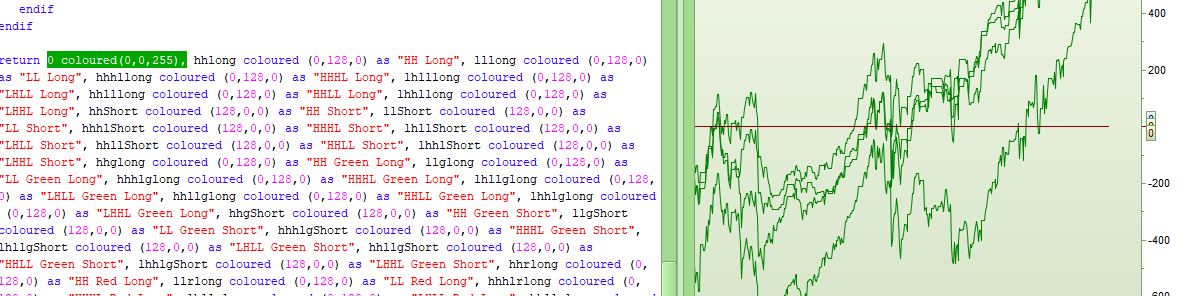
…and another bug. This indicator draws a red line on zero when it should be a blue line.
[attachment file=86355]
Are you sure that any of the other line are not returning 0 as value? Easy to know with all values displayed at once with the cursor details window (CTRL+D).
Are you sure that any of the other line are not returning 0 as value?
I don’t think that is the the reason for the incorrect colour as I don’t have any red lines in the code. I will add a zero line externally to overcome this though.
The filled out area just from where ever the zero line code is placed in the RETURN line is not explained by this theory either.
I sent a report so hopefully PRT will sort that problem one day – although it is very low priority as an externally applied zero line fixes that issue too!
128,0,0 is a red color and I see a lot of them in your RETURN instruction 🙂
So the “strange bug” is the black filling area coming from nowhere?
It sometimes happen that variables contained in the RETURN instruction take settings of previous deleted ones, when these ones have been changed manually in the settings window.
If you copy/paste the complete code into a new indicator, do the bug still happen?
128,0,0 is a red color and I see a lot of them in your RETURN instruction
Well spotted. I am confusing myself as I wrote one indicator with both red and green lines in it but then late last night split it into six separate indicators that are either just green or just red and so tiredness made me assume it was one of those that the images were from. At least that is that bit solved – the line is red because I am stupid and tired and I had some zero value red lines!
I have just re-loaded the indicator this morning that was giving the filled out area problem and today it is working fine with the zero line code at either end of the RETURN line.
I’ll mark it resolved as ‘switch it off and switch it back on again’ seems to be a work around for this bug.