Clipped yellow time box/window

Viewing 5 posts - 16 through 20 (of 20 total)
  • Author
    Posts
  • #85572 quote
    Bard
    Participant
    Master

    Hi @Jakub

    Problems:

    Missing charts (all of them) when I loaded them about a week ago (previously stable and reliable template).

    Unable to reduce a Pro Order Automated Window, (few days ago),

    Still got a clipped crosshair box….

    Can’t get any technical support even when I enter a legitimate support query yesterday (back tested a system but I am unable to modify it or see its code?) in the PRT s/ware help field/box but it goes to IG Index instead of PRT and they won’t support me – in fact neither party IG or PRT will offer me ANY support.

    So basically I end up paying £360 year for no support.

    Can you explain to me why that is?

    #85594 quote
    Bard
    Participant
    Master

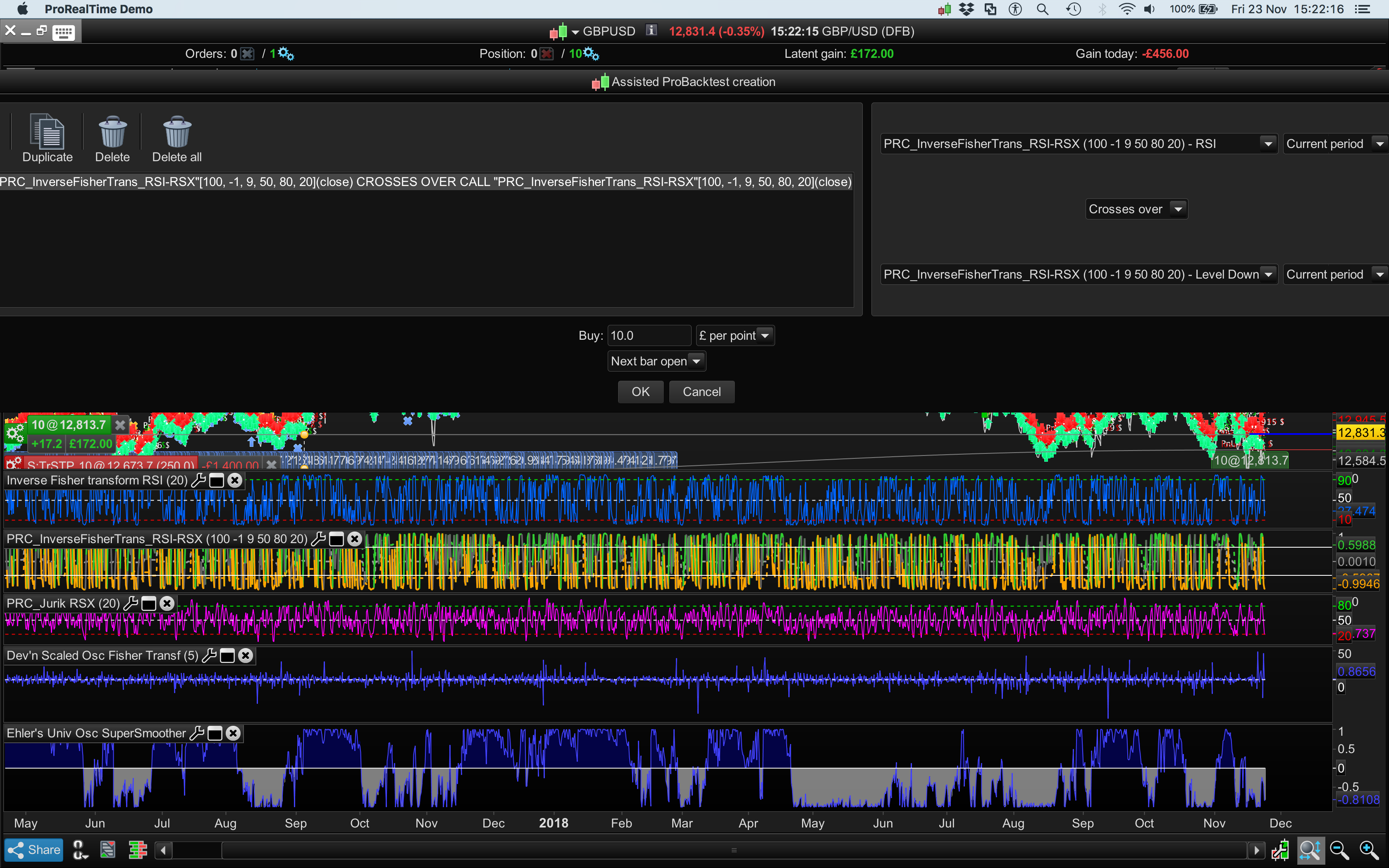
    Ps/ …and please add this very oversized assisted creation window to the long lists of issues. It won’t minimise.

    Pls see screenshot.

    1-1.png 1-1.png
    #85727 quote
    GraHal
    Participant
    Master

    It won’t minimise.

    That screen never does minimise? I guess you are supposed to make your choice of Indicators and either OK your selection or Cancel out of the screen?

    There are several screens on PRT that won’t max or min, it is very annoying as soem the text is so tiny I can’t read it. I am hoping they change all this with version 11.

    The screen is oversize due to very long Indicator names and conditions you have selected, but I guess you knew that?

    I’ve had the oversize screen also several times.

    #85745 quote
    Bard
    Participant
    Master

    Right, no, I didn’t know that the length of the names was causing this, I can see that now and also the programmers/designers dilemma. I wish the Auto Systems saved names field was this long!  I’m always having to squash my description/names. Thanks for the feedback @GraHal

    #85766 quote
    GraHal
    Participant
    Master

    I wish the Auto Systems saved names field was this long!  I’m always having to squash my description/names

    Same here … good idea, put it forward as a suggestion before version 11 is available … they may incorporate long System file names!

    There is lots of at a glance useful info that I’d love to include in my System file names … if only the name could be longer.

    The screen is oversize due to very long Indicator names and conditions

    All PRT needs to do to sort above is to use text wrap … surely that can’t be difficult.

    Bard thanked this post
Viewing 5 posts - 16 through 20 (of 20 total)
  • You must be logged in to reply to this topic.

Clipped yellow time box/window


Platform Support: Charts, Data & Broker Setup

New Reply
Author
author-avatar
Bard @brad Participant
Summary

This topic contains 19 replies,
has 4 voices, and was last updated by GraHal

7 years, 2 months ago.

Topic Details
Forum: Platform Support: Charts, Data & Broker Setup
Language: English
Started: 08/21/2018
Status: Active
Attachments: 4 files
Logo Logo
Loading...