Manually moving 1 candle at the time?

Viewing 11 posts - 1 through 11 (of 11 total)

  • Author
    Posts
  • #84601 quote
    margincallcat
    Participant
    Average

    Hi all!


    I wonder if there is a way of making a shortcut for moving one candle at the time (to the right..). I want to manually backtest some stuff and it would be nice if it was possible to like press “Right Arrow”-key and it moves 1 candle (As it does on TradingView). As for now you have to mouse click the right arrow in the lower right corner on the platform and even then its not 1 bar automatically but can be several bars depending on the zoom level.

    PS. I am fully aware of the great (auto) ProBackTest features but for this i want to do it manually 😉


    Anyone?


    Have a nice weekend!

    #84662 quote
    Nicolas
    Keymaster
    Master

    What you are looking for is often called a “market replay”. This feature is not present in the platform, but many people are asking for it..

    #84663 quote
    margincallcat
    Participant
    Average

    Maybe i was a bit unclear what im looking for… 😀


    I am not looking for an “automatic replay” of the market moving forward from a specific date – i just want to be able to manually jump to the right, one candle at the time, with the keyboard instead of clicking the mouse on the arrow in the down right corner 🙂

    So not exactly like the feature on TW which “hides” future data – but just the option to use the keyboard instead of mouse when jumping one candle at the time 🙂

    But seems like this is not possible… 🙁

    Regards,

    Viktor

    #84664 quote
    Nicolas
    Keymaster
    Master

    Sorry! 😳

    I looked into the shortcuts window and it seems that it is not possible to assign keyboard buttons for that.

    margincallcat thanked this post
    #84665 quote
    margincallcat
    Participant
    Average

    No worries, thanks for checking 🙂 Perhaps something to be added in the future?


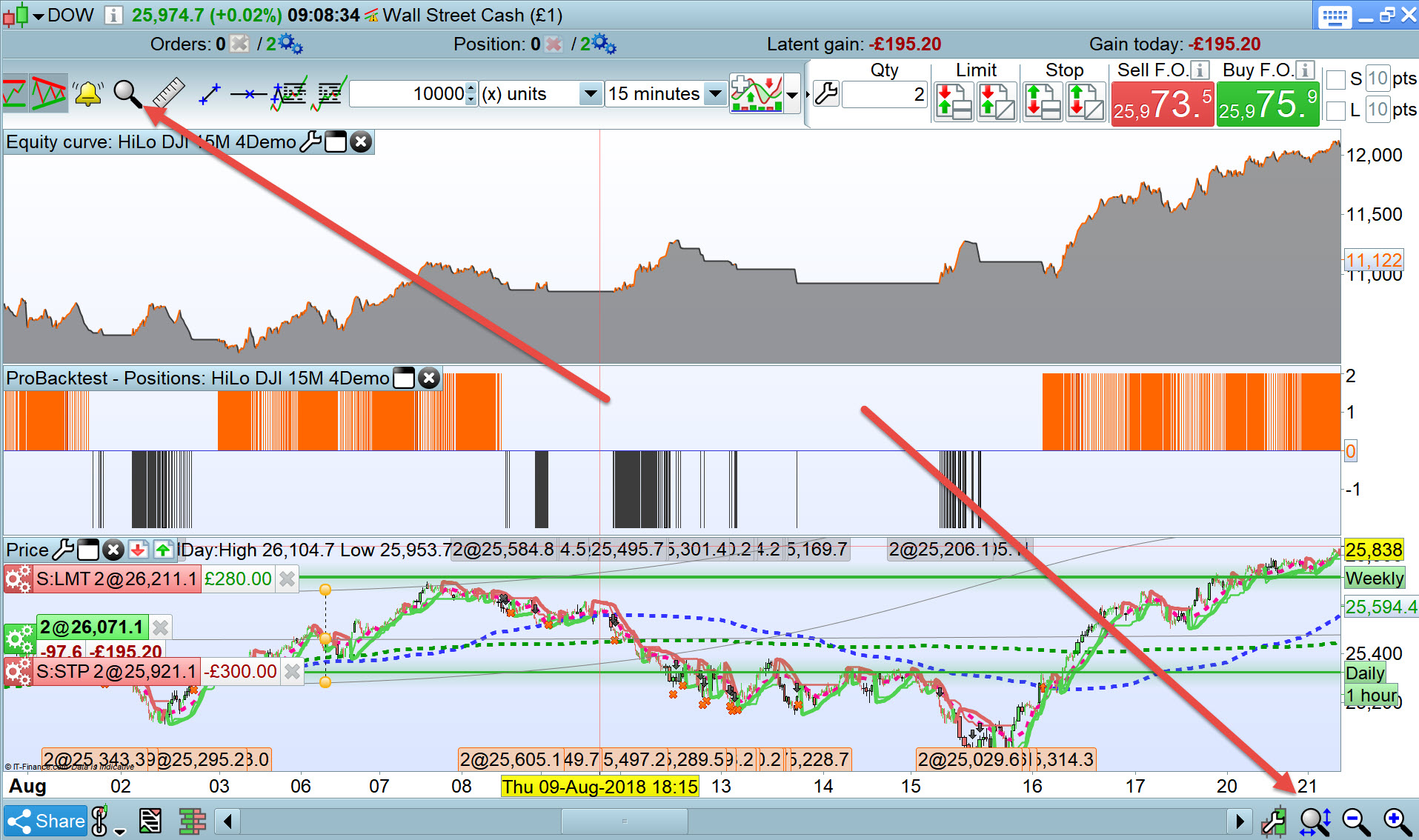
    Also while we are at it: Is there any way to “restore autoscaling” without zooming out/re-setting the whole chart? When  im analyzing past data i sometimes move around the chart, which leads to autozoom being turned off – and the only way to get it back is to press (in my case) Enter to restore autoscaling – but that in the same time re-sets/zooms out the whole chart to default zoom.

    Thanks!

    Viktor

    #84669 quote
    GraHal
    Participant
    Master

    When I want to check historical trades in a backtest for example I use the magnifier.

    When I want to get back to full backtest view I use the restore magnifier.

    Can you post a screen shot of what you mean by “restore autoscaling”  or explain in a few more words please?

    3 screen shots from outside of PRT may help …

    1. Mangnifier ON.
    2.  “restore autoscaling”
    3. Magnifier OFF

    Just trying to better understand and so it may help PRT Support to better understand also?

    Leb.jpg Leb.jpg
    #84671 quote
    margincallcat
    Participant
    Average

    I mean this feature (attached picture) 🙂


    Once pressed it automatically adjusts the height of the chart when moving back and forth – otherwise the scale is constant.

    Skärmavbild-2018-11-12-kl.-10.22.10.png Skärmavbild-2018-11-12-kl.-10.22.10.png
    #84676 quote
    margincallcat
    Participant
    Average

    Sorry! 😳

    I looked into the shortcuts window and it seems that it is not possible to assign keyboard buttons for that.

    Actually i just found it! 👌🏻

    By pressing CMD+arrow key it moves exactly how i want it! I guess its because PRT says “Ctrl+Arror Keys” i havnt had any success before.. lol 😀


    So CASE CLOSED!

    Skärmavbild-2018-11-12-kl.-10.52.44.png Skärmavbild-2018-11-12-kl.-10.52.44.png
    #84678 quote
    GraHal
    Participant
    Master

    Aha gotcha … I learnt something also (or recall features I forgot! ) by asking my questions (which is why I asked! 🙂 ).

    I roll my mouse wheel and I get Auto-Scale … does that help?

    Edit / PS

    So I use the magnifier to get into a historical trade / period and then mouse wheel back from there back to latest trade (or click magnifier off to get back instantly to latest trade) ,

    #84679 quote
    GraHal
    Participant
    Master

    By pressing CMD+arrow key it moves exactly how i want it

    Ctrl + Arrow key works for me (CMD key is only on Apple keyboards?).

    Great so we are sorted now and we’ve all learnt something!

    Toast and coffee now! 🙂

    #84680 quote
    margincallcat
    Participant
    Average

    Aha gotcha … I learnt something also (or recall features I forgot! ) by asking my questions (which is why I asked! 🙂 ).

    I roll my mouse wheel and I get Auto-Scale … does that help?

    Edit / PS

    So I use the magnifier to get into a historical trade / period and then mouse wheel back from there back to latest trade (or click magnifier off to get back instantly to latest trade) ,

    Well not quite what im looking for, but its really not that important – im just glad i figured the other issue out (cmd instead of ctrl) lol

    By pressing CMD+arrow key it moves exactly how i want it

    Ctrl + Arrow key works for me (CMD key is only on Apple keyboards?).

    Great so we are sorted now and we’ve all learnt something!

    Toast and coffee now! 🙂

    Yes exactly, i should have understood that but some other shortcuts uses the actualt Ctrl-button so 😀

    Anyways coffee and toast it is haha

Viewing 11 posts - 1 through 11 (of 11 total)

  • You must be logged in to reply to this topic.

Manually moving 1 candle at the time?


Platform Support: Charts, Data & Broker Setup

New Reply
Author
Summary

This topic contains 10 replies,
has 3 voices, and was last updated by margincallcat
7 years, 3 months ago.

Topic Details
Forum: Platform Support: Charts, Data & Broker Setup
Language: English
Started: 11/11/2018
Status: Active
Attachments: 3 files
Logo Logo
Loading...