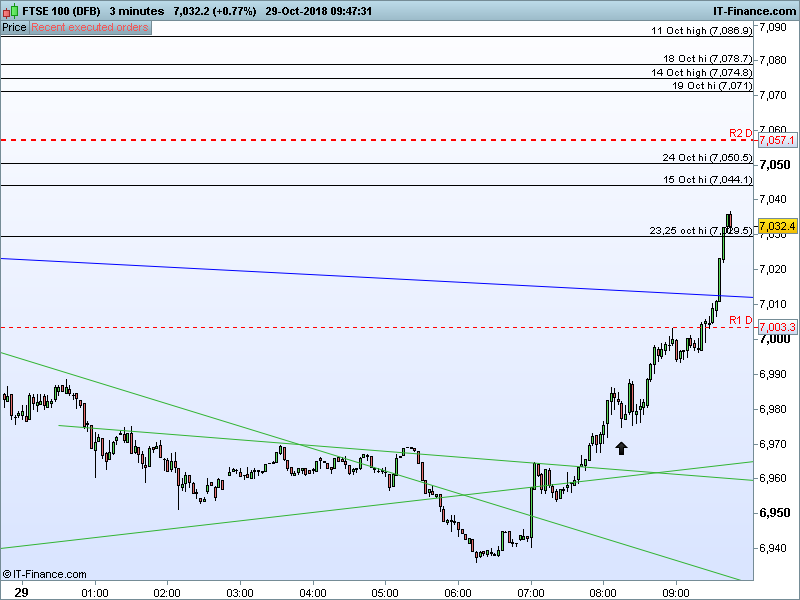
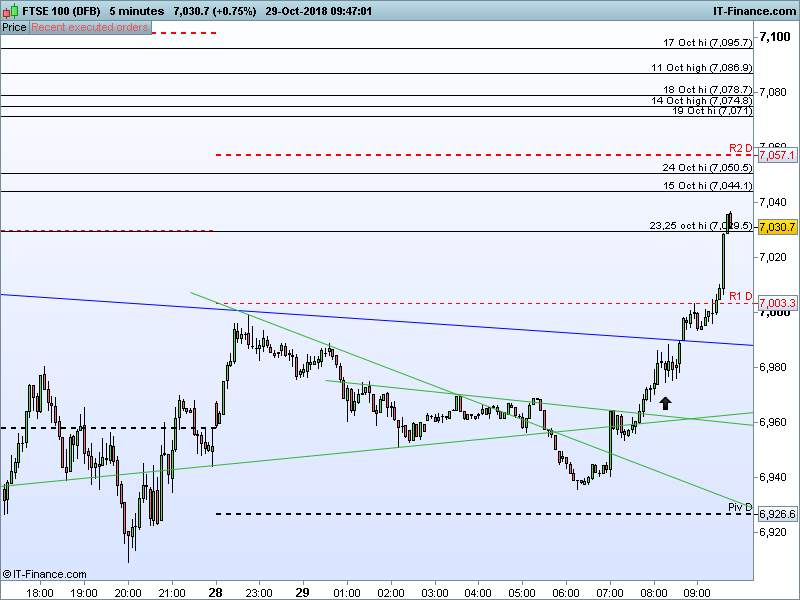
Look at the blue line in the attachments, which is a trend line which I added. Why is it different on the 3 min and 5 min charts?
Check the price where they are drawn, they should be the same, on a TF they may appear correct, in another one (the lower one, usually) it can cross some candles due to shadows, but the price level shoud be the same!
It “can cross some candles due to shadows”. What are you on about? Look at the charts I posted, the prices are clearly not the same.
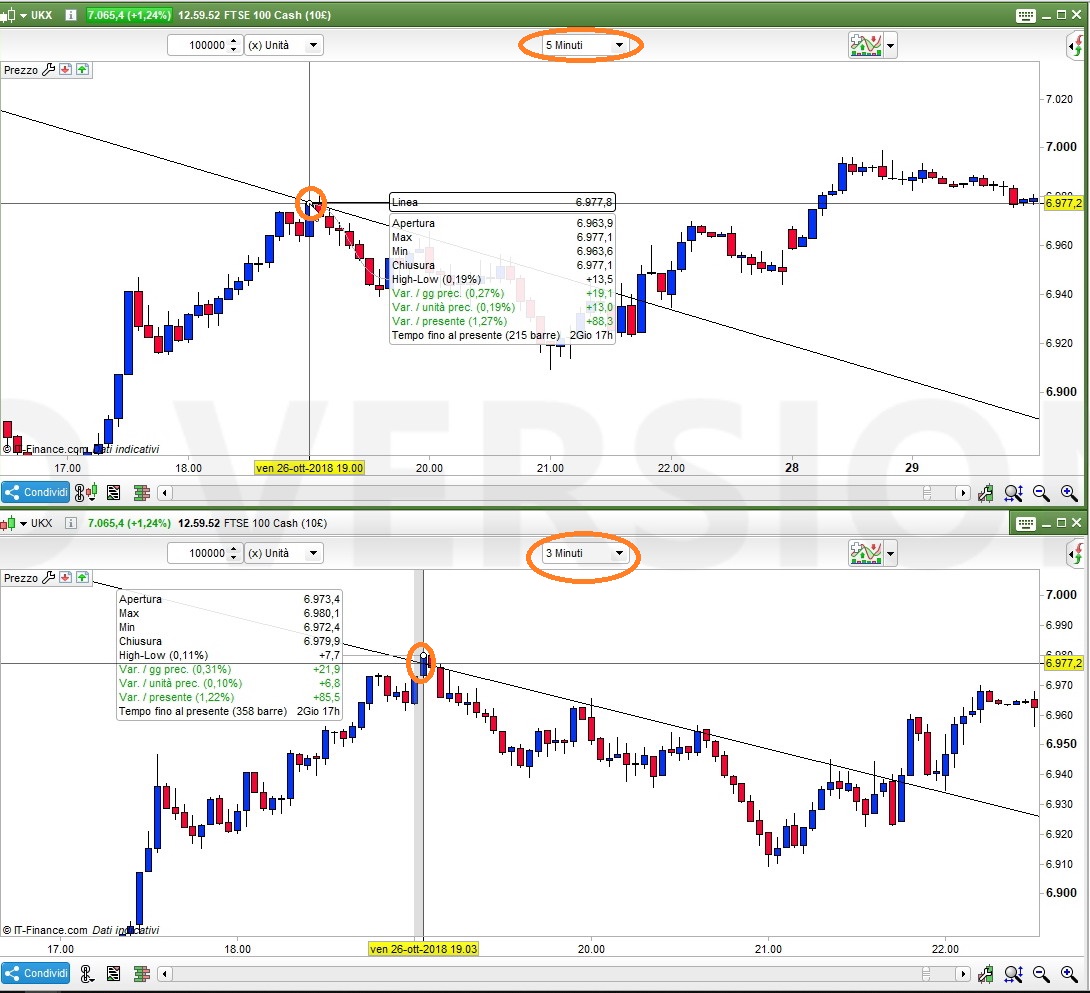
The screenshot explains better what I mean.
It’s the Trendline drwan on a 5-minute bar, which (due to options I have ticked) is mirrored on lower TF’s.
On the 3-minute TF it crosses candles, because of shadows on the 5-minute TF.
I still don’t see what you mean. On your charts the trenlines are shown at the same places. On mine they are not. Is there some option I have to set to get them to appear at the same place on all timeframes (as if anyone would ever want it otherwise)?
Hello,
I beleive that your “issue” has been prompted by a lack of historical data in your 3 minute timeframe.
The Point 1 has been placed on a higher timeframe (5 minute) in a point which is not present on your lower timeframe (3 minutes). Please display more data on your lower timeframe to have the same line.
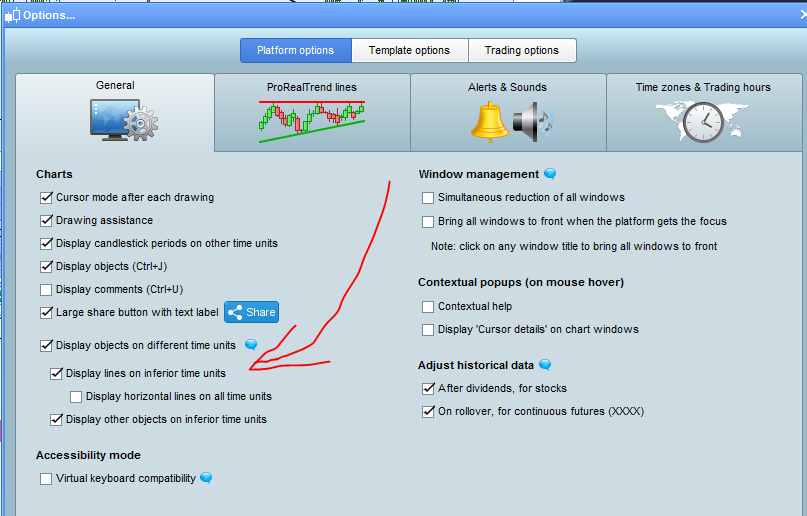
I suggest modifying the following menu as well in order to match your preferences.
[attachment file=83725]
Best regards,
Jakub
Is there some option I have to set to get them to appear at the same place on all timeframes (as if anyone would ever want it otherwise)?
There may be a logical explanation why this cannot be so?
Does the info on below help?
https://www.prorealcode.com/topic/manual-drawn-lines-are-not-accurate-on-lower-timeframes/