Bard
BardParticipant
Master
Hi there,
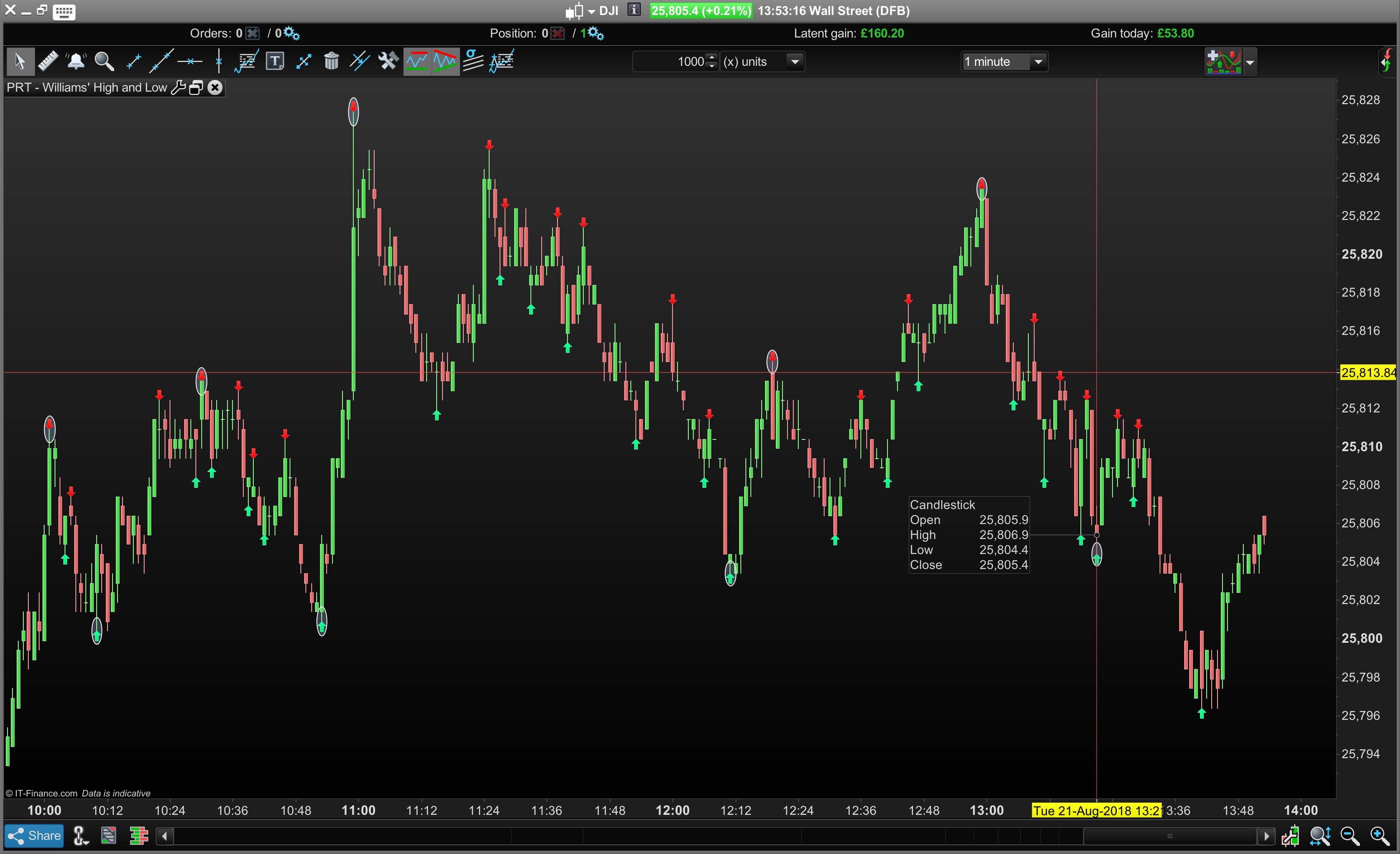
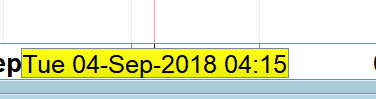
Wondering if anyone else has a yellow clipped time box so you can’t see all the date/time when using a crosshair? Pls see image:
(It’s the same when in a daily chart too, you can’t see the last of the 4 numbers that make up a year like 201 “8” – the 8 being difficult to see).
BardParticipant
Master
I haven’t changed my settings on this new Macbook 15″ Touchbar since I bought it in Feb but I am pretty sure this clipping of dates is a new issue.
I must be reading you wrong (?) as I can see the full date on your screen shot?
Got no clipping in any of my charts.
@GraHal, Bard is referring to the minutes not completely in the yellow box.
BardParticipant
Master
Time is money! Minutes matter! Lol.
No idea why this has started to display with clipped data, I even rescaled my Macbook Pro display settings and still no joy 😳
BardParticipant
Master
Hi @Carine
I was wondering if you have any ideas why my Macbook Pro 15″ Touchbar is clipping the data as per the screenshots I’ve provided in this thread? Thanks.
Sorry @Nicolas I thought this @ symbol would tag Carine but it hasn’t, maybe you could see if anyone at PRT has an idea why this is happening? Cheers.
Bard is referring to the minutes not completely in the yellow box.
Thanks!
I did a poor screen shot which looked my mins were clipped also and they are not (nor date in Daily TF) … see attached! 🙂
BardParticipant
Master
Want to swap computers @GraHal!? haha.
I have had lots of ‘weird screens’ due to my weird settings for resolution etc … you sure your problem is not due to personalisation of settings (outside of PRT settings I mean).
I can see you say you have not changed settings since new Macbook, but sometimes (esp with new equipment in first few days) we change settings and then forget we changed them! 🙂
You could try back to default / factory settings and see if it makes any difference??
BardParticipant
Master
Thanks, no, unfortunately, it wasn’t like that in Feb when I bought the Macbook, I’d have mentioned it here back then.
Factory settings may resolve it I don’t know, it’s just a bit of a pain to go through!
Try screen resolution first and then anything to do with font size.
All obvious I know, but worth trying if you already haven’t?
Dear Bard,
We have tried to reproduce the issue, without success.
You can also try to reinstall ProRealTime. If after having reinstalled the workstation and reviewed your screen resolution the problem persists, please send us a technical report following these instructions:
- As soon as you encounter the issue, go to the “Help” menu on the ProRealTime toolbar.
- Please assure that the window concerned by this issue is open.
- Click on “Technical support”
- Choose the category (e.g. “Data” for a spike)
- Select the concerned window in the drop-down menu.
- Giving as much detail as possible, explain the issue you are having in the text box.
- Click “Send report”
This will send us a report containing technical information concerning your platform, which will allow our technical team to run a diagnostic analysis of the issue you have come across.
Thanks in advance,
Jakub
BardParticipant
Master
Dear Jacob,
Could you just explain something, I went to download the app again via safari browser and clicked on the package and installed it, yet when I go to my applications folder it shows that I haven’t modified the existing app the date is shown in the attached screenshot “old app”, but when I search Finder it shows that the app is in the applications folder and the file has been modified just now 15th Oct – “new app”?
If I launch from IG’s platform am I always launching an app from my Mac applications folder or is it a web based application I’m launching because when I click on this PRT app it takes me to your website to log in.. (which I don’t think I have recently set up an access email (search bard@) and password for)?
Cheers
Bard
BardParticipant
Master
Hello? This issue of tech support and the lack of is about to go to the FOS.
I don’t understand why I’m paying £360/year but not able to get any support at all from IG or prompt support from PRT? Can someone please explain to me why the £360/ year fee comes with little support?
I also loaded up a template last week that I regularly use (and have a back up for) and it had no charts at all? What is a reasonable time to wait for a response from PRT on such issues?
Thanks
BardParticipant
Master
Is there anyone at PRT who can explain my above query, perhaps even in a timely manner?
Thanks