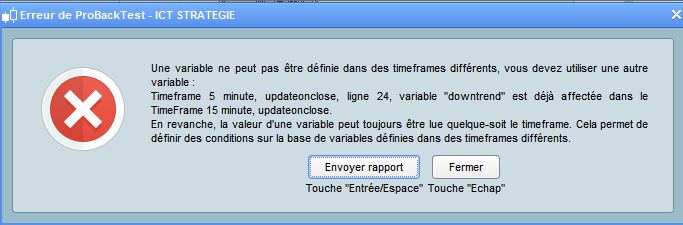
Both of my MTF Systems have been rejected with the error message attached.
I have sent in a Technical Report. Anybody else getting this?
Hello Grahal,
I hope you’re doing well.
This was due to a technical issue which has been corrected yesterday.
Please re-start your strategies.
Best regards,
Maria
Great to hear that a report has been dealt with, even better when the outcome is successful!
 RIBO
RIBOParticipant
Junior
Hello,
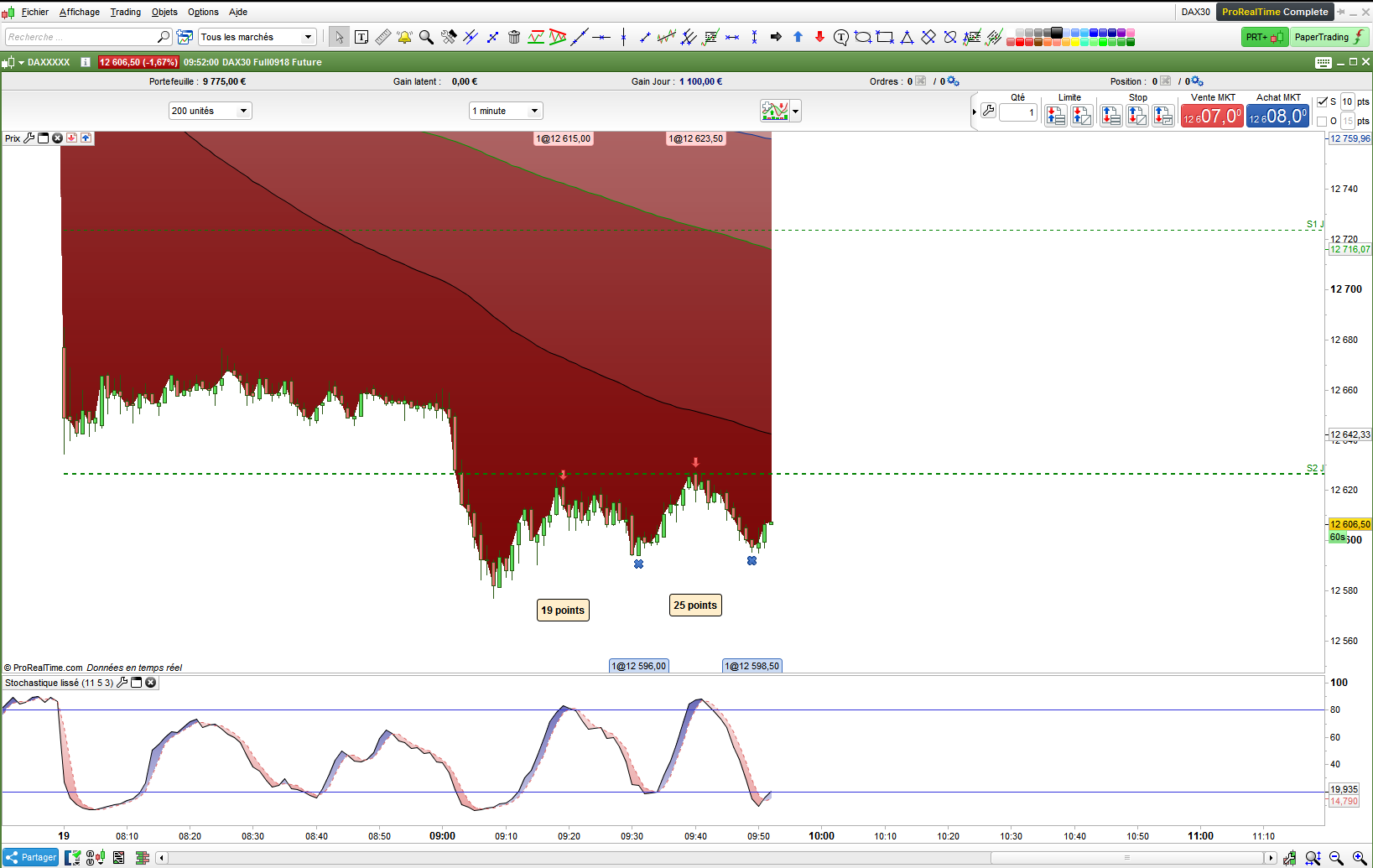
I want to code in multi timframe. 3 UT = 15 minutes and 5 minutes to confirm the trend and 1 minute to take a position.
example AT SALE
The system is simple if in M15 and M5: the MM100, the MM200, the MM600 and the MM100 + the daily pivot point are below the price.
In 1 MINUTE the same conditions + the stochastic crosses down the 80.
However, I have error messages in my coding. Prorelatime does not know the variables “MM1000” and “downtrend”.
Thanks for your help.
// PAS Cumul des positions désactivé
defparam cumulateorders=false

// Nbre d'unité à acheté
n=1

MM100 = average[100,1]
MM200= average [200,1]
MM600= average [600,1]

sto = Stochastic[11,5]
PPJ= DHigh(1)+ DLow(1)+ Dopen(1) //Point pivot journalier


// VENTE
//time frame 15 minutes
TIMEFRAME( 15 minutes, updateonclose)
downtrend = SHORTONMARKET <mm100 AND shortonmarket <mm200 and shortonmarket <mm600 and shortonmarket < ppj
bulltrend= SHORTONMARKET >mm100 AND shortonmarket >mm200 and shortonmarket >mm600 and shortonmarket > ppj


//time frame 5 minutes
TIMEFRAME( 5 minutes, updateonclose)
downtrend = SHORTONMARKET <mm100 AND shortonmarket <mm200 and shortonmarket <mm600 and shortonmarket < ppj
bulltrend= SHORTONMARKET >mm100 AND shortonmarket >mm200 and shortonmarket >mm600 and shortonmarket > ppj

//time frame 1 minutes prise de position

// VENTE
TIMEFRAME( default)
if downtrend and SHORTONMARKET <mm100 AND shortonmarket <mm200 and shortonmarket <mm600 and shortonmarket < ppj and sto CROSSES UNDER 80 then
sellshort n shares at market
endif

// SORTIE VENTE
if sto CROSSES OVER 20 then
exitshort at market
endif

// ACHAT
TIMEFRAME( default)
if bulltrend and SHORTONMARKET >mm100 AND shortonmarket >mm200 and shortonmarket >mm600 and shortonmarket > ppj and sto CROSSES over 20 then
buy n shares at market
endif

// SORTIE ACHAT
if sto CROSSES UNDER 80 then
SELL at market
endiF
SHORTONMARKET cannot be used how you have used it – are you trying to say:
close < MM200
SHORTONMARKET is a condition. If you have a short trade open then SHORTONMARKET = true otherwise it equals false.
 Abz
AbzParticipant
Veteran
if you are using a 30 min or 15 min strategy and want to check the trailing stop on a 1 min basis , how to do that?
////trailing stop function
TIMEFRAME(1minutes)
trailingstart = 2 //trailing will start @trailinstart points profit 25
trailingstep = 1 //trailing step to move the "stoploss" 30 21 & 9
slDistance = 0.6 // <--- to compensate for SL distance reqs emposed by the dealer.

//reset the stoploss value
IF NOT ONMARKET THEN
newSL=0
ENDIF

//anage long positions
IF LONGONMARKET THEN
//first move (breakeven)
IF newSL=0 AND close-tradeprice(1)>=trailingstart*pipsize THEN
newSL = tradeprice(1)+trailingstep*pipsize
ENDIF
//next moves
IF newSL>0 AND close-newSL>=trailingstep*pipsize+slDistance THEN
newSL = newSL+trailingstep*pipsize
ENDIF
ENDIF

//manage short positions
TIMEFRAME(1minutes)
IF SHORTONMARKET THEN
//first move (breakeven)
IF newSL=0 AND tradeprice(1)-close>=trailingstart*pipsize THEN
newSL = tradeprice(1)-trailingstep*pipsize
ENDIF
//next moves
IF newSL>0 AND newSL-close>=trailingstep*pipsize+slDistance THEN
newSL = newSL-trailingstep*pipsize
ENDIF
ENDIF

//stop order to exit the positions
TIMEFRAME(1minutes)
IF newSL>0 THEN
SELL AT newSL STOP
EXITSHORT AT newSL STOP
ENDIF


set stop ploss 5
You are doing right, provided your current chart is set on the lowest TF you are using and all TF’s are multiple of the lowest one.
Lines 25 and 38 are not necessary; you need to write the keyword TIMEFRAME only when you want to use a different one from the previous.
This is how it should look – and then run your strategy on a 1 minute chart. If decisions are made further up in the code on conditions and values found on slower time frame charts such as the 15 and 5 that you mention then the code for those will need to be put under TIMEFRAME(15 minutes,default) etc (or updateonclose instead of default if you want on the fly values/conditions).
////trailing stop function
TIMEFRAME(default)
trailingstart = 2 //trailing will start @trailinstart points profit 25
trailingstep = 1 //trailing step to move the "stoploss" 30 21 & 9
slDistance = 0.6 // <--- to compensate for SL distance reqs emposed by the dealer.

//reset the stoploss value
IF NOT ONMARKET THEN
newSL=0
ENDIF

//anage long positions
IF LONGONMARKET THEN
//first move (breakeven)
IF newSL=0 AND close-tradeprice(1)>=trailingstart*pipsize THEN
newSL = tradeprice(1)+trailingstep*pipsize
ENDIF
//next moves
IF newSL>0 AND close-newSL>=trailingstep*pipsize+slDistance THEN
newSL = newSL+trailingstep*pipsize
ENDIF
ENDIF

//manage short positions
IF SHORTONMARKET THEN
//first move (breakeven)
IF newSL=0 AND tradeprice(1)-close>=trailingstart*pipsize THEN
newSL = tradeprice(1)-trailingstep*pipsize
ENDIF
//next moves
IF newSL>0 AND newSL-close>=trailingstep*pipsize+slDistance THEN
newSL = newSL-trailingstep*pipsize
ENDIF
ENDIF

//stop order to exit the positions
IF newSL>0 THEN
SELL AT newSL STOP
EXITSHORT AT newSL STOP
ENDIF


set stop ploss 5
AbzParticipant
Veteran
ok thanks for info , but then the backtest Would be on very little data when setting the chart to 1 min.
Yes, the lower the TF used, the less data history you have!
I suggest using sort of a template like this:
TIMEFRAME (Daily, updateonclose)
     //your daily conditions

TIMEFRAME (4 hours, updateonclose)
     //your 4-hour conditions

TIMEFRAME (1 hour, updateonclose)
     //your 1-hour conditions

TIMEFRAME (default)
     //your code to Enter/Exit trades
     //your stop loss code
you develop and probacktest your strategy on a 1-hour TF, thus granting you more data. When you are ready to launch it, switch to a 1-minute chart and run it without backtesting (you could backtest it, but results would be much different!).
This way you do not need to change your code, since ProOrder will assign the current TF on the chart to DEFAULT timeframe, initially 1 hour to develop it, then 30 minutes, 1 minute or whatever (provided all TFs used are a multiple of the lowest one, you wouldn’t be allow, say 25 or 7 minutes).
Just updated the documentation with the new automatic trading specific TIMEFRAME instruction: TIMEFRAME (ProBacktest / ProOrder)
Hello, is it possible to use the Multiframe to manage the trailing stop code?
Yes of course. Just like the example I made in the documentation TIMEFRAME (ProBacktest / ProOrder) with a 1 hour strategy but with a position management made in the 1 minute timeframe.